Why USB‑C Matters on Modern Smartphones
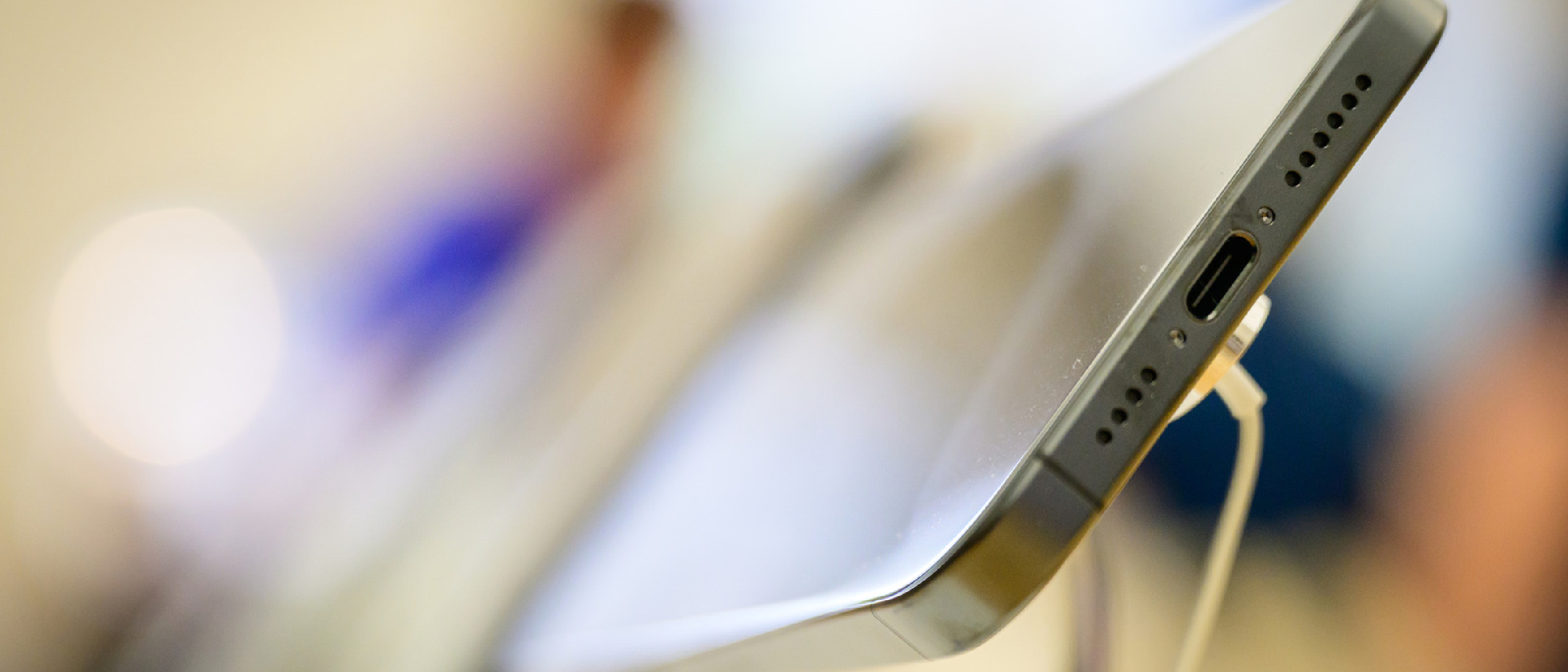
For a rocky couple of years in the 2010s, smartphone ports were a bit of a free‑for‑all. The arrival of USB‑C has finally settled that chaos, delivering a universal standard that works across Android, iOS (via adapters), and emerging devices. The shift matters for three core reasons:
- Interoperability – One cable can power, transfer data, and host accessories, reducing the clutter of proprietary connectors.
- Power Delivery (PD) – USB‑C supports up to 100 W, enabling fast charging and, crucially, reverse charging where the phone becomes a power source.
- Future‑proofing – As more peripherals adopt USB‑C, smartphones become the hub of a portable workstation rather than a dead‑end endpoint.
The ripple effect is visible in every consumer segment, from casual photo‑sharing to professional field work. When a device can act as both charger and peripheral host, the user experience fundamentally changes.
Technical Breakdown of Core Functions
Below is a sequential extraction of the most common USB‑C capabilities, each with a brief technical note.
1. Reverse Charging (Power Delivery to Other Devices)
- How it works: The phone’s PD controller negotiates a power role swap, allowing it to output up to 15 W (or higher on flagship models) through a USB‑C‑to‑USB‑C cable.
- Use cases: Charge another phone, wireless earbuds, or a smartwatch on the go.
- Cable requirement: Both ends must be USB‑C; a passive cable suffices because the negotiation happens inside the devices.
2. External Storage (Flash Drives & Memory Card Readers)
- USB‑C flash drives: Offer plug‑and‑play file transfers without cloud latency. Models that combine USB‑C and USB‑A connectors are especially handy for cross‑platform work.
- Portable card readers: Ideal for photographers and videographers who need to offload SD or microSD cards directly to a phone for quick edits.
3. Peripheral Connectivity (Keyboards, Monitors, Hubs)
- Wired keyboards: Provide tactile feedback and eliminate Bluetooth pairing delays, perfect for long‑form writing or coding on a mobile device.
- External displays: A USB‑C‑to‑HDMI adapter can drive a 4K monitor at 60 Hz. Multi‑port hubs expand this to up to eight ports, supporting Ethernet, additional USB‑A devices, and SD cards simultaneously.
- Battery impact: Wired connections consume less power than wireless casting, extending battery life during presentations or remote work.
4. Audio Enhancements (Microphones & Headphones)
- USB‑C microphones: Deliver higher‑resolution audio than built‑in mics, crucial for podcasters and journalists. They often include gain controls and pop filters.
- Wired USB‑C headphones: Brands like Sennheiser ship models that bypass the analog stage, delivering lossless sound directly from the DAC inside the phone.
- Legacy support: Cheap USB‑C‑to‑3.5 mm adapters keep older headphones usable, a point highlighted by many reviewers.
5. Gaming Upgrades (Controllers & Handheld Mode)
- Wired gamepads: PlayStation and Xbox controllers connected via USB‑C experience lower latency than Bluetooth, a decisive advantage in competitive titles.
- Mobile gaming controllers: Devices such as the Backbone One and Razer Kishi turn a phone into a handheld console, comparable to the Steam Deck or Nintendo Switch. This convergence is why we see articles like the Xbox App on Hisense & VIDAA TVs – Game Pass Goes Console‑Free referenced when discussing cross‑platform play.
6. Professional & Niche Tools
- Endoscope cameras: Plug into the USB‑C port to provide live video feeds for plumbers or mechanics inspecting tight spaces.
- Smartphone‑powered ultrasound: Portable medical devices use the port for power and data, enabling remote diagnostics in underserved regions.
Impact on Consumer Workflow and Productivity
The convergence of these functions reshapes daily routines:
- Travel: A single USB‑C cable can charge the phone, power a Bluetooth speaker, and sync a flash drive, eliminating the need for multiple chargers.
- Remote work: Connecting a keyboard and external monitor via a hub creates a laptop‑like workstation in a coffee shop, with the added benefit of fast PD charging.
- Content creation: Creators can record high‑quality audio with a USB‑C mic, edit on‑the‑fly using external storage, and upload directly from the device, bypassing a laptop entirely.
The quote, “It’s nice to have this wired approach as an alternative to the battery‑intensive task of screen mirroring or casting,” captures the efficiency gains for professionals who need reliable, low‑latency connections.
Gaming and Entertainment: Turning Phones into Consoles
Mobile gaming has evolved from casual tap‑and‑play titles to full‑blown AAA experiences. USB‑C is the linchpin that makes this possible:
- Latency reduction: Wired controllers eliminate the 30‑40 ms Bluetooth lag, delivering a console‑grade feel.
- Handheld mode: Controllers like the Backbone One attach directly to the phone’s USB‑C port, providing physical buttons, analog sticks, and a pass‑through charger. The Razer Kishi offers a similar experience with a more modular design.
- Comparative ecosystem: The ability to dock a phone to a TV via USB‑C‑to‑HDMI mirrors the experience of a Nintendo Switch. For readers interested in the Switch’s market positioning, the Woot Prime Day Event article provides context on pricing and availability.
These developments blur the line between mobile and dedicated gaming hardware, prompting developers to optimize titles for both touch and controller input.
Professional Niche Applications
Beyond consumer use cases, USB‑C is enabling specialized workflows:
- Field diagnostics: Portable ultrasound units draw power from the phone, transmit data in real time, and store results on the device’s internal storage or an attached flash drive.
- Industrial inspection: Endoscope cameras paired with diagnostic apps let technicians view internal components without disassembly, saving time and reducing error rates.
- Education & training: Teachers can connect a phone to a projector via USB‑C, delivering interactive lessons without a laptop, a scenario increasingly common in emerging markets.
These tools often sacrifice raw power for portability, but the trade‑off is acceptable when mobility is paramount.
Future Outlook and Industry Trends
While the current USB‑C ecosystem is robust, several trends will shape its next phase:
- Higher Power Delivery: The USB Power Delivery 3.1 specification (up to 240 W) is already ratified. Future flagship phones may support fast‑charging of laptops or even small monitors directly.
- Thunderbolt Integration: Some Android flagships already ship with Thunderbolt 4 over USB‑C, enabling external GPUs and ultra‑fast storage. If Apple extends this to iPhone, the convergence will be complete.
- Standardized Accessories: The EU’s “common charger” mandate accelerates universal accessory design, reducing e‑waste and simplifying consumer choices.
- Software Enablement: Operating systems are adding APIs that let apps negotiate bandwidth and power roles more intelligently, opening doors for new use cases like on‑device AI acceleration via external accelerators.
For Android enthusiasts, the Xiaomi Phones Rarely Sold piece discusses how certain manufacturers have already embraced these standards, often outpacing competitors in USB‑C feature sets.
Frequently Asked Questions
Q: Can I use any USB‑C cable for reverse charging?
A: The cable must support Power Delivery and have USB‑C connectors on both ends. Cheap data‑only cables may not negotiate the required power role.
Q: Do USB‑C headphones require a DAC inside the phone?
A: Yes. The phone’s built‑in DAC processes the digital audio stream. High‑end headphones often include their own DAC for additional processing, but a standard USB‑C headphone relies on the phone’s DAC.
Q: Will a USB‑C hub drain my battery faster than a single cable?
A: Hubs draw power from the host device, so they can increase consumption, especially when multiple peripherals are active. However, using a powered hub mitigates this effect.
Q: Are wired controllers always better than Bluetooth?
A: For latency‑critical games, wired connections are superior. For casual play, Bluetooth offers convenience without a noticeable lag for most titles.
Q: How secure are professional tools like smartphone‑powered ultrasounds?
A: Data is transmitted over encrypted USB channels, but overall security depends on the app’s implementation and the device’s OS updates.
By treating the USB‑C port as a true multifunctional gateway, users can transform a pocket‑sized phone into a charging hub, a desktop workstation, a gaming console, and even a medical diagnostic tool. The convergence of power, data, and peripheral support under a single connector is not just a convenience—it’s a catalyst for new workflows across consumer, entertainment, and professional domains.
Source: Original Article