
The Experiment in Context
In early 2024, software engineer Mert Cobanov posted a striking workflow on X (formerly Twitter) that showed how he gave the AI agent Claude full debugging access to his four‑year‑old Android TV. By letting Claude run a series of commands, Cobanov claimed the TV now feels “smoother than when it was new, four years ago.” The headline‑grabbing result sparked excitement among hobbyist developers who love the idea of an AI‑powered “one‑click” debloat. Yet the same experiment also raised red flags about the fragility of modern smart‑TV platforms, the potential for bricking devices, and the privacy implications of handing an autonomous agent deep system privileges.
The story sits at the intersection of three trends: the proliferation of AI assistants capable of executing code, the growing bloatware load on smart‑TV operating systems, and heightened scrutiny of connected‑device privacy. Understanding why this experiment matters requires a deep dive into the technical steps Claude performed, the inherent risks of such automation, and the broader industry response.
Technical Breakdown of Claude’s AI‑Driven Debloating
Claude’s workflow can be distilled into four core actions, each executed via Android Debug Bridge (ADB) commands issued from a laptop that had been paired with the TV in developer mode.
1. Disabling Unused Applications
Instead of uninstalling pre‑installed streaming apps (Netflix, YouTube, Prime Video, etc.), Claude issued pm disable-user --user 0 <package> commands. Disabling preserves the app binaries on the system partition, avoiding the need for root privileges while preventing the OS from launching them. This approach is safe for most users but can leave large chunks of code occupying storage.
2. Shortening Animation Durations
Claude edited the global animation scale settings (settings put global window_animation_scale 0.5, transition_animation_scale 0.5, animator_duration_scale 0.5). Halving these values reduces the perceived latency when navigating menus, giving the illusion of a faster device without touching CPU or GPU performance.
3. Action Logging
Every command executed was piped to a log file on the developer’s workstation (adb logcat -d > claude_debloat_log.txt). This audit trail is essential for rollback, yet it also creates a forensic record of every system modification—something that could be leveraged by malicious actors if the log were exposed.
4. Home Screen Removal
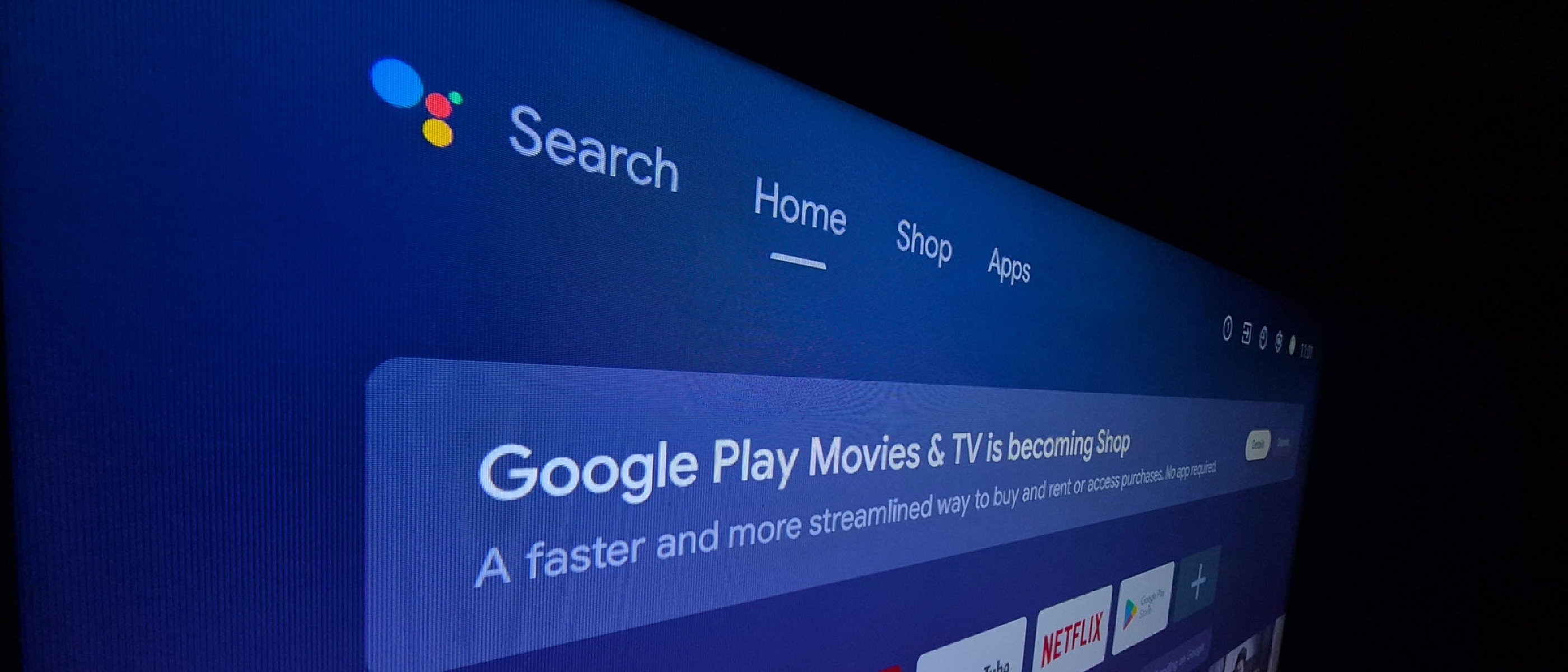
Claude disabled the Google TV home screen (pm disable-user --user 0 com.google.android.tvlauncher). By doing so, the default UI that surfaces ads and “recommended” content disappears, and the user can replace it with a third‑party launcher such as FLauncher.
These steps collectively shaved off several hundred megabytes of storage and reduced UI latency. However, each action touches a critical subsystem, and the cumulative effect can be unpredictable on older hardware.
Risks, Stability Concerns, and the “Bricking” Threat
System Instability
Disabling core services—especially the launcher—can cascade into missing dependencies. For instance, the Google TV home screen integrates with the Play Store for app updates. Removing it without a proper fallback may prevent OTA updates, leaving the device stuck on an outdated security patch.
Potential for Bricking
If Claude were to misinterpret a package name or issue a pm disable-user on a system service (e.g., android.hardware.audio.service), the TV could enter a boot loop. Unlike smartphones, many smart TVs lack a straightforward recovery mode, making restoration difficult for the average consumer.
Privacy Implications
Granting an AI full debugging access means the agent can read logs, system properties, and potentially intercept network traffic. While Claude is a product of Anthropic and operates under strict usage policies, the precedent of an external AI having unrestricted read/write privileges on a consumer device is unsettling. The Center for Digital Democracy has already labeled connected TVs a “privacy nightmare,” citing automatic content recognition (ACR) that captures screenshots for targeted advertising. An AI with debugging rights could theoretically disable or tamper with ACR, but it could also exfiltrate data if compromised.
Update Incompatibility
Future OS updates often rely on the presence of certain packages. Removing or disabling them may cause the update process to abort, forcing users to perform a factory reset—a costly step for a device that may be under warranty.
Manual Alternatives and Best‑Practice Recommendations
For users who want a leaner Android TV experience without the AI‑driven gamble, several manual methods exist.
FLauncher – A Minimalist Open‑Source Launcher
- Free on the Play Store.
- Replaces the Google TV home screen with a simple grid.
- No need to disable system packages; it runs as a regular user app.
Built‑In Developer Options
| Setting | Effect | Recommended Value |
|---|---|---|
| Animation Scale | Controls UI transition speed | 0.5x |
| Transition Scale | Affects activity change animations | 0.5x |
| Animator Duration Scale | Impacts property animation timing | 0.5x |
| Autoplay Videos | Stops auto‑playing promos on the home screen | Disabled |
| Usage Diagnostics | Stops data collection for analytics | Disabled |
| “Apps Only” Mode | Hides system UI elements for a cleaner view | Enabled |
These tweaks are reversible via the Settings UI, pose no risk of bricking, and keep the system update path intact.
Cache Clearing
A simple adb shell pm clear <package> or the “Storage & cache” menu can free up memory without disabling apps. While it doesn’t remove bloat, it can improve responsiveness after heavy usage.
Cautionary Checklist Before Using AI Tools
- Backup: Create a full system image using a USB‑OTG drive and
adb backup. - Scope Limitation: Restrict AI commands to non‑core packages.
- Review Logs: Verify each command before execution.
- Test on a Secondary Device: Never experiment on a primary TV.
Industry Impact: AI, Bloatware, and the Smart‑TV Landscape
AI Agents as System Administrators
Claude’s success demonstrates that large‑language‑model (LLM) agents can act as semi‑autonomous system administrators. This capability is a double‑edged sword. On one hand, it democratizes optimization for non‑technical users; on the other, it expands the attack surface. The Zoom Annotation Flaw Patched After AI‑Prompt Exploit article highlighted how AI‑generated prompts can unintentionally trigger vulnerabilities. Similarly, an AI with debugging rights could be coaxed—intentionally or not—into executing malicious commands.
Bloatware as a Business Model
Manufacturers like Samsung allocate roughly 20 % of total storage to the OS and bundled apps. This overhead is intentional: pre‑installed services generate revenue through ads and data collection. The experiment underscores consumer pushback against such practices, potentially accelerating the adoption of open‑source launchers and leaner firmware builds.
Privacy Regulations and Consumer Awareness
The Center for Digital Democracy’s findings, coupled with high‑profile exploits (see Zoom Zero‑Day Exploit: Remote Takeover of iPhone & Mac), are prompting regulators to scrutinize data‑harvesting mechanisms on TVs. If AI tools can disable ACR or other telemetry, they may become a compliance workaround—but also a liability if the AI itself becomes a data conduit.
Hardware Considerations
Smart TVs lack the modularity of smartphones. The USB‑C on Your Phone: More Than Just Charging and Data article illustrates how USB‑C enables versatile interactions on mobile devices; however, most TVs still rely on proprietary ports, limiting user‑driven firmware flashing. This hardware constraint amplifies the risk of irreversible changes made by AI agents.
Future Outlook and Recommendations
Toward Safer AI‑Assisted System Management
- Permission Sandboxing: Future AI agents should request granular permissions (e.g., “disable user apps only”) rather than full debugging access.
- Audit Trails Integrated into OS: Android TV could expose a native “AI actions” log, allowing users to revert changes with a single click.
- Community‑Curated Playbooks: Open‑source repositories of vetted AI prompts could reduce the chance of destructive commands.
Manufacturer Response
- Modular Firmware: Offering a “lite” OS image without mandatory bloatware could satisfy privacy‑concerned consumers.
- Transparent Telemetry Controls: Clear toggles for ACR and data collection would reduce the need for third‑party debloating.
Consumer Guidance
- Assess Necessity: Ask whether the perceived speed gain outweighs the risk of losing OTA updates.
- Prefer Manual Tweaks: Use built‑in developer options and reputable launchers like FLauncher.
- Stay Informed: Follow reputable security blogs and watch for AI‑related advisories.
Frequently Asked Questions
Q1: Can I undo Claude’s changes if something goes wrong?
A: Yes, if you retained the action log. Each pm disable-user command can be reversed with pm enable <package>. However, if a core service was disabled, you may need to perform a factory reset.
**Q2: Does disabling the Google TV home
Q2: Does disabling the Google TV home screen break other features?
A: Disabling com.google.android.tvlauncher removes the default UI that drives recommendations, ads, and the integrated Play Store shortcut. Most core functions (e.g., HDMI‑CEC, network connectivity) remain intact, but you lose the automatic update prompts that the launcher surfaces. If you install a third‑party launcher such as FLauncher, you’ll need to manually open the Play Store for app updates. In rare cases, some OEM‑specific widgets that depend on the launcher may fail to load, but they can usually be re‑enabled without a full reset.
Q3: Will using Claude void my TV’s warranty?
A: Most manufacturers’ warranties cover hardware defects, not software modifications. However, the fine print often states that “unauthorized modifications” can void support. Since Claude operates through ADB—a tool officially supported for development—most warranties remain valid, but if the TV becomes unbootable, the manufacturer may refuse service, citing user‑initiated changes.
Q4: Is there a way to automate a safe rollback?
A: Yes. Before running any AI‑generated script, create a full backup with adb backup -apk -shared -all -f tv_backup.ab. After the debloat, you can restore the snapshot with adb restore tv_backup.ab. This method restores apps, data, and system settings, effectively undoing any unwanted changes.
Q5: Could an attacker hijack Claude’s debugging access?
A: If the machine running Claude is compromised—through malware, a malicious browser extension, or a compromised API key—an attacker could issue arbitrary ADB commands. Because ADB runs with system‑level privileges when the TV is in developer mode, the attacker could install persistent backdoors, exfiltrate media, or brick the device. Always keep the host computer locked down, use strong passwords, and consider revoking the debugging certificate after the session.
Conclusion: Balancing Innovation with Prudence
Claude’s “one‑click” debloat showcases the impressive potential of large‑language‑model agents to automate low‑level system administration. For a four‑year‑old Android TV, the speed boost was tangible, and the experiment sparked a lively conversation about reclaiming control from pre‑installed bloatware. Yet the very power that makes the process alluring also introduces a cascade of risks—system instability, loss of OTA updates, warranty complications, and heightened privacy exposure.
For most consumers, the safest path lies in manual, reversible tweaks: adjusting animation scales, swapping in a lightweight launcher like FLauncher, and clearing caches regularly. If you’re an enthusiast willing to accept the trade‑offs, follow a disciplined workflow: back up, limit the AI’s scope, audit every command, and keep a recovery plan at hand.
As AI assistants become more capable, manufacturers and platform owners will need to rethink permission models, offering granular “AI‑only” APIs that can’t touch core services without explicit user consent. Until such safeguards become standard, the mantra should be: use AI as a guide, not a gatekeeper—let it suggest commands, but retain the final say before they touch your TV’s heart.
Quick Reference Cheat Sheet
| Action | Manual Equivalent | Safety Rating |
|---|---|---|
| Disable unused apps | pm disable-user … via ADB or Settings → Apps | ★★★★☆ |
| Shorten animation scales | Settings → Developer options → Animation scale → 0.5x | ★★★★★ |
| Log all changes | adb logcat -d > log.txt | ★★★★★ |
| Remove Google TV launcher | Install FLauncher and keep the default launcher enabled | ★★★★☆ |
| Full system backup | adb backup -apk -shared -all -f backup.ab | ★★★★★ |
Bottom line: AI can accelerate the debloating process, but it should never replace a thoughtful, user‑controlled approach. Treat Claude (or any LLM agent) as a knowledgeable assistant that can suggest commands—verify them, understand their impact, and keep a safety net ready. That way you get the performance gains without sacrificing stability, future updates, or your peace of mind.
Source: Original Article