



The Hidden Cost of Floor Placement
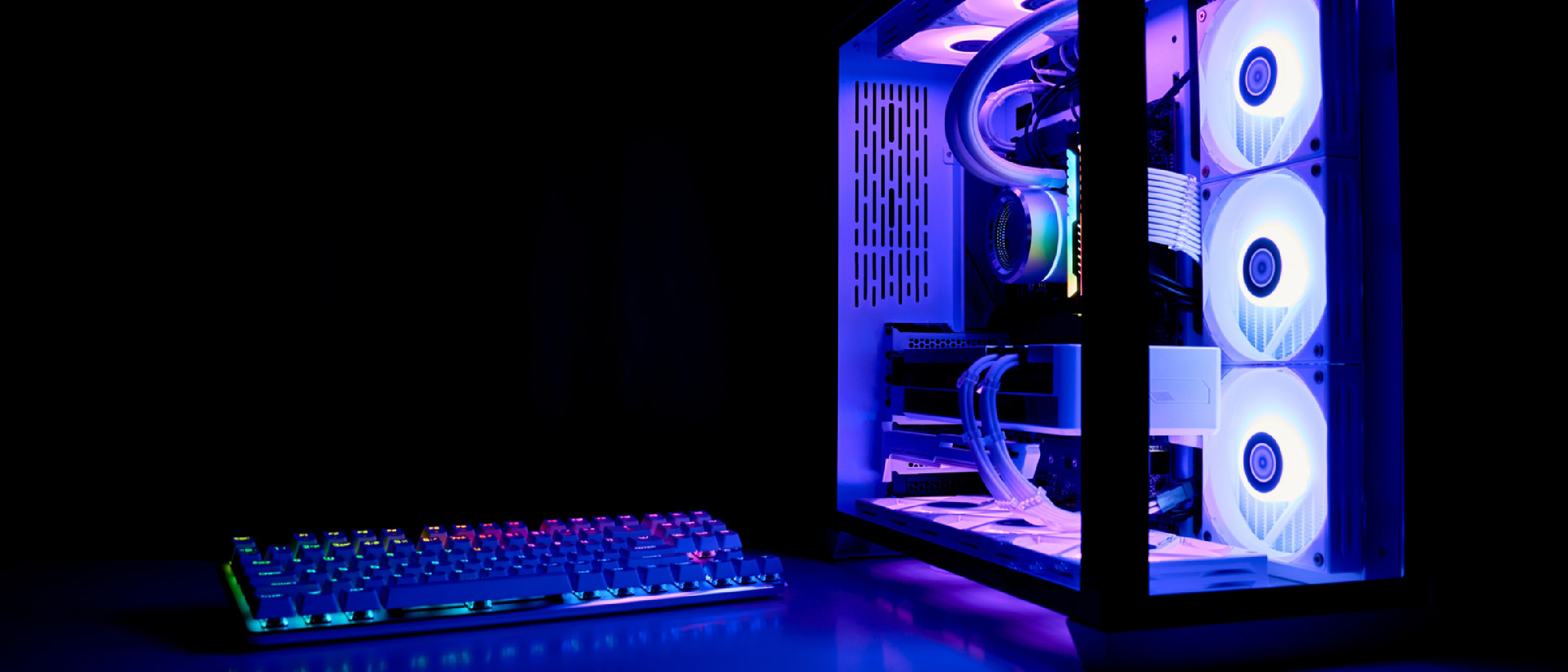
When a PC tower sits directly on a carpeted or hard floor, the consequences go far beyond an unsightly mess. The intake fans draw in microscopic particles—carpet fibers, pet hair, skin cells, pollen—that quickly coat heatsinks, filters, and even the circuitry itself. This layer acts as an insulator, trapping heat where it belongs nowhere. Over time, the system’s thermal envelope expands, forcing fans to spin faster, increasing acoustic noise, and accelerating wear on moving parts.
Engadget’s recent coverage highlighted a simple truth: “Ultimately, where a PC lives affects how well it runs and how long it lasts.” The statement may sound obvious, but the cascade of failures it triggers is often underestimated by hobbyists and professionals alike. In a market where GPUs, RAM, and storage are climbing in price, preserving the lifespan of each component is not just a matter of performance—it’s a financial imperative.
Why Dust and Heat Are a Deadly Duo
Debris Accumulation at Ground Level
Floors, especially carpeted ones, are reservoirs for airborne debris. Unlike a raised desk, a floor‑level chassis has no barrier between the intake vent and the source of contaminants. The following items are most common:
- Carpet fibers: Long, static‑prone strands that cling to fan blades.
- Pet hair: Fine, tangled filaments that can bridge gaps in heatsinks.
- Skin cells & pollen: Microscopic particles that settle quickly and are difficult to dislodge.
Insulation Effect and Fan Strain
When dust settles on a heatsink, it reduces the surface area available for heat exchange. The thermal resistance (Rθ) rises, meaning the CPU or GPU must operate at higher temperatures to dissipate the same amount of power. Fans compensate by increasing RPM, which leads to:
- Higher power draw: Fans consume more electricity, adding to the system’s overall heat output.
- Increased acoustic stress: Users experience louder operation, often mistaking it for a failing component.
- Mechanical wear: Bearings and motor windings experience more cycles, shortening their service life.
Thermal Throttling and Performance Loss
Modern CPUs and GPUs include safety mechanisms that lower clock speeds when temperatures exceed safe thresholds. This thermal throttling can manifest as:
- Gaming stutters: Frame rates drop abruptly during intensive scenes.
- Reduced rendering speed: Content creators notice longer compile times.
- Latency spikes: Online gamers suffer from higher ping and input lag.
The performance dip is not merely cosmetic; it can affect productivity and user satisfaction, especially when high‑end hardware is expected to deliver consistent output.
Accelerated Hardware Degradation
Sustained high temperatures have a direct chemical impact on components:
- Capacitor wear: Electrolytic capacitors degrade faster, leading to voltage instability.
- Thermal paste breakdown: The conductive gel that bridges the CPU/GPU die and its cooler dries out, losing its efficiency.
Engadget quoted experts: “The consequences extend beyond rough gaming sessions because consistently high temperatures accelerate capacitor wear and thermal paste breakdown, meaning that a system that should last six to eight years could fail in half that time.” In practical terms, a $2,000 build could become obsolete after just three years, forcing premature upgrades.
Industry Impact: Cost, Warranty, and Sustainability
Financial Pressure on Consumers
With GPU prices soaring due to supply constraints and increased demand for AI workloads, every dollar saved on maintenance counts. A dusty, overheated system may require premature replacement of a $600 graphics card or a $150 CPU cooler—expenses that could have been avoided with proper placement.
Warranty and Service Implications
Manufacturers often void warranties if damage is attributed to user negligence, such as operating a system in a dusty environment without adequate airflow. Service technicians frequently cite “excessive dust accumulation” as a root cause for hardware failures, leading to costly RMA processes.
Environmental Considerations
Shortening a PC’s lifespan contributes to electronic waste. By extending component life through simple placement strategies, users reduce the carbon footprint associated with manufacturing, shipping, and disposing of hardware.
Practical Mitigation Strategies
Elevation Is Key
A dedicated PC stand lifts the chassis several inches off the floor, creating a buffer zone that captures larger debris before it reaches the intake fans. Stands made of metal or acrylic also provide a stable platform that resists wobble.
Choose the Right Surface
- Hard, non‑carpeted floors: Concrete, tile, or wood surfaces are ideal.
- Avoid humid areas: Moisture can cause corrosion on exposed connectors.
- Use a wheeled cart: For flexible setups, a cart with lockable wheels offers mobility while keeping the tower elevated.
Maintain Adequate Clearance
Leave at least 5–10 cm (2–4 in) of space between the rear exhaust vents and any wall or furniture. This clearance ensures that hot air can exit freely, preventing heat buildup that would otherwise recirculate into the intake.
Implement a Regular Cleaning Routine
- Weekly surface dusting: Use a microfiber cloth to wipe the exterior.
- Monthly interior cleaning: Open the case, remove filters, and blow out dust with compressed air. Pay special attention to heatsinks and fan blades.
- Filter maintenance: If your case includes dust filters, clean them every two weeks to maintain optimal airflow.
Complementary Hardware Choices
- Positive pressure cases: These designs force air out through unfiltered gaps, reducing the amount of dust that can enter.
- High‑efficiency fans: Fans with fluid‑dynamic bearings tend to run quieter and longer under increased load.
For readers interested in broader hardware considerations, the article on USB‑C on Your Phone: More Than Just Charging and Data offers insight into how connector standards can affect peripheral performance, a concept that also applies to case fan connectors and power delivery.
Future Outlook: Smart Cases and Integrated Sensors
Manufacturers are beginning to embed temperature and dust sensors directly into chassis designs. These sensors can trigger alerts via companion software, prompting users to clean before performance degrades. Some upcoming models promise automatic fan curve adjustments based on real‑time dust density measurements, effectively “learning” the environment.
In the longer term, AI‑driven predictive maintenance could become standard. By analyzing temperature trends and fan RPM data, a system could forecast component failure weeks in advance, allowing users to schedule service before catastrophic loss occurs. While such features are still emerging, they underscore the growing importance of environmental awareness in PC design.
Frequently Asked Questions
Q1: Can I place my PC on a carpet if I use a dust filter?
A: Filters help, but they cannot stop the smallest particles. Over time, dust will still bypass the filter and settle on internal components. Elevation remains the most effective solution.
Q2: How often should I clean my PC if it sits on the floor?
A: At a minimum, clean the exterior weekly and perform a thorough interior cleaning every 2–3 months. In dusty households or with pets, increase the frequency.
Q3: Does a liquid‑cooled system eliminate the dust problem?
A: Liquid cooling reduces CPU/GPU temperatures but does not stop dust from entering the case. Radiators and pump reservoirs still require regular cleaning.
Q4: Are there any risks to using compressed air for cleaning?
A: Yes. Use short bursts, keep the can upright, and avoid shaking. Excessive pressure can damage fan bearings or push dust deeper into components.
Q5: Will moving my PC to a desk improve performance noticeably?
A: Users typically see a 3–7 °C drop in average operating temperature, which translates to lower fan speeds and a modest boost in sustained performance, especially under heavy loads.
Conclusion
The decision of where to place a PC tower is far from cosmetic. Floor placement invites dust, forces fans to work harder, and accelerates component wear, potentially halving the expected lifespan of an otherwise robust system. By elevating the chassis, maintaining clear airflow paths, and committing to a disciplined cleaning schedule, users can protect their investment, preserve performance, and contribute to a more sustainable tech ecosystem. As hardware manufacturers continue to embed smarter thermal management tools, the onus remains on the end‑user to provide a clean, well‑ventilated environment—because a healthy PC starts with a healthy home.
Source: Original Article