






Overview of the Permanent Blurring Policy
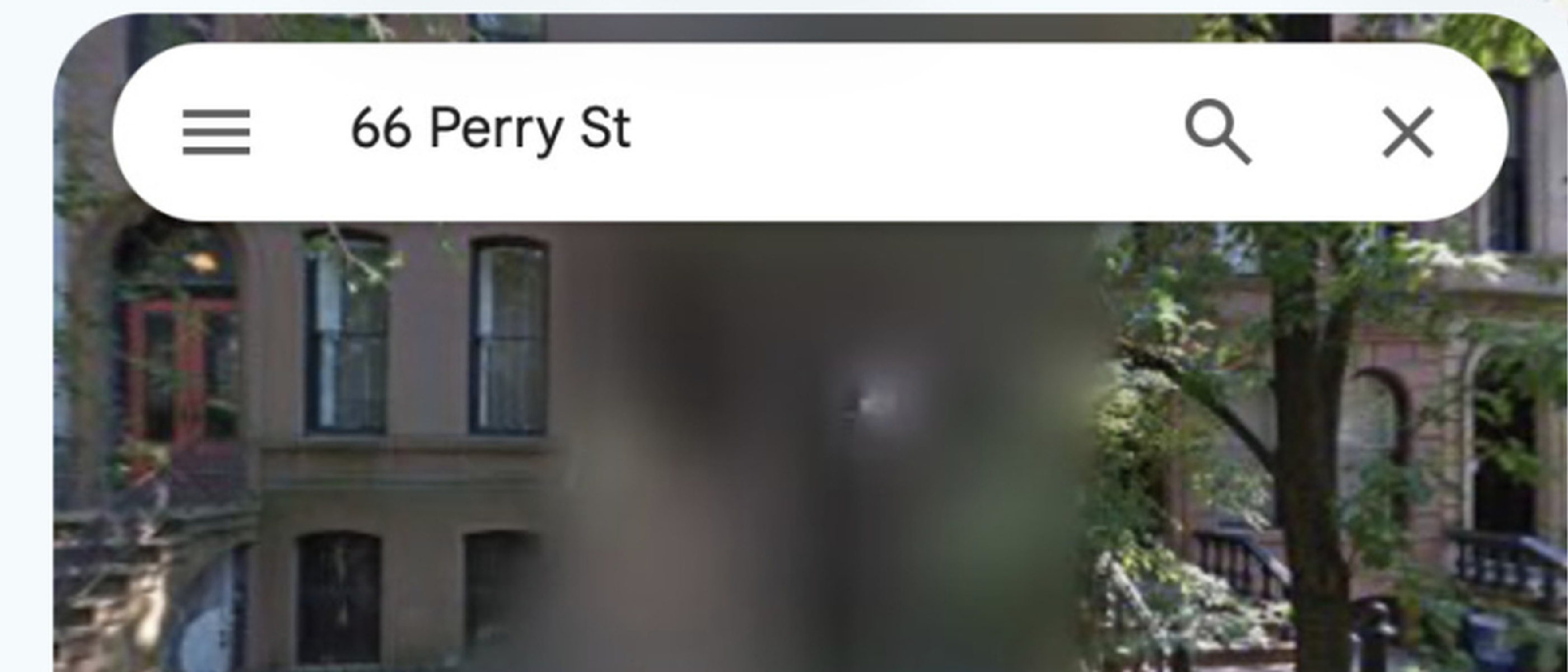
In early 2026 Google announced a decisive change to its Street View platform: once a location is blurred at the request of a government, a privacy campaigner, or an individual user, the blur cannot be removed. The policy applies to any imagery that Google has already captured and published on Google Maps. While Google has long offered automatic face‑ and license‑plate detection, this new rule extends the capability to entire properties, streets, or specific points of interest.
Key points of the policy:
- Irreversibility – “Google does not offer a way to undo the blurring of a location once it is applied,” a statement confirmed by Google’s press release.
- Request Channels – Users can submit a request through the Google Maps Help Center, while Apple Maps requires an email to Maps Image Collection@apple.com .
- Scope of Blurring – The blur can cover a single building, an entire block, or any identifiable feature that the requester deems sensitive.
The decision reflects mounting pressure from European privacy regulators, especially in the Netherlands and Germany, where citizens have a statutory right to request visual obscuration of their homes. It also aligns with Google’s broader privacy‑first narrative, positioning the company as a guardian of digital footprints.
Technical Mechanics of Google Street View Blurring
Understanding how Google implements permanent blurring requires a look under the hood of its massive imaging pipeline.
Automated Redaction Layer
Google’s default pipeline already runs computer‑vision models that detect faces and license plates. These models generate masks that are applied in real time before the imagery is served to end users. The masks are stored as vector overlays linked to the original high‑resolution image.
Manual Request Workflow
When a user or authority submits a blur request, the following steps occur:
- Verification – Google cross‑checks the request against local privacy laws and validates the requester’s identity.
- Mask Generation – A custom mask is created for the specified coordinates. Unlike the automated masks, this mask can cover entire façades or interiors.
- Immutable Storage – The mask is written to Google’s immutable object store. Once stored, the original image is never served without the mask, ensuring permanence.
- Propagation – The updated tile set propagates through Google’s CDN network, typically within 24‑48 hours.
Because the mask is stored as an immutable overlay, the original pixel data remains inaccessible through the public API. Only Google’s
Only Google’s internal tooling can retrieve the unmasked original, and that access is strictly limited to engineers working on the Street View product. For the public, the blurred version becomes the only viewable representation of that location.
Why the Blur Is Irreversible
Google’s decision to make the blur permanent stems from several technical and policy considerations:
| Reason | Explanation |
|---|---|
| Data integrity | Once a mask is applied to the immutable tile set, the original image is no longer part of the public data graph. Re‑introducing it would require a new capture cycle, which could re‑expose the same privacy‑sensitive details. |
| Regulatory compliance | European data‑protection statutes (e.g., GDPR, the German Federal Data Protection Act) treat the removal of personal data as a “right to be forgotten.” A reversible blur could be interpreted as a temporary fix rather than a true erasure. |
| Operational simplicity | Maintaining a reversible state would double the storage requirements for every Street View image, inflating costs and complicating cache invalidation across Google’s global CDN. |
| User expectations | By making the blur permanent, Google sets a clear expectation that the request is final, discouraging frivolous or frequent changes that could overwhelm the support system. |
How Other Mapping Platforms Handle Blur Requests
| Platform | Request Method | Scope of Blur | Reversibility |
|---|---|---|---|
| Apple Maps | Email to Maps Image Collection@apple.com with name, address, and justification | Property‑level or street‑level | Reversible – Apple reviews each case and can restore the image if the request is withdrawn. |
| Baidu Maps (China) | In‑app “Privacy Shield” form, tied to national ID verification | Usually building façade | Generally reversible, but subject to local censorship policies. |
| Mapillary (community‑driven) | Community flagging + admin review | Specific objects (faces, plates) | Reversible – images can be re‑published after a manual review. |
| Karta View (OpenStreetCam) | Web‑form with proof of residence | Entire image or selected regions | Reversible – the platform stores the original and can toggle the blur. |
| Microsoft Azure Maps / Bing Streetside | No public blur request; imagery is removed entirely when a request is granted | Full image removal | Not a blur, but a deletion – the location disappears from the map until a new capture is made. |
The contrast highlights Google’s unique stance: while most competitors treat blurring as a reversible privacy toggle, Google has opted for a “once‑blurred, forever blurred” model.
Legal Landscape Driving the Change
The Netherlands and Germany
Both countries have enacted statutes that give citizens a statutory right to request visual obscuration of their private residences. In the Netherlands, the Wet bescherming persoonsgegevens (Personal Data Protection Act) was amended in 2024 to include “visual data” as personal data, granting individuals the ability to demand removal or blurring of any image that could identify their home. Germany’s Bundesdatenschutzgesetz (Federal Data Protection Act) similarly mandates that any publicly accessible image that reveals a dwelling’s exterior must be anonymized upon request.
These laws have led to a noticeable uptick in blur requests. Google’s internal metrics, disclosed in a 2026 transparency report, show a 38 % increase in Dutch and German blur submissions year‑over‑year, prompting the company to harden its policy.
United States and Other Jurisdictions
In the U.S., there is no federal “right to be forgotten,” but several states (California, Illinois) have privacy statutes that allow residents to request removal of certain personal data. Google currently treats U.S. requests on a case‑by‑case basis, offering the same permanent blur but without a legal mandate.
International Implications
Because Google’s map data is served globally, a blur applied for a Dutch request propagates to every country where Google Maps is available. This has sparked debate among privacy advocates who argue that a single nation’s law should not automatically affect the visibility of a location for users elsewhere. Google counters that the policy is “privacy‑first” and that the risk of exposing personal data outweighs the inconvenience of reduced visibility.
Security and Practical Implications
For Homeowners
Pros:
- Reduces the digital footprint of a property, limiting the amount of visual data that could be harvested by malicious actors.
- Helps protect children’s privacy and prevents unwanted “virtual tourism” of one’s backyard or driveway.
Cons:
- Potentially signals that the property is of interest, inadvertently attracting attention from burglars who associate blurred houses with high‑value assets.
- Real‑estate agents lose a visual marketing tool; prospective buyers cannot preview the home’s exterior via Street View, possibly slowing sales.
For Neighbors and Communities
When a single house is blurred, the surrounding street may still be viewable, but the continuity of the visual experience is broken. This can hinder:
- Open‑source investigations that rely on a seamless street‑level view to map infrastructure or verify claims.
- Urban planning tools that use Street View imagery for assessing building conditions or traffic patterns.
For Law Enforcement
Blurring can impede investigations that rely on publicly available imagery, such as locating a suspect’s vehicle or confirming a crime scene layout. However, law enforcement agencies can request a “law‑enforcement view” from Google under a court order, which temporarily lifts the blur for authorized users. This exception is not publicly documented and is handled on a per‑request basis.
Ethical Considerations
The permanence of the blur raises a philosophical question: should a digital platform have the power to permanently erase visual information from the public record? Critics argue that once an image is captured, it becomes part of the cultural and historical archive, and that irreversible blurring amounts to censorship. Proponents counter that privacy is a fundamental right, and that the ability to permanently protect one’s home outweighs the archival value of a single street‑level photograph.
How to Decide Whether to Request a Blur
- Assess the risk – Do you live in a high‑crime area? Are you a public figure?
- Consider future needs – Might you sell the property soon and want the visual exposure?
- Understand the permanence – Once blurred, the image cannot be restored without a new capture cycle (which may take years).
- Check local laws – In some jurisdictions, you may have a legal right to request a blur; in others, it’s at Google’s discretion.
If you decide to proceed, follow Google’s official request form, provide a clear justification, and be prepared for a 24‑48 hour processing window.
Conclusion
Google’s permanent blurring policy marks a decisive shift toward privacy‑centric mapping. By making the blur irreversible, Google aligns itself with European data‑protection mandates and simplifies its internal data handling, but it also introduces new challenges for homeowners, investigators, and the broader public that relies on Street View for navigation and research. As other mapping services continue to offer reversible blurs, users now have a clear choice: accept a permanent visual shield on Google Maps or opt for a platform that allows future restoration.
The debate over digital visibility versus privacy is far from settled, and future regulatory developments will likely shape how mapping giants balance these competing interests. For now, the decision rests with the individual—once you hit “blur,” the street view you see (or don’t see) is there for good.
Frequently Asked Questions (FAQ)
Q1: Can I undo a blur if I change my mind?
No. Google’s policy states that once a location is blurred, the original image is no longer served to the public and cannot be reinstated without a fresh capture, which may take several years.
Q2: Does the blur affect satellite imagery?
No. The permanent blur applies only to Street View’s ground‑level panoramas. Satellite and aerial views remain unchanged unless a separate request is made for those layers.
Q3: Will the blur appear on Google Earth?
Yes. Google Earth pulls the same Street View tiles, so any blurred area will also be obscured in Earth’s 3D view.
Q4: How long does it take for a blur to propagate worldwide?
Typically 24‑48 hours after the mask is written to Google’s immutable storage, though edge‑cache refresh cycles can cause slight delays in some regions.
Q5: Are there any exceptions for law‑enforcement or emergency services?
Google may provide an unblurred view to verified law‑enforcement agencies under a valid court order or emergency request, but this is not publicly advertised and is handled on a case‑by‑case basis.
Q6: Does blurring affect navigation or routing?
No. The underlying map data (roads, addresses, routing graphs) remains intact; only the visual imagery is masked.
Q7: Can I request a blur for a public landmark (e.g., a statue or monument)?
Yes, but Google evaluates such requests carefully, especially if the landmark is of cultural or historical significance. In many cases, Google may refuse to blur public art unless there is a compelling privacy or security reason.
Q8: How does Google verify the identity of the requester?
Google requires proof of residence (utility bill, government ID, or property deed) for private‑home requests and may request additional documentation for businesses or public entities.
Q9: Will future Street View captures automatically respect existing blurs?
When a new capture cycle occurs, Google’s automated redaction pipeline will re‑apply the same blur mask to the new imagery, preserving the permanent obscuration.
Q10: Where can I find the official Google policy documentation?
The full policy is available in the Google Maps Help Center under “Requesting removal of Street View imagery” and in Google’s 2026 Transparency Report.
Source: Original Article