




The Cable Jungle: Why It’s Time to Take Stock
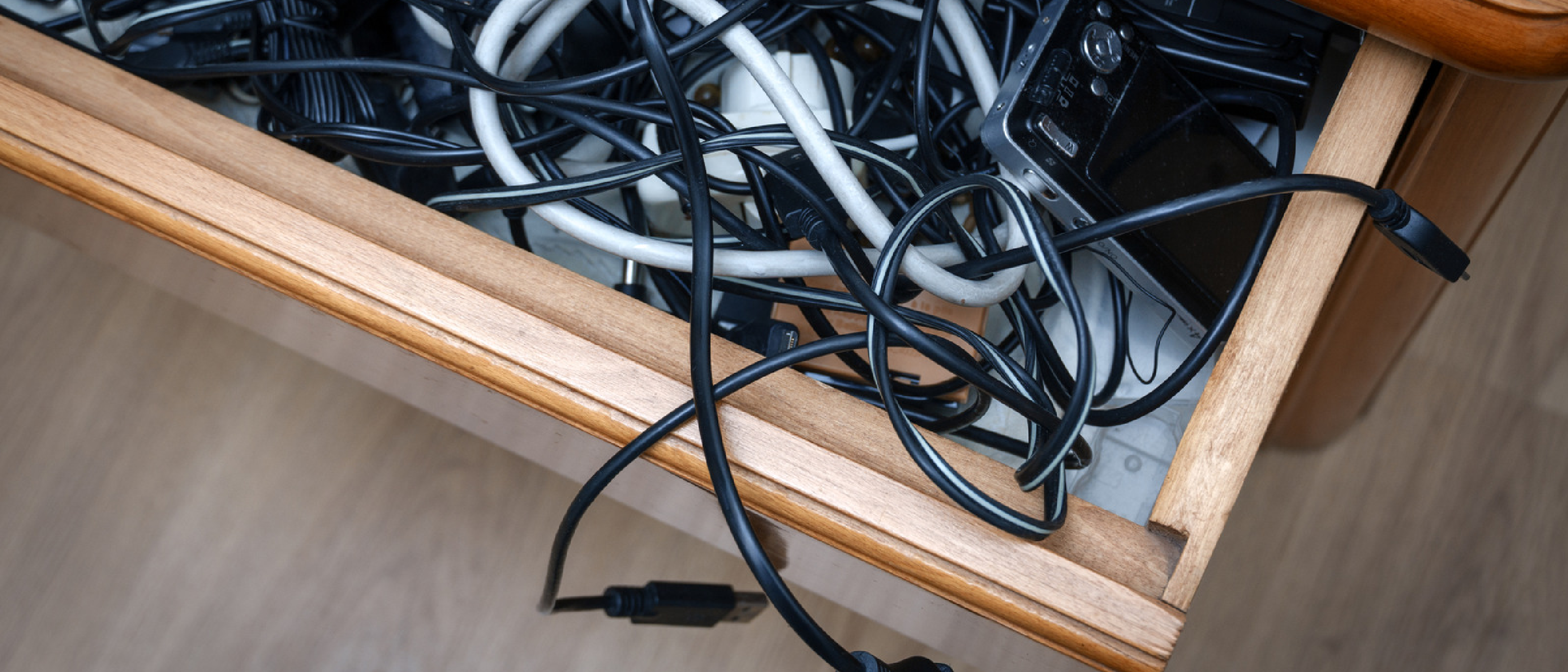
Every household and office has a “junk drawer” that has, over the years, become a graveyard for cables. From the once‑ubiquitous VGA connector to the sleek USB‑C that now powers laptops, the evolution of data and power standards has left us with a tangled mess of metal and plastic. The question isn’t just aesthetic—cluttered cable drawers can hide safety hazards, waste valuable storage space, and even impede recycling efforts. Understanding which cables still have a functional or resale value helps you streamline your setup while respecting the environment.
“The bottom line is that not every cable in that drawer is worth keeping, but not every one of them deserves to go either.”
Why Cable Management Matters in Modern Tech Environments
Reducing E‑Waste and Supporting Circular Economy
Electronic waste is the fastest‑growing waste stream globally. When you recycle a dead cable instead of tossing it in the trash, you prevent hazardous materials like lead and brominated flame retardants from entering landfills. Moreover, certain legacy cables—especially those used in professional audio/video—still have a market among collectors and niche professionals. Selling them can offset the cost of newer gear and keep valuable components in circulation.
Performance and Compatibility
Legacy cables often lack the bandwidth or power delivery required by today’s devices. For example, a VGA cable cannot carry a 4K video signal, and a 30‑pin Apple connector cannot charge an iPhone 15. Keeping obsolete cables around can lead to frustration when you reach for the “wrong” cable and discover it simply won’t work.
Safety and Organization
Old power cords with frayed insulation pose fire risks. Bundling cables with Velcro straps or cable ties not only looks cleaner but also reduces strain on connectors, extending the lifespan of both the cable and the device.
Technical Breakdown: Worth Keeping vs. Recycling/Selling
Below is a concise matrix that expands on the summary you already have. Each entry includes the primary use case, current relevance, and a recommendation.
Cables Worth Keeping (Universal or Still in Demand)
- USB‑C – Supports up to 100 W power delivery and 40 Gbps data rates. Essential for laptops, smartphones, and peripherals. Keep multiple lengths for flexibility.
- USB‑A to USB‑B – Still the standard for many printers and older external drives. One spare is advisable.
- Mini‑USB / Micro‑USB – Legacy cameras, microphones, and some IoT devices still rely on these. Keep a single cable for each form factor.
- Apple Lightning – Powers iPhones up to iPhone 14 and many older iPads and AirPods. A single cable covers most visitor devices.
- HDMI 2.1 – 48 Gbps bandwidth supports 4K @ 144 Hz and 8K @ 30 Hz. Critical for PS5, Xbox Series X, high‑end PCs, and 8K TVs.
- DisplayPort & Mini‑DisplayPort – Preferred in professional workstation setups for high refresh rates and daisy‑chaining monitors.
- Component Video (YPbPr) – Still needed for PS2, original Xbox, and Wii consoles. Keep only if you own those systems.
- IEC C13/C14 Power Cords – Universal for PCs, monitors, and many power supplies. A few spares are always handy.
Cables Generally Obsolete (Recycle or Sell)
| Cable | Typical Use | Current Status | Recommendation |
|---|---|---|---|
| FireWire (IEEE 1394) – 6‑pin/4‑pin | High‑speed video/audio (2000s) | Replaced by USB 3.x & Thunderbolt; niche professional use only | Recycle unless you have a vintage camcorder to sell |
| SCSI | Legacy storage & servers | Enthusiast‑only | Recycle or sell to collectors |
| Coaxial (RF) | Cable TV, VHS | Mostly replaced by HDMI & streaming | Recycle |
| RCA (Composite) | Analog AV | Still used in some audio rigs, but largely superseded | Keep only if part of an active sound system |
| XLR | Pro audio | Still vital for mics/mixers; otherwise redundant | Sell if unused |
| ¼‑inch RTS | Instruments & studio gear | Still used in music; otherwise junk | Sell if you have a studio |
| Apple 30‑pin | Pre‑Lightning iPhones/iPods | Discontinued; niche collector market | Recycle unless you still use an old iPod |
| DVI | Digital video (PCs) | HDMI/DisplayPort dominate | Recycle unless you have an old monitor |
| VGA | Analog video (PCs, projectors) | Obsolete for most modern displays | Recycle unless you maintain legacy projectors |
| Old fitness band chargers | Early Fitbits, Jawbone | Devices no longer functional | Recycle |
How to Identify Value Before You Toss
- Check the connector type – Some standards (e.g., FireWire) still have a small professional market.
- Inspect the condition – Frayed or broken cables are better recycled.
- Research resale platforms – eBay and niche forums often list vintage cables at modest prices.
- Consider future projects – If you plan to experiment with retro computing, keep a few SCSI or VGA cables.
Industry Impact: Legacy Cables in a Modern Marketplace
Professional Audio/Video Still Needs the Old Guard
The quote, “The answer is a surprising ‘yes’ because professionals using some old audio and video equipment still need cables that are no longer being manufactured,” captures a real niche. Broadcast studios, live‑sound engineers, and archival facilities maintain legacy gear for cost reasons or because certain workflows have not migrated to newer standards. This creates a modest but steady demand for cables like XLR, FireWire, and SCSI.
Collector Communities and Online Marketplaces
Collectors of vintage Apple hardware, retro gaming consoles, and early‑2000s video equipment often seek authentic cables to complete their setups. Prices can vary—from a few dollars for a used VGA cable to $30‑$50 for a pristine FireWire 800 cable. Sellers who accurately describe cable condition and provide clear photos can tap into this micro‑economy.
Environmental Regulations Driving Recycling Programs
Many countries now require electronic manufacturers to fund take‑back schemes. Companies such as Apple and Samsung operate mail‑in recycling programs that accept cables alongside devices. By routing obsolete cables to these programs, you help meet regulatory targets and reduce the carbon footprint of raw material extraction.
Linking to Related Content
- For a glimpse of how modern hardware like the Wyze Smart Scale relies on USB‑C for fast data sync, see our coverage: https://ltdeveloperblogs.github.io/posts/wyzes-new-smart-scale-can-break-down-your-body-composition-for-less-than-80 .
- Mac users often wonder whether to keep legacy Apple 30‑pin cables; our guide on Mac security touches on device compatibility: https://ltdeveloperblogs.github.io/posts/your-mac-isnt-immune-to-viruses-surveillance-tools-intego-one-is-here-to-help .
- Video streaming platforms still depend on HDMI and component video for high‑quality output—read about YouTube’s stance on video quality in the AI‑slop article: https://ltdeveloperblogs.github.io/posts/youtube-clarifies-policies-around-ai-slop-and-upsetting-videos .
Future Outlook: What’s Next for Cable Standards?
Convergence Toward USB‑C and Thunderbolt
The industry is consolidating around USB‑C for both power and data. Thunderbolt 4, built on the USB‑C connector, offers up to 40 Gbps and 100 W charging, effectively covering the use cases of HDMI, DisplayPort, and many legacy ports. As more devices adopt this standard, the need for separate HDMI or DisplayPort cables may diminish, especially for consumer‑grade equipment.
HDMI 2.1 Adoption Curve
While HDMI 2.1 is already the go‑to for 4K gaming, its full potential (8K, high dynamic range, variable refresh rate) will become mainstream as content providers roll out compatible streams. Expect a gradual phase‑out of older HDMI 1.4/2.0 cables, but the physical connector remains unchanged, meaning existing HDMI cables will still work—just at lower bandwidth.
Sustainable Design Initiatives
Cable manufacturers are exploring biodegradable jackets and recycled copper conductors. The European Union’s “Right to Repair” legislation may also push for modular, upgradable cable designs, reducing the frequency of complete replacements.
Practical Advice for the Next Five Years
- Standardize on USB‑C wherever possible; keep adapters for legacy ports only if you own older gear.
- Maintain a “legacy kit”: one set of VGA, DVI, and component cables stored in a labeled box for occasional use.
- Audit annually: Pull out all cables, test functionality, and decide on keep/sell/recycle status.
- Leverage resale platforms before recycling; even a single high‑quality FireWire cable can fetch a decent price.
Frequently Asked Questions
Q1: Can I use a USB‑C to HDMI adapter instead of buying a new HDMI cable?
A: Yes, a high‑quality USB‑C to HDMI 2.1 adapter will support the same bandwidth as a native HDMI 2.1 cable, making it a cost‑effective solution for occasional connections.
Q2: Are there any safety concerns with re‑using old power cords?
A: Absolutely. Inspect the insulation for cracks, check the plug for discoloration, and replace any cord that feels warm during use. IEC C13/C14 cords are generally robust, but older cords may not meet current safety standards.
Q3: How much can I realistically earn by selling vintage cables?
A: Prices vary. A pristine FireWire 800 cable might sell for $20‑$30, while a set of original Apple 30‑pin cables could fetch
$30–$50 to a collector. However, most cables (e.g., VGA, DVI) will only net a few dollars unless bundled with vintage hardware. Research completed listings on eBay or Facebook Marketplace to gauge demand before listing.
Q4: What’s the best way to recycle cables I no longer need? A: Many electronics retailers (Best Buy, Staples) and municipal recycling centers accept cables. For a hassle-free option, use manufacturer take-back programs like Apple’s recycling program or Amazon’s trade-in service. Ensure you remove any personal data from cables used with storage devices (e.g., FireWire drives) before recycling.
Q5: Should I keep cables for devices I no longer own “just in case”? A: Generally, no. The exception is if you frequently host guests with older devices (e.g., friends with pre-USB-C laptops or Lightning iPhones). Otherwise, the space saved by decluttering outweighs the slim chance of needing a specific cable. If you’re unsure, photograph the cable and label it before storing it in a “maybe” bin—revisit the bin in six months and recycle anything untouched.
Q6: Are there any cables I should never throw away, even if they seem obsolete? A: Yes—XLR cables (if you own audio equipment), Thunderbolt 2/3 cables (still used in pro video editing), and high-quality HDMI 2.1 cables (future-proof for 8K). Additionally, IEC C13/C14 power cords are universally useful and worth keeping in bulk. For everything else, apply the “one-year rule”: if you haven’t used it in a year, it’s safe to recycle or sell.
Conclusion: A Cable Strategy for the Future
The cable drawer doesn’t have to be a source of frustration or guilt. By systematically evaluating each cable’s utility, resale value, and environmental impact, you can transform a chaotic tangle into a curated collection of essentials. Here’s a quick action plan to implement today:
- Sort: Empty your cable drawer and group cables by type (USB-C, HDMI, legacy, etc.).
- Test: Plug in each cable to verify functionality. Discard or recycle any that are damaged.
- Label: Use masking tape or cable tags to identify cables (e.g., “HDMI 2.1 – 4K@144Hz”).
- Store: Use Velcro straps or small bins to organize cables by category. Keep frequently used cables accessible and archive legacy cables in a labeled box.
- Sell/Recycle: List valuable cables on resale platforms or drop off obsolete ones at a certified e-waste recycler.
- Future-Proof: Standardize on USB-C and HDMI 2.1 for new purchases, and invest in high-quality adapters to bridge gaps with legacy devices.
Remember, the goal isn’t perfection—it’s progress. Even a single decluttering session can save time, reduce stress, and contribute to a more sustainable tech ecosystem. As standards evolve, revisit your cable strategy annually to ensure your collection stays lean, functional, and aligned with your needs.
“The bottom line is that not every cable in that drawer is worth keeping, but not every one of them deserves to go either.”
With this mindset, you’ll never again dread opening the “cable graveyard”—because it will finally be a well-organized toolkit, ready for whatever tech challenges come next.
Additional Resources
- Recycling Programs:
- Resale Platforms:
- Cable Management Products:
- Velcro cable ties
- Cable sleeves (e.g., JOTO Cable Management Sleeve)
- Under-desk cable trays
Source: Original Article