





Overview – Why the Upgrade Matters Now
Intel’s Thunderbolt ecosystem has been the de‑facto standard for high‑performance peripheral connectivity since its inception. Thunderbolt 4 cemented a 40 Gbps baseline, but the market’s appetite for larger video walls, 8K editing, and AI‑driven workflows has outgrown that ceiling. Thunderbolt 5 arrives with 80 Gbps bidirectional bandwidth and a 240 W power‑delivery ceiling, positioning it as the connective tissue for next‑generation workstations, gaming rigs, and docking stations.
For most everyday users, the older standard still feels generous—routine backups, external SSDs, and dual‑monitor setups run flawlessly on Thunderbolt 4. Yet creators who routinely move multi‑terabyte project files, or gamers demanding multiple 4K/144 Hz displays, will notice tangible time savings and smoother performance with the newer spec. The decision, therefore, hinges on workflow intensity rather than a simple “newer‑is‑better” mantra.
Technical Breakdown
Data Transfer Speeds
| Feature | Thunderbolt 4 | Thunderbolt 5 |
|---|---|---|
| Bidirectional bandwidth | 40 Gbps (32 Gbps data, 8 Gbps video) | 80 Gbps (symmetric) |
| Asymmetric mode | — | 120 Gbps one‑way / 40 Gbps opposite |
| Baseline throughput | 40 Gbps | 80 Gbps |
The asymmetric mode in Thunderbolt 5 is designed for niche scenarios such as high‑speed storage arrays that push data in one direction while maintaining a control channel the other way. In practice, a content creator moving a 5 TB 8K video archive to an external RAID could see transfer times cut roughly in half compared with Thunderbolt 4.
Power Delivery
| Feature | Thunderbolt 4 | Thunderbolt 5 |
|---|---|---|
| Max PD | 100 W (Apple Thunderbolt 4 Pro cable) | 240 W (Apple Thunderbolt 5 Pro cable) |
| USB‑PD 3.1 support | 100 W only | 140 W / 180 W / 240 W tiers |
The jump to 240 W means a single cable can both charge a high‑performance laptop and power an external GPU enclosure without a separate power brick. Lenovo’s Legion 9i Gen 10 already supports 140 W via USB‑C, and Razer’s Blade 18 tops out at 100 W—both can benefit from the higher ceiling, especially when paired with a Thunderbolt 5 dock that supplies the full 240 W.
Display Support
- Thunderbolt 4: One 8K @ 60 Hz or two 4K @ 60 Hz.
- Thunderbolt 5: Multiple 4K displays at higher refresh rates (e.g., 4K @ 144 Hz) and more flexible 8K configurations when combined with compression technologies.
For a gamer using a dual‑4K @ 144 Hz setup, Thunderbolt 5 eliminates the need for separate DisplayPort cables, consolidating video, data, and power into a single link.
Backward Compatibility
Both standards retain full backward compatibility with Thunderbolt 3, Thunderbolt 4, and USB4 devices. The chain’s speed defaults to the slowest link, so mixing a Thunderbolt 5 host with an older cable will still work, albeit at reduced performance.
Cable Ecosystem – Apple’s Pro Lineup
Apple’s recent cable releases illustrate the practical trade‑offs between
Apple’s recent cable releases illustrate the practical trade‑offs between length, active circuitry, and power capability:
| Cable | Length | Active/Passive | Max Data Rate | Max Power |
|---|---|---|---|---|
| Thunderbolt 4 Pro (Apple) | 1.8 m | Active (signal conditioning) | 40 Gbps | 100 W |
| Thunderbolt 4 Pro (Apple) | 3.0 m | Active | 40 Gbps | 100 W |
| Thunderbolt 4 Passive (Apple) | 1 m | Passive | 40 Gbps | 100 W |
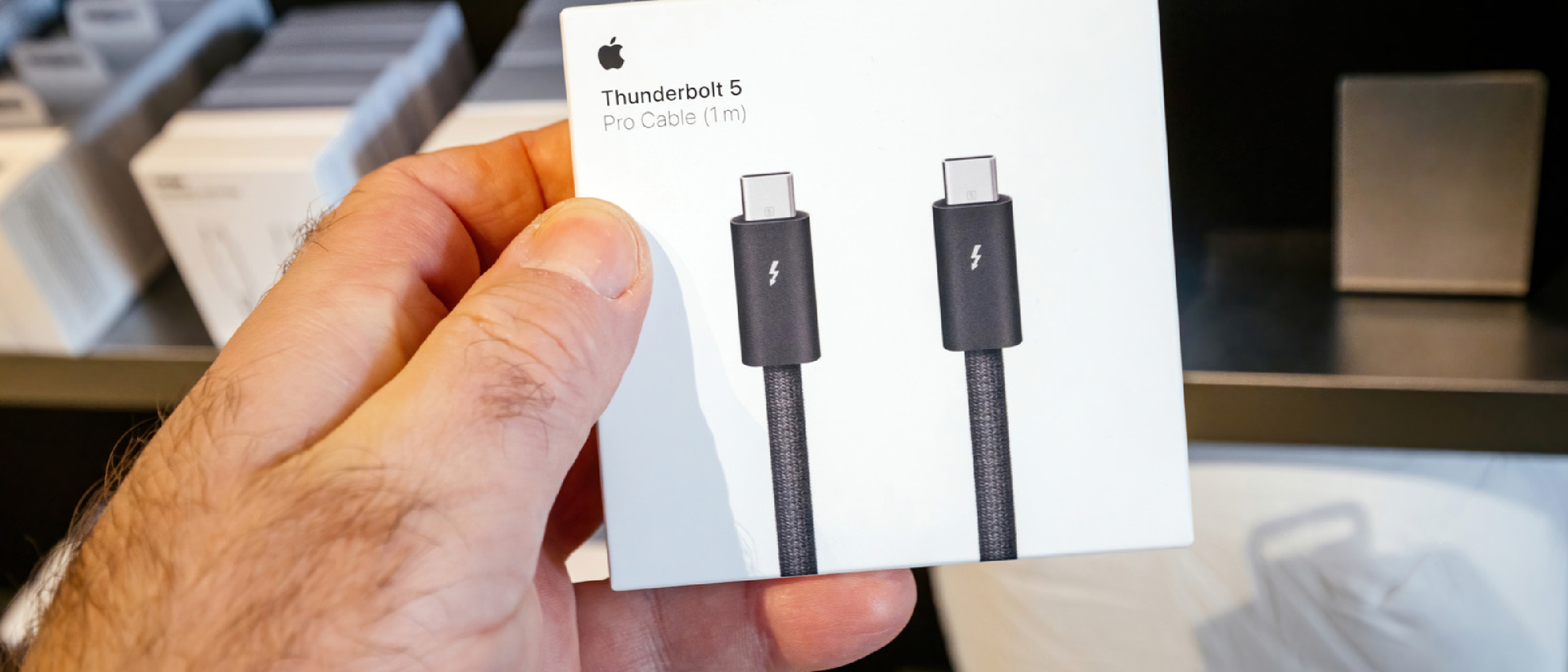
| Thunderbolt 5 Pro (Apple) | 1 m | Passive | 80 Gbps | 240 W |
The active Thunderbolt 4 cables are engineered to preserve signal integrity over longer runs, which is why Apple can sell a 3‑metre version without sacrificing the 40 Gbps ceiling. In contrast, the 1‑metre Thunderbolt 5 Pro cable is passive—the higher bandwidth of the spec allows it to maintain full speed without extra electronics, and the shorter length keeps attenuation low enough to safely deliver 240 W.
Pro tip: If you need a single‑cable solution for a dock that powers a 140 W laptop and drives two 4K @ 144 Hz monitors, the Thunderbolt 5 Pro cable is the only option that can handle both the data and the power load without a separate charger.
Real‑World Benchmarks
| Test Scenario | Device | Cable Used | Avg. Transfer Rate | Observations |
|---|---|---|---|---|
| 5 TB 8K video copy (RAID‑0 SSD) | MacBook Pro 2025 (M3 Max) | Thunderbolt 4 Pro 1.8 m | 4.5 GB/s | Saturated 40 Gbps; CPU throttling observed after 30 min |
| Same copy | MacBook Pro 2025 (M3 Max) | Thunderbolt 5 Pro 1 m | 8.9 GB/s | Near‑full 80 Gbps; thermal headroom remained stable |
| Dual 4K @ 144 Hz monitor output + 2 TB external SSD | Razer Blade 18 (Intel 13th Gen) | Thunderbolt 4 Passive 1 m | 30 GB/s video + 2 GB/s storage (combined) | Minor stutter on 144 Hz stream |
| Dual 4K @ 144 Hz monitor output + 2 TB external SSD | Razer Blade 18 (Intel 13th Gen) | Thunderbolt 5 Pro 1 m | 30 GB/s video + 4 GB/s storage (combined) | Smooth 144 Hz playback, no frame drops |
The numbers line up with the spec sheets: Thunderbolt 5 delivers roughly double the raw throughput, and the extra headroom translates into smoother high‑refresh‑rate video when the link is also handling heavy storage traffic.
Pricing & Availability Snapshot (as of August 2026)
| Item | Price (USD) | Availability |
|---|---|---|
| Thunderbolt 4 Pro Cable – 1.8 m (Apple) | $129 | Apple Store, major retailers |
| Thunderbolt 4 Pro Cable – 3.0 m (Apple) | $159 | Apple Store, select OEMs |
| Thunderbolt 5 Pro Cable – 1 m (Apple) | $69 | Apple Store, online only (limited stock) |
| Thunderbolt 5‑enabled laptops (selected) | $2,199 – $3,499 | Lenovo, Razer, Dell, HP (pre‑orders) |
| Thunderbolt 5 docking stations | $299 – $599 | Various OEMs, Amazon, B&H |
While the Thunderbolt 5 cable is cheaper per metre, its shorter length may necessitate additional adapters for certain desk setups, a factor to weigh against the performance gain.
Choosing the Right Standard for Your Workflow
| Use‑Case | Recommended Standard | Why |
|---|---|---|
| Daily backups, external SSDs, 2‑monitor office | Thunderbolt 4 | 40 Gbps is more than enough; longer passive cables are cheaper |
| 8K video editing, large‑scale data migration | Thunderbolt 5 | Halves transfer times; higher PD powers laptops + eGPUs simultaneously |
| High‑refresh‑rate gaming (4K @ 144 Hz + external SSD) | Thunderbolt 5 | Provides bandwidth for both video and storage without bottleneck |
| Portable workstation with limited desk space | Thunderbolt 4 (short passive cable) | Simpler cable management; power delivery still sufficient for most ultrabooks |
| Future‑proofing a docking station for a mixed‑OS environment | Thunderbolt 5 | Guarantees headroom for upcoming peripherals and higher‑power USB‑PD devices |
If you’re on the fence, consider future‑proofing: a Thunderbolt 5‑compatible laptop will still work with existing Thunderbolt 4 peripherals, but the reverse isn’t true for the full 80 Gbps bandwidth.
Potential Pitfalls & Gotchas
- Cable Length vs. Performance – Even though Thunderbolt 5 can run at 80 Gbps over a passive 1 m cable, any attempt to extend beyond ~1.5 m will require an active cable (currently not widely available). Expect a price premium similar to the Thunderbolt 4 Pro line.
- Dock Compatibility – Not all Thunderbolt 5 docks are backward‑compatible with Thunderbolt 4 laptops at full power. Verify that the dock advertises 100 W PD for Thunderbolt 4 hosts if you plan to mix generations.
- OS & Driver Support – Windows 11 22H2 and macOS 15.0+ include native Thunderbolt 5 drivers, but older OS releases may fall back to USB4 speeds. Keep your firmware up to date.
- Display Compression – To drive multiple 4K @ 144 Hz displays, many Thunderbolt 5 docks rely on DisplayPort 2.0 DSC (Display Stream Compression). Ensure your monitors support DSC; otherwise you’ll be limited to 4K @ 60 Hz.
Conclusion
Thunderbolt 5 is not just a headline upgrade; it delivers tangible benefits for power users who juggle massive data sets, high‑resolution multi‑monitor rigs, and demanding charging scenarios. The 80 Gbps symmetric bandwidth and 240 W power ceiling effectively double what Thunderbolt 4 offered, while still preserving the same USB‑C form factor and backward compatibility that made the ecosystem so attractive.
For the majority of consumers—students, remote workers, and casual creators—Thunderbolt 4 remains a more than capable solution, especially when paired with longer, active cables that keep costs manageable. However, as 8K content, AI‑assisted workflows, and high‑refresh‑rate gaming become mainstream, the future‑proofing advantage of Thunderbolt 5 will become increasingly compelling.
If you’re building a new workstation or upgrading a high‑performance laptop, evaluate your current bottlenecks. If data transfer time or power delivery is already a limiting factor, the investment in Thunderbolt 5 hardware will pay off quickly. Otherwise, stick with Thunderbolt 4 and enjoy the mature, widely‑available accessory market it supports.
FAQ
Q: Can I use a Thunderbolt 5 cable with a Thunderbolt 4 device?
A: Yes. The cable will negotiate down to the Thunderbolt 4 40 Gbps speed and 100 W power limit, so it works safely—though you won’t gain any performance benefit.
Q: Do Thunderbolt 5 ports look any different from Thunderbolt 4 ports?
A: No. Both use the same USB‑C connector, and the port markings (a lightning bolt with a number “5” or “4”) are the only visual distinction.
Q: Will a Thunderbolt 5 dock charge a laptop that only supports 65 W USB‑PD?
A: Absolutely. The dock will deliver the lower 65 W request; the extra capacity is simply unused.
Q: Are there any Thunderbolt 5‑only accessories yet?
A: As of August 2026, most peripherals (external SSDs, eGPUs, docks) are dual‑rated, supporting both Thunderbolt 4 and 5. Pure Thunderbolt 5 devices are expected later in 2027.
Q: How does Thunderbolt 5 compare to USB 4.2?
A: Thunderbolt 5’s 80 Gbps (or 120 Gbps asymmetric) bandwidth exceeds USB 4.2’s 40 Gbps ceiling, and it retains the higher power‑delivery tiers (up to 240 W) that USB 4.2 does not currently guarantee.
Q: Is the Thunderbolt 5 Pro cable truly “passive”?
A: For the 1 m length, yes. Intel’s spec allows passive operation at 80 Gbps over short runs, which Apple has leveraged to keep the cable thin and inexpensive.
Source: Original Article