

Understanding the Yellow Ring: What Triggers It
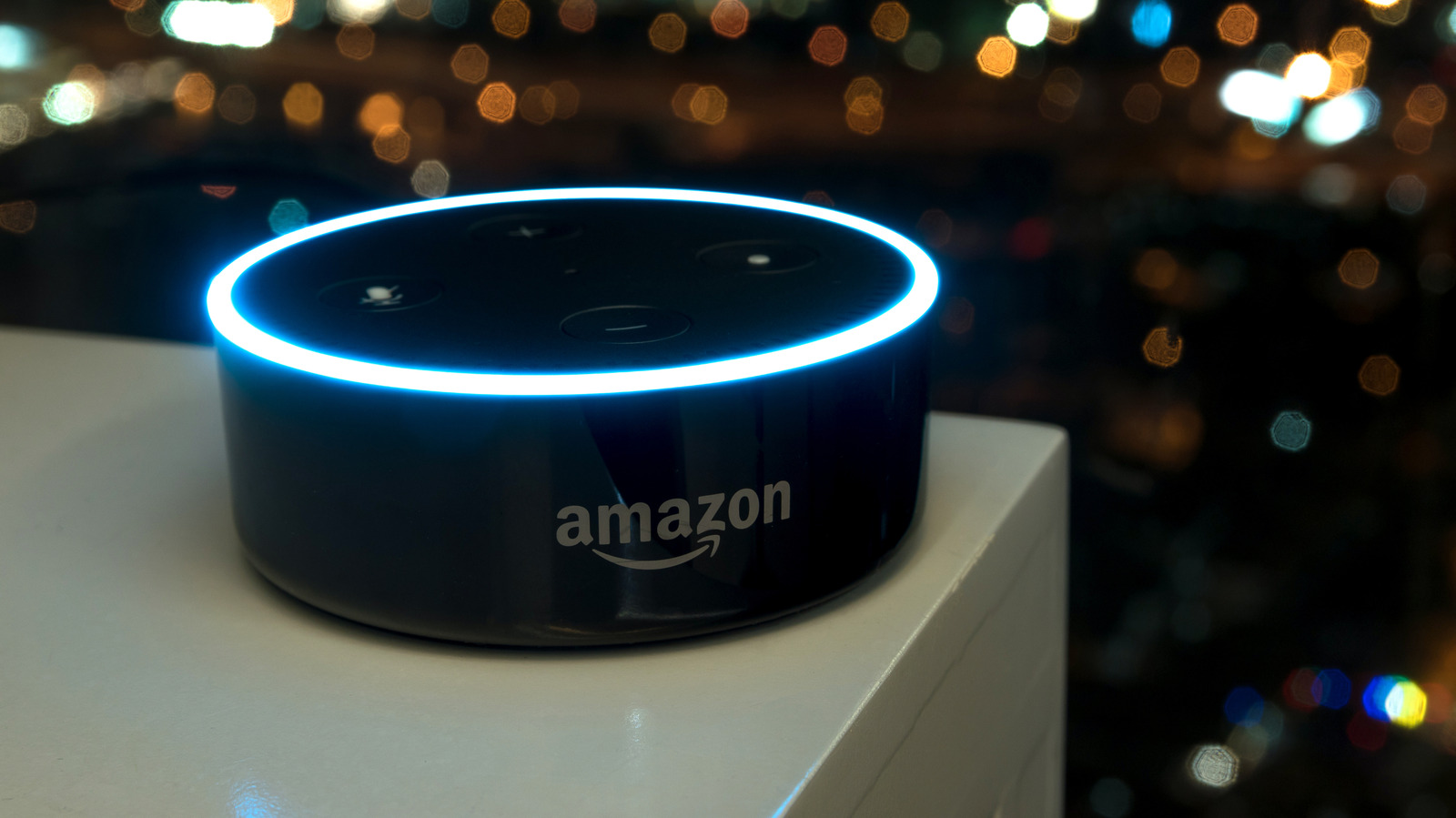
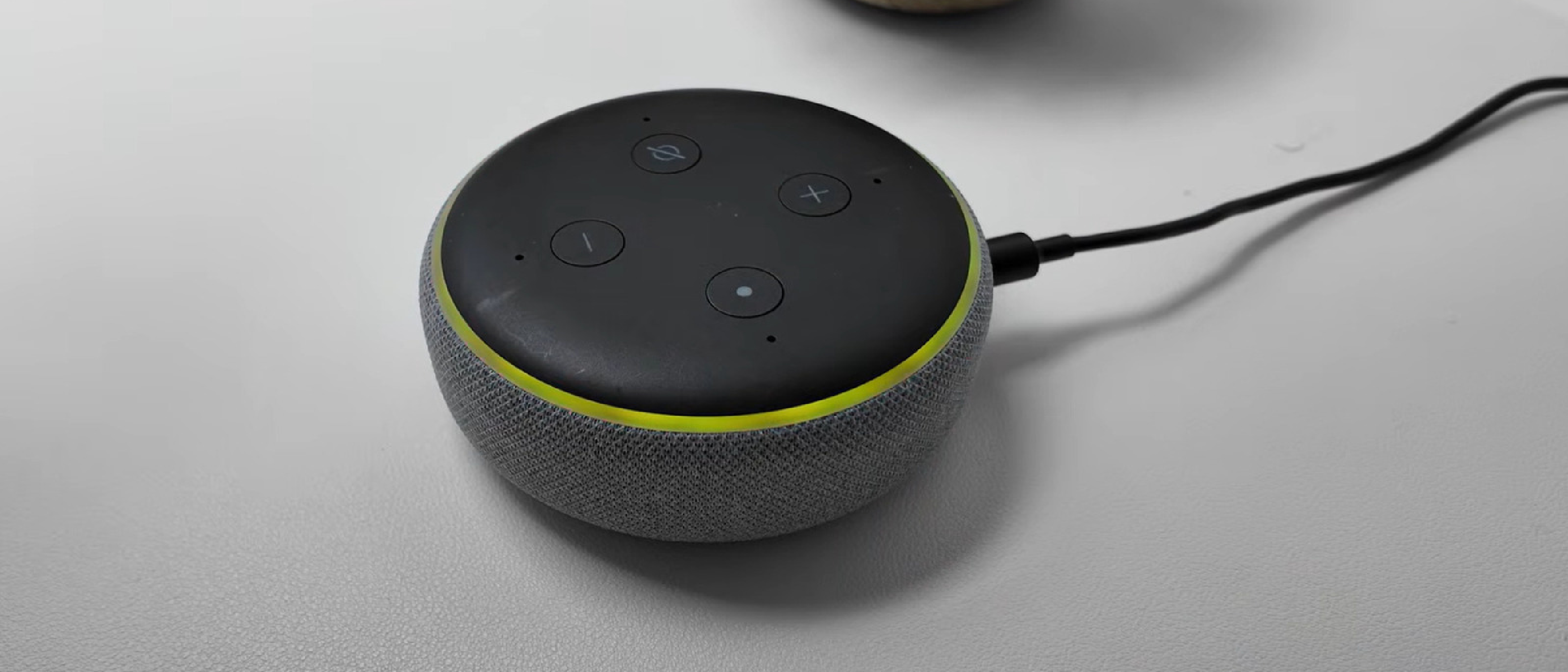
When an Echo device’s light ring glows a soft yellow, it is not a design flourish—it is a proactive notification cue. Amazon introduced the Alexa Notification System in 2017, and the yellow pulse has become the visual shorthand for “I have something for you.” The ring flashes in slow bursts every few seconds, drawing attention without being as intrusive as a voice prompt.
Typical triggers include:
- Breaking news alerts that Alexa pushes from partnered news services.
- Calendar reminders that you’ve set via voice or the Alexa app.
- Package shipment updates from Amazon or third‑party retailers.
- Price‑drop alerts generated by the Alexa for Shopping feature.
Because the yellow light is always on‑device, users can discover a missed notification even when they are not actively looking at their phone. This design aligns with Amazon’s broader strategy of making voice assistants feel like a constant, yet unobtrusive, companion.
The Full Alexa Notification Ecosystem
Alexa’s notification capabilities extend far beyond the yellow ring. Understanding the ecosystem helps users decide which alerts are valuable and which can be muted.
1. Alexa App Customization
The Alexa mobile app serves as the central hub for notification settings. Navigate to More (three horizontal lines) → Settings (gear icon) → Notifications to see a list of all enabled services. From here you can toggle:
- Skill notifications (e.g., fitness trackers, trivia games).
- Smart home alerts such as doorbell rings or camera detections.
- Reminders specific to each device.
2. Reminder Notifications
Reminders are voice‑driven and can be queried at any time: “What notifications do I have?” or “What messages do I have?” To clear them, ask “What are my reminders?” and then command Alexa to dismiss, snooze, or reschedule. The app mirrors this with Notifications → Reminders on this Device.
3. Skill‑Based Alerts
Third‑party skills can push notifications, but they require explicit permission. In the app, go to More → Skills & Games → Your Skills → Settings → Manage Account Permissions. This gatekeeping prevents unwanted spam while still enabling useful updates, such as a sports skill announcing a game‑time change.
4. Smart Camera and Doorbell Alerts
Echo devices paired with compatible cameras can announce person, package, or motion detections. Manage these under Devices → Connected Camera → Device Settings and toggle Person or Package Detection Announcements. The visual cue for a camera alert is the same yellow ring, which is why the link to a gaming‑world camera article— Destroy Flock Surveillance Cameras for Cash in GTA V —provides an interesting parallel on how visual indicators guide user attention across platforms.
Managing and Clearing Alerts on Your Echo
Clearing a yellow notification is straightforward, but many users overlook the voice commands that make the process frictionless.
- Ask Directly – “Alexa, what notifications do I have?” Alexa will read each pending alert aloud.
- Dismiss Individually – After hearing an alert, say “Dismiss that” or “Delete it.”
- Clear All at Once – “Alexa, clear all notifications.” This command removes every pending yellow‑ring alert.
- Use the App – Open the Notifications section, locate the specific alert, and tap Clear.
If the yellow ring persists after you’ve cleared everything, it may be a software glitch. A quick reboot (unplug, wait 10 seconds, plug back in) often resets the ring state. Persistent issues can be diagnosed in the app under Device Settings → About where you can view the firmware version and run a diagnostic.
Interpreting the Echo Light Ring Palette
Beyond yellow, the Echo’s light ring communicates a dozen states. Knowing each color reduces confusion and improves interaction efficiency.
| Color | Meaning | Typical Scenarios |
|---|---|---|
| Cyan | Listening or processing a request | After you say “Alexa,” the ring turns cyan while it captures your speech. |
| Teal‑Blue | Waiting for a command | The idle state after a successful wake word. |
| Red | Microphone disabled or video sharing off | Red bar appears on Echo Show when the camera is disabled. |
| Bright Orange | Setup mode or Wi‑Fi connection attempt | First‑time power‑on or after a network change. |
| Pulsing Green | Incoming call or Drop‑In session | When a family member initiates a Drop‑In. |
| Purple Flash | Do Not Disturb or Wi‑Fi issue during setup | DND mode activation or failed network connection. |
| White | Volume level indicator | Adjusting volume via voice or the touch bar. |
These visual cues are deliberately distinct to avoid ambiguity. For example, the purple flash signals a privacy‑related mode, prompting users to verify that they truly intend to silence alerts.
Why It Matters: User Experience and Industry Impact
The yellow notification ring is more than a convenience; it reflects a shift in how voice‑first devices handle asynchronous communication.
Enhanced Engagement
By providing a non‑audio cue, Alexa respects environments where speaking aloud is impractical (e.g., office meetings). Users can glance at the ring, decide whether to respond, and maintain workflow continuity.
Competitive Differentiation
Google’s Nest speakers rely heavily on voice prompts, while Apple’s HomePod uses a subtle chime. Amazon’s visual ring gives it a unique edge, especially for households with multiple Echo devices where a unified visual language reduces cognitive load.
Data‑Driven Personalization
Each notification is logged in the user’s Alexa account, enabling Amazon to refine recommendation algorithms. For instance, frequent price‑drop alerts may trigger more aggressive shopping suggestions, influencing e‑commerce behavior.
IoT Integration
The ability to announce camera detections mirrors broader Internet of Things trends. As more appliances gain visual or auditory status indicators, the Echo’s ring becomes a template for cross‑device signaling. The article on Chinese Auto Giant Moves to Apple Wallet Car Keys illustrates a similar convergence of hardware status cues and digital services.
Future Outlook and Best Practices
While we cannot predict exact roadmap items, the current trajectory suggests several practical steps for users and developers.
For Users
- Regularly audit skill permissions to avoid notification fatigue.
- Leverage Do Not Disturb during focused work periods; the purple flash will remind you that alerts are silenced.
- Combine visual and voice cues by pairing Echo devices with smart displays for richer context (e.g., showing a package photo when the yellow ring flashes).
For Developers
- Implement granular notification controls within skills, allowing users to select categories (e.g., only high‑priority alerts).
- Respect the yellow ring’s semantics: use it only for actionable information, not promotional chatter.
- Test across device generations; older Echo models may render colors slightly differently, affecting user perception.
Industry Implications
As voice assistants become central hubs for smart homes, the standardization of visual notification languages could emerge. Competing platforms may adopt
Competing platforms may adopt a common color‑code taxonomy for their own voice‑first devices, which would make it easier for users who own multiple ecosystems (e.g., an Echo, a Nest Hub, and a HomePod) to interpret alerts at a glance. Industry groups such as the Connectivity Standards Alliance (CSA) are already discussing cross‑brand visual signaling, and Amazon’s early adoption of a nine‑color palette gives it a strong voice in those conversations.
Practical Takeaways for Everyday Users
| Action | How to Do It | Why It Helps |
|---|---|---|
| Audit skill notifications quarterly | Open the Alexa app → More → Skills & Games → Your Skills → Settings → Manage Account Permissions | Prevents notification overload and keeps only the alerts you truly need. |
| Enable Do Not Disturb during work hours | Say “Alexa, turn on Do Not Disturb” or toggle it in the app under Device Settings → Do Not Disturb | The purple flash reminds you that alerts are silenced, preserving focus. |
| Pair visual with voice for high‑value alerts | Use an Echo Show or a smart display; when the yellow ring flashes, Alexa can also display a thumbnail (e.g., a package photo). | Gives context instantly, reducing the need for follow‑up questions. |
| Reset a stuck yellow ring | Unplug the device, wait 10 seconds, plug back in, then ask “Alexa, what notifications do I have?” | Clears any phantom notification state caused by firmware hiccups. |
Guidance for Skill Developers
- Respect User Preference Hierarchies – Offer three tiers of notification intensity (critical, normal, silent) and let users pick per‑skill in the app.
- Use the Yellow Ring Sparingly – Reserve it for time‑sensitive or actionable content; promotional messages should default to voice prompts or the Alexa app inbox.
- Provide Clear Dismissal Phrases – Document commands like “Dismiss this alert” or “Remind me later” in your skill’s help intent.
- Test Across Echo Generations – Older Echo Dot (3rd gen) displays colors slightly differently; verify that the yellow pulse remains distinct from orange or cyan.
Industry Outlook: Toward a Unified Notification Language
The rise of ambient computing means devices will increasingly operate in the background, surfacing information only when it matters. A unified visual language could:
- Reduce cognitive friction for users juggling multiple assistants.
- Enable third‑party hardware (e.g., smart thermostats, security panels) to adopt the same ring cues, creating a cohesive smart‑home experience.
- Facilitate accessibility by providing consistent visual cues for hearing‑impaired users.
Amazon’s open‑source Alexa Voice Service (AVS) SDK already allows OEMs to integrate the same ring‑color logic into their products, hinting that we may soon see non‑Amazon speakers with the familiar cyan‑listening, yellow‑notification, and green‑call indicators.
Conclusion
The soft yellow glow on your Echo is more than a decorative accent—it’s a purposeful, on‑device reminder that something awaits your attention. By mastering the voice commands to query and clear those alerts, and by fine‑tuning notification settings in the Alexa app, you can keep the yellow ring from becoming a source of annoyance. Moreover, understanding the broader palette of colors empowers you to interpret every state your Echo displays, from a calm teal‑blue idle to a pulsing green call.
As the smart‑home market matures, we can expect greater standardization of visual cues, making it easier than ever to manage a multi‑assistant household. Until then, the best practice remains simple: regularly review your notification preferences, use Do Not Disturb when needed, and don’t hesitate to ask Alexa directly what’s waiting for you.
Frequently Asked Questions
Q: My Echo still shows a yellow ring after I’ve cleared all notifications. What should I do?
A: First, try the voice command “Alexa, what notifications do I have?” If none are listed, unplug the device, wait about 10 seconds, then plug it back in. This reboot often clears a stuck visual state. If the issue persists, check the Device Settings → About page in the Alexa app for any pending firmware updates.
Q: Can I silence the yellow ring without turning off all notifications?
A: Yes. In the Alexa app, go to Notifications → General and toggle Visual Alerts off. You’ll still receive voice prompts and app notifications, but the ring will stay neutral.
Q: Do all Echo models use the same yellow flash pattern?
A: The basic pattern—slow bursts every few seconds—is consistent across generations, but the exact brightness may vary. Newer Echo Show models may also display a small on‑screen icon alongside the ring.
Q: How do I differentiate a yellow ring caused by a skill from one caused by a reminder?
A: Alexa will announce the source when you ask “What notifications do I have?” For example, it may say, “You have a reminder to water the plants,” or “Your fitness skill has a new workout suggestion.” You can then dismiss each individually.
Q: Is there a way to schedule Do Not Disturb automatically?
A: Absolutely. In the Alexa app, navigate to Device Settings → Do Not Disturb → Schedule and set start/end times. The purple flash will appear during the scheduled period, confirming DND is active.
Q: Will future Echo devices replace the ring with a different visual system?
A: Amazon has hinted at expanding visual feedback on devices with larger displays (e.g., Echo Show 15), but the ring remains a core element for the majority of Echo speakers. Any changes will likely retain backward compatibility to avoid confusing existing users.
Stay in control of your Echo’s visual language, and let the yellow ring work for you—not against you.
Source: Original Article