







Introduction to Apple’s Wallet App
The Wallet app, formerly known as Passbook, has been a staple of the iOS ecosystem since its introduction in 2012. Initially designed to store coupons, boarding passes, and event tickets, the app has evolved over the years to include support for credit and debit cards, rewards cards, and even student IDs. With the release of iOS 27 beta 2, Apple has added a new “Insights” feature to the Wallet app, aiming to provide users with a more comprehensive view of their financial transactions and account balances.
What is the Insights Feature?
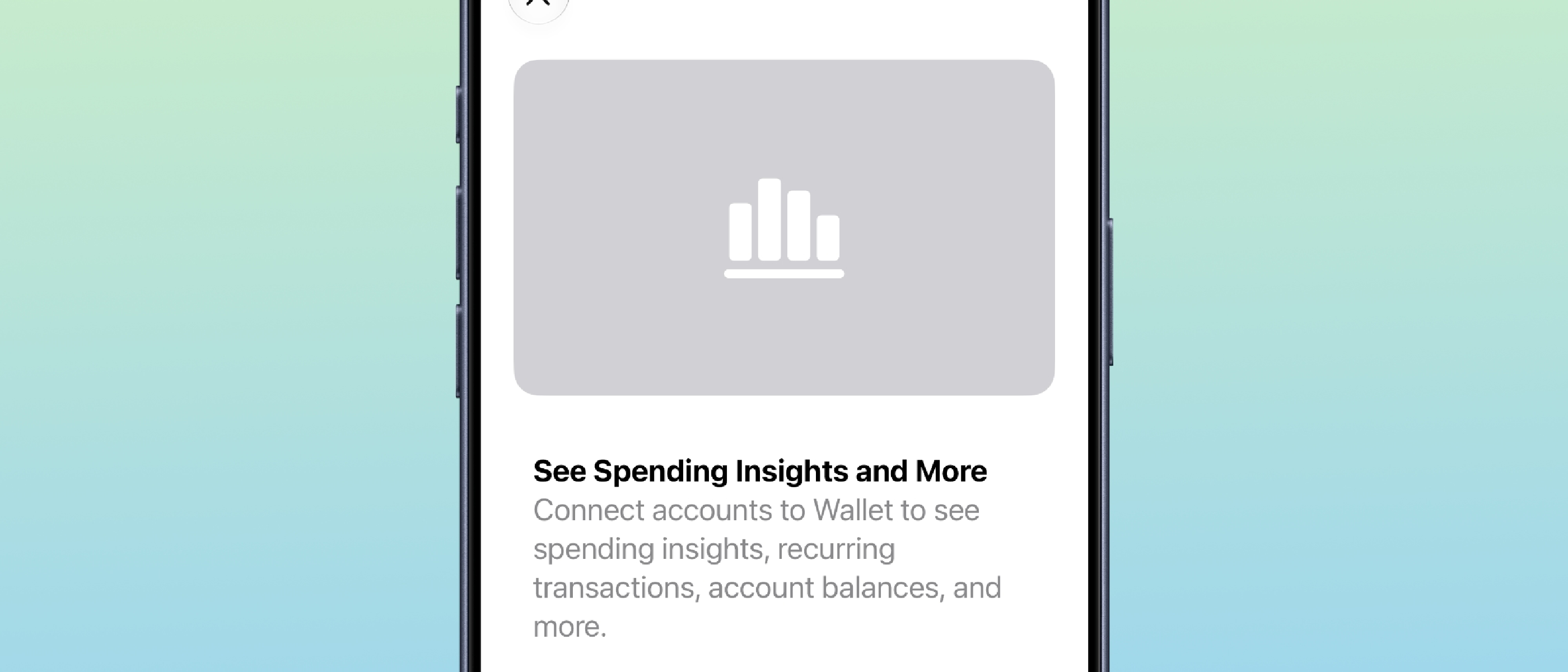
The Insights feature is accessible by tapping the three dots in the upper right corner of the Wallet app. Upon tapping, a splash screen appears, explaining the purpose of the feature and the benefits it provides. According to the splash screen, users will be able to connect their financial accounts to the Wallet app, allowing them to view spending insights, recurring transactions, account balances, and more. The fine print on the splash screen reveals that the user’s device is connected to their financial institution through an Apple wholly-owned subsidiary, which fetches, categorizes, and standardizes the account information for display on the device. Importantly, the fine print also states that the account information is not stored on the device.
Key Features of the Insights Feature
Some of the key features of the Insights feature include:
- Connecting financial accounts to the Wallet app
- Viewing spending insights and recurring transactions
- Accessing account balances and transaction history
- Categorization and standardization of account information
- No storage of account information on the device
Technical Details of the Insights Feature
The Insights feature appears to be a successor to the Connected Cards feature, which was introduced in iOS 17.1. The Connected Cards feature allowed users to connect their credit and debit cards to the Wallet app, providing access to transaction history, rewards balances, and other card-related information. However, the adoption of the Connected Cards feature was limited, with only a few banks and card issuers participating. The Insights feature seems to address some of the limitations of the Connected Cards feature, providing a more comprehensive view of the user’s financial transactions and account balances.
How the Insights Feature Works
The Insights feature works by connecting the user’s device to their financial institution through an Apple wholly-owned subsidiary. This subsidiary fetches, categorizes, and standardizes the account information, which is then displayed on the device. The account information is not stored on the device, providing an additional layer of security and privacy. The feature appears to be designed to work without requiring card issuers to specifically add support, which could potentially increase adoption and availability.
Benefits and Advantages of the Insights Feature
The Insights feature provides several benefits and advantages to users, including:
- A more comprehensive view of their financial transactions and account balances
- Access to spending insights and recurring transactions
- Categorization and standardization of account information
- Enhanced security and privacy through the use of an Apple wholly-owned subsidiary
- Potential for increased adoption and availability due to the lack of requirement for card issuer support
Potential Use Cases for the Insights Feature
Some potential use cases for the Insights feature include:
- Tracking personal expenses and staying within budget
- Monitoring business expenses and receipts
- Managing multiple credit and debit cards
- Keeping track of rewards balances and redemption options
- Accessing account balances and transaction history on the go
Comparison to Other Digital Wallets
The Insights feature in the Apple Wallet app is similar to features found in other digital wallets, such as Google Wallet and Samsung Pay. However, the Insights feature appears to provide a more comprehensive view of the user’s financial transactions and account balances, with the added benefit of categorization and standardization of account information.
Key Differences Between the Insights Feature and Other Digital Wallets
Some key differences between the Insights feature and other digital wallets include:
- The use of an Apple wholly-owned subsidiary to fetch, categorize, and standardize account information
- The lack of requirement for card issuer support
- The provision of spending insights and recurring transactions
- The categorization and standardization of account information
Security and Privacy Considerations
The Insights feature is designed with security and privacy in mind, using an Apple wholly-owned subsidiary to fetch, categorize, and standardize account information. The account information is not stored on the device, providing an additional layer of security and privacy. However, as with any digital wallet or financial service, there are potential security and privacy risks to consider.
Potential Security and Privacy Risks
Some potential security and privacy risks associated with the Insights feature include:
- Unauthorized access to account information
- Data breaches or leaks
- Phishing or spoofing attacks
- Malware or virus infections
Conclusion
The Insights feature in the Apple Wallet app is a significant addition to the iOS ecosystem, providing users with a more comprehensive view of their financial transactions and account balances. With its categorization and standardization of account information, enhanced security and privacy, and potential for increased adoption and availability, the Insights feature is a valuable tool for anyone looking to manage their finances on the go.
Future Developments and Updates
As the Insights feature continues to develop and evolve, we can expect to see additional features and functionality added, such as:
- Support for additional financial institutions and card issuers
- Enhanced categorization and standardization of account information
- Integration with other Apple services, such as Apple Pay and Apple Card
- Potential expansion to other platforms, such as macOS and watchOS
Frequently Asked Questions (FAQ)
Q: What is the Insights feature in the Apple Wallet app?
A: The Insights feature is a new addition to the Apple Wallet app, providing users with a more comprehensive view of their financial transactions and account balances.
Q: How does the Insights feature work?
A: The Insights feature works by connecting the user’s device to their financial institution through an Apple wholly-owned subsidiary, which fetches, categorizes, and standardizes the account information.
Q: Is the Insights feature secure and private?
A: Yes, the Insights feature is designed with security and privacy in mind, using an Apple wholly-owned subsidiary to fetch, categorize, and standardize account information, and not storing account information on the device.
Q: What are the benefits of using the Insights feature?
A: The Insights feature provides several benefits, including a more comprehensive view of financial transactions and account balances, access to spending insights and recurring transactions, and enhanced security and privacy.
Q: How does the Insights feature compare to other digital wallets?
A: The Insights feature is similar to features found in other digital wallets, but provides a more comprehensive view of financial transactions and account balances, with the added benefit of categorization and standardization of account information.
Q: What are the potential security and privacy risks associated with the Insights feature?
A: As with any digital wallet or financial service, there are potential security and privacy risks to consider, including unauthorized access to account information, data breaches or leaks, phishing or spoofing attacks, and malware or virus infections.