

How Smartphone Hotspots Actually Work
Both iOS and Android embed a tethering stack that bridges the cellular modem to the Wi‑Fi radio. When you enable Personal Hotspot (iPhone) or Mobile Hotspot (Android), the OS creates a virtual network interface, assigns it a private IP range (usually 172.20.0.0/16 on iOS, 192.168.43.0/24 on Android), and runs a DHCP server to hand out addresses to connected clients.
The data path looks like this:
- Cellular Modem → IP Stack – The phone’s modem receives LTE/5G packets and forwards them to the OS networking layer.
- NAT & Firewall – The OS performs network address translation (NAT) so multiple devices can share the single public IP. Built‑in firewall rules block inbound traffic unless explicitly allowed.
- Wi‑Fi AP – The Wi‑Fi chip operates in Access Point mode, broadcasting an SSID you configure. Clients connect using WPA2‑PSK or WPA3‑SAE, depending on OS version and hardware support.
On newer Android devices you may also select the 5 GHz or even 6 GHz band, which reduces interference and improves throughput for compatible clients. iOS currently limits the hotspot to 2.4 GHz, though it can automatically switch to 5 GHz on newer hardware when the client supports it.
Benefits and Real‑World Use Cases
Convenience Anywhere
- One‑device solution – No need to carry a separate MiFi dongle; the phone you already have becomes the router.
- Instant setup – A few taps in Settings launch a Wi‑Fi network that other laptops, tablets, or gaming consoles can join.
- Travel‑friendly – In hotels, airports, or remote cabins where wired broadband is unavailable, a hotspot can be the only viable internet source.
Cost Efficiency
- No extra hardware purchase – For occasional users, the marginal cost is zero if the carrier includes hotspot data in the plan.
- Avoid public Wi‑Fi risks – Corporate laptops can stay on a private, encrypted network rather than connecting to coffee‑shop hotspots that are often unsecured.
Security Controls
- Password protection – You set a strong WPA2/WPA3 password, which is far safer than open networks.
- Device whitelisting – iOS lets you view connected devices and revoke access instantly.
- Encryption – Modern phones support WPA3, which mitigates offline dictionary attacks on the pre‑shared key.
These advantages make the smartphone hotspot a compelling stop‑gap for freelancers, remote workers, and travelers who need a reliable, encrypted connection without the overhead of a dedicated device.
Drawbacks and Hidden Costs
Battery Drain
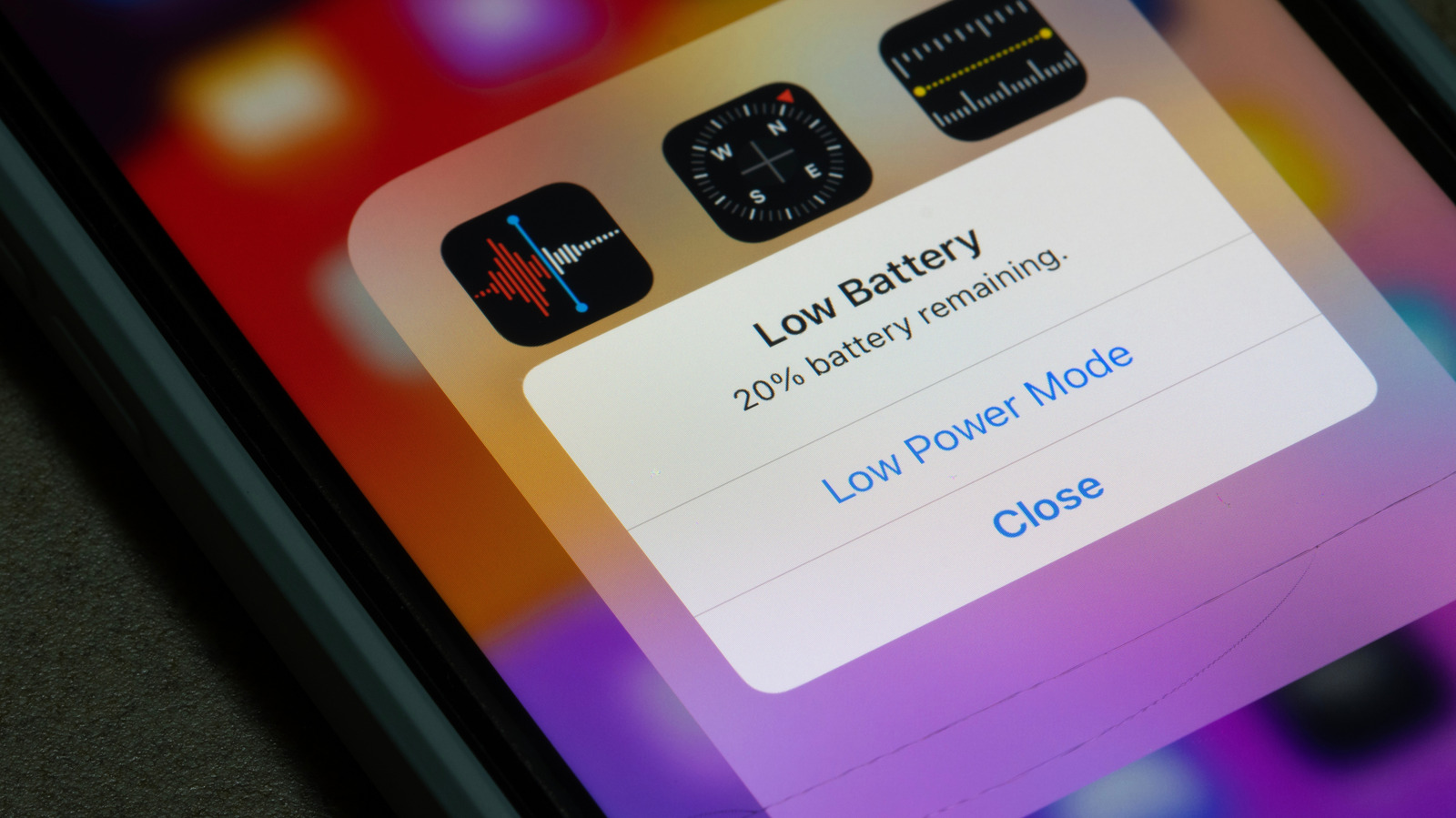
Running the cellular modem and Wi‑Fi radio simultaneously is power‑hungry. Benchmarks show a typical 4,000 mAh phone can lose 15–20 % of its charge per hour when acting as a hotspot for a single client. Adding more devices or streaming video can push consumption above 30 % per hour, forcing users to keep a charger handy.
Data‑Plan Limitations
Many carriers cap hotspot data separately from the phone’s regular usage. Exceeding that cap can trigger throttling to 3G speeds or incur overage fees. Even when the plan offers “unlimited” hotspot data, fair‑use policies often reduce speeds after a certain threshold (e.g., 15 GB).
Performance Degradation
- Shared bandwidth – The total LTE/5G throughput is split among all connected clients. A 100 Mbps cellular link becomes 25 Mbps per device if four devices are active.
- Latency spikes – NAT and the extra processing layer add a few milliseconds of latency, which can be noticeable in online gaming or VoIP calls.
Security Risks
While the hotspot itself is encrypted, the phone becomes a single point of failure. If an attacker compromises the device (e.g., via a malicious app), they could intercept traffic or use the hotspot to pivot into the corporate network. The situation mirrors the vulnerabilities discussed in the article about home‑network security gaps: Old Home Gadgets: Your Network’s Biggest Security Gap. Moreover, recent exploits in popular communication tools have shown how quickly a compromised endpoint can become a launchpad for broader attacks—see the Zoom annotation flaw for a concrete example: Zoom Annotation Flaw Patched After AI‑Prompt Exploit and the zero‑day that allowed remote takeover: Zoom Zero‑Day Exploit: Remote Takeover of iPhone & Mac.
Optimizing Performance and Security
Battery‑Saving Tips
- Turn off hotspot when not in use – Even the idle AP consumes power.
- Use a power bank – Keeps the phone alive for extended sessions without draining the main battery.
- Limit connected devices – Fewer clients mean less radio activity and lower CPU load.
Data Management Strategies
- Monitor usage – Both iOS and Android provide real‑time hotspot data counters. Set alerts when you approach your plan’s limit.
- Enable data compression – Some browsers (e.g., Opera Mini) compress traffic before it leaves the phone, saving bandwidth.
- Prefer Wi‑Fi 5 GHz – When available, the higher‑frequency band reduces interference and can achieve higher per‑device speeds, making the limited cellular bandwidth stretch further.
Hardening the Hotspot
- Use WPA3 – If your phone and client support it, WPA3‑SAE offers stronger protection against offline attacks.
- Choose a non‑default SSID – Avoid “iPhone” or “Android Hotspot” names that advertise the device type.
- Set a long, random password – At least 12 characters mixing upper‑case, lower‑case, numbers, and symbols.
- Enable automatic shut‑off – Many Android skins let you configure a timer that disables the hotspot after a period of inactivity.
By treating the hotspot like any other network appliance—regularly updating the OS, disabling unnecessary services, and auditing connected devices—you can mitigate most of the security concerns.
Industry Impact and Future Outlook
The proliferation of 5G and the emergence of carrier‑aggregated spectrum have increased the raw throughput available to smartphones. As a result, the performance gap between a dedicated MiFi device and a flagship phone is narrowing. However, the battery‑life trade‑off remains a limiting factor; hardware manufacturers are investing in more efficient RF front‑ends and larger capacity batteries, but the physics of simultaneous cellular and Wi‑Fi transmission still impose a ceiling.
From a market perspective, carriers are beginning to re‑price hotspot allowances as a value‑added service for premium plans, recognizing that many remote workers rely on this capability. Enterprises are also revisiting BYOD (Bring Your Own Device) policies, adding hotspot usage guidelines to their security frameworks.
Looking ahead, we can expect:
- Integrated Wi‑Fi 6E/7 support on phones, allowing 6 GHz operation for hotspot mode, which will reduce congestion and improve latency.
- Dynamic bandwidth allocation where the OS intelligently throttles background apps on the host phone to prioritize hotspot traffic.
- Edge‑AI‑driven security that monitors hotspot connections for anomalous patterns and can automatically block suspicious devices.
These trends suggest that while a dedicated hotspot device will still have a niche for power‑hungry, always‑on scenarios, the smartphone hotspot will continue to evolve into a more robust, secure, and performance‑oriented solution.
Frequently Asked Questions
Q1: Can I use my phone’s hotspot on a plane? A: Most airlines block cellular connections, but the Wi‑Fi hotspot can still function if the carrier permits in‑flight LTE. Check the airline’s policy before you board.
Q2: Does using a hotspot affect my phone’s signal strength? A: The hotspot uses the same cellular radio as regular data, so the signal strength remains unchanged. However, heavy tethering can cause the modem to heat up, which may temporarily reduce performance.
Q3: Is WPA3 widely supported on Android hotspots? A: WPA3 is available on Android 10+ devices that have compatible Wi‑Fi chips. Not all Android skins expose the option, so verify in the hotspot settings.
Q4: How many devices can I connect simultaneously? A: iOS typically caps at five active connections, while Android varies by manufacturer—most allow up to eight or ten. Performance will degrade as you approach the limit.
Q5: Should I enable the “automatic shut‑off” feature? A: Yes. It conserves battery and reduces the window for unauthorized access when the hotspot is idle.
By weighing the convenience against battery consumption, data caps, and security considerations, you can decide whether a smartphone hotspot meets your needs or if a dedicated device is a better long‑term investment.
Source: Original Article