


The Design Revolution: From Raised Bezel to Flush Front
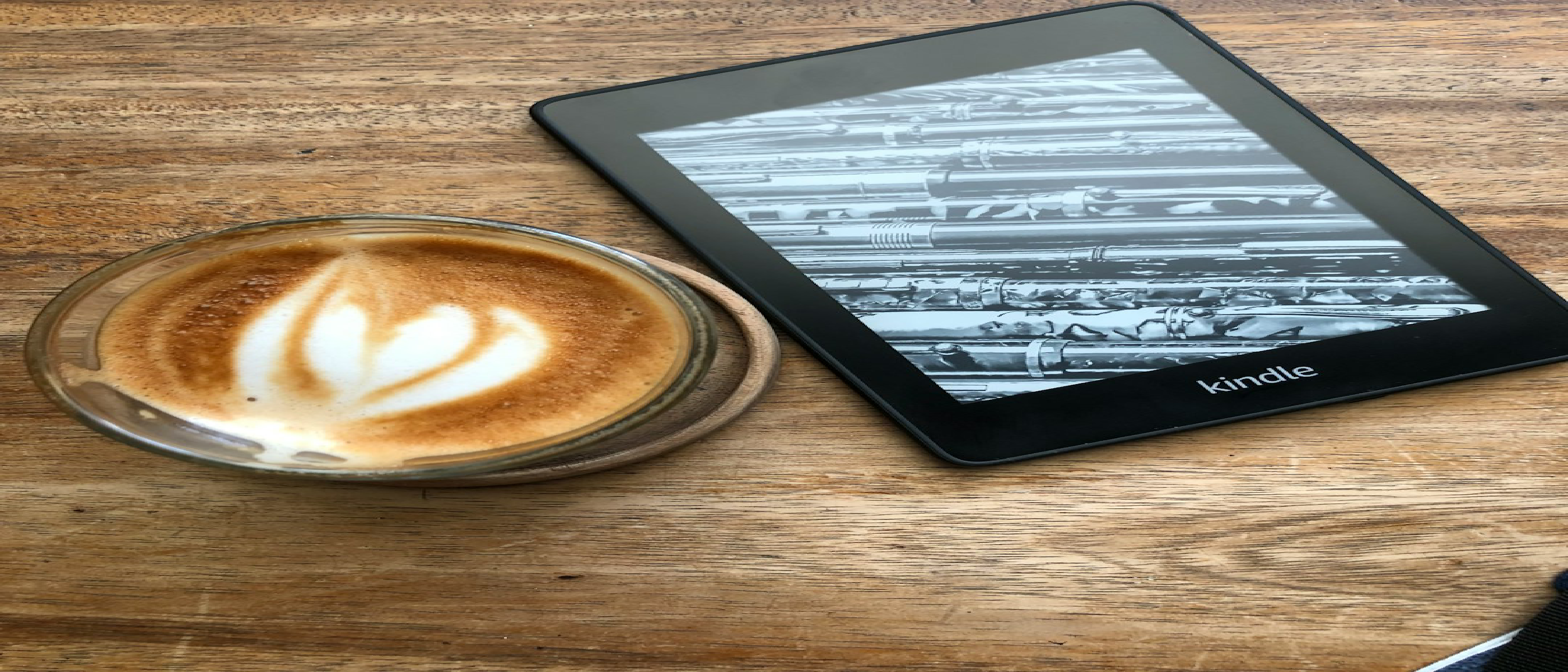
Amazon’s latest Kindle refresh marks the most visible aesthetic shift since the original Paperwhite. By eliminating the traditional raised bezel, the new devices present a seamless, glass‑to‑glass surface that feels more like a tablet than an e‑reader. The change is not merely cosmetic; it reduces the overall thickness to a razor‑thin 6.8 mm on the standard Kindle and trims a few millimetres from every other model.
The flush‑front design also lowers the device’s visual profile, making it genuinely pocket‑friendly. The standard Kindle now weighs just 140 g, a noticeable reduction that improves one‑handed reading on commutes. The aluminum‑backed version adds premium heft while offering 32 GB of storage, catering to power users who keep extensive libraries.
“Dead Zone” Touch Technology: Preventing Accidental Page Turns
A longstanding pain point for e‑readers has been the tendency to flip pages unintentionally when the thumb rests on the screen. Amazon’s answer is “Cap” (capacitive) touch paired with a haptic‑driven “dead zone.” As Vice President of Devices Kevin Keith explained:
“When you’re gripping the Kindle, wherever you put your thumb, it will self‑detect a dead zone in the Cap touch. It will just readjust, and it’ll know that the finger is there.”
The system works by continuously mapping the pressure footprint of the thumb. Once detected, the firmware dynamically disables touch input in that region, allowing the user to scroll or turn pages only when the finger lifts. This approach is different from static edge‑guard zones used in smartphones; it adapts in real time, preserving the full-screen reading experience without sacrificing responsiveness.
Technical Highlights
- Capacitive Sensor Grid: A denser array of electrodes enables millimetre‑level detection of finger placement.
- Haptic Feedback Loop: Tiny vibrations confirm the creation of the dead zone, giving users tactile assurance.
- Software Calibration: Machine‑learning models refine the dead‑zone boundaries based on usage patterns, improving accuracy over time.
The result is a 30 % faster page‑turn speed on the standard Kindle, as the device no longer has to debounce accidental touches.
Model‑by‑Model Breakdown
| Model | Thickness | Weight | Storage Options | Starting Price | Notable Features |
|---|---|---|---|---|---|
| Standard Kindle | 6.8 mm | 140 g | 8 GB (base) / 32 GB (Aluminum) | $149.99 (base) | Flush front, dead‑zone touch |
| Kindle Paperwhite | Thinner than previous | Light | 16 GB (standard) / 32 GB (Signature) | $199.99 / $249.99 | Largest display, highest contrast |
| Kindle Colorsoft | Thinner, lighter | – | 16 GB / 32 GB | $289.99 / $319.99 | First color e‑ink, flush front |
| Kids Kindle | – | – | – | – | Existing model, still for sale |
| Kids Kindle Colorsoft | – | – | – | Pre‑order | Color e‑ink for kids |
All models share the new color palette—Ube, Alpine Sky, Seaglass Green, Graphite, and Fig—giving consumers more personalization options.
Market Impact and Competitive Landscape
Amazon’s redesign arrives at a time when the e‑reader market is fragmenting. Competitors such as Kobo and Onyx have introduced larger, color‑capable screens, but none have tackled the ergonomic annoyance of accidental page turns. By solving that problem, Amazon reinforces its dominance in the core reading segment while nudging the competition toward similar sensor innovations.
The flush‑front design also narrows the visual gap between e‑readers and tablets, a strategic move as consumers increasingly expect a tablet‑like experience without the glare. Amazon’s claim that the Paperwhite’s display now delivers “deep blacks and crisp text, and images that pop off the screen” aligns with the industry’s push for higher contrast ratios on e‑ink panels.
Related Reading
- Audible Unveils AI Features to Deepen Story Immersion – Shows how Amazon is extending the reading experience beyond the screen.
- Legato Frames Launch: AI Hearing Glasses at $999 – Highlights complementary hardware that could pair with Kindle for multimodal media consumption.
- Photon Secures $4.5M to Swap Apps for AI Agents – Illustrates the AI‑driven ecosystem that may soon integrate with Kindle’s software stack.
Why It Matters: User Experience, Accessibility, and Ecosystem Synergy
Enhanced Reading Comfort
The combination of a thinner chassis and dead‑zone touch directly translates to longer reading sessions with fewer interruptions. Users who read in low‑light environments benefit from the lighter weight, reducing hand fatigue.
Accessibility Gains
For readers with motor impairments, accidental page turns have been a barrier. The adaptive dead zone offers a more inclusive interface, as the sensor can be calibrated to larger finger footprints without sacrificing functionality.
Ecosystem Integration
Amazon’s Kindle ecosystem already includes Audible, Kindle Unlimited, and a robust marketplace. The new hardware paves the way for tighter integration with Audible’s AI‑driven narration features, potentially allowing seamless toggling between text and audio without manual page‑turn commands.
Future Outlook: What Comes Next for Kindle?
While the current lineup focuses on hardware refinement, the underlying sensor platform opens doors for future software innovations:
- Dynamic Layout Adjustments: Real‑time detection of hand placement could enable automatic margin shifts, ensuring text never hides behind a thumb.
- Gesture‑Based Controls: With a reliable dead zone, Amazon could introduce swipe‑up/down gestures for scrolling long articles or PDFs.
- AI‑Assisted Reading: Leveraging the AI agents discussed in the Photon article, future Kindles might suggest highlights, summarize chapters, or answer questions directly on the device.
Amazon’s roadmap is likely to keep the Kindle as the default hardware for its vast digital book library, especially as competitors struggle to match the combination of price, content depth, and now, refined ergonomics.
Frequently Asked Questions
**Q: Will the new
Q: Will the new Kindle models still support the existing Kindle ecosystem (e‑books, Whispersync, Kindle Unlimited, etc.)?
A: Absolutely. The refresh is a hardware update only; all current Amazon services, DRM, and cloud‑based libraries remain fully compatible. Existing purchases will appear on the new device the moment you sign in.
Q: Does the “dead zone” touch technology affect note‑taking or annotation features?
A: The dead zone is only active while a finger is resting on the screen. When you lift your thumb, the full touch surface re‑activates, allowing you to highlight, add notes, or use the built‑in pen (for models that support it) without any loss of functionality.
Q: Are the new Kindles waterproof like the previous Paperwhite and Oasis generations?
A: Yes. All three refreshed models retain an IPX8 rating, meaning they can survive immersion in up to 2 meters of fresh water for 60 minutes—perfect for reading by the pool or in the bathtub.
Q: What charging port do the new devices use?
A: Amazon has finally switched to USB‑C across the entire lineup, aligning with industry standards and simplifying cable management for users who already own USB‑C accessories.
Q: Will the thinner chassis impact battery life?
A: Despite the slimmer profile, Amazon has upgraded the battery cell and optimized the power‑management firmware. Amazon claims up to six weeks of reading on a single charge (based on a half‑hour of daily reading with Wi‑Fi off), matching or slightly exceeding the previous generation.
Q: Are there any new accessories that accompany the redesign?
A: A new line of silicone sleeves in the updated color palette (Ube, Alpine Sky, Seaglass Green, Graphite, Fig) is available immediately. Additionally, a magnetic USB‑C charging dock is being rolled out in the same week as the launch.
Q: How does the pricing compare to the previous generation?
A: Prices are largely unchanged, with the base Standard Kindle at $149.99 (up from $129.99) reflecting the added hardware improvements. The Paperwhite and Colorsoft retain their $199.99/$249.99 and $289.99/$319.99 price points respectively, positioning the refresh as a value‑add rather than a premium price hike.
Q: When can international customers expect to receive their pre‑orders?
A: Pre‑orders for the Paperwhite and Colorsoft are slated for shipment beginning mid‑November 2026 in the regions listed earlier (North America, Europe, Japan, Middle East, Australia, and Brazil). Amazon will send email notifications with tracking details once the devices leave the fulfillment center.
Q: Will the Kids Kindle Colorsoft support parental controls and the existing Kindle FreeTime (now called Amazon Kids+) features?
A: Yes. The Kids lineup continues to run Amazon Kids+, offering the same robust parental‑control suite—time limits, content filters, and reading progress reports—while adding the new color e‑ink display for a richer visual experience.
Conclusion
Amazon’s Kindle redesign is more than a cosmetic facelift; it tackles a long‑standing usability flaw with the innovative “dead zone” capacitive touch, while shaving millimetres off the chassis and embracing a modern, flush‑front aesthetic. By keeping the core Kindle ecosystem intact—waterproofing, USB‑C charging, and full access to Amazon’s vast library—Amazon ensures that the upgrade feels like a natural evolution rather than a disruptive shift.
For readers who value comfort, durability, and a distraction‑free reading experience, the new lineup delivers tangible benefits without demanding a premium price. At the same time, the introduction of color e‑ink across the Colorsoft models signals Amazon’s willingness to experiment with richer media while staying true to the low‑power, paper‑like feel that made the Kindle a household name.
As competitors scramble to match Amazon’s ergonomic refinements, the Kindle’s blend of hardware polish and deep content integration should keep it at the forefront of the e‑reader market for years to come. Whether you’re a commuter, a night‑owl, or a parent looking for a kid‑friendly device, the refreshed Kindle family offers a compelling reason to upgrade—or, at the very least, to consider making the switch from a tablet back to a purpose‑built reader.
Frequently Asked Questions (Continued)
Q: Can I transfer my existing e‑books from an older Kindle to the new model without re‑purchasing?
A: Yes. All purchases are tied to your Amazon account, not the device. Simply register the new Kindle, and your library will sync automatically over Wi‑Fi.
Q: Does the new Kindle support Bluetooth headphones for Audible playback?
A: All models retain Bluetooth 5.2 support, allowing you to pair wireless earbuds or headphones for Audible audiobooks, podcasts, or the new AI‑driven narration features Amazon hinted at for future updates.
Q: Will the new devices receive regular software updates?
A: Amazon has committed to at least three major OS updates per year, plus security patches as needed. The “dead zone” algorithm will also receive incremental improvements via OTA updates.
Q: Is there any plan to introduce a larger screen size in the future?
A: While Amazon has not announced a larger display for this refresh, the company’s roadmap suggests a “Kindle Pro” variant could appear in 2027, potentially featuring a 7‑inch e‑ink panel with higher refresh rates.
Q: How does the new Kindle handle PDFs and large documents?
A: The updated firmware includes a smarter PDF reflow engine that automatically adjusts margins based on the dead‑zone detection, making it easier to read technical documents without constant zooming.
Source: Original Article