


What the Apple Watch ECG App Actually Does
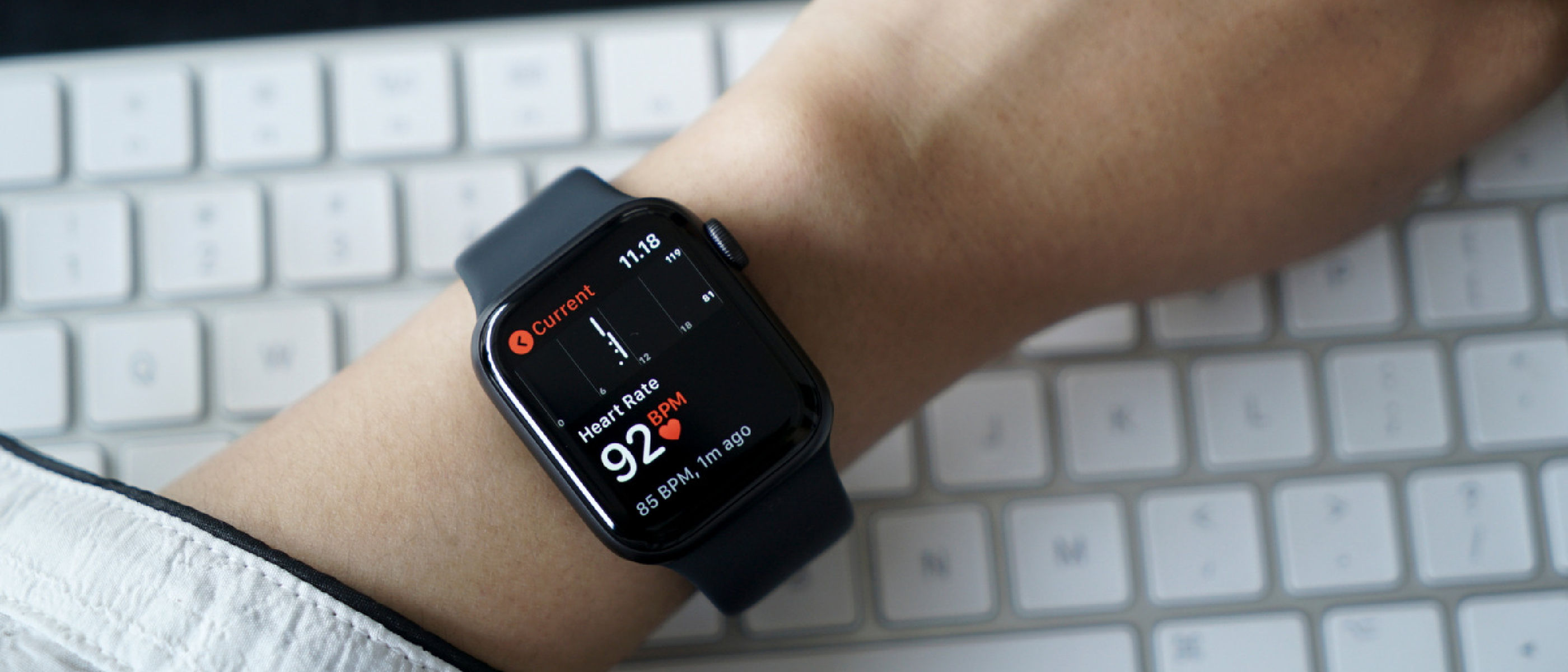
Apple’s wearable ecosystem has always emphasized fitness metrics, but the dedicated ECG (electrocardiogram) app pushes the Watch into the realm of clinical‑grade monitoring. Unlike the baseline heart‑rate sensor, which simply counts beats per minute, the ECG app captures the electrical waveform generated by each cardiac cycle. The result is a 30‑second tracing that reveals rhythm patterns, intervals, and potential arrhythmias such as atrial fibrillation (AFib).
Key capabilities:
- Electrical signal acquisition via the Watch’s built‑in electrodes (the back crystal and the Digital Crown).
- Automatic rhythm classification into categories like “Sinus Rhythm,” “AFib,” “Low/High Heart Rate,” “Inconclusive,” or “Poor Recording.”
- Secure storage in the Health app, where users can share PDFs with physicians.
The feature is not a diagnostic tool for heart attacks; Apple explicitly warns that any chest pain, shortness of breath, or other acute symptoms require immediate medical attention.
Technical Breakdown: Sensors, Algorithms, and Versions
Sensors and Signal Path
The ECG app relies on a single‑lead (lead I) configuration. When the user places a finger on the Digital Crown, the circuit closes, allowing the Watch to measure the voltage difference between the crown and the back electrode. This design eliminates the need for external leads while still delivering a waveform comparable to a standard medical ECG lead.
Signal Processing Pipeline
- Pre‑amplification – Raw voltage is amplified to a usable range.
- Noise filtering – Motion artefacts, skin impedance, and ambient electrical noise are suppressed using adaptive filters.
- Feature extraction – The algorithm identifies P‑waves, QRS complexes, and T‑waves to compute intervals.
- Classification – A machine‑learning model, trained on thousands of anonymized recordings, assigns the result to one of the predefined categories.
Version 1 vs. Version 2
Apple has refined the algorithm since launch:
| Aspect | Version 1 | Version 2 |
|---|---|---|
| AFib detection range | 50–120 BPM | 50–150 |
BPM | 50–150 BPM | | Inconclusive triggers | Heart rate 100–120 BPM (not AFib), loose fit, excessive movement | N/A (replaced by “Poor Recording”) | | Poor Recording triggers | N/A | Wet wrist/watch, loose fit, excessive movement | | Algorithm improvements | Baseline model | Enhanced noise suppression, broader heart-rate range, improved sensitivity for AFib detection |
Version 2’s expanded detection range (up to 150 BPM) addresses a common limitation in Version 1, where users with elevated heart rates during exercise or stress often received inconclusive results. The shift from “Inconclusive” to “Poor Recording” also provides clearer guidance on retesting conditions.
Interpreting Your ECG Results
Sinus Rhythm
A “Sinus Rhythm” result indicates that the heart’s electrical activity originates from the sinoatrial (SA) node, producing a uniform waveform between 50–100 BPM. While this is typically a sign of normal cardiac function, it does not rule out all potential issues—such as structural heart disease or intermittent arrhythmias. Users should still consult a healthcare provider if they experience symptoms like dizziness, fatigue, or palpitations.
Atrial Fibrillation (AFib)
AFib is characterized by chaotic electrical signals in the atria, leading to an irregular and often rapid heartbeat. The ECG app flags this pattern when it detects:
- Absent P-waves (indicating disorganized atrial activity).
- Irregularly irregular R-R intervals (the hallmark of AFib).
- Heart rate within the app’s detection range (50–150 BPM for Version 2).
If the app detects AFib in a user without a prior diagnosis, Apple recommends scheduling a follow-up with a cardiologist. The Health app generates a PDF report that can be shared directly with a physician, streamlining the diagnostic process.
Low/High Heart Rate
- Low Heart Rate (<50 BPM): Common in athletes or individuals on beta-blockers, but persistent bradycardia (especially with symptoms) may warrant medical evaluation.
- High Heart Rate (>120 BPM for Version 1, >150 BPM for Version 2): Can result from stress, dehydration, fever, or underlying conditions like hyperthyroidism. The app advises retesting after resting for 15 minutes.
Inconclusive (Version 1) / Poor Recording (Version 2)
- Inconclusive (Version 1): Most often triggered by a heart rate between 100–120 BPM (outside AFib detection range), a loose watch fit, or movement during the test. Users are prompted to retest with a snugger fit or in a still position.
- Poor Recording (Version 2):
Introduced to reduce ambiguity, this result occurs when:
- The wrist or watch is wet (e.g., after washing hands or sweating).
- The watch is too loose, disrupting electrode contact.
- Excessive movement interferes with signal acquisition.
Edge Cases and Limitations
- Pacemakers/Implantable Defibrillators: The ECG app may return “Inconclusive” if the device’s electrical activity interferes with the Watch’s sensors. Users with these devices should rely on their cardiologist for monitoring.
- Other Arrhythmias: The app is optimized for AFib detection and may not identify less common arrhythmias like atrial flutter or ventricular tachycardia. A 12-lead ECG remains the gold standard for comprehensive diagnosis.
- Physiological Conditions: Conditions like pericarditis or electrolyte imbalances can distort the ECG waveform, leading to inconclusive or inaccurate results.
Practical Tips for Accurate Readings
- Optimal Conditions:
- Sit in a quiet, relaxed environment.
- Ensure the watch is snug but comfortable (you should be able to fit one finger between the band and your wrist).
- Avoid testing immediately after exercise or caffeine consumption.
- Skin Preparation:
- Dry your wrist and fingers thoroughly before testing.
- Clean the watch’s back crystal and Digital Crown to remove sweat, lotion, or debris.
- Positioning:
- Rest your arm on a table or your lap to minimize movement.
- Keep your finger lightly touching the Digital Crown—do not press down.
- Retesting:
- If you receive a “Poor Recording” or “Inconclusive” result, wait 15 minutes and retest under improved conditions.
- For persistent low/high heart rates, check for dehydration, stress, or medication effects before retesting.
The Role of the ECG App in Preventive Health
While the Apple Watch ECG app is not a replacement for clinical diagnostics, it serves as a powerful early warning system for asymptomatic arrhythmias. Studies, including a 2022 Circulation publication, found that the app’s AFib detection had a 98.3% sensitivity and 99.6% specificity when compared to 12-lead ECGs. This level of accuracy has enabled users to:
- Identify undiagnosed AFib, a condition linked to a fivefold increase in stroke risk.
- Monitor known arrhythmias between doctor visits, providing longitudinal data for treatment adjustments.
- Reduce “white coat syndrome” by capturing heart rhythms in everyday settings, rather than in a clinical environment.
However, over-reliance on the app can lead to false reassurance or unnecessary anxiety. Apple emphasizes that the feature is designed for informational use only and should not replace professional medical advice.
Privacy and Data Security
ECG recordings are stored locally on the user’s iPhone and are end-to-end encrypted when synced to iCloud. Apple does not access or analyze individual ECG data. Users control sharing permissions:
- Health app sharing: Data can be exported as a PDF or shared with healthcare providers via the Health app.
- Third-party apps: Access is restricted unless explicitly granted by the user.
- Research participation: Users can opt into studies (e.g., Apple Heart Study) without compromising personal identifiers.
Future Developments
Apple continues to expand the Watch’s health capabilities, with rumors suggesting:
- Multi-lead ECG support: Future models may incorporate additional electrodes to provide a more comprehensive view of heart activity.
- Sleep apnea detection: Leveraging blood oxygen (SpO2) and heart-rate variability data.
- Hypertension monitoring: Early-stage research into cuffless blood pressure measurement.
Conclusion
The Apple Watch ECG app bridges the gap between consumer wearables and clinical-grade monitoring, offering users unprecedented insight into their heart health. By transforming a 30-second test into actionable data, it empowers individuals to take a proactive role in managing their cardiovascular well-being. However, its limitations—such as the inability to detect heart attacks or all arrhythmias—underscore the importance of using it as a complementary tool rather than a standalone diagnostic device.
For those with compatible devices, enabling the ECG app is a low-effort, high-reward step toward preventive health. As Apple refines its algorithms and expands regional availability, the feature is poised to become an even more integral part of personal health ecosystems.
FAQ
1. Can the Apple Watch ECG app detect a heart attack?
No. The ECG app is designed to detect heart rhythm irregularities like AFib, not heart attacks (myocardial infarctions). Heart attack symptoms—such as chest pain, shortness of breath, or nausea—require immediate emergency care.
2. Why does my ECG result say “Inconclusive” or “Poor Recording”?
Common causes include:
- Loose watch fit: Ensure the watch is snug but comfortable.
- Movement: Stay still during the 30-second test.
- Wet skin/watch: Dry your wrist and fingers before testing.
- Heart rate outside detection range: Version 1 may return “Inconclusive” for rates between 100–120 BPM.
- Electrical interference: Pacemakers or other devices can disrupt readings.
3. How often should I take an ECG?
- Asymptomatic users: Once a month or if you experience palpitations, dizziness, or fatigue.
- Diagnosed AFib patients: Follow your cardiologist’s recommendations (e.g., weekly or before/after medication changes).
- Post-exercise: Wait at least 30 minutes to allow your heart rate to stabilize.
4. Can I share my ECG results with my doctor?
Yes. The Health app generates a PDF report that includes:
- The 30-second ECG waveform.
- Heart rate and rhythm classification.
- Date and time of the recording. You can share this via email, print it, or grant your doctor access through the Health app’s sharing feature.
5. Does the ECG app work during exercise?
No. The app requires a resting state to minimize motion artifacts. For heart-rate monitoring during workouts, use the Workout app or the Heart Rate app.
6. Is the ECG app available worldwide?
No. Availability varies by region due to regulatory approvals. Check Apple’s official list for supported countries. If unavailable in your region, the app will not appear in the Health app setup.
7. Can children use the ECG app?
The app is not recommended for users under 22 years old. Pediatric heart rhythms differ from adults, and the algorithm is not optimized for younger populations. Parents should consult a pediatrician for heart health concerns.
8. Does the ECG app drain the Apple Watch battery?
The app itself has minimal impact on battery life, as it only runs for 30 seconds per test. However, frequent use of other health features (e.g., blood oxygen monitoring) may reduce battery longevity.
9. What’s the difference between the ECG app and the irregular rhythm notification?
- ECG app: Provides a 30-second recording and detailed rhythm analysis (e.g., AFib, sinus rhythm).
- Irregular rhythm notification: Passively monitors for AFib-like patterns in the background and alerts users if detected. It does not generate an ECG waveform.
10. Can I use the ECG app if I have a pacemaker?
The app may return “Inconclusive” results due to electrical interference from the pacemaker. Users with implanted devices should rely on their cardiologist’s monitoring tools and consult their doctor before using the app.
Source: Original Article