Overview of the New Release
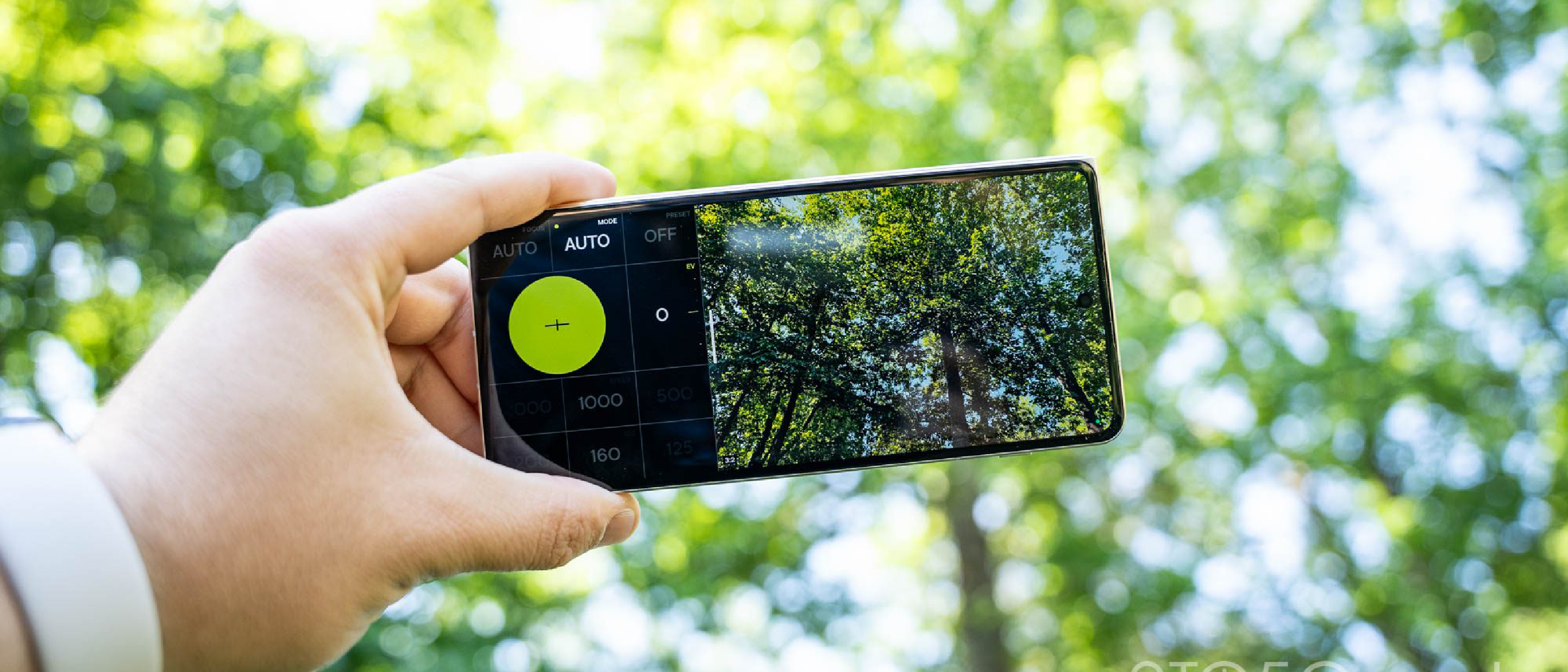
A well‑known Android camera application, celebrated for its restraint in image overprocessing, has just announced two major upgrades: a suite of fresh color‑grading presets and an official rollout on Apple’s iOS platform. The move marks a rare instance of a camera‑centric app, originally built around Android’s hardware diversity, crossing the ecosystem barrier to reach iPhone users.
The update arrives at a time when mobile photography is increasingly competitive. While flagship smartphones from Google, Samsung, OnePlus, Oppo, and Xiaomi push hardware limits, software differentiation—especially in tone mapping and color science—has become a decisive factor for enthusiasts and casual shooters alike. By preserving its “minimal overprocessing” philosophy while offering curated grading options, the app aims to give users the best of both worlds: authentic capture with creative flexibility.
Technical Breakdown of the New Color‑Grading Sets
What Is Color Grading in a Mobile Context?
Color grading refers to the post‑capture manipulation of hue, saturation, and luminance to achieve a specific visual mood. In desktop workflows, this is often done with LUTs (Lookup Tables) or advanced curves. Translating that power to a mobile app requires careful balancing of performance, battery consumption, and UI simplicity.
Implementation Details
- Native Processing Pipeline: The app continues to rely on a native C++ pipeline that accesses the device’s RAW sensor data (when available). This ensures that grading is applied before any JPEG compression, preserving maximum detail.
- GPU‑Accelerated LUTs: The new presets are stored as 3‑D LUTs and applied via Vulkan (Android) or Metal (iOS). This hardware acceleration keeps real‑time preview fluid even on mid‑range devices.
- Dynamic Range Preservation: Unlike many “Instagram‑style” filters that crush shadows, the grading sets respect the sensor’s dynamic range, using tone‑mapping curves that adapt to the scene’s exposure histogram.
- User‑Adjustable Strength: Each preset includes a slider that blends the LUT with the original image, allowing fine‑tuned control over intensity.
Cross‑Platform Consistency
Porting the processing engine to iOS required translating Vulkan calls to Metal while maintaining identical visual output. The development team achieved pixel‑perfect parity by:
- Exporting the same LUT files for both platforms.
- Using a shared C++ core compiled with the Android NDK and Apple’s clang toolchain.
- Conducting side‑by‑side visual regression tests on flagship Android and iPhone devices.
The result is a seamless experience: a photo edited on a Pixel 9 Pro will look identical when opened on an iPhone 15 Pro, assuming the same preset and strength are selected.
Why Minimal Overprocessing Matters
Preserving Authenticity
Many camera apps apply aggressive sharpening, saturation boosts, and contrast lifts to make images “pop” out of the box. While this can be appealing for social media, it often sacrifices the photographer’s intent and reduces flexibility in later editing stages. The app’s core philosophy—capturing a faithful representation of the scene—aligns with the growing demand for RAW‑centric workflows on mobile.
Benefits for Professional Use
- Better Integration with Desktop DNG Workflows: Photographers who shoot RAW on mobile can import the unaltered file into Lightroom or Capture One without fighting against baked‑in processing.
- Accurate Color Reference: Minimal processing ensures that skin tones, foliage, and sky colors remain true to life, which is crucial for product photography, journalism, and scientific documentation.
- Reduced Noise Amplification: Over‑sharpening can exacerbate sensor noise, especially in low‑light conditions. By keeping the base image clean, the app allows noise‑reduction algorithms to work more effectively.
Impact on the Mobile Photography Ecosystem
Competitive Landscape
The announcement puts pressure on other camera‑app developers—such as Lightroom Mobile, VSCO, and Snapseed—to reconsider their default processing pipelines. While those apps already offer extensive grading libraries, they often start from a heavily processed baseline. The new entrant’s “less is more” stance could shift user expectations toward more transparent editing tools.
Influence on Device Manufacturers
Manufacturers like Google, Samsung, and Xiaomi have historically bundled proprietary camera software that leans heavily on AI‑driven enhancements. An independent app that delivers comparable or superior aesthetic control without deep AI intervention may encourage OEMs to open up sensor APIs further, fostering a healthier third‑party ecosystem.
Cross‑Platform Synergy
By supporting both Android and iOS, the app bridges a gap that has long existed between the two mobile photography communities. Users who switch platforms can retain a familiar editing workflow, reducing friction and potentially increasing user retention. This move also aligns with broader industry trends where developers aim for “write once, run everywhere” solutions, as seen in frameworks like Flutter and React Native.
For readers interested in how Apple’s hardware ecosystem adapts to cross‑platform software, see the recent coverage of Apple’s iPhone lineup: Leaker Claims Apple Developing Four Models Of 20Th Anniversary Iphone
Future Outlook and Cross‑Platform Potential
Possible Feature Extensions
- AI‑Assisted Grading Suggestions: While the current update avoids heavy AI, a future optional module could analyze scene content and recommend the most suitable preset.
- Video Color Grading: Extending the LUT pipeline to support 4K video would appeal to creators who use their phones for short‑form content.
- Cloud‑Based Preset Marketplace: Allowing designers to upload custom LUTs could create a community‑driven ecosystem, similar to the App Store’s “App of the Day” spotlight (see Apple Announces 2026 App Store Award Finalists).
Market Implications
If the app gains traction on iOS, we may see a ripple effect where other Android‑first utilities—such as file managers, note‑taking apps, and even gaming overlays—consider iOS ports. This could gradually erode the platform silo mentality that has persisted for over a decade.
Challenges Ahead
- Apple’s App Store Policies: The app must comply with Apple’s strict privacy and data‑usage guidelines, especially concerning RAW file handling.
- Performance Parity: Maintaining real‑time responsiveness on older iPhone models (e.g., iPhone SE 2022) will require ongoing optimization.
- User Education: Convincing iPhone users accustomed to Apple’s native Camera app to adopt a third‑party solution will depend on clear communication of the benefits.
Frequently Asked Questions
Q1: Does the iOS version support RAW capture? A: Yes. The iOS build accesses the device’s RAW sensor output via Apple’s PhotoKit framework, mirroring the Android experience.
Q2: Are the new color‑grading presets free? A: The base set of presets ships with the app at no extra cost. Additional premium LUT packs may be offered through in‑app purchases later.
Q3: Will the app work on older Android devices? A: The app retains backward compatibility down to Android 9 (Pie), though some advanced GPU features may be disabled on low‑end hardware.
Q4: How does the app handle storage of edited images? A: Edited files are saved as DNG (for RAW) or high‑quality JPEGs in a dedicated folder, with optional cloud sync via the app’s own service or third‑party providers.
Q5: Can I export the LUTs for use in desktop software? A: Currently, the LUT files are proprietary, but the development team has indicated plans to allow export in standard .cube format in a future update.
Conclusion
The introduction of new color‑grading presets and the expansion to iPhone represent a strategic leap for a camera app that has long championed authenticity over artificial enhancement. By delivering a technically robust, cross‑platform editing pipeline, the app not only enriches the mobile photography toolbox but also nudges the broader ecosystem toward greater openness and user control. As the lines between Android and iOS continue to blur, developers who prioritize performance, transparency, and creative flexibility will likely shape the next chapter of mobile imaging.
Source: Original Article