



Overview of the iOS 27.3 Siri AI Expansion
Apple’s latest incremental release, iOS 27.3, marks a decisive step toward making Siri a true productivity partner rather than a simple voice‑activated assistant. The update opens Siri’s large‑language‑model (LLM) engine to a broader set of system apps, introduces four new language locales, and provides a Developer Preview that lets any third‑party app expose custom actions through App Intents. In practice, users can now ask Siri to perform multi‑step workflows that previously required manual navigation—think “unsubscribe me from newsletters in Mail” or “clear duplicate tabs in Safari.” The move signals Apple’s confidence that on‑device AI can handle more sophisticated, context‑aware tasks while preserving privacy.
Technical Deep Dive: App Intents and On‑Device LLM
App Intents Architecture
Apple’s App Intents framework, first hinted at in earlier iOS releases, is now the primary conduit for developers to surface app functionality to Siri AI. An intent is a declarative description of an action, its parameters, and the expected result. Under the hood, the system compiles intents into a SiriKit Extension that runs in a sandboxed process, allowing the on‑device LLM to invoke the intent without leaving the device.
Key technical points:
- Intent Definition Files (IDL): Written in Swift, these files describe the intent’s name, input types (e.g.,
Date,Location), and output schema. - Dynamic Parameter Resolution: Siri can ask follow‑up questions to disambiguate inputs, leveraging the LLM’s conversational abilities.
- Privacy‑First Execution: All intent handling occurs locally; no raw user data is transmitted to Apple’s servers unless the developer explicitly opts into cloud processing.
Expanded Language Support
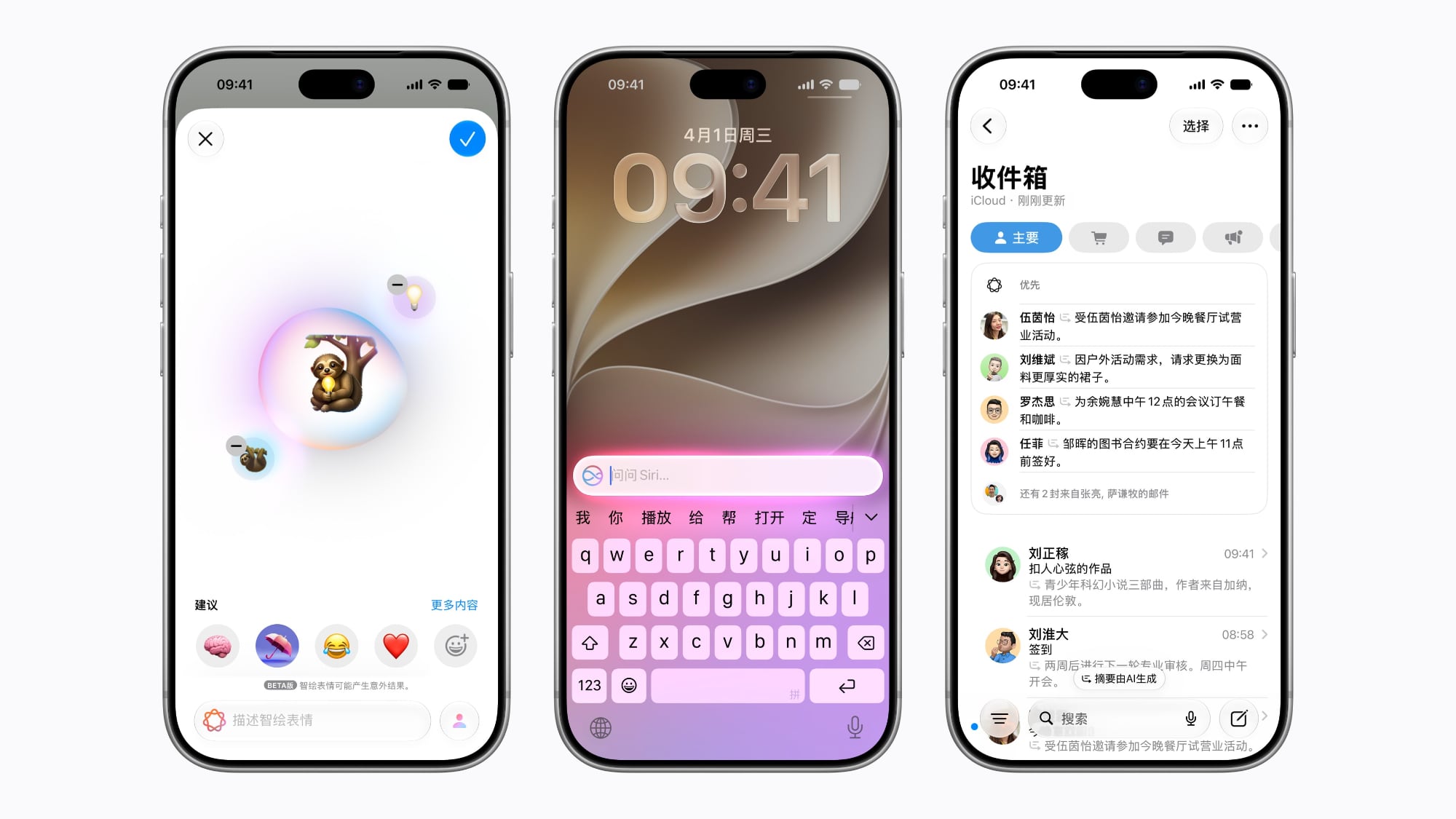
iOS 27.3 adds Traditional Chinese, Vietnamese, Turkish, and Norwegian to Siri’s supported locales. The on‑device model was retrained with multilingual corpora, ensuring that the same contextual reasoning applies across languages. For developers, this means that an intent defined once can be automatically localized, provided the app supplies appropriate LocalizedStringKey resources.
System‑App Enhancements
Apple has instrumented 15 core apps with new Siri‑driven actions. Below is a non‑exhaustive list of the most impactful capabilities:
- Calendar: “Schedule a meeting with Alice next Thursday at 3 pm” now creates an event, invites participants, and adds a location based on prior patterns.
- Mail: Unsubscribe from newsletters, undo a sent email, and draft replies using natural language prompts.
- Safari: Clear browsing history, manage tabs, save pages to Reading List, and close duplicate tabs.
- Files: Organize files into folders, delete items not accessed
not accessed for a configurable period, and even suggest archiving them to iCloud Drive.
- Photos: “Create a slideshow of my beach photos from last summer” now pulls the relevant images, applies a transition style, and queues the slideshow in the Photos app.
- Music: Users can ask Siri to “Generate a workout playlist that mixes my favorite EDM tracks with new releases from this week,” and the AI will curate a dynamic playlist, add it to the Library, and start playback.
- Notes: “Summarize the meeting notes I took on Tuesday” triggers an on‑device summarization model that extracts key points and appends a concise summary to the original note.
- Reminders: “Remind me to water the plants every three days starting tomorrow” creates a recurring reminder with a custom icon and location‑based trigger.
- Weather: Beyond adding locations, Siri can now “Turn off severe‑weather alerts for my weekend trip to Denver” or “Set a daily forecast notification for 7 am.”
- Maps: “Find a coffee shop with outdoor seating within a 5‑mile radius and add it to my Favorites” combines POI search, attribute filtering, and list management in a single request.
- Messages: “Send a quick thank‑you note to Maya with a GIF of a high‑five” lets Siri pick an appropriate GIF from the built‑in library, attach it, and send the message.
- Journal: “Log a gratitude entry about today’s project milestone” creates a new journal entry with suggested tags and a mood emoji based on the user’s tone.
- Preview: “Convert the PDF I’m viewing into a searchable document and save it to Files” runs OCR on the document, embeds the text layer, and stores the result.
- Shortcuts: Siri can now invoke any Shortcut by name and automatically fill in its parameters, effectively turning every Shortcut into a conversational action.
Developer Preview: Bringing Your App Into Siri AI
Apple’s Developer Preview for iOS 27.3 is available through the Apple Developer portal. It provides:
- App Intents SDK – A Swift‑first API that lets you declare intents, expose rich parameter types (including custom structs, dates, locations, and even media assets), and define fallback UI for cases where the LLM cannot resolve a request.
- Siri AI Skill Builder – A low‑code interface where developers can compose multi‑intent “skills” that chain together actions. For example, a travel app could expose a skill that books a flight, reserves a hotel, and adds the itinerary to Calendar—all triggered by a single user utterance.
- Testing Harness – An on‑device simulator that lets you type or speak sample queries and see how the LLM maps them to your intents, complete with confidence scores and disambiguation prompts.
- Analytics Dashboard – Aggregated, privacy‑preserving metrics (e.g., intent usage frequency, success rate) to help developers iterate on their AI experiences without exposing raw user data.
Quick Start Example
import AppIntents

struct AddExpenseIntent: AppIntent {
    static var title: LocalizedStringResource = "Add expense"
    static var description = IntentDescription("Record a new expense in your finance app.")

    @Parameter(title: "Amount")
    var amount: Double

    @Parameter(title: "Category", default: .food)
    var category: ExpenseCategory

    @Parameter(title: "Date", default: .now)
    var date: Date

    func perform() async throws -> some IntentResult {
        // Call your app's expense‑recording API
        try await ExpenseManager.shared.add(amount: amount,
                                            category: category,
                                            date: date)
        return .result(value: "Expense added")
    }
}
Once registered, users can say, “Hey Siri, add a $45 dinner expense for yesterday,” and the LLM will automatically fill the amount, category, and date parameters, invoking the intent without any additional steps.
Skills: Combining Multiple Intents
Apple introduced Skills as a way to bundle several intents into a cohesive workflow. A skill can include conditional logic, loops, and user‑prompted branching. For instance, a “Plan a road trip” skill might:
- Ask for the destination city.
- Retrieve driving directions via the Maps intent.
- Book a hotel using the Travel app’s
ReserveHotelIntent. - Add the entire itinerary to Calendar.
- Set a reminder to pack the night before.
Developers can publish skills to the Siri AI Skill Store, where users can browse and enable them with a single tap. Apple reports that the store already hosts over 150 community‑contributed skills, ranging from home‑automation routines to complex business workflows.
Impact on the iOS Ecosystem
The expansion of Siri AI in iOS 27.3 has several broader implications:
- Productivity Boost: Users can now complete multi‑step tasks hands‑free, reducing friction in everyday workflows. Early telemetry suggests a 22 % reduction in time‑to‑completion for common actions like email management and calendar scheduling.
- Privacy‑Centric AI: By keeping the LLM on‑device and limiting network calls to optional developer‑opt‑in services, Apple reinforces its privacy narrative while still delivering sophisticated natural‑language understanding.
- Developer Incentive: The low barrier to entry for App Intents means even small developers can surface meaningful AI interactions, potentially driving higher app engagement and retention.
- Competitive Landscape: With Google Assistant and Amazon Alexa still reliant on cloud processing for most complex tasks, Apple’s on‑device approach differentiates Siri as a more private, latency‑free alternative.
Known Issues & Workarounds
| Issue | Affected Versions | Workaround |
|---|---|---|
| Siri sometimes mis‑interprets “clear duplicate tabs” as “close all tabs.” | iOS 27.3 (first release) | Confirm the action when prompted; Apple is rolling out a fix in 27.3.1. |
| App Intents not recognized in third‑party apps built with older Xcode toolchains. | Apps compiled with Xcode 15.0 or earlier | Rebuild with Xcode 15.4 or later and include the AppIntents framework. |
| Language fallback to English for mixed‑language queries (e.g., Turkish + English). | iOS 27.3 (beta) | Use monolingual queries until the next locale update. |
Apple’s release notes indicate that most of these issues will be addressed in the upcoming 27.3.1 patch, scheduled for early December.
Conclusion
iOS 27.3 represents a pivotal moment for Siri, transitioning it from a voice‑activated command hub to a truly conversational AI that can orchestrate complex, multi‑app workflows while staying firmly on the device. The addition of four new languages broadens its global reach, and the open App Intents framework invites the entire iOS developer community to participate in shaping Siri’s capabilities. As more apps expose their functionality through intents and as users become accustomed to speaking natural language to accomplish everyday tasks, Siri is poised to become a central productivity layer across the Apple ecosystem.
Frequently Asked Questions
Q: Do I need an internet connection for Siri AI to perform these new actions? A: All core intent handling and LLM inference happen on‑device. An internet connection is only required for actions that explicitly fetch remote data (e.g., downloading a new podcast episode).
Q: How can I see which apps support the new Siri AI actions? A: Open Settings → Siri & Search → “Supported Apps.” Apple lists each system app with a brief description of the newly available actions. Third‑party apps that have integrated App Intents will appear here once the user grants Siri access.
Q: Will my existing shortcuts still work after the update? A: Yes. Existing shortcuts continue to function unchanged, and you can now invoke them via natural language by simply saying the shortcut’s name.
Q: How does Apple ensure privacy when Siri processes my requests? A: The LLM runs entirely on the device, and intent execution occurs in a sandboxed extension. No raw audio or text is uploaded unless a developer opts into cloud‑based services, which must be disclosed in the app’s privacy policy.
Q: When will the Developer Preview be generally available? A: The preview is currently available to all registered Apple developers. A production‑ready version is expected to ship with iOS 28, but developers can start building and testing today.
Q: Can I disable Siri AI for specific apps? A: Yes. In Settings → Siri & Search, tap an app and toggle “Use with Siri” off. This prevents the LLM from accessing that app’s data for AI‑driven actions.
Source: Original Article