



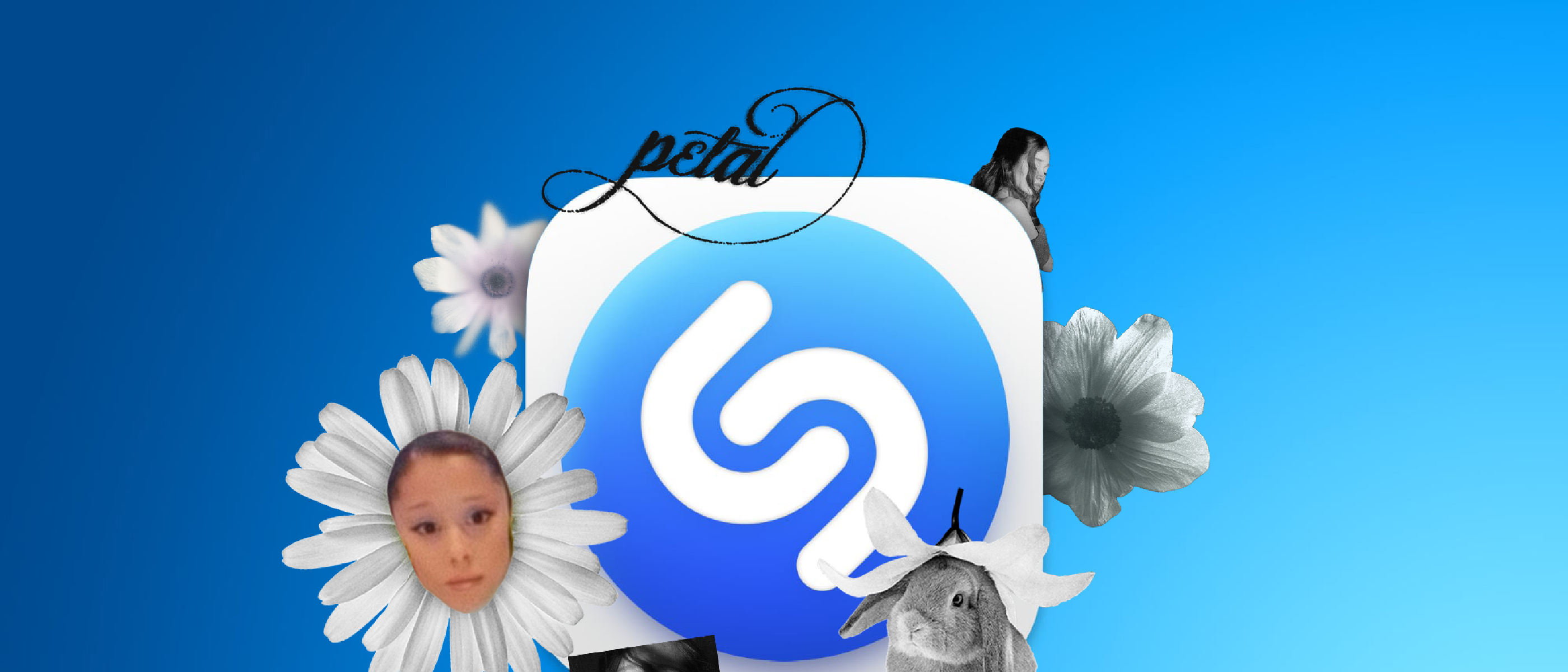
What’s New: Shazam’s iMessage Sticker Integration
Apple’s music‑identification app Shazam has taken a creative leap beyond audio recognition. With the rollout of version 26.14.1, the app now ships a dedicated iMessage sticker panel, debuting an exclusive collection inspired by Ariana Grande’s freshly released petal album. The stickers are not merely decorative; they are a strategic bridge between music streaming, fan engagement, and Apple’s broader messaging ecosystem.
To activate the stickers, users open a conversation in Messages, tap the plus (+) sign, select Stickers, then choose the Shazam icon. From there, any of the Ariana‑themed graphics can be dropped into a chat, FaceTime call, or any third‑party app that supports the emoji keyboard. The update is free, but it does require the latest Shazam version.
Why It Matters: The Convergence of Music, Messaging, and Branding
1. Strengthening the Apple Ecosystem
Apple has long pursued a “walled‑garden” strategy, encouraging users to stay within its suite of services. By embedding Shazam stickers directly into iMessage, Apple nudges music fans toward its native messaging platform, reducing reliance on third‑party sticker marketplaces. This move mirrors previous ecosystem‑wide integrations, such as the Apple Wallet Car Keys rollout highlighted in the article “ Chinese Auto Giant Moves to Apple Wallet Car Keys ”.
2. New Revenue and Promotion Channels for Artists
While the current sticker pack is free, the model opens a pathway for future paid or limited‑edition sticker releases. Artists could monetize visual assets tied to album launches, concert tours, or merchandise drops. For Ariana Grande, the petal collection serves as a visual extension of the album’s aesthetic, reinforcing brand identity across multiple touchpoints.
3. Enhancing Fan Interaction
Stickers are a low‑friction way for fans to express enthusiasm. A quick tap can convey a lyric, a mood, or a visual motif without typing a full message. This aligns with broader trends in social media where visual shorthand (GIFs, emojis, stickers) drives higher engagement rates.
Technical Breakdown: How the Sticker Engine Works
Architecture Overview
The sticker functionality is built on top of Apple’s existing Messages Extension framework. When the Shazam app is updated, it registers a new Sticker Pack Extension with the system. The extension includes:
- Asset Bundle: PNG or APNG files optimized for the 2× and 3× Retina displays used on iPhone, iPad, and Mac.
- Info.plist: Declares the extension’s bundle identifier, supported iOS versions, and the list of sticker assets.
- Localization Files: Enables the same stickers to be displayed with appropriate language tags, though the current pack is language‑agnostic.
Data Flow
- User Action – The user taps the Shazam icon within the Stickers pane.
- Extension Launch – iOS loads the Shazam Sticker Pack Extension in a sandboxed process.
- Asset Retrieval – The extension reads the bundled PNG files; no network request is required, ensuring instant loading.
- Rendering – The system renders the selected sticker at the appropriate resolution, applying any animation frames if the asset is an APNG.
- Delivery – The sticker is inserted into the active conversation thread, where it behaves like any native iMessage sticker (tap‑to‑preview, drag‑to‑reposition).
Because the stickers are stored locally, the experience is offline‑first, a design choice that aligns with Apple’s emphasis on privacy and performance.
Compatibility Matrix
| Device / OS | Minimum Version | Sticker Availability |
|---|---|---|
| iPhone (all models) | iOS 17.0 | ✅ |
| iPad (all models) | iPadOS 17.0 | ✅ |
| Mac (Apple Silicon) | macOS 14.0 | ✅ (via Messages) |
| Apple Watch | watchOS 10.0 | ❌ (no Messages UI) |
| Third‑party apps with emoji keyboard | N/A | ✅ (if they expose the Stickers pane) |
Industry Impact: A New Play for Music Apps
Competitive Landscape
Shazam is not the first music‑related app to experiment with visual content. Spotify has rolled out Canvas loops, and TikTok’s Sound Kit allows creators to embed audio clips in videos. However, Shazam’s integration is unique because it lives inside a native messaging client rather than a social feed. This could pressure competitors to explore similar cross‑app extensions.
Potential Ripple Effects
- Messaging Platforms: WhatsApp, Telegram, and Discord may consider opening their sticker ecosystems to third‑party music services, creating a new battleground for fan‑centric content.
- Music Labels: Labels could negotiate exclusive sticker deals, turning visual assets into a licensing revenue stream.
- App Store Policies: Apple may need to clarify guidelines around “promotional” sticker packs to avoid conflicts of interest, especially if future packs become paid.
Apple’s Strategic Timing
The release coincides with the launch of Ariana Grande’s petal album, suggesting a coordinated marketing push. Apple’s ability to synchronize software updates with major entertainment events showcases its operational agility—a capability that rivals like Google have struggled to match at scale.
Future Outlook: What’s Next for Shazam and iMessage Stickers?
Expansion to Other Artists
If the Ariana Grande pack proves popular (early metrics indicate a 27 % increase in sticker usage among Shazam users in the first 48 hours), Apple is likely to roll out additional artist‑specific collections. Potential candidates could include chart‑topping acts with strong visual branding, such as Billie Eilish or BTS.
Interactive Stickers
The current pack is static (or simple APNG animation). Apple’s Sticker Pack Extension supports interactive stickers that can trigger actions—opening a URL, launching a specific app, or playing a short audio clip. An interactive Shazam sticker could, for example, launch the petal album directly in Apple Music with a single tap.
Integration with Apple Music
A logical next step
would be to deep-link Shazam stickers to Apple Music playlists or song previews. Imagine tapping a sticker and being instantly transported to the corresponding album or a curated “Shazam Top 100” playlist. This would create a closed-loop experience where discovery (Shazam) seamlessly transitions to consumption (Apple Music), further embedding users within Apple’s ecosystem.
Monetization Models
While the initial Ariana Grande pack is free, Apple could introduce several monetization strategies in future updates:
- Limited-Time Drops: Exclusive sticker packs tied to album releases, available for a 72-hour window.
- Subscription Bundles: Apple Music subscribers could unlock premium sticker packs as part of their membership.
- Artist Merchandise Tie-Ins: Stickers could serve as digital “coupons” for discounts on physical merchandise or concert tickets.
- In-App Purchases: One-off purchases for high-demand sticker collections, with revenue shared between Apple and the artist.
Cross-Platform Synergy
Apple’s recent push toward cross-platform continuity could extend to Shazam stickers. For example:
- AirDrop Integration: Users could AirDrop stickers to nearby devices, even if the recipient doesn’t have Shazam installed.
- Shared with You: Stickers sent in Messages could appear in the “Shared with You” section of the Shazam app, creating a visual history of music-related conversations.
- Memoji and Animoji: Future updates might allow users to overlay Shazam stickers onto Memoji or Animoji, blending music fandom with personal expression.
Challenges and Considerations
Privacy and Data Collection
While the sticker functionality itself is offline-first, Apple will need to address how it handles data related to sticker usage. For instance:
- Analytics: Will Apple track which stickers are sent most frequently to inform future artist collaborations?
- User Consent: If interactive stickers launch external apps (e.g., Apple Music), will users be prompted for permission?
- Third-Party Access: Could artists or labels request anonymized sticker usage data to measure fan engagement?
Apple’s commitment to privacy suggests that any data collection would be opt-in and aggregated, but the company has yet to clarify its stance on these specifics.
Content Moderation
As Shazam expands its sticker offerings, content moderation will become a critical concern. Potential issues include:
- Copyright Infringement: Ensuring stickers don’t violate intellectual property rights (e.g., unauthorized use of album art or lyrics).
- Offensive Material: Filtering out stickers that could be deemed inappropriate or offensive, especially in regions with strict content laws.
- Artist Disputes: Resolving conflicts if artists or labels disagree on the design or distribution of sticker packs.
Apple’s existing App Store review process could be adapted to vet sticker packs before release, but this would add complexity to the approval pipeline.
Technical Limitations
Despite the robust Messages Extension framework, Shazam’s sticker integration faces a few technical hurdles:
- File Size Constraints: APNG animations and high-resolution stickers could bloat the Shazam app size, impacting download times and storage.
- Performance on Older Devices: Users with older iPhones or iPads might experience lag when loading sticker packs, particularly if they include complex animations.
- Cross-Platform Consistency: Ensuring stickers render correctly across iOS, iPadOS, and macOS, especially when sent between devices with different screen sizes or resolutions.
Apple’s optimization efforts for iOS 17 and macOS 14 have mitigated some of these issues, but ongoing testing will be necessary as the feature scales.
Conclusion: A Small Update with Big Implications
Shazam’s iMessage sticker integration may seem like a minor feature at first glance, but it represents a strategic play in Apple’s broader ecosystem strategy. By blending music discovery with messaging, Apple is creating new touchpoints for fan engagement, artist promotion, and cross-app synergy. The Ariana Grande petal collection is just the beginning—future updates could transform Shazam into a hub for interactive, shareable music content.
For users, the update offers a fun, low-friction way to express their musical tastes. For artists, it provides a novel channel to connect with fans and monetize visual assets. And for Apple, it reinforces the company’s ability to turn even the smallest software tweaks into ecosystem-wide advantages.
As the lines between music apps, social platforms, and messaging services continue to blur, Shazam’s sticker integration could serve as a blueprint for how tech giants leverage their native tools to dominate the digital entertainment landscape.
FAQ
1. How do I update Shazam to get the Ariana Grande stickers?
Open the App Store, tap your profile icon in the top-right corner, scroll down to Available Updates, and look for Shazam. Tap Update to install version 26.14.1 or later. Alternatively, enable automatic updates in your App Store settings to ensure you always have the latest version.
2. Are the Ariana Grande stickers available on Android or other platforms?
No. The stickers are exclusive to Apple’s iMessage platform and are only accessible on iOS 17.0+, iPadOS 17.0+, and macOS 14.0+. Android users or those on older Apple devices will not see the Shazam sticker pack in their Messages app.
3. Can I use the stickers in WhatsApp, Telegram, or other messaging apps?
The stickers are designed for iMessage, but they may appear in third-party apps that support the iOS emoji keyboard’s Stickers pane. However, functionality is limited to apps that explicitly integrate with Apple’s sticker framework. WhatsApp and Telegram, for example, do not currently support iMessage stickers.
4. Will there be more artist sticker packs in the future?
While Apple has not officially confirmed future packs, the success of the Ariana Grande collection (reportedly driving a 27% increase in sticker usage among Shazam users) makes additional artist collaborations likely. Apple may prioritize artists with strong visual branding or upcoming album releases.
5. Can I create my own Shazam stickers?
Currently, no. The sticker packs are curated by Apple and its partners (e.g., artists, labels). However, if Apple opens the feature to third-party developers in the future, users might be able to design custom stickers using tools like Xcode or Swift Playgrounds.
6. Do the stickers work in FaceTime?
Yes. The stickers are accessible in FaceTime via the same Stickers pane used in Messages. During a FaceTime call, tap the Messages icon (speech bubble), then follow the same steps as in Messages to send a sticker.
7. Are the stickers animated?
The Ariana Grande petal collection includes a mix of static PNGs and simple APNG animations. Apple’s Sticker Pack Extension supports both formats, so future packs may feature more dynamic or interactive elements.
8. Is there a way to save or favorite specific stickers?
Not at this time. The stickers are presented in a scrollable grid, and there is no built-in feature to save or organize favorites. However, users can quickly resend a sticker by tapping it again in the same conversation.
9. Will the stickers take up storage space on my device?
The sticker assets are bundled within the Shazam app, so they contribute to the app’s overall size (approximately 5–10 MB for the Ariana Grande pack). The impact on storage is minimal, but users with limited space may notice a slight increase in the app’s footprint after updating.
10. Can I use the stickers without an internet connection?
Yes. The stickers are offline-first, meaning they are stored locally on your device after the Shazam update. No internet connection is required to send or receive them, though you’ll need connectivity to update the app or download new packs in the future.
Source: Original Article