



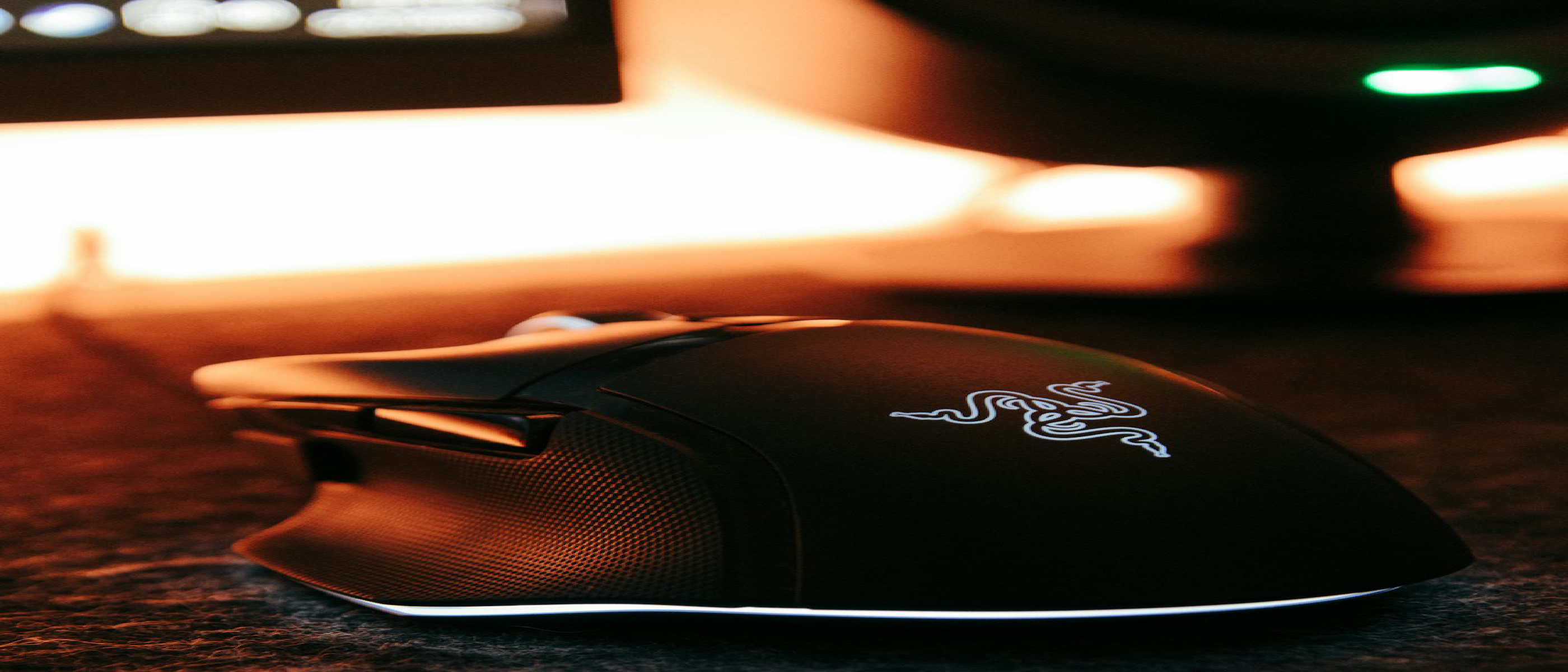
Overview – Why the Naga V3 Pro Matters
Razer’s Naga line has long been the benchmark for MMO‑focused mice, and the Naga V3 Pro pushes that legacy forward with a modular side‑panel system that promises a single mouse for every playstyle. At $179, the device sits at the premium end of the market, but its claim to fame isn’t just the price tag—it’s the attempt to solve a long‑standing ergonomic dilemma: how to give MMO players the massive button count they need without sacrificing comfort for FPS or productivity users.
The review by Henri Robbins for WIRED (8/10) highlights three core pillars:
- Interchangeable side panels (2‑, 6‑, and 12‑button layouts) that magnetically snap on via pogo pins.
- Weight distribution that feels lighter than its 113‑116 g mass.
- Software dependency on Razer Synapse, which brings both power and risk.
Understanding why these pillars matter requires a look at the broader gaming‑peripheral ecosystem, where the balance between hardware flexibility and software stability is increasingly decisive.
Design & Ergonomics – Comfort Engineered for Long Sessions
Shape Evolution
Since the original Naga Epic, Razer has kept the “wide‑palm” silhouette largely unchanged. The V3 Pro refines this shape with a slightly lower profile and a third button that doubles as a side finger rest. As Robbins notes:
“The large, wide shape is ideal for a palm grip, while still being usable with a claw. The third mouse button is a helpful touch…”
This design choice targets palm‑grip users, who dominate MMO and strategy titles, while still offering a viable claw‑grip experience. Fingertip users will find the mouse less forgiving, especially with the 12‑button panel where accidental presses become more likely.
Weight & Balance
The mouse’s weight varies only a few grams between panels:
| Panel | Weight |
|---|---|
| 12‑button | 116 g |
| 6‑button | 115 g |
| 2‑button | 113 g |
Despite these numbers, the low centre of gravity and internal mass distribution make the V3 Pro feel lighter in hand. This is crucial for marathon sessions in titles like Destiny 2 raids or Rainbow Six: Siege, where micro‑fatigue can degrade performance.
Build Quality
Razer over‑engineered the internals with six separate circuit boards linked by ribbon cables and reinforced with plastic braces. The modularity isn’t just for the side panels; the magnetic USB dongle storage cubby on the underside keeps the wireless receiver safe and accessible. The battery connector is standardized, allowing future replacements without soldering.
Modular Button System – The Heart of “Buttons Galore”
2‑Button Panel – FPS‑Ready Minimalism
- Layout: Two larger, rubber‑grip buttons positioned for quick thumb access.
- Ideal For: Tactical shooters where every millisecond counts.
- Pros: Minimal learning curve, reduced accidental presses.
- Cons: Limited macro capacity for MMO players.
6‑Button Panel – Hybrid Flexibility
- Layout: Curved, elevated buttons that sit comfortably under the thumb.
- Ideal For: Games that blend movement‑heavy mechanics with occasional macro use (e.g., MMO dungeons).
- Pros: Distinct tactile separation, good for “WASD‑friendly” macro clusters.
- Cons: No RGB lighting, which may disappoint users who like visual cues.
12‑Button Panel – Numpad‑Style Powerhouse
- Layout: Grid of twelve buttons, each with Razer Chroma backlighting.
- Ideal For: Ability‑heavy titles like MOBA or MMO where each skill needs a dedicated key.
- Pros: Massive macro surface, visual feedback via lighting.
- Cons: Steep learning curve; higher chance of mis‑presses during fast‑paced combat.
All panels are hot‑swappable via magnetic pogo pins, and Synapse automatically detects the attached panel, loading the appropriate profile without a restart. This “plug‑and‑play” approach is a rare convenience in a market where most high‑button mice require manual profile switching.
Software & Customization – Power Meets Dependency
Razer Synapse 3
The V3 Pro’s full feature set lives inside Razer Synapse:
- Instant remapping – No need to reboot the mouse after changes.
- Macro editor – Supports multi‑step commands, delays, and conditional logic.
- Panel‑specific profiles – Each side panel can store its own set of bindings.
- Chroma integration – Lighting zones sync with other Razer gear.
The Dark Side
Robbins experienced occasional macro loss and lag spikes when changing settings, echoing the fate of the older Naga Epic’s Synapse V2, which became “defunct and buggy.” This raises a broader industry concern: software‑centric peripherals risk obsolescence as operating systems evolve. The reliance on a proprietary daemon means that future Windows or macOS updates could break functionality unless Razer maintains timely patches.
Comparative Software Landscape
- Logitech G Hub – Generally praised for stability but lacks the deep panel detection of Synapse.
- Corsair iCUE – Offers robust lighting but fewer macro layers for MMO‑style key clusters.
The V3 Pro’s software advantage lies in its **automatic panel detection
and its seamless profile switching, but this comes at the cost of long-term reliability concerns.
Performance & Use Cases – Where the Naga V3 Pro Shines (and Struggles)
Gaming: A Jack of All Trades, Master of Some
The Naga V3 Pro’s modularity makes it one of the most versatile gaming mice on the market, but its effectiveness varies by genre.
MMOs & MOBAs: The 12-Button Panel’s Domain
For games like World of Warcraft or League of Legends, the 12-button panel is a revelation. The grid layout allows for one-to-one ability mapping, eliminating the need for complex keybinds or external macro pads. The RGB backlighting provides visual feedback, helping players quickly identify cooldowns or active buffs. However, the lack of a homing bar (a raised ridge to guide finger placement) means muscle memory is critical—new users may struggle with accidental presses until they adapt.
FPS & Tactical Shooters: The 2-Button Panel’s Precision
In fast-paced shooters like Rainbow Six Siege or Valorant, the 2-button panel transforms the Naga V3 Pro into a lean, agile competitor. The larger buttons reduce misclicks, and the horizontal scroll wheel (tilt function) is surprisingly useful for leaning or weapon switching. That said, the mouse’s 113g weight is heavier than most dedicated FPS mice (e.g., Razer’s own Viper V2 Pro at 58g), which may deter players who prioritize ultra-lightweight designs.
Hybrid & Casual Games: The 6-Button Panel’s Sweet Spot
For games that blend genres—such as Destiny 2 (FPS + MMO elements) or The Big Con (casual, precision-light gameplay)—the 6-button panel strikes a balance. The curved, elevated buttons allow for WASD-friendly macros without overwhelming the user. Robbins found this setup ideal for long raid sessions, where comfort and quick access to abilities matter more than sheer button count.
Productivity: A Surprising Contender
While the Naga V3 Pro is marketed as a gaming mouse, its scroll wheel customization and macro capabilities make it a strong productivity tool.
- Spreadsheets & Data Entry: The horizontal scroll wheel is a game-changer for navigating large Excel sheets or Google Sheets.
- Photo/Video Editing: Synapse’s software-specific macros can streamline workflows in Adobe Premiere or Photoshop (e.g., assigning brush size adjustments to side buttons).
- Multimedia Control: The scroll wheel’s smooth/ratcheting modes are useful for scrubbing through timelines or adjusting volume.
However, the lack of a dedicated “productivity” panel (e.g., a 4-button layout with common shortcuts like Copy/Paste) is a missed opportunity. Users who switch between gaming and work may find themselves swapping panels more often than ideal.
Competition & Alternatives – How the Naga V3 Pro Stacks Up
Logitech G600 MMO Gaming Mouse
- Pros: 20 programmable buttons, no software dependency for basic functions, lower price (~$80).
- Cons: Bulkier design, no wireless option, outdated sensor.
- Verdict: A budget-friendly alternative for MMO players who don’t need wireless or modularity.
Corsair Scimitar RGB Elite
- Pros: Adjustable side panel (buttons slide forward/back), 12-button grid, iCUE software.
- Cons: Heavier (122g), no wireless option, less refined ergonomics.
- Verdict: A solid choice for MMO players who prefer Corsair’s ecosystem, but lacks the Naga V3 Pro’s versatility.
Razer Naga Pro (Wireless)
- Pros: Wireless, lighter (117g), similar modularity.
- Cons: Older sensor, less refined scroll wheel, no 8K Hz polling option.
- Verdict: A viable alternative if wireless is a priority, but the V3 Pro’s refinements justify the upgrade.
Logitech MX Master 4
- Pros: Premium build, excellent for productivity, multi-device support.
- Cons: Not designed for gaming, limited button customization.
- Verdict: A better productivity mouse, but no match for the Naga V3 Pro’s gaming-focused features.
Verdict – Who Should Buy the Naga V3 Pro?
Buy It If:
✅ You play MMOs, MOBAs, or hybrid games and want a single mouse for all genres. ✅ You value comfort for long sessions (palm grip users will love it). ✅ You need productivity macros (e.g., for spreadsheets or creative work). ✅ You’re invested in Razer’s ecosystem (Chroma, Synapse) and don’t mind software dependency.
Skip It If:
❌ You primarily play competitive FPS games and need an ultra-lightweight mouse. ❌ You dislike software-dependent peripherals and want long-term reliability. ❌ You’re on a tight budget—$179 is steep for a niche mouse. ❌ You prefer fingertip grip—the Naga V3 Pro’s shape isn’t ideal for this style.
Final Thoughts – A Niche Masterpiece with Caveats
The Razer Naga V3 Pro is a technical marvel, blending modularity, comfort, and customization in a way few mice can match. Its interchangeable panels solve a long-standing problem for gamers who switch between genres, and its build quality is among the best in the industry. However, its $179 price tag and software dependency will give some buyers pause.
For MMO and MOBA players, the 12-button panel alone justifies the cost. For FPS and productivity users, the 2- and 6-button panels offer enough flexibility to make the mouse worthwhile. But if you’re a competitive gamer or software-averse user, there are better (and cheaper) options.
Ultimately, the Naga V3 Pro is the best high-button-count mouse on the market—but it’s not for everyone.
FAQ
1. Is the Razer Naga V3 Pro wireless?
Yes, the Naga V3 Pro is a wireless mouse with Razer HyperSpeed Wireless technology. It also supports wired mode via USB-C.
2. Can I use the Naga V3 Pro without Razer Synapse?
No. While basic functionality (left/right click, scroll wheel) works without Synapse, button remapping, macros, and panel detection require the software.
3. How long does the battery last?
Razer claims up to 150 hours on a single charge (with RGB off). In real-world use, expect ~100 hours with moderate RGB usage.
4. Does the Naga V3 Pro support 8K Hz polling?
Yes, but only with an extra dongle (sold separately). The mouse itself does not natively support 8K Hz polling.
5. Can I replace the side panels with third-party options?
No. The magnetic pogo pin system is proprietary, and Razer does not officially support third-party panels.
6. Is the Naga V3 Pro good for small hands?
The Naga V3 Pro is large and wide, making it better suited for medium to large hands. Users with small hands may find it uncomfortable for extended use.
7. How does the scroll wheel compare to the Logitech MX Master 4?
The Naga V3 Pro’s scroll wheel is more customizable (smooth, ratcheting, precision modes) but lacks the infinite scroll of the MX Master 4. For productivity, the MX Master 4’s wheel is superior; for gaming, the Naga V3 Pro’s is more versatile.
8. Will Razer continue supporting Synapse for the Naga V3 Pro?
This is the biggest risk. Razer has a history of abandoning older peripherals (e.g., Naga Epic’s Synapse V2). While the V3 Pro is new, there’s no guarantee of long-term software support.
9. Can I use the Naga V3 Pro for left-handed use?
No. The mouse is right-handed only, with no ambidextrous design.
10. Is the Naga V3 Pro worth the $179 price?
If you need its modularity and button count, yes. If you’re a casual gamer or FPS player, no—there are better (and cheaper) options.
Source: Original Article