



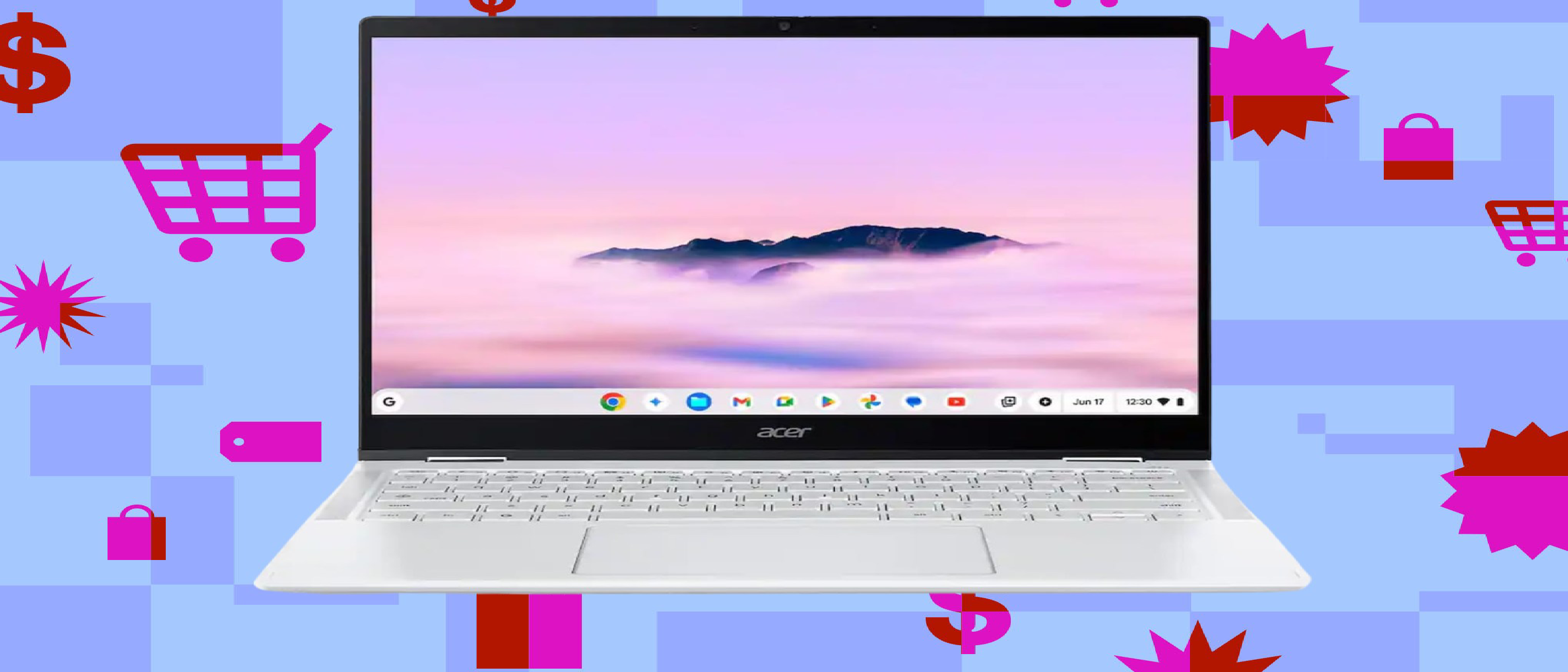
Acer’s Chromebook Plus Spin 514 (2025): A Rare Deal on a Standout 2-in-1
Today only, Best Buy is slashing $200 off the Acer Chromebook Plus Spin 514 (2025), dropping its price from $749 to $559. This discount transforms an already compelling Chromebook into one of the most attractive deals in the convertible laptop space. With a 14-inch 120Hz touchscreen, 12GB of RAM, and an Arm-based MediaTek Kompanio Ultra 910 processor, the Spin 514 defies the limitations of typical Chromebooks. If you’ve been waiting for a high-performance, versatile machine at a mid-range price, this is the deal to watch—but only for the next 24 hours.
Why the Chromebook Plus Spin 514 Stands Out
1. Performance: Arm-Based Power in a Chromebook
Most Chromebooks rely on Intel or AMD x86 processors, but the Spin 514 breaks the mold with MediaTek’s Kompanio Ultra 910, an Arm-based chip. This isn’t just a novelty—it’s a strategic choice that delivers day-plus battery life without sacrificing performance. The Verge’s Antonio G. Di Benedetto praised the processor’s efficiency, noting that it handles multitasking and light productivity tasks with ease.
- 12GB RAM: A rarity in Chromebooks, which typically ship with 8GB. This extra memory ensures smoother performance when juggling multiple tabs, Android apps, or Linux environments.
- 256GB UFS Storage: Faster than eMMC storage found in budget Chromebooks, reducing load times for apps and files.
- 120Hz IPS Touchscreen: A 1920x1200 resolution with a 16:10 aspect ratio and 120Hz refresh rate makes scrolling and touch interactions buttery smooth. The display’s IPS panel ensures vibrant colors and wide viewing angles, whether you’re using it in laptop or tablet mode.
2. Design and Build: A 2-in-1 That Feels Premium
The Spin 514’s convertible design isn’t just a gimmick—it’s a functional advantage. The 360-degree hinge allows you to flip the screen into tablet mode, tent mode, or stand mode, making it adaptable for note-taking, media consumption, or presentations. Key design highlights include:
- Tactile Keyboard: Unlike the mushy keys found on many budget laptops, the Spin 514’s keyboard offers satisfying feedback, making it comfortable for long typing sessions.
- Mechanical Trackpad: The trackpad’s clicky, precise response rivals that of premium Windows laptops, a rarity in Chromebooks.
- Build Quality: Acer hasn’t cut corners here. The chassis feels sturdy, and the 14-inch form factor strikes a balance between portability and screen real estate.
3. Battery Life: A Full Day (and Then Some)
One of the biggest pain points of traditional laptops is battery life, but the Spin 514 excels here. Thanks to the Arm-based processor and ChromeOS’s lightweight nature, the laptop can last over a day on a single charge. This makes it ideal for students, remote workers, or travelers who need a device that won’t die mid-task.
How This Deal Compares to the Market
Chromebooks vs. Windows 2-in-1s
The Spin 514 competes directly with Windows-based 2-in-1 laptops like the HP Spectre x360 or Lenovo Yoga 7i, but at a fraction of the price. While Windows offers broader software compatibility, ChromeOS has evolved into a viable alternative for users who rely on web apps, Android apps, or Linux tools. The Spin 514’s $559 price tag undercuts most Windows 2-in-1s while delivering comparable performance in key areas.
The Arm Advantage
Arm-based processors are becoming increasingly common in laptops (e.g., Apple’s M-series chips, Qualcomm’s Snapdragon X), but they’re still rare in Chromebooks. The Spin 514’s MediaTek Kompanio Ultra 910 proves that Arm isn’t just for premium devices—it can also bring efficiency and battery life to mid-range machines. This could signal a shift in Chromebook design, especially as Google continues to optimize ChromeOS for Arm architectures.
For more on how Arm processors are reshaping the laptop market, check out our analysis of Valve’s Steam Machine and AMD’s FSR 4 integration , which explores the growing synergy between Arm and x86 ecosystems.
Who Should Buy the Chromebook Plus Spin 514?
This deal is perfect for:
- Students: The 12GB RAM and long battery life make it ideal for research, note-taking, and multitasking. The 2-in-1 design is great for digital note-taking with a stylus (though one isn’t included).
- Remote Workers: If your workflow revolves around Google Workspace, web apps, or Linux tools, the Spin 514 offers a lightweight, efficient alternative to bulkier Windows laptops.
- Casual Users: The 120Hz touchscreen and convertible design make it a joy for media consumption, light gaming (via Android apps), or browsing.
- Budget-Conscious Buyers: At $559, the Spin 514 delivers premium features (120Hz display, 12GB RAM) that would cost $800+ in a Windows laptop.
Who Should Skip It?
- Gamers: While the Spin 514 can run Android games, it’s not designed for PC gaming. If gaming is a priority, consider a Windows laptop or Steam Machine—our Steam Machine tech review dives deeper into this category.
- Power Users: If you need heavy-duty software (e.g., video editing, 3D modeling), a Windows or macOS machine with a dedicated GPU will serve you better.
- Apple Ecosystem Loyalists: If you’re deeply invested in iMessage, AirDrop, or macOS-exclusive apps, a Chromebook won’t integrate as seamlessly.
Accessories to Enhance Your Chromebook Experience
While the Spin 514 is a standalone powerhouse, a few accessories can elevate its functionality:
1. Anker 140W Wall Charger (Best Buy/eBay: $55.99)
The Spin 514’s long battery life means you won’t need to charge it often, but when you do, the Anker 140W charger is a must-have upgrade. It features:
- 3x USB-C ports + 1x USB-A port: Charge your Chromebook, phone, and earbuds simultaneously.
- 140W max output: Fast-charging for laptops and other high-power devices.
- Downward-facing ports: Prevents cable sag and keeps your setup tidy.
This charger is $24 off at Best Buy (via eBay) and $79.99 on Amazon (with a USB-C cable for Prime members). It’s a versatile, future-proof accessory that will outlast your Chromebook.
2. Logitech Bolt USB-C Receiver ($7.24 at Amazon/Walmart)
If you use Logitech’s wireless peripherals (e.g., MX Master 4 mouse), the Bolt USB-C receiver ensures low-latency, secure connectivity. At $7.24, it’s a no-brainer upgrade from Bluetooth.
The Bigger Picture: Chromebooks in 2026
The Chromebook Plus Spin 514 isn’t just a great deal—it’s a sign of where Chromebooks are headed. Google’s ChromeOS has matured from a budget-friendly alternative to a viable platform for productivity, creativity, and even gaming. Key trends to watch:
1. Arm-Based Chromebooks Are the Future
The Spin 514’s MediaTek processor proves that Arm isn’t just for smartphones anymore. As Google continues to optimize ChromeOS for Arm, we can expect more efficient, longer-lasting Chromebooks that rival Windows laptops in performance.
2. 2-in-1s Are Dominating the Mid-Range Market
Convertible laptops like the Spin 514 are no longer niche products. Their versatility makes them ideal for students, remote workers, and casual users. Expect more brands to follow Acer’s lead with affordable, high-quality 2-in-1s.
3. ChromeOS Is Expanding Beyond the Web
With Android app support, Linux integration, and cloud gaming, ChromeOS is shedding its “browser-only” reputation. The Spin 514’s 12GB RAM and 256GB storage make it capable of handling demanding apps that would’ve been unthinkable on a Chromebook a few years ago.
For a deeper dive into how ChromeOS is evolving, check out our coverage of Google’s push into cloud gaming and Linux apps , which explores the platform’s growing capabilities.
FAQ: Your Chromebook Plus Spin 514 Questions Answered
Q: Is the $200 discount available after today?
No. This deal is today only at Best Buy. After July 26, 2026, the price returns to $749.
Q: Does the Spin 514 support stylus input?
Yes, the 14-inch touchscreen supports USI (Universal Stylus Initiative) pens, but a stylus is not included. You’ll need to purchase one separately.
Q: Can I run Linux apps on the Spin 514?
Absolutely. ChromeOS has built-in Linux support, and the 12GB RAM + 256GB storage provide plenty of headroom for Linux apps like VS Code, GIMP, or LibreOffice.
Q: How does the MediaTek Kompanio Ultra 910 compare to Intel/AMD chips?
The Kompanio Ultra 910 is more power-efficient than most Intel/AMD chips in this price range, which translates to longer battery life. However, it’s not as powerful for heavy multitasking or gaming. For most users, the trade-off is worth it.
Q: Is the Spin 514 good for gaming?
It can run Android games (e.g., Genshin Impact, Call of Duty Mobile) and cloud gaming services (e.g., Xbox Cloud Gaming, GeForce Now). However, native PC games are off-limits due to ChromeOS’s limitations.
Q: What’s the return policy at Best Buy?
Best Buy offers a 15-day return window for most electronics. If you’re unsure about the Spin 514, you can test it risk-free during that period.
Final Verdict: Should You Buy the Chromebook Plus Spin 514?
Buy It If:
✅ You need a versatile, long-lasting 2-in-1 for work, school, or casual use. ✅ You want 12GB RAM + 256GB storage at a mid-range price. ✅ You’re invested in Google’s ecosystem (Docs, Drive, Android apps). ✅ You value battery life, portability, and a premium build.
Skip It If:
❌ You need Windows/macOS for specialized software. ❌ You’re a hardcore gamer (stick to a Windows laptop or Steam Machine). ❌ You miss the deal—this discount is today only.
The Bottom Line
The Acer Chromebook Plus Spin 514 (2025) is one of the best 2-in-1 Chromebooks on the market, and at $559, it’s a steal. Its Arm-based processor, 120Hz touchscreen, and 12GB RAM set it apart from the competition, while the convertible design adds versatility. If you’ve been waiting for a high-performance Chromebook at a reasonable price, don’t let this deal pass you by.
For more insights into how Chromebooks are evolving, check out our Steam Machine tech review , which explores the future of lightweight, high-performance computing.
Source: Original Article