






Understanding Water‑Resistance vs Waterproof
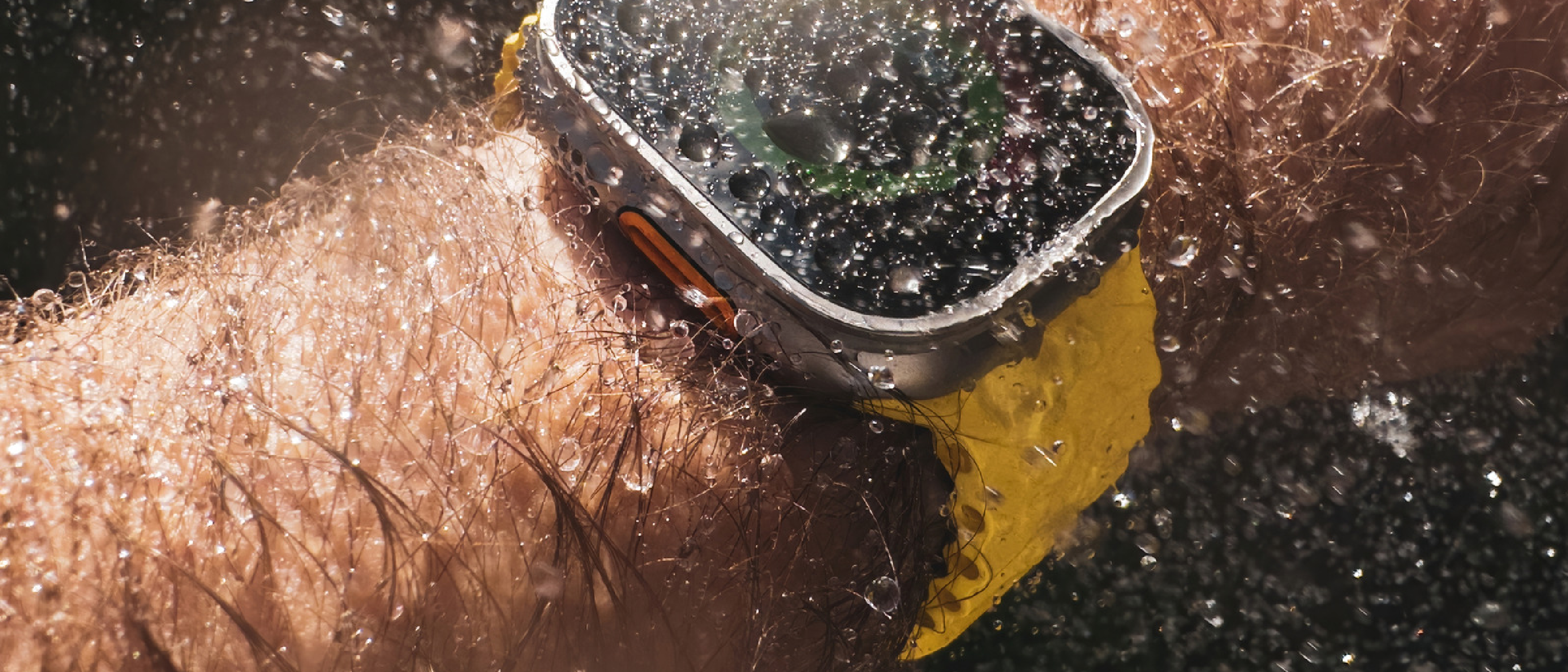
The headline that circulates on social media—Apple Watch is waterproof—is a simplification that can lead to costly mistakes. Apple deliberately brands its watches as water‑resistant, not waterproof, because the two terms describe fundamentally different performance envelopes.
- Water‑resistant indicates that a device can tolerate exposure to water up to a specified pressure, usually expressed in meters (m) or atmospheres (ATM). One ATM equals the pressure exerted by a 10‑meter column of water. The rating is derived from laboratory tests where the watch is submerged in still water at a controlled temperature.
- Waterproof would imply an indefinite barrier against water ingress, regardless of depth, temperature, or movement—an assurance no consumer‑grade smartwatch can realistically make.
Because the rating is measured under ideal conditions, real‑world factors such as rapid movement, temperature fluctuations, and the presence of soaps or salts can push the watch beyond its tested limits. A watch labeled 30 m (3 ATM) is only safe for light splashes or rain; it is not meant for swimming laps. Understanding this distinction is the first step toward using the Apple Watch safely in wet environments.
Apple Watch Ratings by Model
Apple’s lineup has evolved from the original Series 1, which carried a modest 30‑meter rating, to the current Ultra series that pushes the envelope to 100 meters. Below is a concise breakdown:
| Model Line | Water‑Resistance Rating | Typical Use Cases |
|---|---|---|
| Series 2 – Series 9 | 50 meters (5 ATM) | Shallow pool swimming, ocean play, rain‑soaked workouts |
| Apple Watch SE (all generations) | 50 meters (5 ATM) | Same as Series 2‑9, but without the advanced health sensors |
| Apple Watch Ultra | 100 meters (10 ATM) | Open‑water swimming, water‑skiing, recreational scuba diving up to ~130 ft (40 m) |
| Older models (Series 1, original Apple Watch) | 30 meters (3 ATM) | Light rain, hand washing, accidental splashes |
The 50‑meter rating is sufficient for most recreational swimming. Apple’s own documentation clarifies that the watch is “designed for shallow‑water activities such as swimming in a pool or ocean.” The Ultra line, with its 100‑meter rating, adds a dedicated depth gauge and a more robust case, allowing it to be used for water‑sports that generate higher dynamic pressure, such as water‑skiing or free‑diving within the 130‑foot limit.
While the numbers give a clear baseline, the practical experience can differ. For instance, a swimmer who frequently dives below the surface will experience pressure spikes that exceed the static rating, potentially accelerating wear on the seals.
How Water Lock Works and When to Use It
Apple introduced Water Lock to address a specific problem: water droplets on the touchscreen can be interpreted as phantom taps, corrupting workout data or triggering unintended actions. Water Lock operates in two stages:
- Activation – When you start a water‑based workout (e.g., Swimming, Open Water Swim, or Water‑Ski), the watch automatically engages Water Lock. You can also enable it manually from the Control Center for activities like showering or washing hands.
- Deactivation – Swiping the Digital Crown releases the lock. The watch then emits a series of rapid vibrations that shake out any liquid trapped beneath the screen. The expelled water is displayed as a visual “water ejection” animation.
The feature does not increase the watch’s depth rating; it merely protects the touch interface during exposure. Users should remember to deactivate Water Lock after exiting the water; otherwise, the watch will remain in a locked state, disabling the touchscreen until the vibration sequence completes.
Band Choices and Real‑World Durability
Not every Apple Watch band is built for aquatic environments. Apple’s official guidance categorizes bands as follows:
- Fluoroelastomer (Sport Band) – Fully water‑compatible; ideal for swimming and high‑intensity workouts.
- Nylon (Sport Loop) – Water‑resistant but can retain moisture, leading to odor over time if not dried properly.
- Stainless‑steel, Titanium, and Leather – Not recommended for prolonged water exposure. Stainless‑steel can corrode in saltwater, while leather will warp and degrade.
When selecting a band for water activities, prioritize materials that do not absorb water and can withstand chlorine or salt without deteriorating. Third‑party bands made from silicone or high‑grade rubber often meet these criteria, but they must also maintain a secure fit to prevent accidental loss during vigorous movement.
Maintaining Water‑Resistance Over Time
A watch’s water‑resistance is not a permanent guarantee. Several factors erode the protective seals:
- Physical Impact – Dropping the watch or striking it against hard surfaces can deform the case or damage the gasket.
- Chemical Exposure – Soaps, shampoos, and especially chlorine can degrade the O‑rings that keep water out. Rinse the watch with fresh water after swimming in a chlorinated pool.
- Temperature Extremes – Sudden shifts from hot to cold (e.g., moving from a sauna to a cold pool) can cause the metal components to expand or contract, stressing the seals.
- Aging – Over years of use, the silicone or rubber seals become less elastic, reducing their effectiveness.
Apple recommends a water‑resistance inspection at each service appointment. If you notice fogging under the crystal, diminished speaker quality, or any sign of moisture inside the case, stop using the watch in water and seek professional repair.
Industry Impact and Future Outlook
The distinction
between water-resistance and waterproofing has reshaped consumer expectations across the entire wearables industry. Apple’s cautious yet progressive approach—eschewing the “waterproof” label while steadily increasing depth ratings—has set a benchmark that competitors like Samsung, Garmin, and Fitbit now follow. The 50-meter standard introduced with the Series 2 in 2016 effectively normalized swimming as a core use case for smartwatches, a shift that has since influenced fitness tracking, app ecosystems, and even insurance policies for athletes.
Looking ahead, the trajectory suggests deeper integration with aquatic activities. The Apple Watch Ultra 2, with its 100-meter rating and depth gauge, hints at future models potentially targeting professional divers or triathletes. Rumors persist about pressure-resistant materials (such as sapphire composites) and self-sealing ports that could extend longevity in harsh environments. However, Apple’s conservative stance on marketing—avoiding terms like “waterproof” even for its highest-rated models—reflects a broader industry trend toward transparency. This shift is partly driven by regulatory scrutiny; agencies like the FTC and ISO have tightened guidelines around water-resistance claims, penalizing manufacturers for overpromising durability.
Practical Guidelines for Everyday Use
While the technical ratings provide a framework, real-world usage demands nuance. Here’s how to apply the guidelines to common scenarios:
Safe Activities (Within Rating Limits)
- Showering: The 50-meter rating covers brief exposure to warm water, but avoid direct streams from high-pressure showerheads, which can exceed static pressure limits.
- Swimming (Pool/Ocean): Stick to shallow depths (under 5 meters) and avoid diving or jumping from heights, which create dynamic pressure spikes.
- Water Sports: The Ultra’s 100-meter rating permits water-skiing, paddleboarding, and snorkeling, but not scuba diving beyond 130 feet (40 meters).
- Rain and Sweat: All models handle these scenarios effortlessly, but prolonged exposure to sweat (e.g., during marathons) may require post-workout cleaning.
Activities to Avoid
- Scuba Diving Beyond Limits: Even the Ultra’s 100-meter rating is not certified for technical diving (e.g., decompression stops or mixed gases).
- High-Speed Water Sports: Jet-skiing or wakeboarding generates extreme dynamic pressure; the watch’s seals may not withstand repeated impacts.
- Saunas and Hot Tubs: Steam and heat accelerate seal degradation. Apple explicitly warns against exposing the watch to temperatures above 35°C (95°F).
- Chemical Exposure: Chlorine, saltwater, and soaps degrade gaskets over time. Rinse the watch with fresh water after exposure and dry it thoroughly.
Post-Water Care Routine
- Rinse: Use fresh water to remove chlorine, salt, or soap residue.
- Dry: Wipe the watch and band with a soft, lint-free cloth. For bands like the Sport Loop, allow them to air-dry completely to prevent odor.
- Inspect: Check for fogging under the display or muffled speaker audio, which indicate seal failure.
- Store: Avoid storing the watch in humid environments (e.g., gym bags) to prolong seal life.
Common Misconceptions Debunked
Despite Apple’s clear documentation, several myths persist about the Apple Watch’s water resistance:
Myth 1: “Waterproof” Means Unlimited Depth
- Reality: No consumer smartwatch is truly waterproof. Even the Ultra’s 100-meter rating has strict limits (e.g., no deep diving or high-pressure activities).
Myth 2: Water Lock Makes the Watch More Resistant
- Reality: Water Lock only protects the touchscreen from phantom inputs. It does not enhance the watch’s depth rating or seal integrity.
Myth 3: All Apple Watch Bands Are Swim-Proof
- Reality: Leather and stainless-steel bands degrade in water. Only fluoroelastomer (Sport Band) and certain third-party silicone bands are fully compatible.
Myth 4: Water Resistance Lasts Forever
- Reality: Seals degrade over time due to wear, chemicals, and temperature changes. Apple recommends annual inspections for heavy users.
Myth 5: You Can Wear the Watch in the Ocean Without Rinsing
- Reality: Saltwater accelerates corrosion. Always rinse the watch with fresh water after ocean exposure.
Conclusion: Balancing Convenience and Caution
The Apple Watch’s water-resistance is a carefully engineered compromise between durability and practicality. While it empowers users to track swims, shower with the watch on, or brave a rainstorm without worry, it is not a substitute for a dedicated dive watch or ruggedized device. The key to longevity lies in understanding the limits, choosing the right band, and adopting a post-water care routine.
For most users, the 50-meter rating of the Series 2–9 and SE models is more than sufficient for everyday aquatic activities. The Ultra’s 100-meter rating expands possibilities for adventurers, but even it has boundaries. By treating the watch as a water-resistant tool rather than an indestructible gadget, owners can enjoy its features without risking premature failure.
As smartwatches evolve, the line between “water-resistant” and “waterproof” may blur further—but for now, Apple’s measured approach ensures that users can push boundaries safely, provided they respect the physics of pressure and the fragility of seals.
FAQ
Q: Can I wear my Apple Watch while scuba diving?
A: Only the Apple Watch Ultra is rated for recreational scuba diving, and even then, it’s limited to 130 feet (40 meters). Technical diving (e.g., decompression stops, mixed gases) exceeds the watch’s capabilities. Always use a dedicated dive computer for such activities.
Q: What should I do if my Apple Watch gets wet and the speaker sounds muffled?
A: This indicates water trapped in the speaker. Activate Water Lock (even if not in a workout) and turn the Digital Crown to expel the liquid. If the issue persists, allow the watch to dry for 24 hours in a well-ventilated area. Avoid using heat sources like hairdryers, as they can damage internal components.
Q: Is it safe to wear my Apple Watch in a hot tub or sauna?
A: No. High temperatures and steam can degrade the seals and adhesive, compromising water resistance. Apple explicitly warns against exposing the watch to temperatures above 35°C (95°F).
Q: How often should I have my Apple Watch’s water resistance checked?
A: Apple recommends an inspection every 12 months if you frequently expose the watch to water. Authorized service providers can test the seals and replace them if necessary. For casual users, an inspection every 2–3 years is sufficient.
Q: Can I use my Apple Watch for open-water swimming in cold temperatures?
A: Yes, but with caution. Cold water can stiffen the seals temporarily, reducing their effectiveness. After swimming in cold water, rinse the watch with warm (not hot) water to restore seal flexibility.
Q: What’s the best way to dry my Apple Watch after swimming?
A: Gently wipe the watch and band with a soft, lint-free cloth. For bands like the Sport Loop, remove them and allow them to air-dry completely. Avoid using compressed air or heat, as these can force water deeper into the device or damage components.
Q: Does Apple cover water damage under warranty?
A: No. Apple’s warranty does not cover liquid damage, even if the watch is within its rated depth. However, AppleCare+ may cover accidental damage, including water exposure, for a service fee.
Q: Can I wear my Apple Watch while surfing?
A: The Apple Watch Ultra is rated for water-skiing, which involves similar dynamic pressures to surfing. However, the 50-meter models (Series 2–9, SE) are not recommended for surfing due to the risk of high-impact collisions with waves or boards.
Q: Why does my Apple Watch fog up after swimming?
A: Fogging indicates that moisture has breached the seals. Stop using the watch in water immediately and have it inspected by an authorized service provider. Continued use can lead to corrosion or permanent damage.
Q: Are third-party water-resistance tests reliable?
A: Most third-party tests (e.g., submerging the watch in a pressure chamber) are not equivalent to Apple’s ISO-certified lab tests. While they may provide anecdotal insights, they cannot guarantee the watch’s performance under real-world conditions.
Source: Original Article