

Overview of the New Pencil Integration
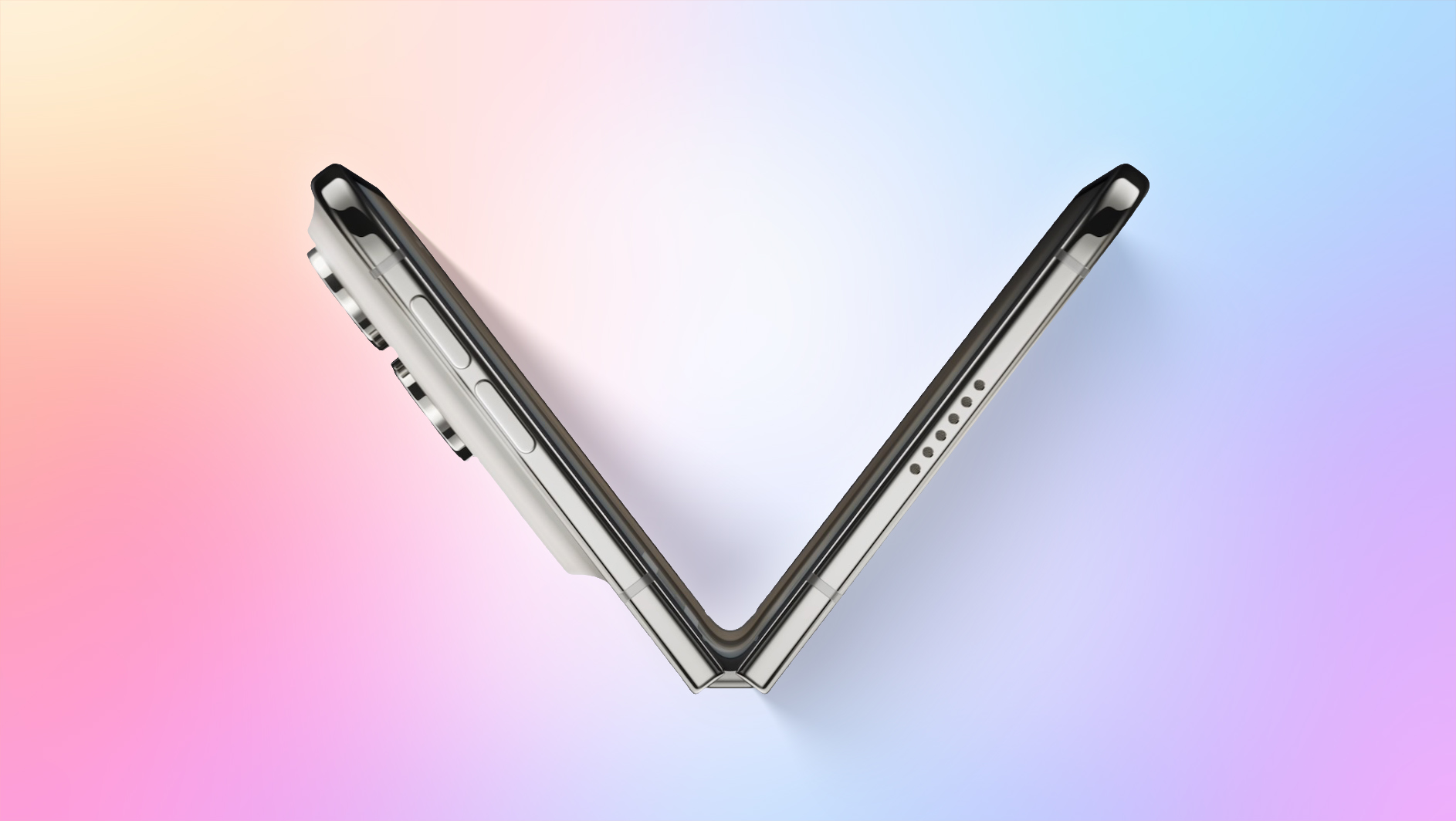
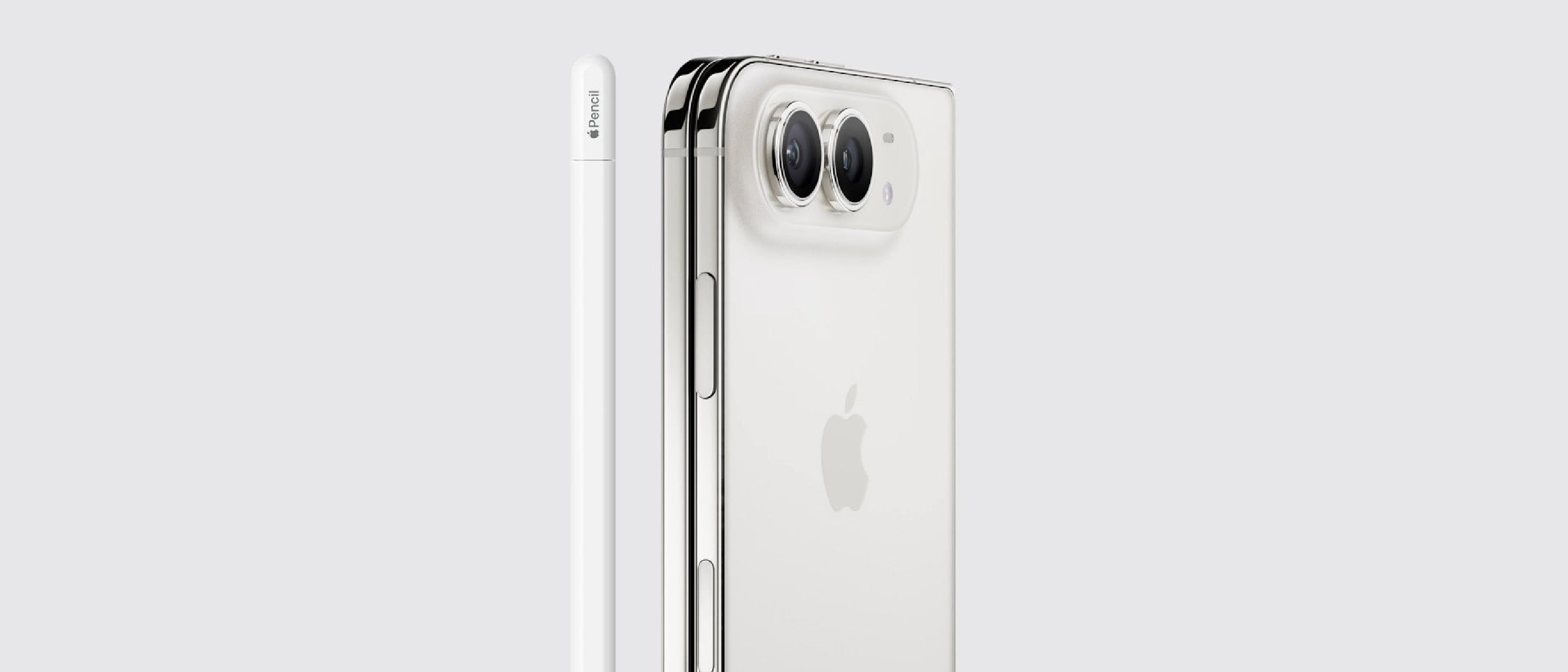
Apple’s iPhone Duo, the company’s first dual‑screen smartphone, has long been praised for its innovative form factor but criticized for the lack of stylus support. With the upcoming iOS 27.2 release, the device finally gains native compatibility with the USB‑C version of the Apple Pencil. The update, confirmed by analyst Max Weinbach on X, enables drawing, annotating, and scrolling on both the inner and outer displays. Early adopters who installed the iOS 27.2 Release Candidate reported seamless functionality, confirming that Apple has extended its stylus ecosystem beyond the iPad and MacBook lines.
The public rollout of iOS 27.2 is slated for next week, meaning that millions of iPhone Duo owners will be able to unlock a new creative workflow without waiting for third‑party apps to implement workarounds. This move also aligns the Duo with Apple’s broader strategy of unifying input methods across its hardware portfolio.
Technical Breakdown of iOS 27.2 Pencil Support
How the OS Handles Stylus Input
iOS 27.2 introduces a dedicated Pencil driver that interfaces directly with the Duo’s dual‑screen architecture. Key technical components include:
- Dual‑screen coordinate mapping – The OS now treats the inner and outer displays as a single logical canvas, allowing strokes to continue across the hinge without interruption.
- Pressure sensitivity calibration – The USB‑C Pencil’s 4096‑level pressure data is translated into variable line weight, mirroring the experience on iPad Pro.
- Latency optimization – Apple reduced input latency to under 9 ms by leveraging the A‑series chip’s Neural Engine for real‑time stroke prediction.
Compatibility Matrix
| Feature | Supported Apps (as of iOS 27.2) | Notes |
|---|---|---|
| Freehand drawing | Procreate Pocket, Adobe Fresco, Sketches | Full pressure & tilt support |
| Document annotation | PDF Expert, GoodNotes, Notability | Works on PDFs and handwritten notes |
| UI navigation | Safari, Mail, Settings | Pencil can scroll and tap UI elements |
| Third‑party extensions | Limited (requires developer update) | Developers must adopt new Pencil APIs |
Developers can adopt the new UIPencilInteraction APIs to enable advanced gestures such as double‑tap shortcuts and hover detection, which were previously exclusive to the iPad.
USB‑C Pencil Requirements
The update only supports the USB‑C version of the Apple Pencil. The older Lightning model is incompatible due to hardware constraints in the Duo’s port architecture. Users must ensure their Pencil firmware is up to date, which can be done via the Settings → General → Pencil menu.
Why It Matters for Creators and Professionals
Expanding the Creative Canvas
The Duo’s 7.2‑inch inner screen paired with a 6.5‑inch outer screen creates a combined real‑estate comparable to a small tablet. With Pencil support, designers can:
- Sketch initial concepts on the outer screen while referencing reference material on the inner screen.
- Use the hinge as a natural “fold‑over” canvas, enabling panoramic illustrations without rotating the device.
- Annotate emails or presentations on the go, turning the Duo into a portable whiteboard.
Productivity Gains in Business Contexts
Enterprise users will find immediate value in the ability to markup contracts, annotate slides, and navigate complex dashboards with precision. The Pencil’s scroll capability means users can scroll through long spreadsheets or code listings without resorting to finger gestures, reducing hand fatigue during extended sessions.
Accessibility Improvements
For users with motor impairments, the Pencil offers a more controlled input method. iOS 27.2 also introduces a “Pencil Assist” mode that enlarges touch targets when the stylus is detected, enhancing accessibility across the Duo’s UI.
Industry Impact and Competitive Landscape
Reinforcing Apple’s Stylus Ecosystem
Apple has historically positioned the Apple Pencil as an iPad‑centric accessory. By extending support to the iPhone Duo, Apple signals a strategic shift toward a unified stylus experience across all premium devices. This move could pressure competitors—such as Samsung’s S Pen—to broaden their own cross‑device compatibility.
Implications for App Developers
Developers now have a clear incentive to update their iOS apps for Pencil support. The new APIs are backward‑compatible, meaning an app that already supports the Pencil on iPad can be quickly adapted for the Duo. This could lead to a surge in stylus‑enabled productivity apps within the next six months.
Market Perception and Sales Forecast
Analyst firms have noted that the lack of Pencil support was a recurring criticism in Duo reviews. Adding this feature may boost consumer confidence and could translate into a modest uptick in sales, especially among creative professionals who previously opted for iPad Pro or Surface Duo alternatives.
Future Outlook: What Comes After iOS 27.2?
Potential for Multi‑Pencil Functionality
Apple’s roadmap hints at multi‑stylus support for the iPad. If that capability arrives, the Duo could theoretically support simultaneous input from two Pencils—useful for collaborative sketching or dual‑hand drawing techniques.
Integration with Augmented Reality
iOS 27.2 also introduces early ARKit enhancements. Combining Pencil precision with AR overlays could enable designers to sketch directly onto real‑world objects captured by the Duo’s cameras, opening new workflows for product design and interior planning.
Anticipated Hardware Iterations
Rumors suggest that the next generation of the iPhone Duo may feature an integrated magnetic holder for the Pencil, similar to the iPad Pro’s Magic Keyboard. Such a hardware change would further solidify the Duo’s position as a true “mobile studio” device.
Frequently Asked Questions
Q: Do I need to update to iOS 27.2 to use the Pencil?
A: Yes. Pencil functionality is only enabled in iOS 27.2 and later. Install the update via Settings → General → Software Update.
Q: Can the older Lightning Apple Pencil be used?
A: No. Only the USB‑C version is supported due to the Duo’s port design.
Q: Which apps currently support Pencil on the Duo?
A: As of the release, Procreate Pocket, Adobe Fresco, Sketches, PDF Expert, GoodNotes, Notability, Safari, Mail, and Settings have native support. Other apps may add compatibility through updates.
Q: Will the Pencil work for scrolling in all apps?
A: Scrolling works in any app that respects standard UIKit gestures. Apps that override scroll handling may need an update.
Q: Is there any impact on battery life when using the Pencil?
A: The Pencil draws power from its internal battery, not the phone, so there is negligible impact on the Duo’s battery.
Related Reading
- Learn more about the capabilities of USB‑C ports on mobile devices in our deep dive: USB‑C on Your Phone: More Than Just Charging and Data
- Explore other iOS 27.2 enhancements, including the new Apple Music redesign: Apple Music Gets Liquid‑Inspired Rebrand in iOS 27.2
- Understand the security considerations of iOS updates with our analysis of recent exploits: Zoom Zero‑Day Exploit: Remote Takeover of iPhone & Mac
The iPhone Duo’s newfound Pencil support marks a pivotal moment for mobile creativity, bridging the gap between handheld convenience and tablet‑level precision. As developers and users begin to explore the possibilities, the Duo is poised to become a central tool in the modern creator’s workflow.
Source: Original Article