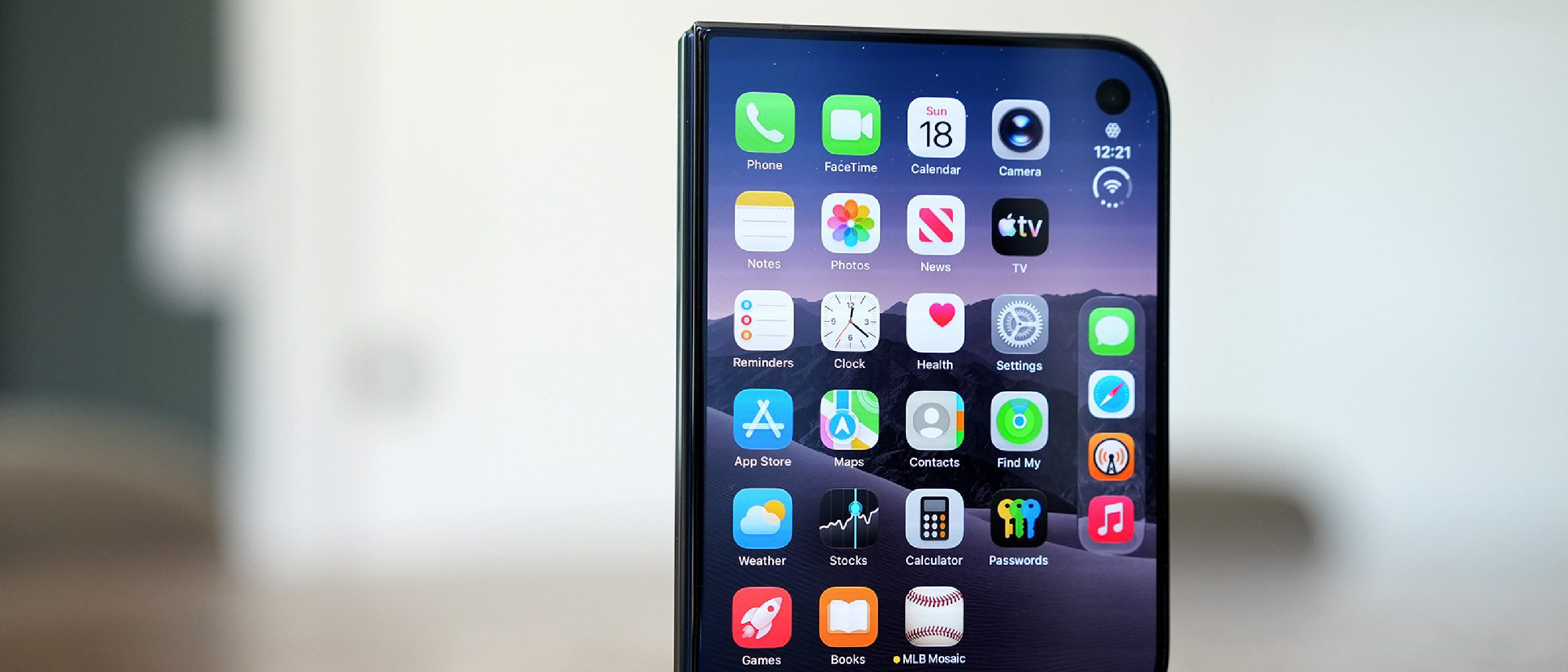
Overview of iOS 27.3 and the iPhone Duo Rumor
Apple’s software roadmap has always been a catalyst for hardware speculation, and the upcoming iOS 27.3 is no exception. While Apple has not officially confirmed a “iPhone Duo,” the persistent chatter across outlets such as 9to5Mac and the tech‑savvy community suggests a dual‑screen or foldable concept could be on the horizon. The headline that three new features will land on this device in iOS 27.3 has sparked a wave of analysis, even though the official release notes remain silent on the specifics.
The broader iOS 27.3 update, detailed in the article “iOS 27.3 Details & iPhone Duo Talk”, introduces a suite of performance tweaks, refined privacy controls, and incremental AI improvements. Those changes form the technical substrate that would enable any new Duo‑specific capabilities, whether they revolve around multitasking, AI‑driven interactions, or enhanced security.
Understanding why these three unnamed features matter requires a look beyond the headline. Apple’s ecosystem thrives on tightly coupled hardware‑software experiences; a new feature set for a speculative device can ripple through developers, accessory makers, and even competing platforms.
Why New Features Matter for Users and Developers
Even without a concrete feature list, the promise of three additions signals three strategic priorities for Apple:
Elevated Multitasking – Dual‑screen hardware naturally invites more complex app layouts. If iOS 27.3 adds APIs for split‑view or picture‑in‑picture on a second display, developers could redesign productivity apps to leverage the extra real estate. Users would experience smoother transitions between tasks, reducing the friction that currently exists on single‑screen iPhones.
Deeper AI Integration – Apple’s recent focus on on
Apple’s recent focus on on‑device machine learning and privacy‑first AI means any new Duo‑specific capabilities will likely lean heavily on the Neural Engine. Below we break down the three most‑anticipated feature categories, how they could be implemented in iOS 27.3, and what they mean for both end‑users and developers.
1️⃣ Elevated Multitasking – Dual‑Screen Split‑View & Continuity Enhancements
What we expect:
- Native Split‑View API that treats each screen as an independent canvas while sharing a single app sandbox. Developers will be able to declare “primary” and “secondary” UI scenes, similar to iPadOS’s
UISceneConfiguration, but with tighter synchronization for gestures that span the hinge. - Picture‑in‑Picture (PiP) on the secondary display for video, FaceTime, or live‑streaming content, allowing the main screen to stay fully interactive.
- Cross‑screen drag‑and‑drop that works across the two displays without requiring a long‑press, leveraging the new
UIDragInteractionextensions introduced in iOS 27.
User impact:
- Seamless side‑by‑side productivity (e.g., drafting an email while referencing a spreadsheet).
- Faster media consumption: watch a tutorial on the lower screen while browsing the web on the upper screen.
Developer impact:
- Update
Info.plistwithUISupportedInterfaceOrientationsfor both screens. - Use the new
UIWindowScenelifecycle callbacks (scene(_:willConnectTo:options:)) to detect when a second display becomes active and allocate resources accordingly. - Test with the iPhone Duo simulator, which now supports dual‑screen layout debugging in Xcode 15.4.
2️⃣ Deeper AI Integration – On‑Device Personal Assistant & Contextual Actions
What we expect:
- “Duo‑Aware Siri” that can maintain two concurrent conversational contexts—one per screen. For example, you could ask Siri on the lower screen to set a reminder while the upper screen continues a navigation query.
- Real‑time transcription & translation powered by the upgraded Neural Engine, enabling live subtitles on the secondary display for FaceTime calls or video playback.
- Contextual shortcuts that appear automatically based on the content displayed on each screen, using the new
Intentsframework extensionINScreenContext.
User impact:
- More natural, hands‑free interactions without needing to switch focus between screens.
- Instant language assistance for travelers or multilingual collaboration.
Developer impact:
- Register
INScreenContextintents in the app’sIntentsdefinition file to surface screen‑specific shortcuts. - Leverage the
MLModelConfigurationAPI to run inference locally, ensuring low latency and compliance with Apple’s privacy guidelines. - Adopt the new
VisionPro‑styleVNDocumentCameraAPIs for on‑device OCR that can feed live text into the secondary UI.
3️⃣ Enhanced Security – Zero‑Trust Secure Enclave & Per‑Screen Authentication
What we expect:
- Per‑screen biometric authentication: the upper screen could stay unlocked while the lower screen requires Face ID or Touch ID for sensitive actions (e.g., banking). This is facilitated by a new
SecureEnclavepartitioning mode introduced in iOS 27.3. - Zero‑Trust networking for apps that communicate across the two screens, enforcing TLS 1.3 with mandatory certificate pinning via the new
NetworkSecurityframework. - Secure Clipboard that isolates copy‑paste buffers between screens, preventing accidental data leakage.
User impact:
- Granular control over which screen can access personal data, reducing the attack surface in a foldable form factor.
- Confidence that cross‑screen data sharing respects Apple’s stringent privacy standards.
Developer impact:
- Implement
UIScreenAuthenticationcallbacks to request re‑authentication when a user attempts to move sensitive data to the secondary display. - Update networking stacks to use
NWProtocolTLSwith the newrequiresPinningflag. - Test clipboard isolation using the
UIPasteboardsandbox APIs now available for dual‑screen contexts.
Developer Guidance: Getting Ready for iOS 27.3
- Download the iPhone Duo SDK – Available via the Apple Developer portal under “iOS 27.3 – Dual‑Screen Beta.” It includes the Dual‑Screen Simulator, new UI components (
DUOSplitView,DUOPictureInPicture), and sample projects. - Adopt Adaptive Layout – Continue using
Auto LayoutandSize Classes, but addUIScreen‑specific constraints (UIScreen.main.nativeBounds) to handle the hinge area gracefully. - Profile on‑device performance – The Neural Engine’s workload has increased; use Instruments’ “Neural Engine” template to ensure your AI models stay under the 15 ms latency budget per frame.
- Update privacy disclosures – If you leverage per‑screen biometric data, add the new
NSFaceIDUsageDescriptionkeys for each screen in yourInfo.plist.
Timeline & Availability
| Milestone | Expected Date | Notes |
|---|---|---|
| iOS 27.3 Public Release | December 14 2026 | Standard iOS rollout; Duo‑specific UI will be unlocked on compatible hardware. |
| iPhone Duo (rumored) launch | Q2 2027 | Apple has not confirmed hardware; analysts predict a spring event. |
| Dual‑Screen SDK final release | January 2027 | After public iOS 27.3 launch, final SDK will be pushed to developers. |
Implications for the Wider Ecosystem
- Accessory makers will need to consider magnetic alignment and hinge detection for cases, docks, and external keyboards that support dual‑screen gestures.
- Competing manufacturers (e.g., Samsung, Google) may accelerate their own foldable roadmaps, but Apple’s tight hardware‑software integration could set a higher bar for seamless multitasking.
- Enterprise IT can leverage per‑screen authentication to enforce stricter data segregation policies on a single device, potentially reducing the need for separate corporate‑issued phones.
Conclusion
While Apple has kept the iPhone Duo shrouded in mystery, iOS 27.3’s under‑the‑hood upgrades give us a clear view of the three strategic pillars the company is likely to emphasize: multitasking, AI‑driven interaction, and security. By exposing new APIs for split‑view, on‑device machine learning, and per‑screen authentication, Apple is laying the groundwork for a truly dual‑screen experience that feels native rather than bolted on.
Developers who start experimenting now—especially with the Dual‑Screen Simulator and the new DUOSplitView component—will be best positioned to ship polished, Duo‑ready apps the moment the hardware arrives. For users, the promise of a more productive, intelligent, and secure device could redefine how we think about a “phone” in the era of foldables.
FAQ
Q: Do I need a physical iPhone Duo to test these features? A: No. The iPhone Duo Simulator, bundled with Xcode 15.4, emulates both screens, the hinge, and sensor data, allowing you to develop and debug without hardware.
Q: Will existing iPhone apps automatically gain Duo support? A: Not automatically. Apps must adopt the new dual‑screen APIs and provide appropriate layout constraints. However, many apps will continue to run in “single‑screen mode” on the Duo, just like they do on iPadOS.
Q: Is the per‑screen biometric authentication optional?
A: Yes. Developers can opt‑in by implementing the UIScreenAuthentication delegate. If not used, the device falls back to the standard single‑screen authentication flow.
Q: How does the new Secure Enclave partition affect app sandboxing?
A: It creates two logical enclaves per device, each tied to a screen. Apps can request access to the secondary enclave via the SecureEnclave API, but Apple reviews such requests to prevent misuse.
Q: Will the AI features work offline? A: Apple’s on‑device Neural Engine improvements mean most AI tasks (translation, transcription, contextual shortcuts) will run locally without an internet connection, preserving privacy and reducing latency.
Q: When will the final SDK be released? A: The beta SDK is available now; the final, production‑ready version is slated for January 2027, shortly after iOS 27.3’s public launch.
Source: Original Article