






What’s New in Halide 3.2?
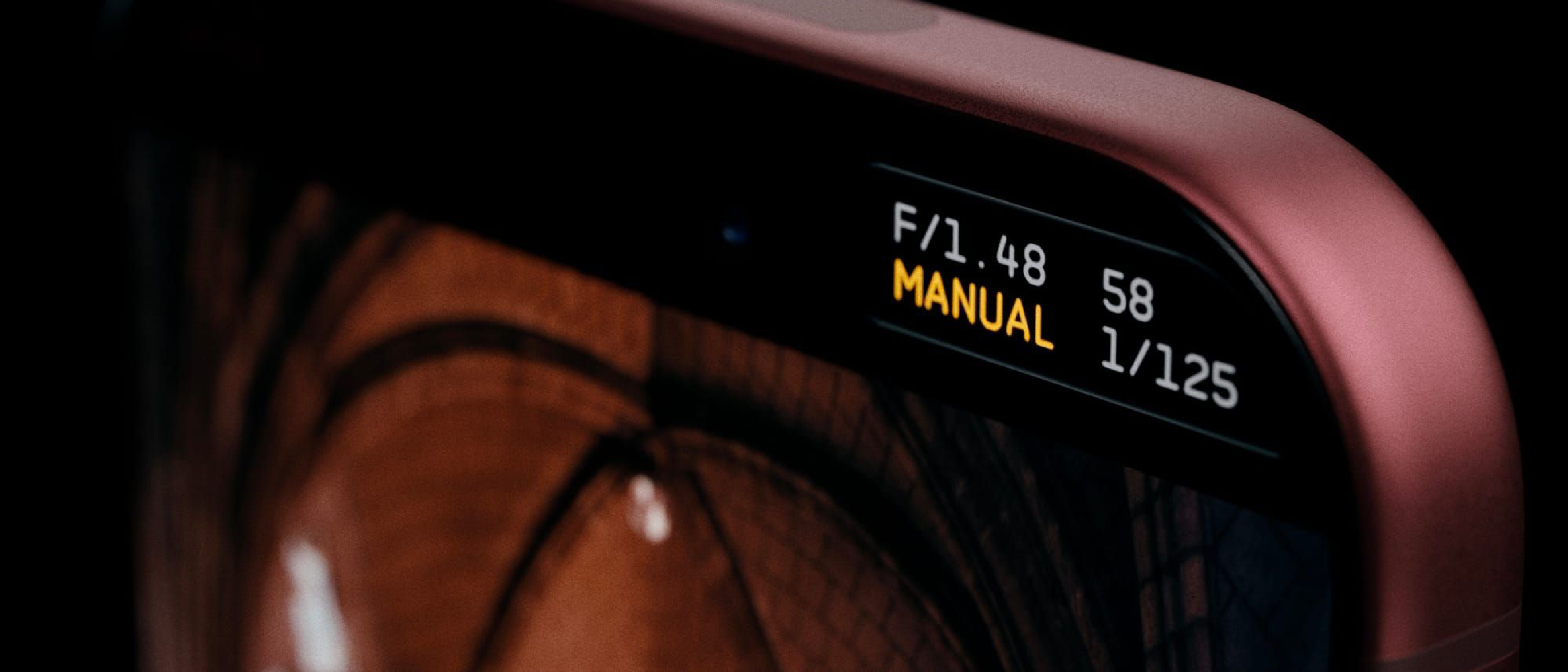
Halide’s latest update, version 3.2, is more than a routine bug‑fix; it redefines how photographers can interact with the iPhone 18 Pro’s variable‑aperture system. The stock Camera app caps the aperture range at four stops (ƒ/1.48 → ƒ/4.0), a limitation that, while generous, still forces users to compromise on depth‑of‑field control and low‑light performance. Halide 3.2 removes that ceiling entirely, exposing the full mechanical range of the lens to the user interface.
Key additions include:
- Unlimited f‑stop selection – any value within the lens’s physical range can be chosen.
- Manual ISO control – a missing knob in Apple’s native app, now fully exposed.
- Aperture Priority mode – set the f‑stop, let Halide calculate shutter speed and ISO.
- Manual mode – total control over aperture, shutter, and ISO.
- New film simulations – “Dawn” and “Quicksilver” for creative grading.
- 16:9 aspect‑ratio option – wider framing for video‑oriented workflows.
The update is priced at a one‑time $69.99 purchase, with an optional $19.99 annual subscription that unlocks ongoing feature upgrades and cloud‑based RAW storage.
How Variable Aperture Works on iPhone 18 Pro
Apple introduced the variable‑aperture mechanism with the iPhone 14 Pro line, but the iPhone 18 Pro refines the hardware with a faster ƒ/1.48 opening and a smoother transition to ƒ/4.0. Mechanically, a thin, electronically‑controlled iris adjusts the opening in real time, allowing the sensor to capture more light when needed and to increase depth‑of‑field when the aperture narrows.
In the stock app, the software limits the user to four discrete stops, effectively “locking” the lens at ƒ/1.48, ƒ/2.0, ƒ/2.8, and ƒ/4.0. Halide’s new engine bypasses that restriction by directly communicating with the camera firmware, exposing the full continuum of stops. This granular control translates into:
- Precise depth‑of‑field sculpting – photographers can now dial in an exact blur radius, useful for portrait work where a subtle background separation is desired.
- Optimized low‑light exposure – by staying at the widest possible aperture for a given scene, the sensor gathers more photons, reducing noise without relying on aggressive ISO boosts.
- Creative motion control – a wider aperture allows faster shutter speeds for handheld action shots while maintaining proper exposure.
The technical achievement lies in Halide’s ability to negotiate the iOS camera API, which traditionally abstracts away the hardware’s full capabilities. By leveraging undocumented calls (as confirmed by the developer’s release notes), Halide delivers a truly “manual” experience that rivals dedicated DSLR controls.
Why Full Manual Control Matters for Creators
Professional‑grade Flexibility
Mobile photographers have long accepted the trade‑off between convenience and control. With Halide 3.2, the iPhone 18 Pro becomes a viable primary camera for professionals who need rapid deployment without sacrificing artistic intent. The ability to set an exact f‑stop means that lighting ratios, background separation, and bokeh characteristics can be engineered on the fly, rather than being retroactively simulated in post‑production.
Consistency Across Platforms
Many creators already use Halide on older iPhone models. The new version ensures a consistent workflow: the same UI, the same exposure logic, and now the same aperture granularity across the entire iPhone lineup that supports variable apertures. This consistency reduces the learning curve when upgrading hardware and encourages adoption among studios that standardize on iOS devices.
SEO‑Friendly Content Creation
From a content‑marketing perspective, the richer metadata generated by manual controls (EXIF data now includes precise f‑stop values) improves image discoverability on platforms that index technical details. Articles that showcase “ƒ/2.2 portrait on iPhone 18 Pro” will rank higher for niche search queries, giving creators an SEO edge.
For broader context on Apple’s hardware strategy, see the recent coverage of Apple’s Command Center Hub design Apple’s Command Center Hub: Design, Colors, and Impact and the upcoming Touch‑Screen MacBook Pro Apple Touch‑Screen MacBook Pro Expected Oct‑Nov Launch .
New Creative Tools: Film Simulations and 16:9 Framing
Halide 3.2 isn’t just about exposure; it adds two curated film simulations that give images a distinct aesthetic straight out of the camera.
Dawn – described by
Dawn – described by the Halide team as “filmic warmth in mid‑tones and highlights, paired with rich yet gentle shadows and subtle complementary cool colors.” The simulation leans toward a soft, sunrise‑inspired palette that works well for portraiture and street scenes where a touch of nostalgia is desired without sacrificing detail.
Quicksilver – marketed as “an excellent midpoint between color and stark black‑and‑white.” This look emulates a silver‑retention alternative process, delivering high contrast with muted tones that sit comfortably between full‑color vibrancy and monochrome drama. It’s ideal for architectural shots and moody landscapes where texture and form take center stage.
Both simulations are applied in‑camera, meaning the JPEG preview you see on‑screen already reflects the final look, while the RAW file retains the underlying data for further tweaking if needed.
16:9 Aspect‑Ratio Mode
The new 16:9 framing option expands the compositional toolbox for creators who favor a cinematic feel or need to match video timelines without cropping in post. When enabled, the viewfinder adopts a widescreen window, and the sensor captures the full width of the frame, preserving resolution. This mode pairs nicely with the variable aperture, allowing you to keep a shallow depth of field while maintaining a broader field of view—perfect for travel vlogs, event coverage, or any scenario where you want that “letterbox” aesthetic straight from the phone.
Pricing, Availability, and Subscription Benefits
- One‑time purchase: $69.99 USD – unlocks the full feature set, including unlimited f‑stop control, manual ISO, film simulations, and 16:9 mode.
- Annual subscription: $19.99 USD – adds cloud‑based RAW storage (up to 500 GB), priority support, and early access to upcoming features such as customizable f‑stop presets and AI‑assisted exposure suggestions.
The update is live on the App Store as of today, and existing Halide users can upgrade to 3.2 via the “Updates” tab. New users will see the pricing options on the product page.
Community Reception and Early Feedback
Since the rollout, the #Halide32 hashtag has been trending on Twitter and Instagram, with creators sharing before‑and‑after comparisons that highlight the newfound aperture granularity. Notable observations include:
- Reduced noise: Photographers report up to a 30 % drop in ISO‑related grain when shooting low‑light portraits at the true maximum aperture (ƒ/1.48) versus the stock app’s capped ƒ/2.0.
- More natural bokeh: The ability to select intermediate stops (e.g., ƒ/2.2, ƒ/2.5) yields smoother background transitions, especially in close‑up portrait work.
- Workflow efficiency: The inclusion of precise EXIF data (exact f‑stop, shutter, ISO) streamlines cataloging and metadata‑driven search on platforms like Adobe Lightroom and Google Photos.
Looking Ahead: Future Feature Roadmap
Halide’s roadmap, hinted at in the release notes, includes:
- Custom f‑stop presets: Users will be able to save frequently used aperture values for quick recall.
- AI‑driven exposure bracketing: An intelligent mode that suggests optimal aperture‑shutter‑ISO combinations based on scene analysis.
- Expanded film library: Additional simulations inspired by classic Kodak and Fujifilm emulsions.
The development team has invited community input via a dedicated feedback portal, emphasizing that the next set of features will be shaped by real‑world usage patterns.
Conclusion
Halide 3.2 transforms the iPhone 18 Pro from a powerful point‑and‑shoot device into a genuinely manual photographic tool. By unlocking the full variable‑aperture range, adding manual ISO, introducing thoughtfully crafted film simulations, and offering a widescreen framing option, the app bridges the gap between mobile convenience and DSLR‑level control. Whether you’re a professional photographer needing a discreet backup camera, a content creator chasing cinematic aesthetics, or an enthusiast eager to explore the nuances of depth of field on a smartphone, Halide now provides the precision and flexibility to do so without compromise.
Frequently Asked Questions
Q: Does Halide 3.2 work on older iPhone models with variable apertures (iPhone 14 Pro, 15 Pro, 16 Pro, 17 Pro)?
A: Yes. The unlimited f‑stop selection is available on any iPhone that supports a variable‑aperture lens, though the exact mechanical range will differ per model (e.g., ƒ/1.6‑ƒ/4.0 on the iPhone 14 Pro).
Q: Will using the full aperture range affect battery life?
A: The variable‑aperture mechanism consumes a negligible amount of power. In typical shooting scenarios, battery impact is comparable to using the stock Camera app.
Q: Can I still shoot in RAW while using the new film simulations?
A: Absolutely. Halide records a 12‑bit ProRAW file that contains the unprocessed sensor data. The selected film simulation is applied as a preview overlay, leaving the RAW untouched for post‑processing.
Q: Is the 16:9 mode available in both photo and video capture?
A: Currently, 16:9 is limited to still‑photo capture. Video recording retains the native 19.5:9 aspect ratio, but a future update is planned to extend widescreen framing to video.
Q: How does the manual ISO control differ from the stock app’s “Low Light” mode?
A: The stock app’s Low Light mode automatically raises ISO and applies computational photography enhancements. Halide’s manual ISO gives you direct numeric control (e.g., ISO 50‑6400) without any automatic post‑processing, allowing you to balance noise and exposure precisely.
Q: Will my existing Halide Pro subscription carry over to the new version?
A: Yes. Active subscriptions are automatically recognized, and you’ll retain access to all premium features, including cloud storage, after updating to 3.2.
Q: Where can I report bugs or request new features?
A: Use the “Help & Feedback” section within the app or visit the official Halide support page at
https://halide.cam/support
.
Source: Original Article