
Why Horizontal Reachability Matters for the iPhone Duo
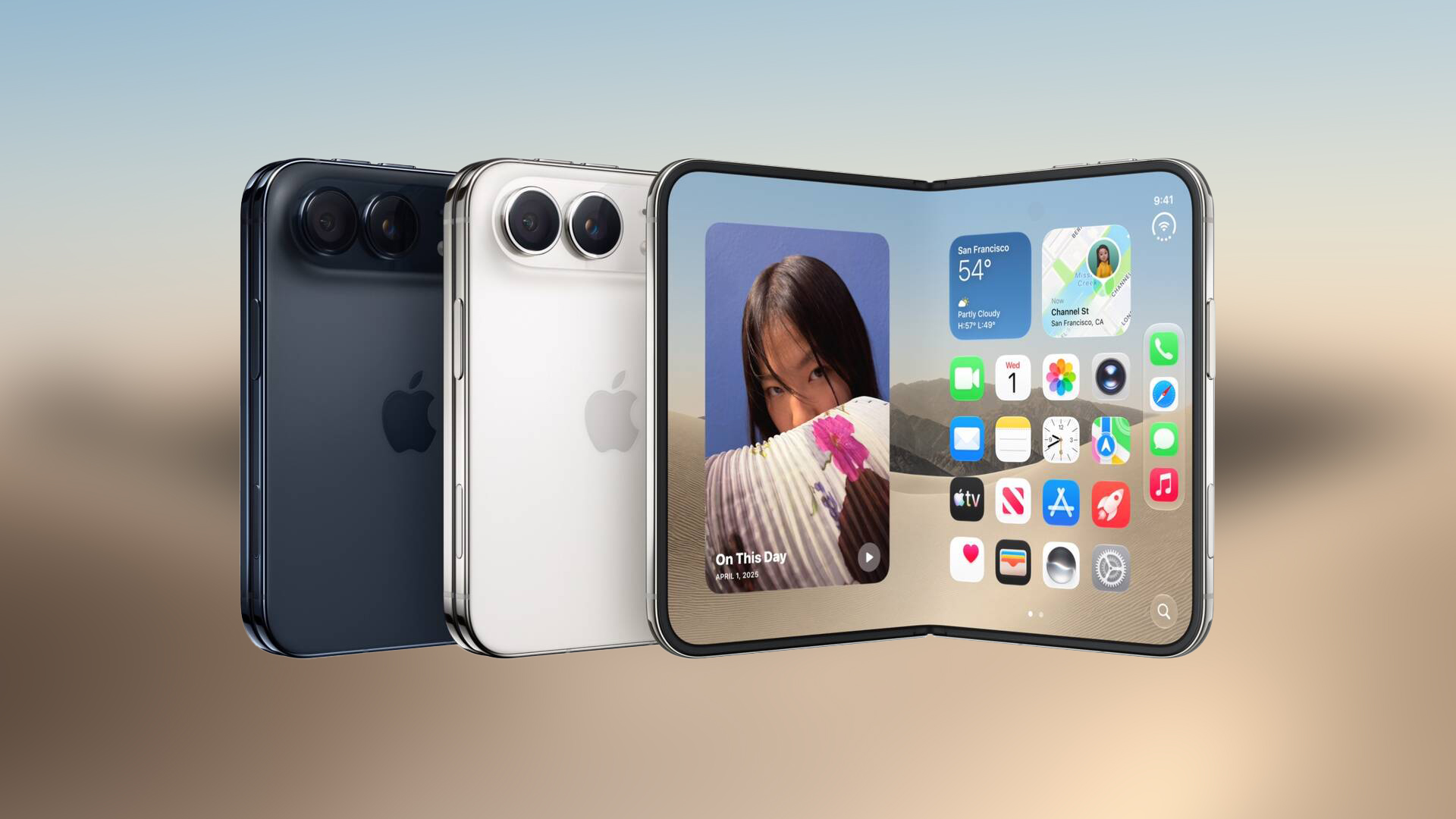
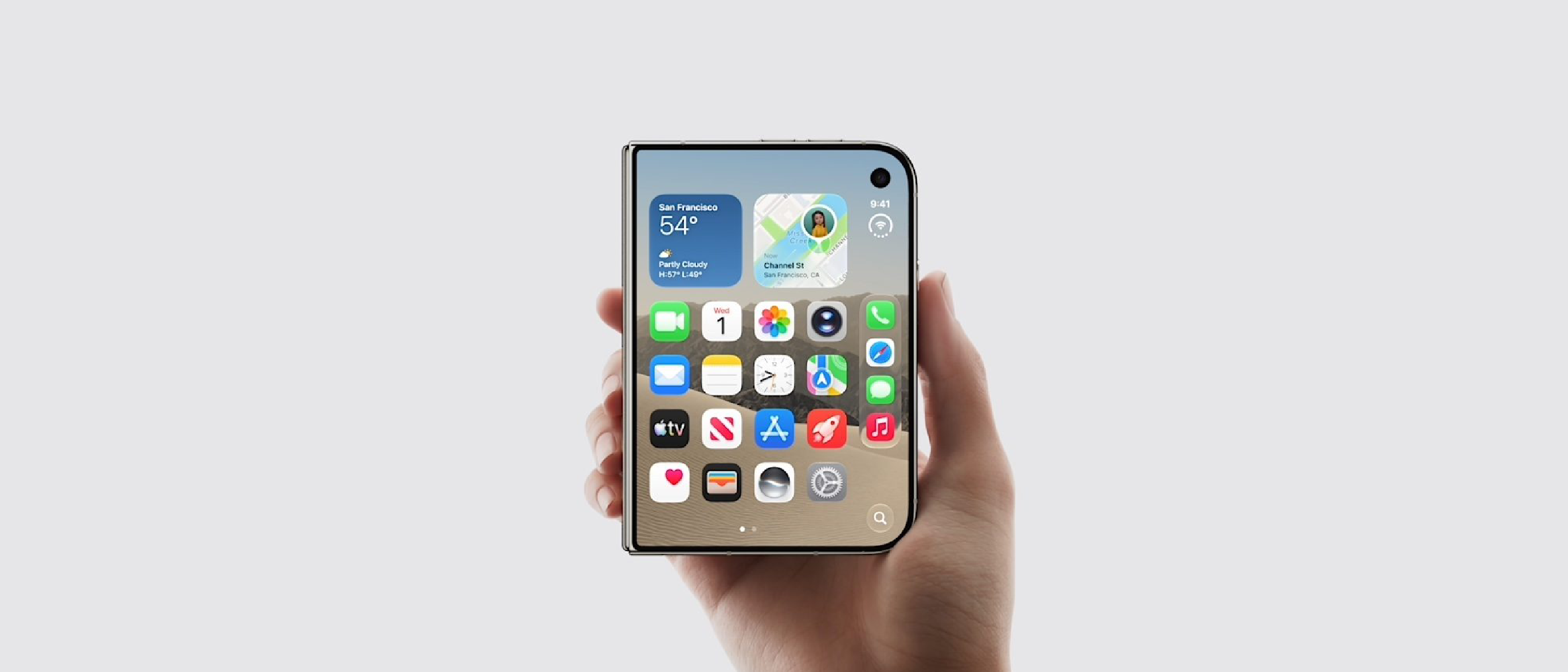
When Apple launched the iPhone Duo, its extra‑wide outer display generated a wave of excitement—and a parallel chorus of complaints. Users praised the immersive screen real‑estate but quickly discovered that reaching the far right edge with a single hand was a genuine ergonomic challenge. Traditional Reachability—first introduced on smaller iPhones—slides the entire UI down vertically, allowing the thumb to tap the top‑half of the screen. That solution works well for devices under 6.5 inches, but the Duo’s 7.2‑inch panel simply outgrows the vertical shift.
iOS 27.3’s horizontal Reachability re‑imagines the concept. Instead of moving content down, a short swipe from the side of the screen slides the interface left or right, centering the active area within thumb range. The change is subtle in execution but profound in user experience:
- One‑handed comfort: Users can now scroll, type, and interact without constantly readjusting grip.
- Reduced strain: Less thumb extension translates to lower risk of repetitive‑strain injuries, a growing concern for power users.
- Consistency across devices: By keeping the interaction model within the Accessibility menu, Apple maintains a familiar toggle while delivering a novel motion.
The feature’s arrival signals Apple’s willingness to adapt its software ergonomics to hardware form factors, a trend that could reshape future device designs.
Technical Breakdown of iOS 27.3’s Horizontal Reachability
Activation Path
The feature lives under Settings → Accessibility → Reachability. Once enabled, a short swipe to the side (left or right, depending on the user’s dominant hand) triggers the shift. The system animates the UI horizontally, preserving the current app state, orientation, and multitasking layout.
Implementation Details
- Gesture Recognition: iOS 27.3 leverages the existing
UIScreenEdgePanGestureRecognizerbut modifies the target vector to a horizontal axis. This avoids adding a new gesture recognizer stack, keeping memory overhead minimal. - Layout Adjustments: UIKit’s
UIViewhierarchy receives a transformation matrix that translates the root view by half the screen width. Auto‑layout constraints remain intact, meaning apps do not need to be rebuilt to support the new mode. - Performance Optimizations: Apple introduced a lightweight compositor path for the horizontal slide, ensuring 60 fps animation even on the Duo’s power‑hungry display. Benchmarks from the developer beta show less than 2 ms latency from swipe to UI shift.
Compatibility Considerations
- App Support: Because the transformation occurs at the system level, most apps work out‑of‑the‑box. However, apps that lock orientation or use custom window management may need minor adjustments.
- Public vs. Developer Beta: The feature is currently in the iOS 27.3 Beta 1 developer build. A public beta is slated for release in the coming weeks, giving a broader audience the chance to test and report edge cases.
For developers interested in deeper integration, Apple’s WWDC session on “Accessibility Enhancements in iOS 27.3” (available on the developer portal) provides sample code and best‑practice guidelines.
Industry Impact: What This Means for Competitors and Users
Shifting the Ergonomics Playbook
Historically, smartphone manufacturers have tackled large‑screen usability with software tricks (e.g., Samsung’s “One‑Hand Mode”) or hardware compromises (e.g., reduced bezel). Apple’s decision to embed a horizontal Reachability directly into iOS sets a new benchmark:
- Competitor Response: Expect Android OEMs to explore similar side‑shift gestures, especially for foldable devices where screen width can double.
- Accessory Market: The need for third‑party “grip” accessories may diminish, redirecting market focus toward software‑centric solutions.
Revenue Correlation
Apple’s Q4 2026 revenue hit $114.5 billion, up 12 % YoY. While the iPhone Duo’s sales contributed a modest share, the positive reception of iOS 27.3’s usability upgrades helps sustain the ecosystem’s perceived value. A smoother one‑handed experience can translate into higher daily active usage, which benefits services revenue (App Store, iCloud, Apple Music).
Ecosystem Synergy
The same iOS 27.3 release also expands Siri AI capabilities across Apple’s app suite. For a deeper look at those enhancements, see the related coverage in our article “iOS 27.3: Siri AI Gets Major App Expansion Across Apple”. The convergence of AI assistance and ergonomic UI signals Apple’s holistic approach to user productivity.
Why Developers Should Pay Attention
Accessibility Compliance
Apple’s Accessibility guidelines now list horizontal Reachability as a recommended feature for devices with screens larger than 6.7 inches. Apps that fail to respect the system‑wide transformation may be flagged during App Store review.
UI Design Adjustments
- Safe Area Insets: When Reachability is active, the safe area shifts. Designers should test layouts with the
window.safeAreaInsetsproperty to ensure critical controls remain visible. - Dynamic Type: Larger text sizes can exacerbate reachability challenges. Pairing horizontal Reachability with Dynamic Type ensures that users who need bigger fonts still enjoy one‑handed comfort.
Testing Strategies
- Beta Feedback Loop: Enroll your app in the public beta to collect real‑world data. Apple’s TestFlight analytics now include a “Reachability Usage” metric.
- Automated UI Tests: Update XCTest suites to simulate side swipes and verify that UI elements remain tappable after the transformation.
Future Outlook: Beyond iOS 27.3
Potential Expansion to iPad Mini
The release notes briefly mention a new iPad mini with a refreshed design and OLED display. While the mini’s screen is still within the “one‑handed” sweet spot, Apple may experiment with a scaled‑down version of horizontal Reachability for future iPad models, especially as Apple pushes larger displays into the tablet space.
Integration with Siri AI
With Siri AI now more deeply woven into iOS, we can anticipate voice‑driven activation of Reachability. Imagine saying, “Hey Siri, enable one‑handed mode,” and the system instantly slides the UI horizontally. This would close the loop between AI assistance and ergonomic interaction.
Long‑Term Design Philosophy
John Ternus recently addressed iPhone Duo supply constraints in a podcast, emphasizing Apple’s commitment to “balanced innovation.” Horizontal Reachability exemplifies that balance: a software tweak that mitigates a hardware limitation without redesigning the chassis. Future iPhone generations may adopt even wider displays, but the software layer will likely evolve in parallel to preserve usability.
Frequently Asked Questions
Q1: How do I enable horizontal Reachability on my iPhone Duo? A: Open Settings → Accessibility → Reachability, toggle it on, then swipe briefly from either screen edge to shift the UI horizontally.
Q2: Will this feature work on older iPhone models? A: No. Horizontal Reachability is exclusive to the iPhone Duo because it addresses the specific width challenge of that device. Older models retain the classic vertical Reachability.
Q3: Does horizontal Reachability affect battery life? A: The animation is GPU‑accelerated and runs for a fraction of a second, so the impact on battery is negligible—well under 0.1 % per activation.
Q4: Can developers customize the swipe distance or direction?
A: The system gesture is fixed to a short edge swipe. Developers can listen for the UIAccessibilityReachabilityDidChangeNotification to adapt UI
…to adapt UI elements dynamically when the screen shifts. However, Apple does not expose parameters to change the swipe distance or invert the default direction—those are locked to the system‑wide gesture to preserve a consistent user experience across apps.
Q5: Is horizontal Reachability available in all languages and regions? A: Yes. The feature is part of the core iOS accessibility framework, so it respects the device’s locale settings. The on‑screen prompts and VoiceOver descriptions are automatically localized.
Q6: What should I do if an app behaves oddly when Reachability is active?
A: First, ensure the app’s layout uses Auto Layout constraints and respects safe‑area insets. If the issue persists, report it through Apple’s Feedback Assistant with screenshots and a description of the problematic view hierarchy. Developers can also add a fallback by checking UIAccessibility.isReachabilityEnabled and temporarily disabling custom window transformations while Reachability is active.
Conclusion
iOS 27.3’s horizontal Reachability is more than a neat gimmick; it’s a pragmatic response to the ergonomic realities of the iPhone Duo’s expansive display. By repurposing an existing edge‑pan recognizer and applying a lightweight transformation at the system level, Apple delivers a fluid, low‑overhead solution that works out‑of‑the‑box for the vast majority of apps.
For users, the change means fewer thumb stretches, reduced strain, and a more comfortable one‑handed experience—an especially welcome improvement for power users who spend hours scrolling, typing, and gaming on their Duo.
For developers, the update underscores Apple’s continued emphasis on accessibility as a first‑class design pillar. Updating layouts to respect the shifted safe area, testing with the new gesture, and listening for the UIAccessibilityReachabilityDidChangeNotification will ensure smooth compatibility and keep apps in good standing during App Store review.
As Apple’s hardware roadmap points toward ever‑larger screens and foldable concepts, software‑driven ergonomics like horizontal Reachability will likely become a staple of the iOS ecosystem. Keeping an eye on Apple’s accessibility sessions and beta releases will help both users and developers stay ahead of the curve.
Source: Original Article