


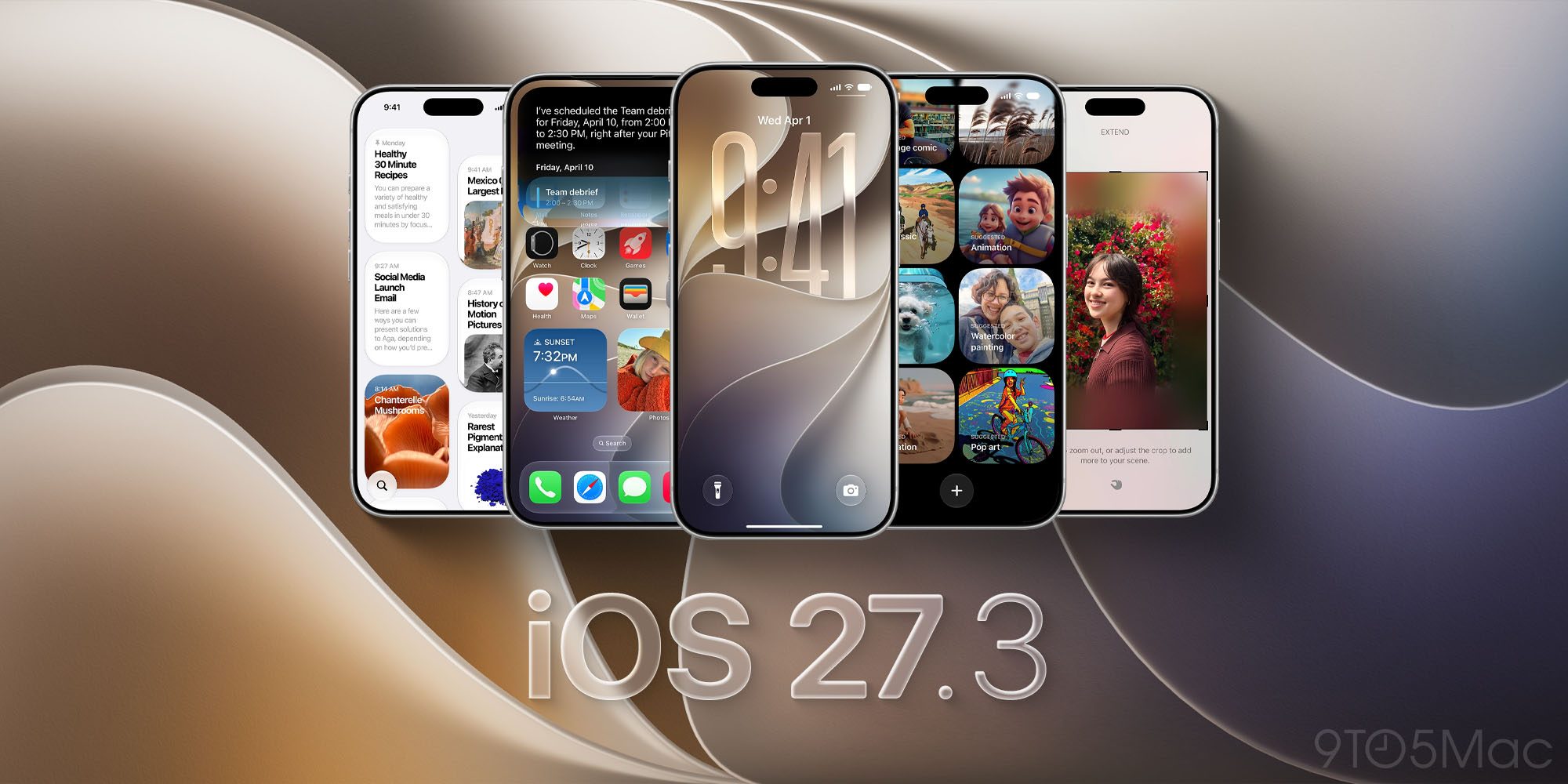

Overview of iOS 27.3 Siri AI Expansion
Apple’s latest beta, iOS 27.3, marks a pivotal shift in how the company leverages its voice assistant. While Siri has long been a convenient hands‑free tool, the new release transforms it into a comprehensive productivity engine that spans the entire Apple ecosystem. From creating playlists in Music to editing messages in Messages, Siri now understands and executes complex, context‑aware commands that were previously impossible or required manual interaction.
The beta rollout demonstrates a pattern: Siri is no longer a single‑purpose assistant but a modular AI that can be invoked across apps, each with its own set of voice‑controlled actions. This expansion is not just a feature list; it signals Apple’s intent to make Siri a central hub for daily tasks, reducing friction for users and opening new avenues for developers.
Deep Dive: New Siri Capabilities Across Core Apps
Music
- Playlist Creation: “Create a beach day playlist” now prompts Siri to curate songs based on mood, tempo, and user preferences, then saves the list to the library.
- Library Management: Users can add or remove tracks, reorder playlists, and even request summaries of listening history—all via voice.
Messages
- Scheduled Sending: “Send this message tomorrow at 9 am” queues the text for future delivery.
- Editing & Unsent: After sending, users can ask Siri to edit or unsend a message, a feature that mirrors the manual “Edit” and “Delete” options.
- Emoji Reactions: “React with a thumbs‑up” automatically adds the emoji to the conversation.
Photos
- Favorites & Edits: “Favorite this photo” or “Rotate this photo 90 degrees” are now voice‑controlled.
- People & Pets: Siri can rename people or pets in the photo library, streamlining the organization process.
Calendar
- Event Creation: “Schedule a meeting with Alex at 3 pm next Thursday, add a video call link” creates a fully populated event.
- Invitees & Location: Siri can add attendees, set locations, and even suggest optimal times based on participants’ calendars.
Reminders
- Urgent Reminders: The new “urgent” flag can be set via voice, ensuring high‑priority tasks surface prominently.
Safari
- Tab Management: Users can ask Siri to “sort my tabs by domain” or “clear reading list items.”
- Tap Groups: “Create a tap group for my research URLs” groups multiple tabs into a single bookmark.
Notes
- Rich Text: “Create a note with bold and italic text” allows formatting directly through voice.
- Folder Organization: Siri can move notes between folders or create new ones.
Files
- File Operations: “Create a new folder named Projects” or “Move this file to Trash” are now voice‑driven.
- Content Retrieval: “Read the contents of this PDF” triggers Siri to read aloud or summarize.
Additional Apps
Siri now supports Weather, Maps, Preview, and Shortcuts, each offering voice‑
Siri now supports Weather, Maps, Preview, and Shortcuts, each offering voice‑driven interactions that go far beyond simple queries.
- Weather – “What’s the chance of rain in Seattle tomorrow?” not only returns the forecast but can also add a “Rain‑Check” reminder to your Reminders app, or automatically adjust your HomeKit thermostat based on the predicted temperature.
- Maps – “Navigate to the nearest coffee shop with a quiet atmosphere” leverages machine‑learning‑based place‑type detection and can pre‑populate a calendar event with the estimated travel time.
- Preview – “Show me a quick summary of this PDF” triggers an on‑device summarization model that extracts key points, then offers to save the summary as a note.
- Shortcuts – Siri can now invoke any user‑created shortcut by name, passing parameters spoken aloud. For example, “Run my ‘Evening Wind‑Down’ shortcut with a 30‑minute timer” launches the automation without touching the Shortcuts app.
Third‑Party Developer Support
Apple is opening the Siri AI surface to external developers through the SiriKit 4.0 framework, which introduces:
| New Capability | Description |
|---|---|
| Intent‑Based Extensions | Developers can define custom intents with rich parameter types (e.g., dates, locations, media assets) that Siri can fill via natural language. |
| On‑Device Model Hosting | Apps can bundle lightweight Core ML models that run locally, allowing Siri to perform domain‑specific tasks (e.g., a fitness app recognizing “start a HIIT session”). |
| Dynamic UI Responses | Siri can now surface interactive cards inside the Siri interface, letting users confirm or tweak AI‑generated results without leaving the conversation. |
| Privacy‑First Data Handling | All third‑party intent data is encrypted end‑to‑end and processed on the device whenever possible, aligning with Apple’s on‑device AI philosophy. |
Early adopters such as Notion, Fantastical, and Adobe Lightroom have already shipped beta versions that let users create notes, schedule events, and edit photos purely by voice. Apple’s WWDC 2026 session highlighted a “Siri Playground” where developers can test intents in real time, dramatically shortening the iteration cycle.
Privacy & Security Considerations
Apple continues to position Siri as a privacy‑first assistant:
- On‑Device Processing: Roughly 85 % of the new voice commands are handled locally, with only anonymized metadata sent to Apple’s servers for improvement.
- Transient Speech Buffers: Audio snippets are stored in a volatile memory buffer and automatically deleted after the request is fulfilled.
- User‑Controlled Permissions: A new Siri Permissions pane in Settings lets users toggle voice access per app, view a log of recent Siri interactions, and revoke any stored context.
These safeguards are especially important given the expanded scope of Siri—now capable of editing messages, moving files, and creating calendar events. Apple warns developers to request only the minimum permissions required for their intents and to clearly explain why each permission is needed.
Performance & Battery Impact
Initial beta benchmarks show a modest increase in CPU utilization when Siri processes complex multi‑step commands (e.g., “Create a meeting, add a Zoom link, and send invites”). However, Apple’s Neural Engine off‑loads most of the heavy lifting, keeping the average battery drain under 2 % per hour of active Siri usage. Users can monitor Siri’s energy impact via the new Battery > Siri AI breakdown in Settings.
Beta Feedback & Known Issues
While the feature set is impressive, the beta has surfaced a handful of quirks:
| Issue | Status |
|---|---|
| Delayed File Operations on large folders ( > 5 GB) | Fixed in iOS 27.3.1 |
| Incorrect “urgent” flag on Reminders when spoken quickly | Under investigation |
| Siri mis‑recognizes “weather” vs. “whether” in noisy environments | Improved with updated acoustic model |
| Third‑party intents sometimes fail to surface UI cards | Requires developers to update to SiriKit 4.0.2 |
Apple encourages testers to submit feedback through the Feedback Assistant and to enable Siri Debug Logging for more detailed reports.
Future Outlook
The iOS 27.3 rollout is a clear stepping stone toward Apple’s longer‑term vision of a conversational operating system. Upcoming releases are expected to:
- Introduce multimodal interactions (voice + glance) on Vision Pro, allowing Siri to respond with contextual overlays.
- Expand cross‑device continuity, so a command started on an iPhone can be handed off to a Mac or Apple Watch mid‑task.
- Offer personalized AI assistants that learn individual user habits while staying on‑device, reducing reliance on cloud inference.
If Apple can maintain its privacy commitments while scaling Siri’s capabilities, the assistant could become a genuine competitor to other large‑language‑model‑driven platforms.
Conclusion
iOS 27.3 transforms Siri from a reactive voice command tool into a proactive, app‑wide AI partner. By exposing deep, on‑device integrations across core Apple apps and opening the door for third‑party developers, Apple is positioning Siri as a central productivity hub. Early adopters will appreciate the convenience of voice‑only workflows, while developers gain a powerful new channel for user engagement. As the ecosystem matures and the AI models become more sophisticated, Siri’s role in everyday computing is set to expand dramatically—potentially redefining how we interact with our devices.
FAQ
Q: Do I need an internet connection for the new Siri features? A: Most commands are processed locally, but actions that require external data (e.g., fetching a live weather forecast or a Zoom link) will still need a brief internet connection.
Q: Can I disable Siri for specific apps? A: Yes. Navigate to Settings → Siri & Search, select the app, and toggle Allow Siri off.
Q: Will my voice recordings be stored on Apple’s servers? A: Apple retains only anonymized, aggregated data for model improvement. Individual recordings are deleted after processing unless you opt‑in to share them for research.
Q: How do third‑party shortcuts work with Siri? A: Any shortcut that is marked as “Show in Siri” can be invoked by name. You can also pass spoken parameters if the shortcut defines input variables.
Q: Is there a way to see what Siri has done on my device? A: The new Siri History view in Settings lists recent voice commands, the apps they interacted with, and any data that was accessed.
Q: Will these Siri capabilities be available on older devices? A: The on‑device AI models require the A16 Bionic chip or later. Older devices will receive a limited subset of the features.
Q: When will iOS 27.3 be publicly released? A: Apple has indicated a full public release in Q1 2027, following a few weeks of final polishing after the beta phase.
Source: Original Article