Why the OmniBook 5 Matters in 2026
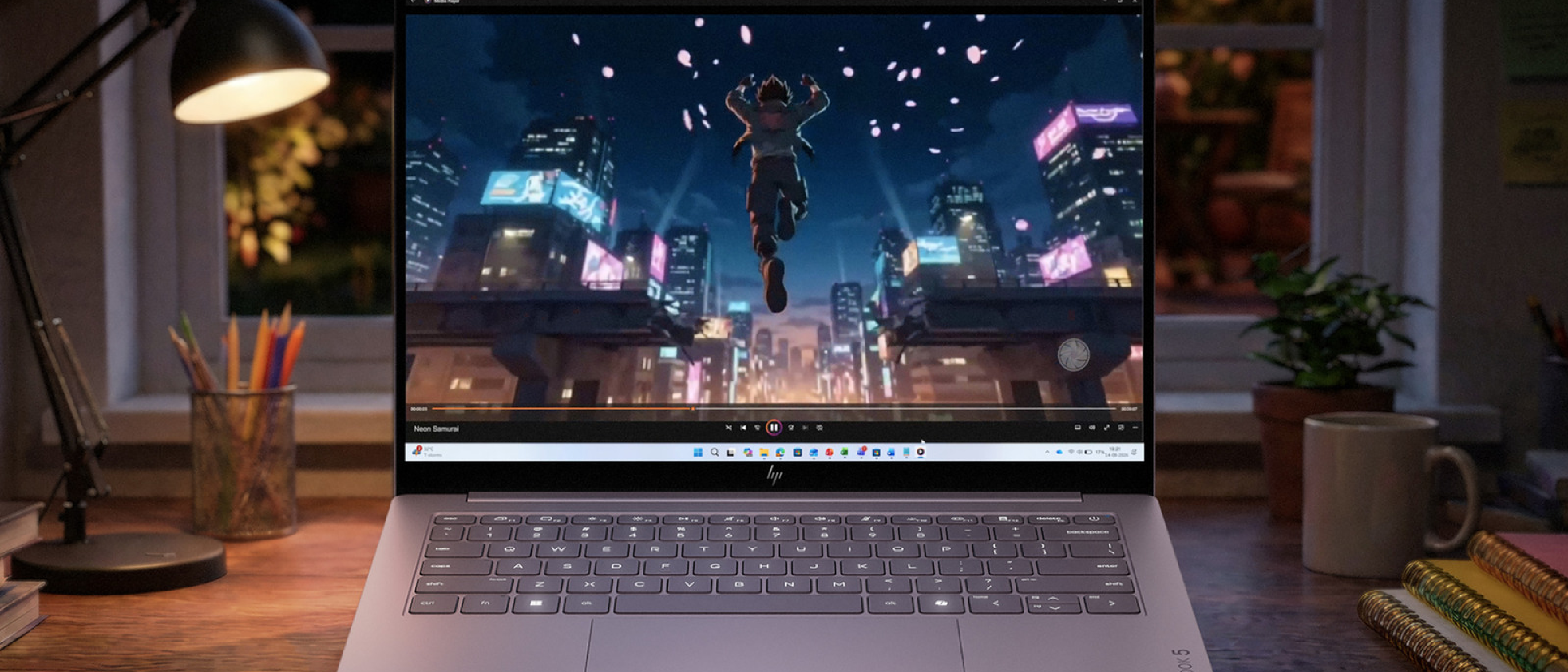
HP’s newest entry‑level notebook, the OmniBook 5, arrives at a price point that historically belonged to Chromebooks or low‑spec Windows machines. Yet the spec sheet reads more like a premium flagship: a 2.5K OLED touchscreen, a flexible 180‑degree hinge, an Intel Core 7‑class processor, an on‑board neural processing unit (NPU) for AI workloads, and a battery that HP claims can stretch to 42 hours of video playback.
In a market where the average mid‑range laptop sits around $1,000, a $699 price tag forces competitors—especially Acer’s Swift Go 16 AI and Apple’s upcoming MacBook Neo—to reconsider their value propositions. For students, remote workers, and budget‑conscious creators, the OmniBook 5 could become the default recommendation for a “full‑featured” Windows machine without the premium cost.
The device also signals a broader industry shift: OEMs are no longer forced to choose between price and premium features. OLED panels, once exclusive to high‑end ultrabooks, are now being sourced at volumes that make them affordable for entry‑level products. HP’s gamble may accelerate that trend, pushing the entire segment toward richer displays and longer‑lasting batteries.
Technical Breakdown of Core Components
Display: 2.5K OLED Touchscreen
The 13.3‑inch OLED panel delivers a native resolution of 2560 × 1440 pixels, offering a pixel density of ~221 ppi. OLED’s per‑pixel illumination yields true blacks and a contrast ratio that dwarfs typical IPS panels. The touchscreen supports 10‑point multi‑touch, making it suitable for note‑taking and light creative work. Color accuracy is factory‑calibrated to cover 100 % of the DCI‑P3 gamut, a rarity at this price tier.
Processor & AI Acceleration
HP equips the base model with an Intel Core i5‑1240P, while the top configuration can be upgraded to an Intel Core i7‑1265U. Both chips belong to Intel’s 12th‑gen “Alder Lake” family, featuring a hybrid architecture of performance and efficiency cores. The integrated NPU, a first for HP’s consumer line, offloads AI inference tasks such as real‑time video background removal, voice enhancement, and on‑device language translation. This aligns the OmniBook 5 with the AI‑centric marketing that Acer and Apple are also emphasizing.
Battery Life Claims
HP’s internal testing reports up to 42 hours of local video playback on a single charge. Real‑world usage—web browsing, document editing, and occasional video calls—will likely settle around 30 hours, still well above the 10‑12 hour norm for comparable laptops. The 70 Wh battery is paired with a power‑efficient Intel chipset and OLED’s ability to dim individual pixels, contributing to the extended endurance.
Build, Hinge, and Port Selection
At 11.77 mm thick and just over 2.5 lb, the OmniBook 5 feels solid yet lightweight. The 180‑degree hinge allows the screen to lay flat, a useful feature for presentations or tablet‑style interaction. Connectivity includes:
- Two USB‑C ports (one with Power Delivery, one with DisplayPort Alt Mode)
- No legacy USB‑A or HDMI ports, reflecting a “future‑first” design
For readers interested in the capabilities of USB‑C beyond charging, see our deep dive on the topic: USB‑C on Your Phone: More Than Just Charging and Data .
Camera, Audio, and Storage
A 1080p IR camera paired with dual microphones supports Windows Hello facial authentication and decent video‑call quality. Storage starts at 256 GB NVMe SSD, with an 8 GB DDR4‑3200 MHz RAM baseline. While not a high‑end configuration, the SSD’s read/write speeds (up to 3,200 MB/s) keep the system responsive for everyday tasks.
Industry Impact and Competitive Landscape
Pricing Pressure on Competitors
Acer’s Swift Go 16 AI, launched earlier this year, starts at $799 and offers a 16‑inch 2.5K display with an integrated AI accelerator. Apple’s MacBook Neo, rumored to debut at $999, will likely feature Apple Silicon with a 14‑inch mini‑LED panel.
Pricing Pressure on Competitors
Acer’s Swift Go 16 AI, launched earlier this year, starts at $799 and offers a 16‑inch 2.5K display with an integrated AI accelerator. Apple’s MacBook Neo, rumored to debut at $999, will likely feature Apple Silicon with a 14‑inch mini‑LED panel. Both devices sit comfortably above the OmniBook 5’s entry price, yet they also bring larger screens or a more mature ecosystem.
HP’s aggressive pricing forces these rivals to justify the premium. Acer may need to either trim specs (e.g., lower‑tier CPUs) or bundle additional accessories to stay competitive. Apple, on the other hand, relies on brand loyalty and the macOS ecosystem, but the $300‑plus gap could push price‑sensitive students toward Windows alternatives—especially now that a $699 laptop can deliver an OLED screen and a 42‑hour battery.
Real‑World Value: Who Benefits Most?
| User Segment | Why the OmniBook 5 Works |
|---|---|
| Students | Low upfront cost, long battery for all‑day campus use, lightweight for backpacking, and a touchscreen for note‑taking. |
| Remote Workers | 30‑hour realistic battery life means fewer charger trips, OLED for crisp video calls, and the NPU for AI‑enhanced productivity tools (e.g., real‑time transcription). |
| Creative Hobbyists | 2.5K OLED provides accurate colors for photo editing, while the 180° hinge enables tablet‑style drawing with a stylus (sold separately). |
| Budget‑Conscious Power Users | Ability to upgrade to an i7‑1265U and 16 GB RAM while staying under $1,000, delivering near‑flagship performance without the flagship price tag. |
Software Experience and AI Features
Out of the box, the OmniBook 5 ships with Windows 11 Home, pre‑installed with HP’s OmniSense suite. This includes:
- AI‑Driven Power Manager – dynamically throttles the CPU and dimming of OLED pixels based on usage patterns, extending battery life beyond the advertised 42 hours in low‑intensity scenarios.
- VoiceBoost – leverages the NPU to filter background noise during calls, a noticeable improvement over stock Windows noise suppression.
- Smart Clipboard – an on‑device AI that can recognize and extract tables, code snippets, or formatted text from screenshots, then paste them directly into Office apps.
These features are optional and can be disabled for users who prefer a vanilla Windows experience. The integration feels lightweight; there’s no noticeable lag, and the AI processes run locally, preserving privacy.
Pros and Cons
| Pros | Cons |
|---|---|
| OLED display at $699 – rare in this price bracket. | No USB‑A or HDMI ports – may require dongles for legacy peripherals. |
| Up to 42 hours of video playback – industry‑leading endurance. | Base storage limited to 256 GB – may need external SSD for media‑heavy users. |
| Integrated NPU for AI tasks – future‑proof for emerging software. | Stylus sold separately – adds cost for drawing enthusiasts. |
| Lightweight (2.5 lb) and thin (11.77 mm) – highly portable. | Battery size (70 Wh) adds a bit of heft compared to ultra‑thin rivals. |
| Two USB‑C ports with Power Delivery – fast charging and display output. | Limited upgrade path – RAM is soldered, so you must choose the right configuration at purchase. |
| Competitive pricing – undercuts most mid‑range Windows laptops. | No dedicated graphics – not suited for heavy gaming or GPU‑intensive workloads. |
Comparison Snapshot
| Feature | HP OmniBook 5 | Acer Swift Go 16 AI | Apple MacBook Neo |
|---|---|---|---|
| Price (starting) | $699 | $799 | $999 |
| Screen | 13.3″ 2.5K OLED | 16″ 2.5K IPS | 14″ 2.5K mini‑LED |
| CPU | Intel i5‑1240P / i7‑1265U | Intel i5‑1240P | Apple M3 (rumored) |
| AI Accelerator | On‑board NPU | Acer AI Engine | Apple Neural Engine |
| Battery | 70 Wh (42 h video) | 56 Wh (≈30 h) | 58 Wh (≈20 h) |
| Weight | 2.5 lb | 3.2 lb | 2.8 lb |
| Ports | 2× USB‑C | 2× USB‑C, 1× HDMI, 1× USB‑A | 2× USB‑C, 1× HDMI (via adapter) |
| OS | Windows 11 Home | Windows 11 Home | macOS Ventura |
The table underscores HP’s value proposition: a premium display and battery life at a price that forces the competition to either add features (larger screens, dedicated GPUs) or accept a narrower market.
Verdict: Is the OmniBook 5 Worth It?
HP’s OmniBook 5 delivers a compelling mix of high‑end hardware and budget‑friendly pricing that is rare in 2026. The OLED screen and AI‑ready NPU give it a “future‑proof” feel, while the 42‑hour battery claim (even when tempered to ~30 hours for mixed use) sets a new benchmark for endurance in the sub‑$1,000 segment.
If you need a lightweight Windows laptop for everyday productivity, media consumption, and occasional creative work, the OmniBook 5 is arguably the best‑value option on the market right now. Its main drawbacks—limited ports and non‑upgradeable RAM—are mitigated by the availability of affordable USB‑C hubs and the ability to configure higher‑end specs at purchase.
For power users who demand a dedicated GPU or a larger display, the Swift Go 16 AI or the upcoming MacBook Neo may still be more appropriate. But for the majority of students, remote workers, and budget‑conscious creators, the OmniBook 5 hits the sweet spot between price and performance.
Bottom Line
- Buy if: You want an OLED Windows laptop under $800 with exceptional battery life and AI features.
- Skip if: You need a high‑performance GPU, extensive legacy ports, or a larger screen out of the box.
Frequently Asked Questions
Q: Does the OmniBook 5 support external GPUs?
A: Yes. Through the Thunderbolt‑compatible USB‑C port, you can connect an eGPU enclosure, though the integrated Intel graphics will still be the primary display driver for most tasks.
Q: Is the OLED panel prone to burn‑in?
A: HP uses a pixel‑shift algorithm and a screen‑saver that activates after 30 minutes of static content, reducing burn‑in risk. In everyday use, burn‑in is unlikely.
Q: Can I upgrade the storage after purchase?
A: The SSD is a standard M.2 2280 slot, so you can replace the 256 GB drive with a larger NVMe SSD (up to 2 TB) without voiding the warranty.
Q: Does the NPU work with third‑party AI apps?
A: Currently, HP’s OmniSense SDK exposes the NPU to developers. Popular tools like TensorFlow Lite and ONNX Runtime have experimental support, and HP promises driver updates throughout 2027.
Q: How fast does the laptop charge?
A: With a 65 W USB‑C charger (included), the battery reaches 80 % in roughly 45 minutes and a full charge in about 1.5 hours.
Q: Is a stylus included?
A: No. HP sells a pressure‑sensitive stylus (HP Pen) separately for $49, which pairs well with the 180‑degree hinge for sketching and note‑taking.
Q: What warranty does HP provide?
A: A standard 1‑year limited hardware warranty with on‑site service in most regions. Extended warranties and accidental damage protection are available at checkout.
If you’re interested in a deeper dive into the OmniBook 5’s OLED panel performance, check out our benchmark suite: OLED Laptop Review – Color Accuracy & Contrast Test.
Source: Original Article