



The Core Question: What Does “Lifespan” Mean for a Modern iPhone?
Apple’s product announcements often focus on camera upgrades, processor speed, and design refinements, but the less‑glamorous metric that truly matters to most owners is how long the device remains usable. In practice, “lifespan” is a blend of three measurable factors:
- Battery health – the percentage of original capacity remaining after a given number of charge cycles.
- Software support – the length of time Apple provides major iOS updates and security patches.
- Hardware relevance – whether the device can still run contemporary third‑party apps without severe performance throttling.
The recent discussion, highlighted by Engadget’s Adnan Ahmed, asks whether the iPhone 15 series, iPhone 16/17 roadmap, and even older models like the iPhone 6s can realistically survive until 2031. Below we break down why this matters, how Apple’s policies shape the picture, and what consumers can expect when they buy a brand‑new iPhone today.
Battery Health: The 80 % Threshold and Real‑World Cycle Limits
Apple publicly states that an iPhone battery should retain at least 80 % of its original capacity after 1,000 full charge cycles. The iPhone 15 series meets this benchmark, while the iPhone 15 Pro Max shows a slightly better figure—83 % after 950 cycles. These numbers are not arbitrary; they are derived from extensive lab testing that simulates typical daily charging patterns.
Why 80 % Matters
- Performance throttling – When battery health drops below 80 %, iOS may limit peak CPU performance to protect the device from unexpected shutdowns.
- User experience – A battery at 75 % often feels “tired,” requiring more frequent top‑ups and reducing the convenience that iPhone users expect.
- Replacement cost – Apple’s on‑site battery replacement program costs roughly $199 (USD), a fraction of the price of a new handset but still a notable expense for many.
Battery‑Related Legal History
The infamous “Batterygate” controversy—where Apple was accused of throttling older iPhones to mask aging batteries—resulted in multi‑million‑dollar class‑action lawsuits. The fallout forced Apple to add transparent battery health metrics in Settings and to offer discounted battery replacements for devices under warranty. This episode has made Apple far more proactive about informing users when a battery replacement is advisable.
Practical Guidance
| Battery Health | Recommended Action |
|---|---|
| 100 % – 90 % | No action needed. |
| 90 % – 80 % | Monitor usage; consider a power‑saving mode. |
| 80 % – 70 % | Schedule a battery replacement before performance degrades. |
| Below 70 % | Replacement is strongly advised to avoid unexpected shutdowns. |
Software Support: Apple’s Unmatched Commitment
Apple’s software support timeline is arguably the most compelling reason many users keep iPhones for five years or more. Historically, Apple has delivered five to six years of major iOS updates to a given device. The article notes that iPhone 16 or iPhone 17 models are expected to receive updates through at least 2031, implying a support window of roughly seven years for those future releases.
How Long Do Updates Actually Last?
- iOS 15.1 – Required for WhatsApp to function on the iPhone 6s, showing that older hardware can still run essential apps when the OS is kept current.
- iOS 26 – Early reports indicated it was “taxing on older hardware,” prompting Apple to spend the iOS 27 reveal emphasizing performance and stability improvements. (See Apple’s own discussion in the Apple Wallet Insights ) article.)
- iOS 27 – Early beta builds promise better memory management, which directly benefits devices with aging processors.
Apple’s policy of supporting older devices for multiple years reduces e‑waste and improves resale value. It also means that a 2024 iPhone purchased today will likely receive security patches well beyond the point when the battery needs replacement.
Real‑World Longevity: What Users Are Actually Doing
Public sentiment around iPhone longevity is overwhelmingly positive. Surveys indicate that over 60 % of iPhone owners keep their device for five years or more, often swapping only the battery. Third‑party apps rarely drop support for older iOS versions immediately; developers typically maintain compatibility for at least two major iOS releases after the device’s last official update.
Case Study: WhatsApp Compatibility
WhatsApp requires iOS 15.1 or newer. This means an iPhone 6s, released in 2015, can still run WhatsApp as long as the user updates to iOS 15.1—a requirement that underscores how software support extends functional life. The broader implications are covered in the WhatsApp’s iCloud Alternative ) article, which discusses how Apple’s ecosystem influences app developers’ minimum OS requirements.
Battery Replacement Trends
Data from Apple’s service centers show that battery replacements peak around the 4‑5‑year mark, aligning with the typical 80 % health threshold. Users who replace the battery often report a second wind of 2‑3 additional years of satisfactory performance.
Economic and Environmental Impact
Cost Savings for Consumers
- Extended software support reduces the need for frequent hardware upgrades, saving an average of $400‑$600 per upgrade cycle.
- Battery replacement costs are predictable and far lower than purchasing a new flagship device.
Environmental Benefits
Apple’s recycling program and the longer usable life of iPhones contribute to a lower carbon footprint per device. The company’s recent decision to increase iPad and Mac prices due to tighter memory supplies hints at supply‑chain pressures that could make extending device life even more financially attractive for consumers.
Future Outlook: What to Expect from Upcoming iPhones
While we cannot speculate on unreleased software versions, the article does mention upcoming hardware cues:
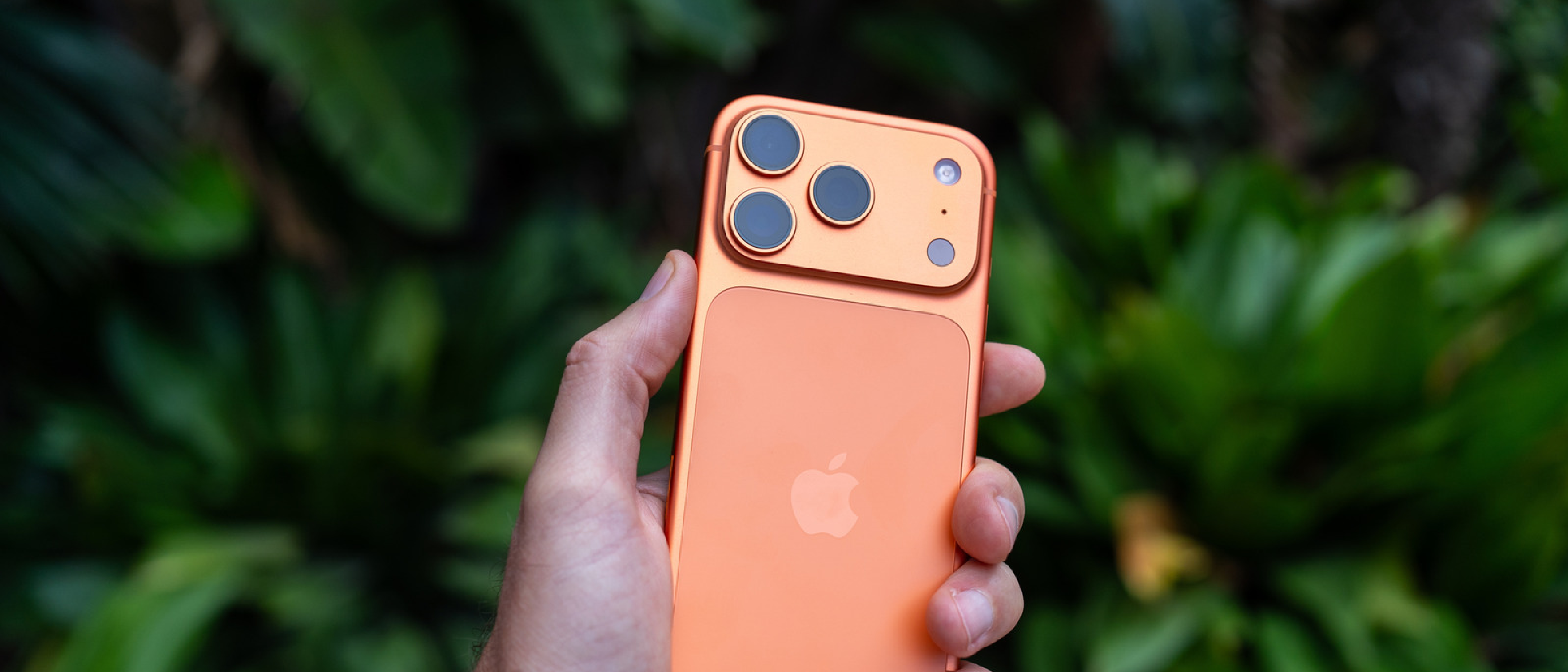
- iPhone 17 Pro series – Expected to feature a unibody aluminum build, which could improve durability and heat dissipation, indirectly supporting longer battery health.
- Liquid Glass – A new material that enables real‑time transparency effects, suggesting Apple continues to innovate on both aesthetics and functional durability.
- Camera Control and Customizable Siri AI – Locked behind newer models, indicating that while core functionality (calls, messaging, browsing) remains stable, premium features will continue to be a driver for upgrades.
The key takeaway is that Apple’s roadmap balances incremental hardware upgrades with a robust software support strategy, allowing users to decide whether they need the newest features or can comfortably stay on an older, still‑supported device.
Recommendations for Buyers
- Prioritize Battery Health – When buying a used iPhone, request the battery health percentage. Aim for 80 % or higher.
- Consider Future Software Support – Choose a model that will receive at least five years of iOS updates. The iPhone 15 series and newer meet this criterion.
- Plan for Battery Replacement – Budget for a potential battery swap around year four. This extends the device’s useful life dramatically.
- Evaluate Feature Necessity – If you don’t need the latest camera or AI capabilities, an older model (e.g., iPhone 12 or 13) may be sufficient, especially given the continued app compatibility.
Frequently Asked Questions
Q: How many charge cycles does an iPhone typically go through in a year?
A: Average daily charging results in roughly 300‑350 cycles per year. Heavy users may reach 500 cycles in the same period.
Q: Will my iPhone stop receiving security updates before the battery fails?
A: Historically, Apple provides security patches for at least two years after the last major iOS release. For a 2024 iPhone, you can expect security updates well beyond the point where the battery might need replacement.
Q: Is it worth buying the iPhone 16 or waiting for the iPhone 17?
A: If you need the latest hardware (e.g., unibody aluminum, Liquid Glass), waiting for the iPhone 17 may be justified. Otherwise, the iPhone 15 series already offers a solid balance of performance, battery health, and long‑term software support.
Q: How does Apple’s “Batterygate” settlement affect current users?
A: The settlement led to transparent battery health reporting and discounted battery replacements, giving users clearer information and lower costs for maintaining device longevity.
Q: Can I still use WhatsApp on an iPhone 6s?
A: Yes, as long as the device runs iOS 15.1 or newer. This demonstrates how essential apps maintain compatibility with older hardware when the OS is kept up‑to‑date.
Conclusion
The lifespan of a new iPhone is no longer defined solely by its launch specs. Battery health thresholds, a proven track record of long‑term software support, and the durability of Apple’s hardware design collectively determine how many years a device remains viable. For most users, a well‑maintained iPhone—especially from the iPhone 15 series onward—can comfortably exceed five years of productive use, with a simple battery replacement extending that window further. As Apple continues to refine both hardware materials (like Liquid Glass) and software performance (as highlighted in the upcoming iOS 27 improvements), the balance between upgrading for new features and maximizing the life of existing devices will remain a central decision for consumers.
Source: Original Article