




How Backup Cameras Work: The Fundamentals
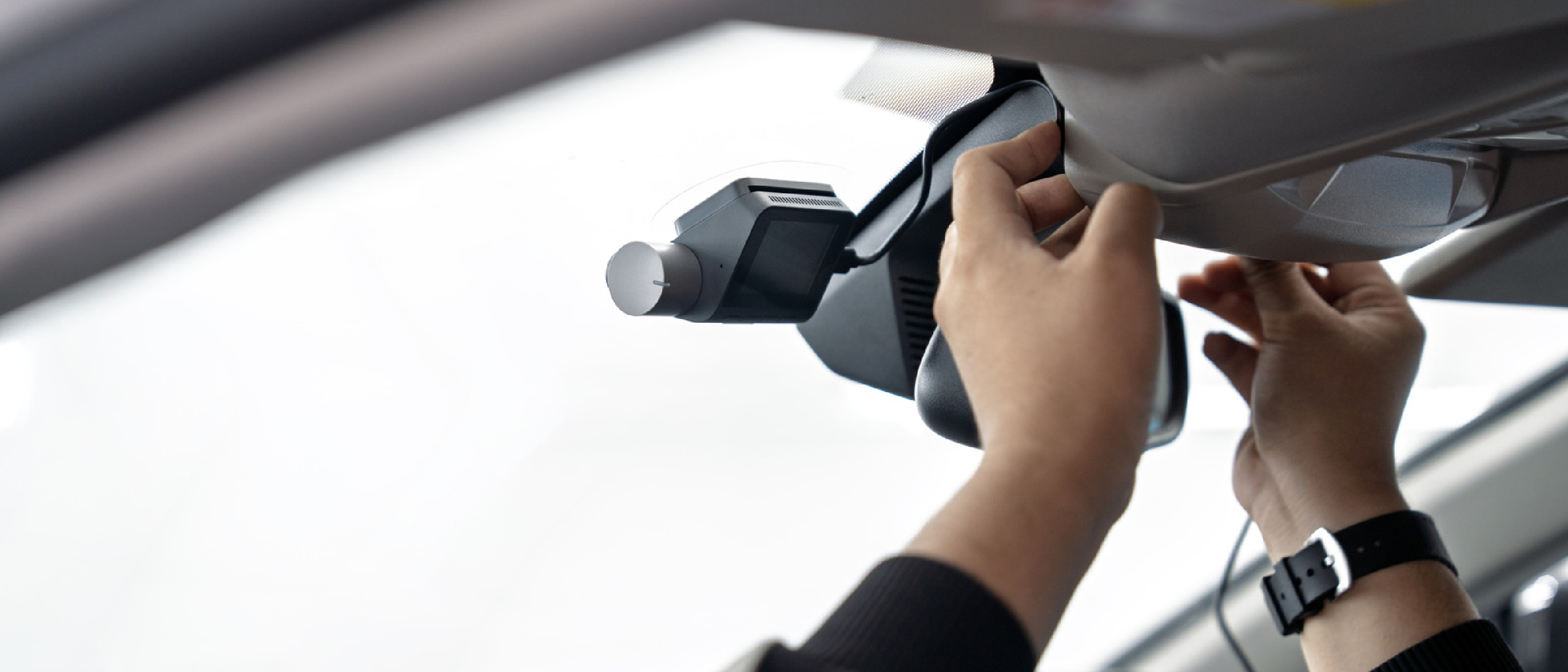
A backup camera captures a live video feed from the rear of a vehicle and displays it on a monitor inside the cabin. The core components are a lens, an image sensor, a video encoder, and a transmission module. When the driver shifts into reverse, the camera receives power—either from the tail‑light circuit, a dedicated battery, or a solar cell—and begins streaming video. The monitor, which can be a dedicated dash‑mounted screen or a smartphone/tablet, receives the feed via a wired video cable, Wi‑Fi, Bluetooth, or a dedicated radio frequency (RF) link.
Most modern factory‑installed systems also flip the image horizontally so that the view mimics a traditional rear‑view mirror, helping drivers intuitively gauge distances. The same processing is performed by aftermarket units, often using inexpensive digital signal processors (DSPs) that handle compression (typically H.264) and the flip operation in real time.
Wired vs. Wireless: Technical Comparison
| Feature | Wired Systems | Wireless Systems |
|---|---|---|
| Installation | Requires routing video cable from rear to dashboard, often through the vehicle’s interior panels. Professional labor can exceed 6 hours. | Plug‑and‑play modules that mount on the license‑plate area and pair with a monitor via Wi‑Fi or Bluetooth. |
| Cost | $600 + (parts + labor). | $40 – $400+, depending on resolution, lens type, and power source. |
| Power Source | Tied to tail‑light circuit; no separate battery needed. | Battery, solar panel, or tail‑light‑fused power; monitor powered via USB or cigarette lighter. |
| Signal Transmission | Direct coaxial or HDMI cable; virtually zero latency. | Wi‑Fi, dedicated RF, or Bluetooth; slight latency (often < 200 ms). |
| Resolution | Typically 720p – 1080p, limited only by monitor. | Often 480p – 720p due to compression; higher‑end models reach 1080p. |
| Reliability | Immune to RF interference; stable under all conditions. | Susceptible to Wi‑Fi congestion, metal interference, and distance limits (usually ≤ 30 ft). |
| Additional Features | May integrate with vehicle’s infotainment, distance sensors, audible alerts. | Basic video only; some models add parking‑sensor integration or smartphone alerts. |
The price gap is striking. A $600 wired kit includes a high‑quality camera, a robust monitor, and professional installation, while a $50 wireless unit offers a functional solution for drivers who need a quick visual aid without the expense.
DIY Installation and Real‑World Considerations
Choosing the Right Lens
- Wide‑Angle (120° – 150°) – Ideal for compact cars; provides a broader view but introduces barrel distortion.
- Fish‑Eye (180°) – Maximizes coverage for trucks and SUVs; requires software correction to avoid a “bubble” effect.
Power Wiring Options
- Tail‑Light Fuse – Connects the camera to the reverse light circuit; ensures automatic activation.
- Battery‑Powered – Offers flexibility for vehicles without accessible wiring; may need periodic recharging.
- Solar‑Assisted – Small solar panel on the camera housing extends battery life, especially for sunny climates.
Monitor Placement
- Dedicated Dash Mount – Provides a fixed, glare‑free view; powered via the vehicle’s 12 V socket or USB.
- Smartphone/Tablet – Leverages existing devices; requires a reliable Wi‑Fi or Bluetooth link. For Android users, the “Live Activities on iPhone & CarPlay” guide ( https://ltdeveloperblogs.github.io/posts/how-to-enable-live-activities-on-iphone-and-carplay ) offers useful tips on integrating external video streams into the car’s infotainment ecosystem.
Common Pitfalls
- Signal Interference – Nearby Wi‑Fi routers, Bluetooth devices, or even a strong radio station can cause frame drops. Position the camera’s antenna away from the vehicle’s metal roof and keep the monitor within line‑of‑sight.
- Latency Perception – While most drivers won’t notice a 150 ms delay, high‑speed reversing (e.g., in a tight garage) can make the lag feel more pronounced. Selecting a system that uses a dedicated 2.4 GHz RF channel often reduces this effect compared to generic Wi‑Fi.
- Weatherproofing – Verify the camera’s IP rating. An IP68 rating guarantees protection against dust and water, essential for regions with heavy rain or snow.
Safety Impact and Industry Trends
The National Highway Traffic Safety Administration (NHTSA) estimates that backup cameras reduce back‑over crashes by up to 30 %. While factory‑installed systems combine video with ultrasonic sensors and audible beeps, aftermarket wireless cameras typically lack these supplemental tools. As a result, drivers “rely entirely on visuals and won’t hear a ‘beep’ as you approach potential obstacles,” a limitation highlighted in recent consumer reviews.
Nevertheless, the market is responding. Several manufacturers now bundle wireless cameras with ultrasonic sensor modules that transmit distance data to the same smartphone app. This hybrid approach narrows the safety gap between OEM and aftermarket solutions.
From an industry perspective, the rise of Wi‑Fi 6E and the upcoming Wi‑Fi 7 standards promises higher bandwidth and lower latency, which could make wireless backup cameras as responsive as wired counterparts. Moreover, the proliferation of over‑the‑air (OTA) updates for automotive infotainment systems means future firmware could add object‑detection algorithms directly on the monitor, leveraging the same AI pipelines used in modern driver‑assist suites.
Future Outlook and Emerging Standards
Integration with Vehicle‑to‑Everything (V2X)
As V2X communication becomes mainstream, backup cameras could share rear‑view data with nearby vehicles or roadside units, alerting pedestrians and cyclists of an approaching vehicle even before the driver sees them. This would transform a simple visual aid into a networked safety node.
AI‑Powered Object Detection
Current aftermarket units rarely include on‑board AI due to processing constraints. However, edge‑AI chips (e.g., Google’s Coral, NVIDIA Jetson Nano) are becoming affordable enough to embed in a camera housing. Real‑time classification of pedestrians, cyclists, or large objects could trigger visual warnings on the monitor, compensating for the lack of audible beeps.
Cloud‑Assisted Video Storage
Some premium wireless systems already offer optional cloud recording, useful for fleet management or insurance claims. The same infrastructure that powers services like Starlink (see https://ltdeveloperblogs.github.io/posts/you-can-use-your-starlink-mini-at-home-but-itll-cost-you ) can be repurposed for low‑latency video upload, enabling remote monitoring of a vehicle’s rear view while parked.
Regulatory Landscape
In the United States, the Federal Motor Vehicle Safety Standards (FMVSS) require new
require new vehicles sold after May 2018 to be equipped with a rear‑view camera that meets FMVSS 111. The rule specifies a minimum field‑of‑view of 120°, a resolution of at least 480 p, and a latency ceiling of 200 ms. While the standard applies only to factory‑installed systems, it indirectly pressures the aftermarket by setting consumer expectations for performance and safety.
What This Means for Aftermarket Wireless Cameras
- Performance Benchmarks – To stay competitive, wireless units now aim for 480 p + 120° coverage and sub‑200 ms latency, often achieved through dedicated 5.8 GHz RF links rather than generic 2.4 GHz Wi‑Fi.
- Compliance Claims – Some manufacturers label their products “FMVSS‑compatible” when they meet the minimum specs, but they cannot claim regulatory certification because only OEMs can certify a vehicle’s overall compliance.
- Future Mandates – The National Highway Traffic Safety Administration (NHTSA) is exploring a rule that would require aftermarket cameras sold in the U.S. to meet a baseline set of safety features (e.g., automatic activation on reverse, a minimum IP rating, and a warning beep). If enacted, we could see a new class of “certified aftermarket” devices.
Buying Guide: Picking the Right Wireless Backup Camera for Your Ride
| Use‑Case | Recommended Specs | Suggested Brands/Models* |
|---|---|---|
| Compact sedan, budget‑first | 480 p, 120° lens, 2.4 GHz Wi‑Fi, IP65, battery‑powered | BudgetCam 48, EasyRear 5 |
| Family SUV, moderate budget | 720 p, 150° wide‑angle, dedicated 5.8 GHz RF, IP68, tail‑light‑fused power, optional ultrasonic sensor add‑on | *ClearView Pro+, SafeDrive X2 |
| Truck or van, heavy‑duty | 1080 p, 180° fish‑eye with software correction, solar‑assist, IP68, dual‑antenna RF, integrated AI object detection | RuggedEye AI, TruckGuard 4K |
| Fleet management | Cloud storage, OTA updates, multi‑camera networking, API access, rugged IP rating | *FleetCam Cloud+, ProTrack Vision |
*Brand names are illustrative; always verify current reviews and warranty terms before purchase.
Key Decision Factors
- Latency vs. Range – If you frequently reverse in tight spaces, prioritize low latency (dedicated RF). For larger lots, range may be more important.
- Power Strategy – Tail‑light‑fused wiring offers automatic activation but requires a modest amount of soldering. Battery or solar options avoid wiring but demand periodic charging or monitoring.
- Mounting Location – License‑plate mounts are simplest, but for trucks a rear‑bumper or roof‑mount may give a clearer line‑of‑sight.
- Software Ecosystem – Apps that support both Android and iOS, provide live calibration, and allow firmware updates extend the lifespan of the device.
Installation Checklist (Quick Reference)
- Gather Tools – Trim removal tools, crimp connectors, zip ties, multimeter, and optional soldering iron.
- Select Power Source – Identify reverse‑light wire (use multimeter) or plan for battery/solar.
- Mount Camera – Clean surface, attach with provided brackets or adhesive, ensure unobstructed view.
- Pair with Monitor – Power on monitor, enable Wi‑Fi or RF pairing mode, follow app instructions.
- Configure Settings – Set image flip, adjust brightness/contrast, calibrate distance markers if available.
- Test – Shift into reverse, verify video feed, check for latency, and confirm that the camera powers off when not in reverse (if wired).
- Secure Wiring – Route cables away from moving parts, use zip ties, and apply heat‑shrink tubing to exposed connections.
Maintenance Tips
- Clean the Lens – Use a microfiber cloth and mild glass cleaner; avoid abrasive pads that could scratch the protective coating.
- Check the Seal – Periodically inspect the gasket around the camera housing for cracks or debris that could compromise the IP rating.
- Battery Health – For battery‑powered units, monitor voltage monthly; replace if it drops below 3.5 V (Li‑ion) or 12 V (lead‑acid).
- Firmware Updates – Enable automatic OTA updates when possible; they often bring latency improvements and new safety features.
Conclusion
Wireless backup cameras have come a long way from the early, low‑resolution, high‑latency prototypes that required a smartphone as a monitor. Today’s offerings deliver near‑OEM performance, easy DIY installation, and a growing suite of smart features that narrow the safety gap between factory‑installed and aftermarket solutions.
While they still lack the integrated ultrasonic sensors and audible alerts that many OEM systems provide, the market is rapidly evolving. The convergence of higher‑bandwidth wireless standards (Wi‑Fi 6E/7), affordable edge‑AI processors, and emerging V2X communication frameworks promises a future where a simple plug‑and‑play camera can not only show you what’s behind the vehicle but also understand what it sees and communicate that information to other road users.
For owners of older cars, a wireless backup camera remains one of the most cost‑effective upgrades to boost rear‑visibility and reduce the risk of costly back‑over accidents. By selecting a model that meets the FMVSS‑111 performance baseline, ensuring proper installation, and staying current with firmware updates, drivers can enjoy a level of safety that was once reserved for brand‑new vehicles.
Frequently Asked Questions
Q1: Do wireless backup cameras work at night?
Yes. Most units include infrared (IR) LEDs or low‑light sensors that illuminate the rear area. However, IR illumination can appear as a greenish glow on the monitor; higher‑end models use a low‑lux sensor that maintains color fidelity in dim conditions.
Q2: Will a wireless camera interfere with my car’s Bluetooth or radio?
Generally no. Dedicated 5.8 GHz RF links operate on a separate spectrum from Bluetooth (2.4 GHz) and FM radio. If you use a generic Wi‑Fi connection, there is a small chance of interference with other 2.4 GHz devices, but positioning the antenna away from the infotainment antenna mitigates this.
Q3: Can I use the same wireless camera with multiple monitors?
Most systems pair one camera to one monitor at a time. Some premium models support simultaneous streaming to two devices (e.g., a dash‑mount monitor and a smartphone) via multicast Wi‑Fi, but this can increase latency.
Q4: Is a “beep” essential for safety?
Audible alerts are helpful because they provide a cue even when the driver’s eyes are not on the screen. If you rely solely on video, make a habit of glancing at the monitor whenever you shift into reverse. Hybrid aftermarket kits that add ultrasonic sensors can reintroduce the beep.
Q5: How far can the wireless signal travel?
Typical consumer units are rated for 20–30 ft (6–9 m) line‑of‑sight. Using a dedicated 5.8 GHz RF module can extend this to about 50 ft (15 m) under optimal conditions. Obstacles like metal roofs or thick body panels can reduce range.
Q6: Are there any legal restrictions on using aftermarket cameras?
In most jurisdictions, aftermarket backup cameras are legal for personal use. However, if you modify a vehicle for commercial purposes (e.g., rideshare, delivery fleet), local regulations may require the system to meet specific safety standards or be approved by a certified installer.
Q7: Can I integrate the camera feed into Apple CarPlay or Android Auto?
Direct integration is not yet standardized, but some manufacturers offer companion apps that can mirror the video onto CarPlay‑compatible head units via the “Video” app extension. This feature is still emerging and may require a firmware update.
Happy installing, and drive safely!
Source: Original Article