

Understanding the CarPlay Architecture
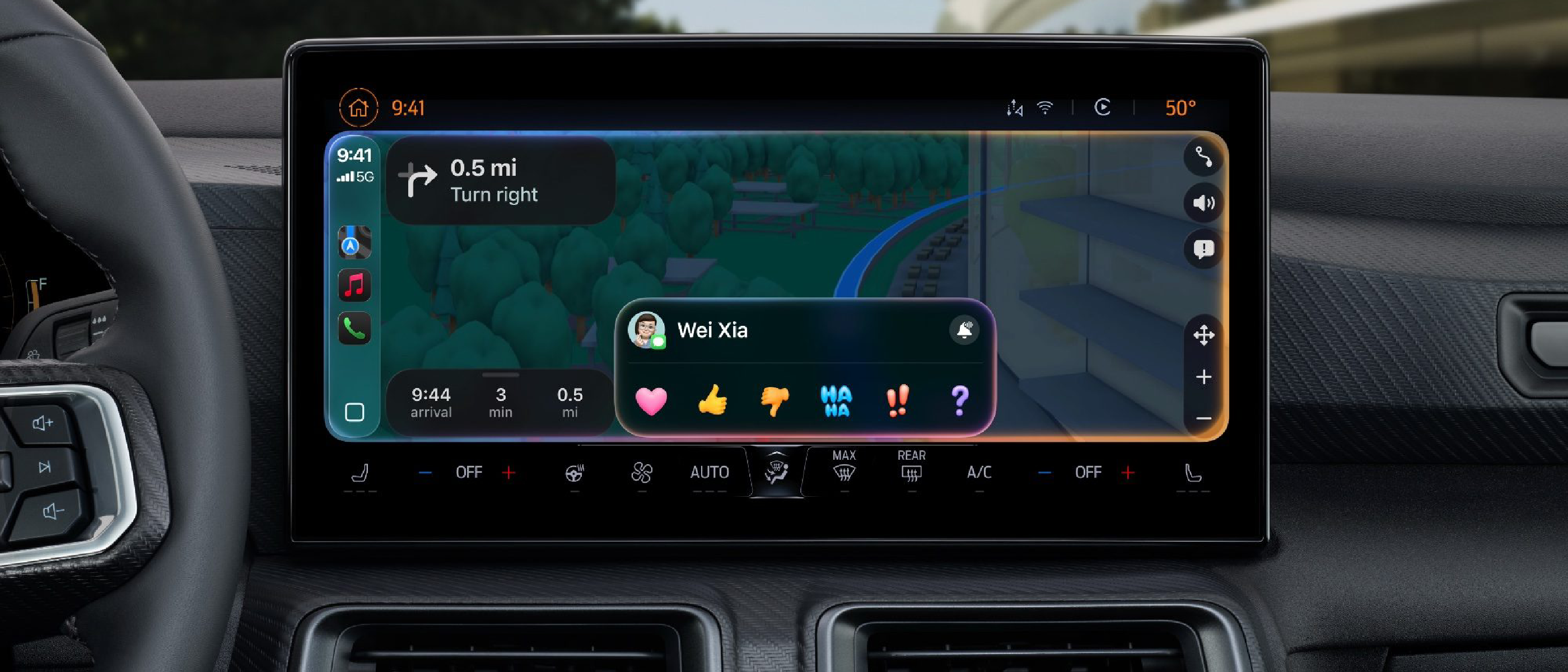
Apple’s CarPlay is more than a simple mirror of the iPhone screen; it is a tightly integrated stack that blends iOS services, Bluetooth Low Energy (BLE) handoff, USB or wireless transport, and a vehicle‑specific head‑unit firmware. When a user plugs in an iPhone (or pairs wirelessly), the device negotiates a series of protocols:
- USB Power & Data Negotiation – The iPhone detects a USB‑type‑C or Lightning connector that advertises the Apple Authentication Chip (AAC). The head‑unit must present the correct authentication token; otherwise, the iPhone refuses to expose CarPlay services.
- BLE Handoff – For wireless CarPlay, the phone first establishes a BLE link that carries the initial authentication and session‑setup data. Once verified, the data plane switches to Wi‑Fi Direct (802.11ac) for high‑bandwidth audio and video streams.
- iOS CarPlay Daemon – The
carplaydprocess on iOS manages the UI, Siri voice commands, and app hand‑off. It constantly monitors the transport layer for latency spikes or packet loss. - Vehicle Firmware – The head‑unit runs a customized OS (often QNX or Android Automotive) that implements Apple’s CarPlay protocol stack. Firmware updates from the automaker are required to stay compatible with new iOS releases.
Any mismatch in these layers can manifest as the dreaded “CarPlay not connected” or “Connection lost” messages that drivers see on their dashboards.
Common Failure Points
1. Cable Quality and Specification
Even though Apple certifies Lightning‑to‑USB cables, many third‑party cables lack the proper USB‑C power‑delivery (PD) profile or have sub‑par shielding. A cable that fails to maintain a stable 5 V/1 A supply can cause intermittent disconnections, especially when the vehicle’s infotainment system draws power for its own peripherals. The issue mirrors problems discussed in the article “ USB‑C on Your Phone: More Than Just Charging and Data ”, where inadequate cable construction leads to data corruption.
2. Bluetooth Handoff Glitches
Wireless CarPlay relies on a seamless handoff from BLE to Wi‑Fi. If the BLE advertisement interval is too long, or if the vehicle’s Bluetooth module suffers from firmware bugs, the iPhone may never complete the handoff, leaving the session in a limbo state. This is especially common in older models that received only a single OTA update years ago.
3. Firmware Incompatibility
Apple releases a major iOS update each year, often adding new CarPlay APIs or tightening security requirements. If a car manufacturer does not push a corresponding head‑unit firmware update, the two sides can fall out of sync. The result is a “unsupported iOS version” error that appears without any explicit message to the driver.
4. Interference from Other Wireless Devices
Modern cars are saturated with Bluetooth headsets, Wi‑Fi hotspots, and even 5G cellular modems. When multiple devices operate on overlapping 2.4 GHz or 5 GHz channels, the Wi‑Fi Direct link used by wireless CarPlay can suffer packet loss, causing the UI to freeze or drop entirely.
5. iOS Background Restrictions
Since iOS 15, Apple introduced stricter background execution limits for third‑party apps. If a user has many apps running in the background, the system may prioritize battery life over CarPlay’s data plane, leading to occasional stutters that feel like a lost connection.
Diagnosing the Issue
A systematic approach saves time for both drivers and support technicians.
| Step | Action | Tools / Indicators |
|---|---|---|
| 1 | Verify cable integrity | Use Apple‑certified Lightning cable; inspect for fraying or bent pins. |
| 2 | Test with a different vehicle | Isolate whether the problem is vehicle‑specific or iPhone‑specific. |
| 3 | Check iOS version | Ensure the iPhone runs the latest iOS; note any recent updates. |
| 4 | Review vehicle firmware | Consult the automaker’s support site for OTA updates; some manufacturers list CarPlay compatibility notes. |
| 5 | Monitor BLE/Wi‑Fi logs | Use the Console app on macOS with the iPhone connected via USB to capture carplayd logs. Look for “BLEHandshakeFailed” or “WiFiDirectTimeout”. |
| 6 | Reset network settings | On iPhone, Settings → General → Transfer or Reset → Reset → Reset Network Settings. This clears stale Bluetooth pairings. |
If the issue persists after these steps, the next logical move is to contact the vehicle’s dealer service department, providing them with the log excerpts. Many automakers now have a dedicated CarPlay diagnostics portal.
Why It Matters: Impact on Drivers and the Industry
CarPlay is a cornerstone of Apple’s ecosystem strategy. It extends iOS services—Siri, Maps, Messages—into the driving environment, promising reduced distraction and increased safety. When connectivity falters:
- Safety Risks Increase – Drivers may resort to manual phone handling, negating the safety benefits CarPlay was designed to deliver.
- Brand Trust Erodes – Repeated failures can tarnish Apple’s reputation for seamless integration, especially as competitors like Android Auto push aggressive updates.
- After‑Market Revenue Shifts – Automakers often sell premium infotainment packages. Persistent bugs can lead to warranty claims, higher service costs, and reduced uptake of optional upgrades.
- Regulatory Scrutiny – In regions where distracted‑driving laws reference “hands‑free” systems, a malfunctioning CarPlay could be cited in legal proceedings.
The ripple effect reaches developers too. Third‑party apps that rely on CarPlay’s UI extensions (e.g., podcast players, navigation tools) may see reduced usage metrics, influencing their revenue models.
Future Outlook and Mitigation Strategies
Standardization of USB‑C Authentication
Apple’s transition to USB‑C for iPhones (expected in future hardware cycles) will likely bring a universal authentication chip, reducing reliance on proprietary Lightning cables. This shift should diminish many cable‑related dropouts, as the industry converges on the USB‑IF standard.
Over‑the‑Air (OTA) Firmware Synchronization
Automakers are increasingly adopting OTA update pipelines that can push head‑unit firmware concurrently with iOS releases. A coordinated rollout schedule—where Apple shares a “CarPlay compatibility matrix” ahead of major iOS updates—could pre‑empt many incompatibility scenarios.
Edge‑AI for Adaptive Handoff
Apple’s on‑device AI could eventually predict when a BLE handoff is likely to fail (based on signal strength trends) and proactively switch to a wired connection or delay the transition. The article “ YouTube Fights AI Slop with New Monetization Rules ” illustrates how AI can be leveraged to improve user experience; a similar approach could be applied to CarPlay’s connectivity stack.
Cross‑Vendor Collaboration
The mobile ecosystem benefits from shared knowledge. For instance, the challenges faced by Xiaomi phones in certain markets—outlined in “ Xiaomi Phones Rarely Sold ”—highlight how carrier‑level firmware quirks affect connectivity. A collaborative forum between Apple, OEMs, and chipset vendors could accelerate bug resolution.
Frequently Asked Questions
Q1: Does wireless CarPlay require a specific Wi‑Fi band?
A: Yes, it uses Wi‑Fi Direct on the 5 GHz band (802.11ac). Interference on 2.4 GHz does not affect the data plane, but overlapping 5 GHz channels can cause drops.
Q2: Can I use any Lightning cable for CarPlay?
A: Technically any Lightning‑to‑USB cable works, but only Apple‑certified or MFi‑licensed cables guarantee the proper authentication chip and shielding needed for stable CarPlay sessions.
Q3: Will a factory reset of the infotainment system fix CarPlay issues?
A: It can clear corrupted head‑unit firmware caches, but if the underlying firmware version is outdated, the problem will likely reappear after reboot.
Q4: Is there a way to force CarPlay to stay wired even if wireless is enabled?
A: Yes. In iOS Settings → General → CarPlay, you can disable “Wireless CarPlay” for a specific vehicle, forcing the system to use the wired path.
Q5: How do I know if my vehicle’s head‑unit firmware is up to date?
A: Check the vehicle’s settings menu for a “Software Update” option, or visit the manufacturer’s support website and enter your VIN to view the latest available version.
CarPlay’s promise of a safer, smarter driving experience hinges on reliable connectivity. By understanding the technical layers—cable standards, Bluetooth handoff, firmware compatibility, and wireless interference—drivers and technicians can diagnose problems faster, manufacturers can prioritize critical updates, and Apple can refine the ecosystem for the next generation of in‑car computing.
Source: Original Article