




Overview of Apple Home View
Apple’s latest foray into the connected‑home market is the Home View smart display, a 10‑inch device that positions itself as the ultimate kitchen companion. In a three‑minute commercial, a family of five gathers around the screen while it pulls up a French‑toast recipe in seconds, then walks the parents through each step with large, easy‑to‑read instructions. Beyond cooking, Home View doubles as a calendar hub and a messaging terminal, allowing users to glance at appointments or send quick notes without reaching for a phone.
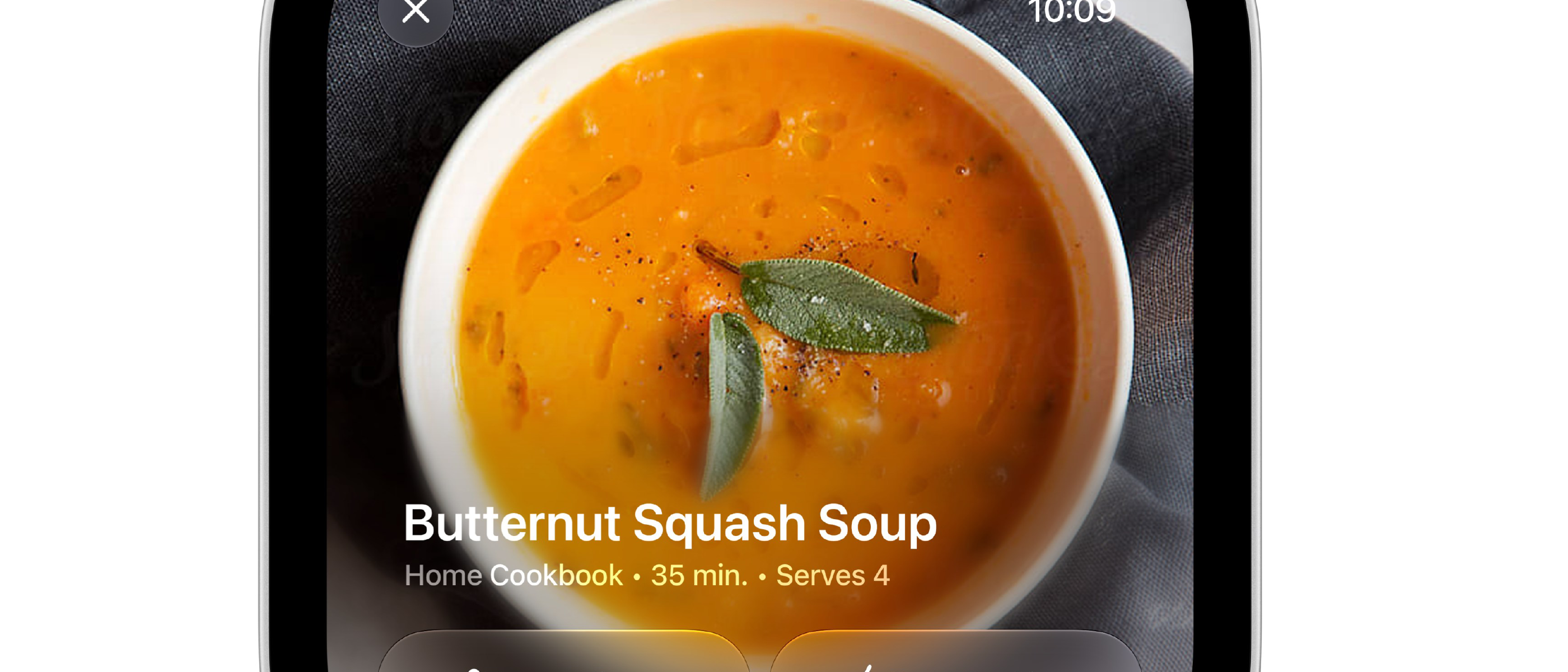
The product’s tagline—“Simplify online recipe formatting into easy‑to‑follow steps”—highlights Apple’s intent to become the default interface for culinary content that currently lives on blogs, YouTube channels, and dedicated recipe apps. By parsing HTML, JSON‑LD, and other structured data formats, Home View can transform a web‑based recipe into a clean, numbered list that updates in real time as the user progresses.
Technical Architecture and Core Features
Display Engine and Content Parsing
Home View runs a customized version of iPadOS, optimized for a fixed‑position screen and voice‑first interactions. The device leverages Apple’s Siri engine to interpret natural‑language queries such as “Show me a quick breakfast recipe.” Once a URL is identified, the Recipe Formatter module extracts:
- Ingredient lists (structured via schema.org
Recipemarkup) - Step‑by‑step instructions
- Timing metadata (prep, cook, total time)
- Nutritional information, when available
The extracted data is then rendered in a proprietary UI that supports touch, voice, and gesture controls. The UI automatically highlights the current step, dims completed steps, and can pause timers when the user says “Hold on.”
Integrated Productivity Tools
Home View is not a single‑purpose appliance. It shares the same iCloud backend as iPhone, iPad, and Mac, which enables:
- Calendar Sync – Upcoming events appear in a sidebar that can be toggled with a swipe.
- Messaging – Users can dictate or type short messages that are sent via iMessage, with end‑to‑end encryption.
- HomeKit Control – Lights, thermostats, and smart plugs can be toggled without leaving the cooking flow.
These integrations reinforce Apple’s ecosystem lock‑in, making the device a hub rather than a stand‑alone gadget.
Hardware Specs
- 10.2‑inch Retina display, 2160 × 1620 resolution
- Apple‑designed A15 Bionic chip (same as iPhone 15)
- Dual‑microphone array for far‑field voice capture
- 5 W speaker with adaptive EQ
- Wi‑Fi 6E and Thread radios for low‑latency smart‑home communication
The combination of a powerful SoC and a high‑resolution screen ensures that recipe images, video tutorials, and step timers run smoothly, even when multiple background services (e.g., calendar sync) are active.
Why It Matters to Content Creators
Disintermediation of Recipe Websites
Home View’s ability to ingest any publicly available recipe and reformat it into a clean UI effectively bypasses the original site’s branding, advertising, and analytics layers. For a user who follows a recipe on Home View, the source URL may never be displayed, meaning:
- Reduced traffic to the original publisher’s site.
- Loss of ad revenue that depends on page views.
- Diminished SEO value, as backlinks from the device are not indexed.
This mirrors the
mirrored effect seen when platforms like TikTok or Instagram repurpose user‑generated content without crediting the original creator. In the recipe space, the stakes are high because many writers rely on ad‑based revenue, affiliate links, and sponsored placements that are tied directly to page impressions. When Home View strips away the surrounding web page and presents only the core instructions, those monetisation hooks disappear.
Potential Counter‑Strategies for Recipe Publishers
| Strategy | How It Works | Pros | Cons |
|---|---|---|---|
| Structured Data Enhancements | Embed richer Recipe schema (e.g., author, publisher, url) that Home View can surface as a clickable source link. | Retains attribution; may drive traffic back to the site. | Requires developers to update markup; Apple may still hide the link in default UI. |
| Apple‑Specific Integration | Publish recipes through Apple’s RecipeKit API (hypothetical) that includes branding, video snippets, and optional “Open in Safari” buttons. | Guarantees brand visibility on Home View; can leverage Apple’s analytics. | Adds a new distribution channel; may create platform lock‑in. |
| Subscription‑Only Content | Gate premium recipes behind a paywall that Home View cannot bypass without authentication. | Preserves revenue; encourages direct user relationships. | Reduces the “instant‑access” appeal that Home View markets. |
| Dynamic Watermarking | Overlay subtle, non‑intrusive watermarks on recipe images that persist in the UI. | Maintains visual branding; can be used for brand recall. | May be ignored by users; could be removed by Apple’s rendering engine. |
Publishers will likely adopt a mix of these tactics, but the underlying tension remains: Apple’s device is designed to abstract away the web, and any friction added to that abstraction could diminish the user experience—a core Apple principle.
Apple’s Position and Legal Landscape
Apple has not released an official statement about the impact on content creators, but its developer documentation for Home View includes a clause:
“Developers may provide content to Home View via the
RecipeFormatterAPI. Apple reserves the right to display content in a format optimized for the device, which may omit non‑essential UI elements.”
This language mirrors Apple’s approach to other services (e.g., Apple News, Apple Podcasts) where the company curates the presentation layer. From a legal standpoint, the DMCA safe‑harbor provisions protect Apple as a conduit, provided it does not host the content itself. However, as the device becomes a primary consumption point, regulators could scrutinise whether Apple is indirectly competing with the original publishers.
Privacy and Data Considerations
Home View’s recipe parsing occurs on‑device whenever possible, leveraging the A15’s Neural Engine to extract schema.org markup without sending the raw HTML to Apple’s servers. When a user explicitly requests a recipe, the URL is fetched over HTTPS, and the parsed data is cached locally. Apple states that:
- No usage data about which recipes are viewed is linked to the user’s Apple ID.
- Aggregated analytics are used only to improve the Recipe Formatter model.
Nevertheless, the device does collect interaction metadata (e.g., step completions, timer adjustments) which could be combined with health data (via the Apple HealthKit) to infer dietary habits. Privacy‑focused users may wish to disable “Cooking Activity” tracking in Settings → Home View → Privacy.
Future Outlook
Apple’s entry into the kitchen space is not isolated. The company recently announced Apple Kitchen, a suite of APIs that allow third‑party developers to embed cooking‑related intents into Siri shortcuts. Combined with Home View, this ecosystem could evolve into a closed‑loop culinary platform where:
- Recipe creators publish to Apple’s catalog via a dedicated portal.
- Home View surfaces those recipes with Apple‑branded UI, while still supporting external URLs.
- Apple Watch receives step‑by‑step haptic cues, creating a cross‑device cooking experience.
If Apple follows its historical pattern, the initial open‑web approach will gradually tighten, nudging creators toward its proprietary channels. For now, the immediate impact is a noticeable dip in referral traffic for sites that rely heavily on organic search and social sharing.
Conclusion
Apple Home View is a technically impressive device that reimagines how we interact with recipes in the kitchen. Its ability to strip away clutter and present clean, voice‑guided instructions is a genuine convenience for everyday cooks. However, that very convenience also sidelines the ecosystems that have traditionally powered recipe writers—advertising, affiliate links, and brand storytelling.
Publishers must decide whether to adapt (by enriching structured data, embracing Apple‑specific APIs, or gating premium content) or to double down on platforms that preserve the full web experience (e.g., dedicated recipe apps, YouTube channels). As Apple continues to weave its hardware, software, and services together, the balance of power in the culinary content market will likely tilt further toward the Apple ecosystem, leaving independent writers to navigate a more fragmented and competitive landscape.
FAQ
Q: Can I still view the original website URL on Home View?
A: By default, Home View displays only the formatted recipe. Some publishers can opt‑in to show a “View on web” button, but this must be explicitly added to the structured data.
Q: Will Home View support video tutorials?
A: Yes. The device can embed short video clips alongside each step, provided the source page includes VideoObject schema. The UI will play the video in a picture‑in‑picture overlay.
Q: Is there a way to block Home View from parsing my recipes?
A: Adding a robots.txt rule that disallows the user‑agent AppleHomeView/ may prevent automatic fetching, but determined users can still copy‑paste URLs manually.
Q: Does Home View work with third‑party smart‑home assistants (e.g., Alexa, Google Assistant)?
A: Home View is built on Apple’s HomeKit and Thread standards. While it can control compatible devices, it does not natively integrate with competing voice assistants.
Q: How does Apple monetize Home View if not through ads?
A: Apple’s revenue model centers on hardware sales, potential subscription services (e.g., Apple Kitchen+), and increased ecosystem lock‑in that drives iPhone, iPad, and Services revenue.
Q: Will the device collect data about the recipes I cook?
A: Interaction data (step completions, timer usage) is stored locally and can be synced to iCloud if you enable “Cooking Activity” in Settings. Apple states this data is not used for advertising.
Q: Can I use Home View to create my own recipes and share them?
A: Yes. The Home View app includes a “My Recipes” section where you can manually input ingredients and steps, which are then stored in iCloud and can be shared via a link or AirDrop.
Source: Original Article