

Overview of the Veterans Day Activity Challenge
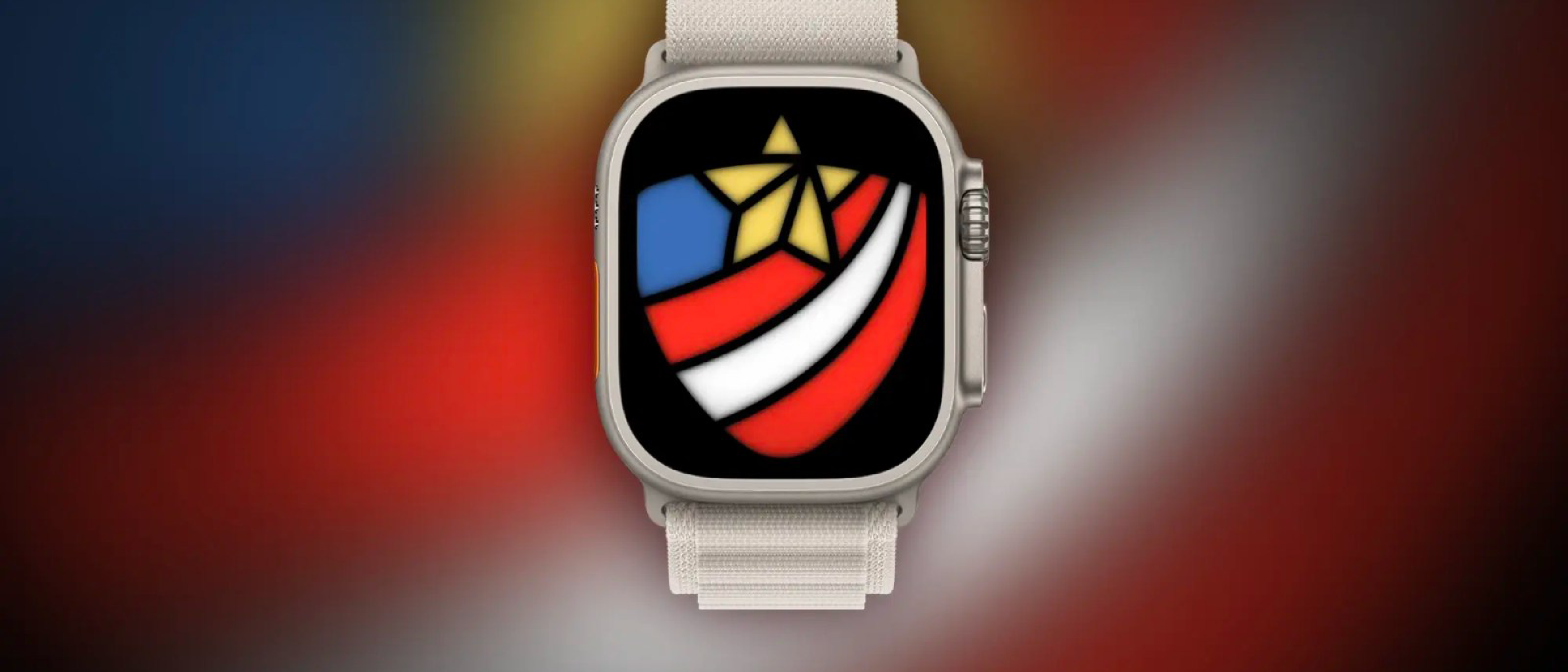
Apple has announced that the next Apple Watch Activity Challenge will coincide with Veterans Day on November 11, 2026. The premise is simple yet powerful: complete any workout that lasts 11 minutes or longer and you’ll earn a virtual achievement in the Fitness app, plus a set of animated sticker packs for iMessage and FaceTime. Notifications will be sent a few days before the start date, ensuring users have ample time to plan a session.
The challenge aligns with Apple’s broader strategy of using seasonal events to drive engagement with its health ecosystem. By tying the activity to a national holiday that honors military service, Apple adds a layer of cultural relevance that encourages both existing users and newcomers to participate.
Technical Breakdown of How the Challenge Works
Integration with Workout and Health Data
The challenge leverages the Workout app on Apple Watch, which records the duration, type, and intensity of each session. Data is automatically synced to the Fitness app on the paired iPhone and stored in the Health app. As Zac Hall of 9to5Mac notes, “Apple Watch fitness challenges work with Apple’s Workout and any other apps on Apple Watch that track workouts and log the data in the Fitness/Health apps on the iPhone.” This means third‑party fitness apps—such as Strava, Nike Run Club, or even custom health solutions—can contribute toward the 11‑minute threshold, provided they write the workout data to HealthKit.
Reward Delivery Mechanism
Once the system detects a qualifying workout, the user receives:
- A virtual badge displayed in the Fitness app’s “Achievements” tab.
- Animated sticker packs that appear in iMessage and FaceTime. These stickers are themed around the holiday, featuring subtle military motifs and celebratory graphics.
The stickers are delivered via Apple’s iMessage extension framework, which pulls the asset bundle from Apple’s servers the moment the badge is unlocked. Because the stickers are stored locally after the first download, they can be used in subsequent conversations without additional network calls.
Compatibility Considerations
- iOS version: The challenge requires iOS 17 or later, as earlier versions lack the necessary HealthKit permissions for third‑party apps.
- Apple Watch models: All Apple Watch Series 4 and newer support the required workout tracking APIs.
- Cross‑platform: Users can view their badge progress on macOS via the Fitness app (available in macOS 15) and on iPad through the iPhone’s synced data.
Why the Challenge Matters for Users
Encouraging Consistent Activity
An 11‑minute workout is a low barrier to entry. Research from the American Heart Association shows that even short bouts of moderate‑intensity exercise can improve cardiovascular health when performed regularly. By gamifying this threshold, Apple nudges users toward a habit that can translate into longer, more frequent sessions.
Honoring Veterans Through Health
Veterans Day is a moment to recognize the sacrifices of military personnel. Apple’s decision to pair a health‑focused challenge with this day subtly promotes the idea that physical well‑being is a form of service to oneself and one’s community. The themed stickers also provide a visual reminder of the day’s significance, fostering a sense of shared purpose among participants.
Strengthening the Apple Ecosystem
The challenge drives usage across multiple Apple services—WatchOS, iOS, iMessage, and FaceTime—reinforcing the value of staying within the Apple ecosystem. Users who might otherwise rely on a single device are prompted to engage with the broader suite of Apple health tools.
Industry Impact and Competitive Landscape
Positioning Apple Against Other Wearable Makers
Competitors such as Fitbit, Garmin, and Samsung have long used challenges and badge systems to motivate users. Apple’s approach differentiates itself by integrating messaging rewards (iMessage/FaceTime stickers) that are exclusive to its platform. This cross‑app incentive creates a social loop: users share stickers, spark conversations, and indirectly promote the Watch to peers.
Influence on App Development
Because the challenge works with any app that logs workouts to HealthKit, developers have a new incentive to ensure seamless data export. This could accelerate the adoption of HealthKit standards across the fitness app market, leading to richer data sets for health research and personalized coaching.
Potential Ripple Effects on Hardware Sales
While Apple has not announced new hardware tied directly to the challenge, the timing aligns with the release of AirPods 5, AirPods Pro 3, Apple AirTag 2, and a Wireless CarPlay Adapter. Historically, Apple bundles software initiatives with hardware refresh cycles to boost overall ecosystem sales. The challenge may indirectly stimulate interest in the latest Watch models, especially among users who value the newest health sensors.
Future Outlook: What Could Come Next?
Expanded Holiday‑Based Challenges
If the Veterans Day challenge proves successful, Apple may roll out similar events for other holidays—e.g., a Thanksgiving gratitude challenge or a New Year’s resolution sprint. Each could feature unique digital rewards, further embedding Apple’s health narrative into cultural moments.
Deeper Integration with Third‑Party Platforms
Apple could open an API for developers to create custom sticker packs tied to specific challenges. This would allow brands, charities, or even military organizations to sponsor their own themed rewards, creating new revenue streams and partnership opportunities.
Enhanced Health Metrics
Future WatchOS updates may incorporate more granular metrics (e.g., VO₂ max, blood glucose) into challenge eligibility. A future “Endurance Challenge” could require a certain calorie burn or heart‑rate zone, pushing the platform toward more sophisticated health coaching.
Frequently Asked Questions
**Q:
Q: How will I know when I’ve earned the badge and stickers? A: Once a qualifying workout is synced, a push notification appears on your iPhone and Apple Watch announcing the achievement. The badge instantly shows up in the Fitness → Achievements tab, and the sticker pack is added to the iMessage app drawer under a new “Apple Watch Challenge” section. You can also view the unlocked stickers in the FaceTime effects picker.
Q: Do I have to use Apple’s native Workout app? A: No. Any third‑party app that records a workout and writes the data to HealthKit counts toward the 11‑minute minimum. Popular options like Strava, Nike Run Club, MyFitnessPal, or even custom enterprise health solutions are eligible, provided they request the proper Health permissions.
Q: What if I complete the workout after November 11 2026? A: The Veterans Day Challenge is time‑bound. Only workouts logged on Nov 11 (based on the device’s local time zone) are considered. Workouts performed on Nov 12 or later will not trigger the badge, though they will still be recorded in the Fitness app as usual.
Q: Can I share the stickers with non‑Apple users? A: The animated stickers are an iMessage/FaceTime‑only asset and cannot be exported to other messaging platforms. However, you can take a screenshot of the sticker and share the image manually, though the animation will be lost.
Q: Will my health data be used for anything beyond the challenge? A: Apple’s privacy policy states that workout data collected for the challenge remains within the Health and Fitness ecosystems and is not shared with advertisers. The data is used solely to verify eligibility and to improve the overall health experience on your devices.
Q: Is there a way to reset the challenge if I accidentally log a short workout? A: No manual reset is required. The system only awards the badge once per user per challenge. If a short workout is logged first, simply perform another qualifying 11‑minute session later on the same day; the second workout will satisfy the requirement.
Q: Do older Apple Watch models receive the same rewards? A: All Apple Watch models from Series 4 onward support the necessary HealthKit APIs, so they will receive the badge and stickers. Devices older than Series 4 cannot log workouts with the required granularity and therefore are excluded.
Conclusion
Apple’s Veterans Day Activity Challenge is a concise yet potent example of how the company blends cultural moments with health‑focused gamification. By setting an attainable 11‑minute threshold, Apple lowers the entry barrier, encouraging both casual and seasoned users to move. The cross‑app reward system—virtual badges paired with exclusive iMessage and FaceTime stickers—creates a social ripple that extends the experience beyond the wrist, fostering conversation and brand visibility.
From a strategic standpoint, the challenge reinforces Apple’s ecosystem lock‑in, nudges users toward newer hardware, and incentivizes third‑party developers to maintain robust HealthKit integrations. If the rollout proves popular, we can expect Apple to replicate the formula for other holidays, potentially opening new avenues for branded partnerships and deeper health‑metric challenges.
Overall, the Veterans Day Challenge not only honors a national holiday but also nudges millions toward healthier habits, illustrating how thoughtful software initiatives can amplify the value of Apple’s hardware portfolio.
Frequently Asked Questions (Continued)
Q: Do I need an active Apple Fitness+ subscription to participate? A: No. The challenge is available to all Apple Watch owners with iOS 17 or later, regardless of whether they subscribe to Fitness+. The subscription only adds additional workout content; it does not affect badge eligibility.
Q: Will the badge appear on my Apple Watch face? A: Yes. If you have a Complication that displays achievements on your watch face, the newly earned badge will show up automatically. You can also add the “Activity Challenge” complication to see real‑time progress during the day.
Q: Can I opt‑out of the notifications? A: You can disable the specific “Apple Watch Challenge” notification in Settings → Notifications → Fitness. Turning it off will not prevent the badge from being awarded; it only stops the reminder alerts.
Q: Are there any accessibility considerations? A: The challenge respects all existing accessibility settings on watchOS and iOS, including VoiceOver, larger text, and haptic feedback. The badge and stickers are also labeled for screen readers, ensuring an inclusive experience.
Q: How does this challenge affect my daily activity rings? A: The 11‑minute workout contributes to the Move, Exercise, and Stand rings just like any other workout. If the session pushes you past a ring’s threshold, you’ll see the usual ring‑completion animation in addition to the challenge badge.
Source: Original Article