






Why the Update Matters
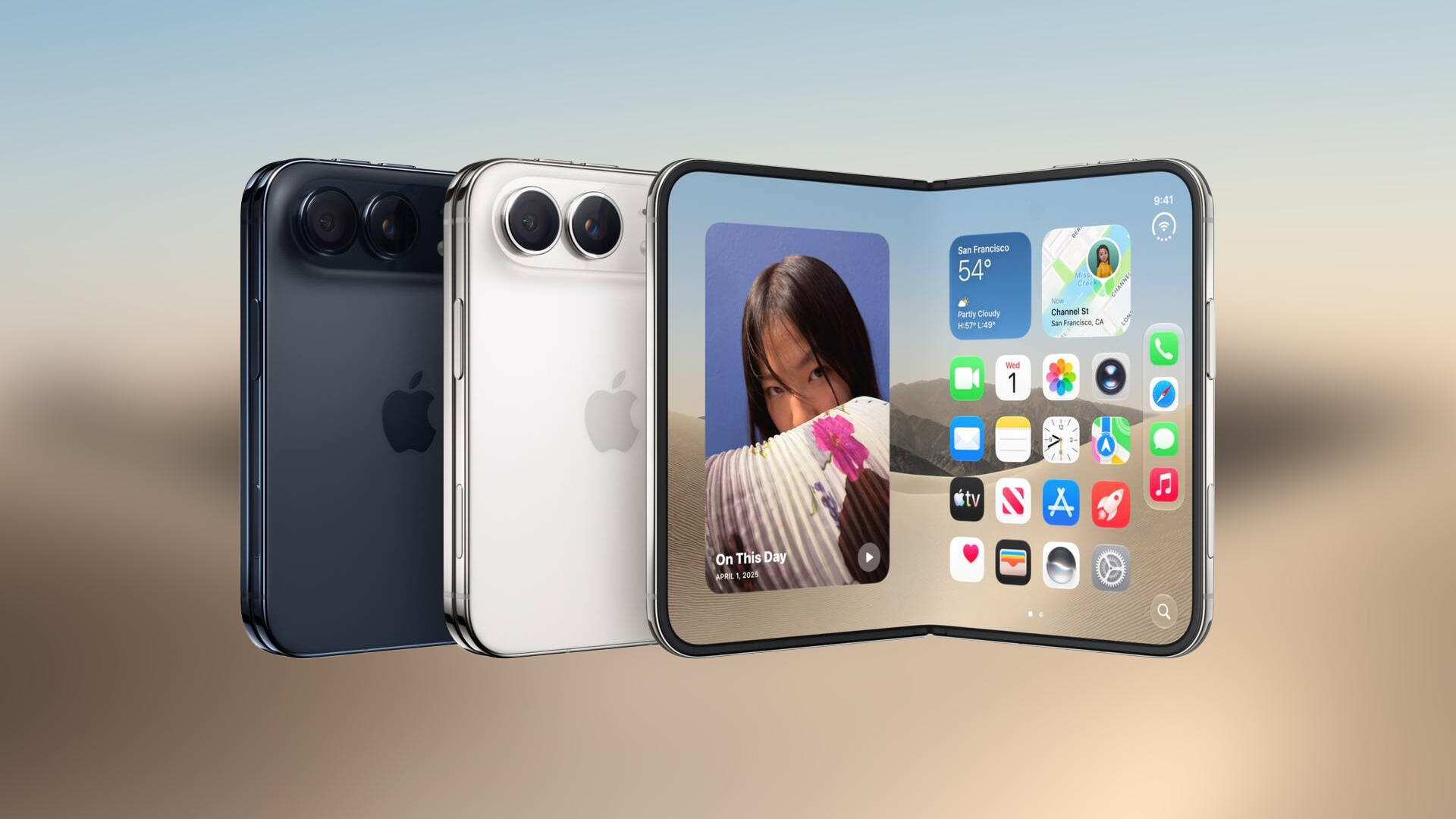
Apple’s latest release for the Apple Support app arrives at a pivotal moment for the iPhone Duo, a device that debuted with a notably wider display and iOS 27.1. Early reviews of the Duo highlighted a common frustration: many apps, including essential utilities, were rendered with thick black bars on each side—an effect known as letterboxing. This not only wasted valuable screen real estate but also disrupted the immersive experience that the Duo’s design promised. By addressing this issue, Apple demonstrates its commitment to a seamless ecosystem where even support tools adapt quickly to new hardware form factors. The update also introduces Split View, a multitasking feature that lets users run the Support app alongside other applications, thereby improving productivity for power users who rely on simultaneous troubleshooting and content consumption.
Technical Breakdown of the Fix
The core of the update lies in responsive layout adjustments that align the app’s UI with the Duo’s 2.5‑inch wider aspect ratio. Developers leveraged Auto Layout constraints and size classes to detect the device’s screen dimensions at runtime. When the app identifies a Duo, it scales its interface elements proportionally, eliminating the letterboxing that previously appeared. Additionally, the new Split View support is built on iOS 27.1’s multitasking framework, which allows the Support app to occupy a flexible portion of the screen while other apps share the remaining space. This is achieved through the UISplitViewController API, ensuring that the app can adapt to both portrait and landscape orientations without compromising usability.
Key technical changes include:
- Dynamic width handling: Auto Layout constraints now reference the
horizontalSizeClassto adjust padding and element spacing. - Split View integration: The app registers as a split‑view capable target, enabling users to drag the divider and resize the interface.
- Performance optimization: Minor refactoring of image assets ensures that higher‑resolution Duo displays render smoothly without stutter.
These adjustments collectively remove the letterboxing and provide a native multitasking experience that feels consistent with the rest of the iOS ecosystem.
Impact on Users and Developers
For end users, the update translates to a cleaner, more immersive support experience. The elimination of black bars means that help articles, diagnostic tools, and contact options occupy the full width of the Duo’s display, making navigation more intuitive. Split View empowers users to consult support resources while simultaneously using other apps—such as a note‑taking app or a browser—without switching contexts. This is especially valuable for professionals who need to troubleshoot on the fly.
Developers, on the other hand, gain a clearer roadmap for adapting their own apps to the Duo. Apple’s public statements indicate that third‑party developers will receive guidance and SDK updates in the coming weeks. By aligning with the same responsive design principles used in the Apple Support app, developers can avoid the letterboxing pitfalls that plagued early releases. Moreover, the inclusion of Split View support sets a precedent: any app that wishes to offer multitasking on the Duo must now consider the same APIs, fostering a more cohesive developer ecosystem.
The update also reduces support tickets related to display issues, as users no longer encounter the frustration of black bars. This, in turn, can lower the operational burden on Apple’s support teams and improve overall customer satisfaction.
Future Outlook for iPhone Duo Apps
Apple’s proactive stance suggests a broader strategy for the iPhone Duo’s software ecosystem. The company has already announced that it will continue to adapt its native apps, and third‑party developers are expected to follow suit. The presence of Split View in the Apple Support app indicates that multitasking will become a standard expectation for Duo‑optimized applications. As developers release updates, we can anticipate a gradual phasing out of letterboxing across the App Store.
Additionally, the Duo’s unique hardware features—such as its edge light and hidden front camera—have been highlighted in other recent posts. For instance, the iPhone Duo Edge Light Acts as Virtual Ring Light article explains how the device’s edge light can be repurposed for creative lighting, while the iPhone Duo Tips Over on MagSafe Stands When Unfolded discusses stability concerns on stands. These features underscore the need for software that can fully leverage the Duo’s hardware capabilities, and the Apple Support app update is a step in that direction.
Frequently Asked Questions
Q: Is the Apple Support app update free?
A: Yes, the updated app remains free on the App Store.
Q: Will the update affect older iPhone models?
A: The changes target the iPhone Duo’s wider screen; older models will continue to run the previous version without impact.
Q: When can I expect third‑party app updates for the Duo?
A: Apple has indicated that developers will receive SDK updates in the coming weeks, so most major apps should follow shortly thereafter.
Q: Does the update enable the hidden front camera on the Duo?
A: The update focuses on the Support app’s layout; accessing the hidden front camera is covered in a separate feature article.
Q: Can I use Split View with any app on the Duo?
A: Split View is available for apps that declare support in their Info.plist; developers must explicitly enable it.
Conclusion
Apple’s recent update to the Apple Support app marks a significant stride toward a fully optimized iPhone Duo experience. By eliminating letterboxing and introducing Split View, the company not only improves the immediate user interface but also sets a clear standard for future app development on the device. As third‑party developers roll out their own updates, the ecosystem will likely converge toward a consistent, multitasking‑friendly environment that leverages the Duo’s unique hardware features. For users
For users who rely on quick assistance while juggling other tasks, the update feels like a natural evolution rather than a retroactive fix. The app now behaves as if it were built for the Duo from day one, delivering a fluid experience that matches the device’s premium positioning.
Key Takeaways
- Full‑width UI – No more black bars; the Support app now occupies the entire Duo display.
- Split View ready – Users can keep support resources open while working in another app, boosting productivity.
- Performance‑focused – Optimized assets and refined Auto Layout keep the app buttery‑smooth on the Duo’s high‑resolution screen.
- Developer roadmap – Apple’s public SDK updates will give third‑party teams the same tools, promising a rapid cascade of Duo‑compatible releases.
What to Do Next
- Update the Apple Support app – Open the App Store, navigate to Updates, and install the latest version (free).
- Try Split View – Swipe up from the bottom, drag the Support app to the side, and select a second app to work side‑by‑side.
- Check other apps – Keep an eye on your favorite utilities; many will receive Duo‑specific updates in the coming weeks.
- Provide feedback – Use the in‑app feedback form to let Apple know how the new layout performs on your device.
By addressing the most glaring visual flaw and adding multitasking capabilities, Apple has turned a early‑stage hiccup into a showcase of how the company can quickly adapt its software to novel hardware. As the iPhone Duo matures, we can expect a ripple effect: more apps shedding their letterboxed look, developers embracing the larger aspect ratio, and users enjoying a truly unified Apple experience across the entire product line.
Source: Original Article