



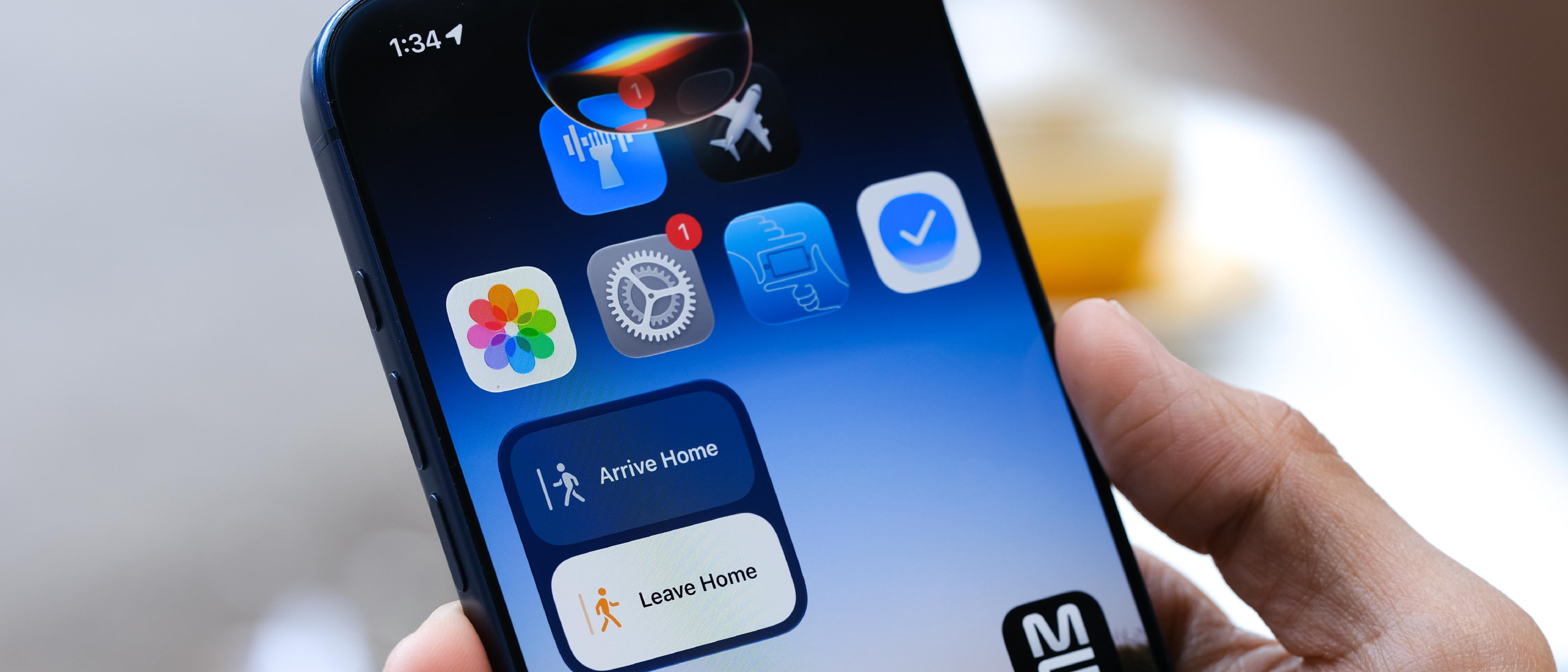
The iOS 27.3 Developer Preview: Siri AI Goes Beyond Apple‑Only
Apple’s latest developer preview, iOS 27.3, marks a decisive shift in how Siri AI interacts with the ecosystem. Historically, Siri’s capabilities were confined to Apple‑first services—messages, calendar, music, and a handful of system‑level shortcuts. The new preview removes that barrier, allowing Siri to invoke actions inside any third‑party app that opts in.
Key announcements from the preview include:
- Universal access: Siri can now read a user’s personal context (e.g., location, recent activity) and translate that into actionable commands inside third‑party apps.
- Natural‑language processing (NLP) upgrades: The assistant interprets complex, multi‑step prompts without requiring rigid syntax.
- On‑screen awareness: Siri can “see” UI elements on the screen, enabling it to tap buttons, fill forms, or scroll content as part of a request.
Apple frames this as a “developer‑first” move, providing a Developer Preview that ships with comprehensive documentation and sample code. The rollout begins on Tuesday, with the preview first available to registered developers before a broader public release.
Technical Deep Dive: How “App Skills” Enable Multi‑Task Automation
The cornerstone of the new functionality is the App Skills framework. At its core, an App Skill is a declarative description of one or more tasks an app can perform when invoked by Siri. Unlike traditional Siri shortcuts, which require the user to name the app explicitly, App Skills let developers bundle several actions into a single voice intent.
Architecture Overview
- Skill Manifest – A JSON‑based file bundled with the app that lists supported intents, required parameters, and UI affordances.
- Context Provider – An API that surfaces user‑specific data (e.g., recent contacts, location) to Siri, respecting the user’s privacy settings.
- On‑Screen Bridge – A lightweight runtime that maps Siri’s logical actions to concrete UI events (tap, swipe, type). This bridge leverages Apple’s existing accessibility APIs, ensuring that the assistant can interact with any view that is accessibility‑labelled.
Sample Flow
A user says, “Book a table for two at my favorite Italian place tomorrow night.” Siri proceeds as follows:
- Intent Parsing – The NLP engine extracts intent (
make_reservation), entities (party_size=2,cuisine=Italian,date=tomorrow night). - App Skill Matching – The system queries the Skill Manifest of installed restaurant‑booking apps. The first app that declares support for
make_reservationwith matching parameters is selected. - Context Injection – Siri supplies the user’s preferred location and payment method via the Context Provider.
- On‑Screen Execution – The bridge drives the app’s UI: selects the date picker, fills the party size, confirms the reservation, and returns a spoken confirmation.
Developers need only implement the manifest and expose the required parameters; the heavy lifting of voice parsing and UI interaction is handled by the OS.
Privacy Safeguards
Apple emphasizes that all contextual data is processed on‑device. The Context Provider encrypts user data and only shares it with the target app after explicit user consent. This design mirrors the on‑device processing model introduced with the Apple Neural Engine for other AI tasks.
Why It Matters: Benefits for Developers and End Users
For Developers
- Reduced friction: No need to create separate shortcut actions for each feature; a single App Skill can expose a rich set of capabilities.
- Higher engagement: Voice‑first interactions can surface app functionality that users might otherwise overlook.
- Cross‑app orchestration: Developers can design skills that chain actions across multiple apps (e.g., “Find a flight, then book a ride to the airport”).
For Users
- Natural conversation: Users can speak as they would to a human assistant, without remembering app names or specific commands.
- Context‑aware assistance: Siri can suggest actions based on the current screen, such as “Add this address to Contacts” when a map is displayed.
- Accessibility boost: Users with motor impairments gain a more reliable way to interact with third‑party apps, thanks to the on‑screen awareness layer.
These advantages echo the broader industry trend toward voice‑first ecosystems, a direction already evident in Android’s “App Actions” and Amazon’s “Alexa Skills”. Apple’s move narrows the gap, positioning Siri as a true universal assistant rather than a siloed feature.
Industry Impact: Shifting the Competitive Landscape
Apple’s announcement reverberates across several market segments:
- Mobile Development – The new API set will become a staple in iOS SDKs. Developers building new apps will likely prioritize Siri integration to stay competitive, much like they did with iPhone 18 Base Rumors: Bigger Battery, Higher Price , where early adopters leveraged hardware improvements to differentiate their products.
- Hardware Design – As voice interaction becomes more central, device manufacturers may prioritize microphone arrays and on‑device AI accelerators. The USB‑C on Your Phone: More Than Just Charging and Data article highlighted how peripheral capabilities can unlock new software experiences; Siri’s on‑screen awareness could similarly drive hardware refinements.
- Security & Privacy – The integration raises questions about data leakage. Apple’s on‑device processing model is a direct response to concerns highlighted in Zoom Annotation Flaw Patched After AI‑Prompt Exploit , where AI‑driven attacks exploited cloud‑based processing. By keeping context local, Apple mitigates a class of remote exploits.
Competitors will need to respond. Google’s “Assistant for Android” already supports “App Actions,” but Apple’s tighter hardware‑software integration and privacy guarantees could set a higher bar for seamless voice control.
Future Outlook: Opportunities and Challenges Ahead
Opportunities
- Cross‑platform extensions: Apple could expose a web‑based version of App Skills, allowing progressive web apps (PWAs) to participate without native binaries.
- Enterprise adoption: Business‑focused apps (CRM, project management) could embed Siri‑driven workflows, reducing training overhead.
- AI‑enhanced personalization: As Apple refines its on‑device language models, Siri may anticipate user needs before a command is spoken, further blurring the line between proactive assistant and reactive tool.
Challenges
- Developer onboarding: The new framework introduces a learning curve. Apple must provide robust tooling, sample projects, and clear guidelines to avoid fragmented implementations.
- User trust: Even with on‑device processing, users may be wary of an assistant that can “see” the screen. Transparent consent dialogs and clear privacy dashboards will be essential.
- Performance constraints: Real‑time UI manipulation while maintaining low latency demands efficient use of the Neural Engine and GPU. Edge cases (complex animations, third‑party UI frameworks) could expose latency spikes.
If Apple can address these hurdles, Siri’s evolution could redefine how we think about mobile interaction—shifting from touch‑centric to voice‑plus‑visual experiences.
Frequently Asked Questions
Q1: Do I need to update my iPhone to iOS 27.3 to use App Skills?
A: The functionality is currently limited to the Developer Preview. Public users will receive the feature in a later stable release, which will be announced by Apple.
Q2: Will Siri still require me to say the app’s name?
A: No. When an app registers an App Skill, Siri can infer the correct target based on intent and context, eliminating the need for explicit app naming.
Q3: How does Apple protect my personal data when Siri accesses my context?
A: All contextual processing occurs on‑device. Data is encrypted and shared with the target app only after you grant permission for that specific action.
Q4: Can I disable Siri’s on‑screen awareness for privacy reasons?
A: Yes. In Settings → Siri & Search, you can toggle “Screen Interaction” off, which limits Siri to voice‑only actions.
Q5: Are there any performance impacts on older iPhone models?
A: Apple has optimized the on‑screen bridge to run on the Neural Engine, but older devices may experience slightly higher latency. Apple recommends iPhone 12 or newer for the best experience.
Siri’s expansion into third‑party apps via iOS 27.3 is more than a feature update; it’s a strategic pivot toward a truly unified voice assistant ecosystem. By marrying on‑device AI, contextual awareness, and a developer‑friendly “App Skills” model, Apple positions Siri to compete head‑to‑head with rival assistants while preserving the privacy standards that have become its hallmark. The coming months will reveal how quickly developers adopt the new APIs and how users respond to a voice assistant that can act across the entire iPhone landscape.
Source: Original Article