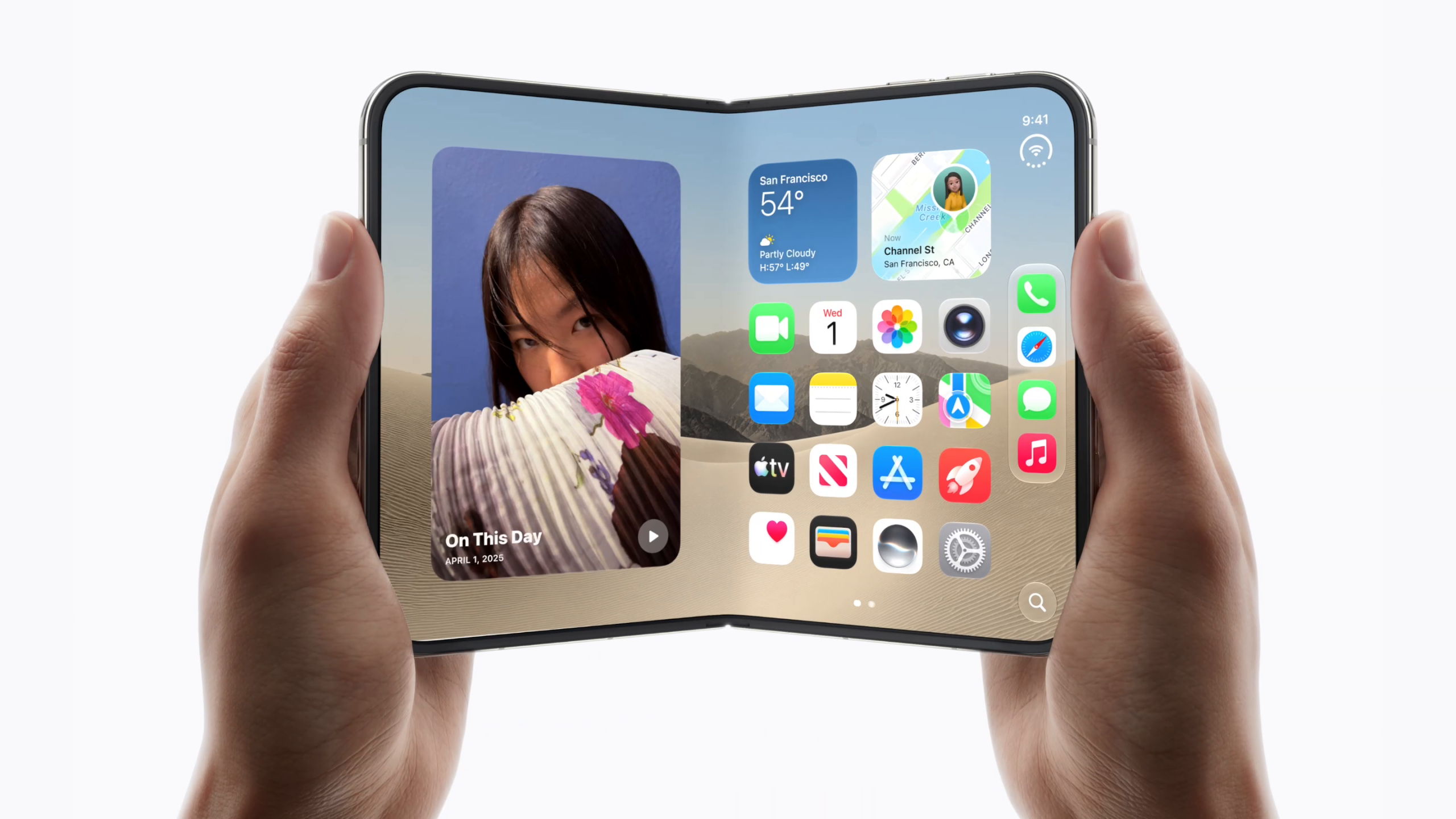




What’s New in Xcode 27.1 Beta?
Apple announced the first beta of Xcode 27.1 on Tuesday, positioning the release as the definitive toolkit for building apps on the soon‑to‑launch iPhone Duo. The beta is only available to developers with Apple‑silicon Macs running macOS 26.6 or later, a requirement that aligns with Apple’s ongoing transition away from Intel hardware.
Key additions include:
- Dedicated iPhone Duo SDKs – Complete API surface for the dual‑screen form factor, including new layout guides, multitasking hooks, and gesture recognizers.
- Enhanced Simulator – A visual simulator that reproduces the Duo’s two displays, hinge angles, and orientation changes in real time.
- Project Templates – Starter templates that pre‑configure Info.plist entries, asset catalogs, and interface files for Duo‑specific UI patterns.
- Debugging Tools – Updated Instruments profiles that capture performance metrics across both screens simultaneously.
The beta also ships with incremental updates to existing frameworks (UIKit, SwiftUI, CoreGraphics) to expose the new screen‑aware APIs without breaking legacy code.
Why iPhone Duo Support Matters
The iPhone Duo represents Apple’s first foray into a true dual‑screen smartphone, a design that has been explored by competitors for years. From a developer’s perspective, the device introduces several paradigm shifts:
- New Interaction Models – Users can run two apps side‑by‑side, drag content between screens, or use the hinge as a physical input surface. Apps must therefore think beyond a single viewport.
- Design Consistency – Apple’s Human Interface Guidelines (HIG) now include a “Dual‑Screen” chapter, demanding consistent spacing, safe‑area handling, and adaptive typography.
- Performance Considerations – Rendering two high‑resolution displays simultaneously doubles GPU bandwidth requirements, pushing developers to optimize drawing paths and memory usage.
By providing early SDK access, Apple gives developers a chance to prototype, test, and iterate before the hardware hits the market. Early adopters can also influence final API decisions through feedback channels, potentially shaping the long‑term developer experience.
Technical Deep Dive: SDKs and Simulator Enhancements
Dual‑Screen SDK Architecture
The new SDK introduces the DUOScreen class hierarchy, which abstracts each physical display as a separate UIScreen instance while exposing a unified coordinate space through DUOWindow. Key properties include:
screenID– Identifier for left or right panel.hingeAngle– Real‑time angle measurement (0°–180°) useful for dynamic UI adjustments.isFolded– Boolean indicating whether the device is in a single‑screen mode.
Developers can query these properties at runtime to adapt layouts on the fly. For SwiftUI, Apple added the dualScreen() view modifier, enabling declarative layout changes based on screen state.
Simulator Capabilities
The Xcode 27.1 simulator now supports:
- Live hinge manipulation – Drag the virtual hinge to any angle, observing how UI elements reflow.
- Pose presets – Pre‑defined configurations such as “Book Mode,” “Tent Mode,” and “Flat Mode” to test edge cases.
- Performance profiling – Separate GPU and CPU counters for each screen, helping identify bottlenecks early.
These tools dramatically reduce the need for physical hardware during early development cycles, a benefit echoed in recent iOS‑focused articles like the one on WhatsApp’s new in‑chat search feature, which highlighted how simulator fidelity accelerates UI iteration. WhatsApp iOS adds in‑chat search, a recent iOS UI enhancement
Compatibility and Migration
Existing Xcode projects remain compatible; the new Duo SDK is an optional add‑on. However, Apple recommends enabling the “Enable Dual‑Screen Support” build setting to ensure proper asset catalog handling. Legacy code that assumes a single UIScreen.main will need conditional checks to avoid runtime crashes on Duo devices.
Impact on the iOS Development Ecosystem
App Store Landscape
With the Duo’s launch, Apple is expected to create a dedicated “Dual‑Screen” category in the App Store, similar to the “Apple Watch” and “iPad” sections. Early movers can secure prime placement, driving higher visibility and downloads. Moreover, Apple’s revenue‑share model remains unchanged, but the higher hardware price point may translate into larger average revenue per user (ARPU) for Duo‑optimized apps.
Toolchain Evolution
Xcode 27.1’s release signals a broader shift in Apple’s toolchain philosophy: tighter integration between hardware capabilities and development APIs. The move mirrors Apple’s earlier push for SwiftUI, where declarative UI became the default. Developers who adopt the new dual‑screen APIs now will find migration to future versions smoother, as Apple tends to deprecate older patterns gradually.
Security and Quality Assurance
Dual‑screen devices double the attack surface for UI‑related vulnerabilities (e.g., overlay attacks that exploit the hinge). Apple’s updated static analysis tools in Xcode now flag potential cross‑screen data leaks. This focus on security aligns with industry trends, as seen in the recent Zoom annotation flaw patch that underscored the need for rigorous security testing. Zoom’s recent security patch highlights the importance of secure development practices
Developer Community Response
Early beta feedback on forums such as the Apple Developer Forums has been enthusiastic, with many praising the simulator’s realism. Some concerns remain about the steep learning curve for handling two concurrent UI trees, but Apple’s extensive documentation and WWDC sessions are expected to mitigate these issues.
Future Outlook and Developer Preparation
Timeline to Production
Apple lists the iPhone Duo as “Coming Soon” in its Buyer’s Guide, with a tentative launch window in early 2027. Developers should aim to have a beta‑ready build by Q4 2026 to take advantage of pre‑launch marketing opportunities.
Skill Development
- SwiftUI Mastery – The
dualScreen()modifier is SwiftUI‑first; mastering declarative UI will pay dividends. - Performance Profiling – Familiarize yourself with Instruments’ new dual‑screen metrics.
- Design Adaptability – Study the updated HIG and experiment with responsive layouts using Auto Layout constraints tied to
DUOScreensafe areas.
Mac Security Considerations
Since Xcode now runs exclusively on Apple‑silicon Macs, developers must ensure their machines are protected against malware that could compromise code signing or keychain data. Tools like Intego One provide an extra layer of defense for macOS developers. Mac security considerations for developers
Frequently Asked Questions
Q: Do I need a brand‑new Mac to run Xcode 27.1 beta?
A: The beta requires an Apple‑silicon Mac (M1, M2, or later) with macOS 26.6 or newer
Q: Can I test iPhone Duo apps on a non‑Apple‑silicon Mac using a cloud‑based simulator?
A: Apple’s official simulator is bundled with Xcode and runs natively on Apple‑silicon hardware. While third‑party cloud services may offer remote macOS instances, they must still meet the Apple‑silicon requirement; otherwise, certain hardware‑accelerated features (e.g., hinge‑angle rendering) will be unavailable.
Q: Will existing iPad‑or‑iPhone‑only apps run on the iPhone Duo without modification?
A: Yes, apps that rely solely on a single UIScreen.main will launch in “single‑screen” mode when the Duo is folded flat. However, Apple recommends adding optional dual‑screen support to avoid UI clipping and to take advantage of the larger combined display area.
Q: How does the new “Dual‑Screen” App Store category affect discoverability?
A: Apple plans to surface Duo‑optimized apps in a dedicated “Dual‑Screen” tab, similar to the existing “Apple Watch” section. Apps that declare the UIRequiresDualScreen entitlement and pass Apple’s dual‑screen UI review will be eligible for featured placement.
Q: Are there any new privacy considerations for Duo apps?
A: Because Duo devices expose two independent screens, Apple’s App Privacy Report now includes a “Cross‑Screen Data Flow” metric. Developers must disclose any data shared between the two screens, and the static analyzer will flag inadvertent leaks.
Q: When will the final, production‑ready version of Xcode 27.1 be released?
A: Apple typically follows a three‑month beta cadence. Assuming the current beta timeline holds, the GM (Gold Master) build is expected in February 2027, shortly before the iPhone Duo’s market launch.
Conclusion
Apple’s rollout of Xcode 27.1 beta marks a pivotal moment for the iOS ecosystem, ushering in a new era of dual‑screen development that challenges long‑standing single‑viewport assumptions. By delivering a robust SDK, a high‑fidelity simulator, and early‑access templates, Apple equips developers with the tools they need to experiment, iterate, and ship compelling experiences for the iPhone Duo. Teams that invest now—by mastering SwiftUI’s dualScreen() modifier, profiling dual‑GPU workloads, and aligning with the updated Human Interface Guidelines—will be well positioned to capture the premium market segment that the Duo’s higher price point promises. As the launch window approaches, keep an eye on WWDC sessions, Apple’s developer documentation updates, and community feedback channels to stay ahead of any API refinements before the device hits stores.
Stay tuned for our post‑launch coverage, where we’ll review the first wave of Duo‑optimized apps and share performance benchmarks from real‑world hardware.
Source: Original Article