
Overview of the Gym Strength Feature
Apple’s latest software refresh, iOS 27.3 (alongside iPadOS 27.3 and watchOS 27.3), introduces Gym Strength, a brand‑new workout stream for Apple Fitness+. The service generates a four‑week strength‑training plan that adapts to a user’s personal goals, experience level, weekly availability, and the equipment they have on hand.
Key characteristics of Gym Strength include:
- Goal‑driven programming – users select primary objectives such as “muscle gain,” “strength maintenance,” or “functional fitness.”
- Equipment awareness – the algorithm asks whether the user has dumbbells, barbells, kettlebells, resistance bands, or a full rack, then builds sessions around what’s available.
- Dynamic scheduling – you pick the days you intend to train, the length of each session, and the body parts you want to prioritize.
- Progressive adaptation – after each week the system evaluates logged reps, sets, and load, then tweaks the next week’s volume and intensity.
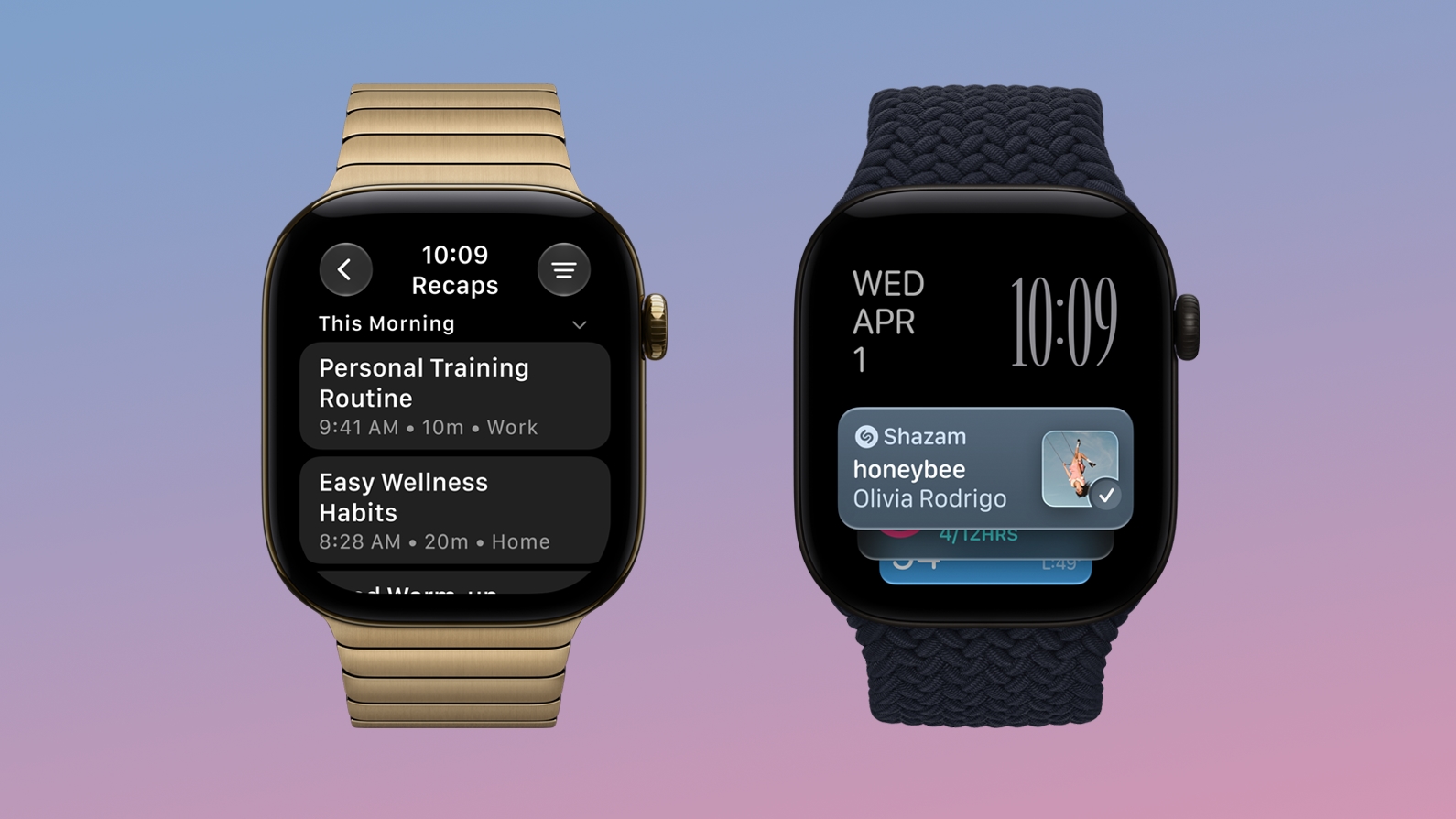
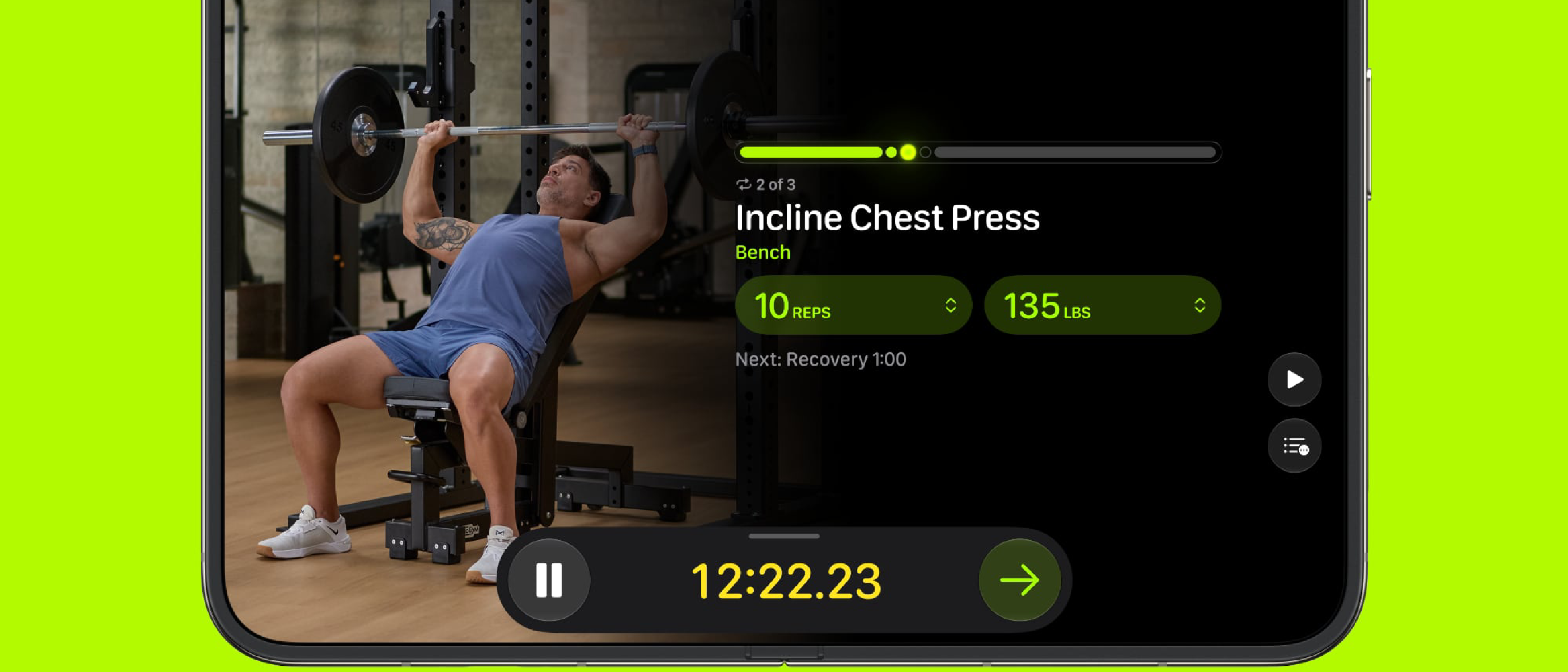
The feature is accessible on iPhone and iPad, where users can view full workout videos, and on Apple Watch, which now logs exercise details, weight lifted, and real‑time metrics such as heart‑rate zones and calories burned.
Why It Matters to Consumers
Personalization at Scale
Strength training has traditionally required a human coach or a static program that may not align with a user’s schedule or equipment. Gym Strength leverages Apple’s on‑device machine‑learning models to deliver a personalized, data‑driven regimen without the need for a subscription to a third‑party trainer. For casual lifters, this removes the guesswork of “how many sets should I do?” and for seasoned athletes, it offers a fresh perspective that can complement existing routines.
Seamless Ecosystem Integration
Apple’s ecosystem advantage shines here. The iPhone and iPad present the visual component—high‑definition video demonstrations from certified Fitness+ trainers—while the Apple Watch captures the kinetic data. Because the watch already tracks heart‑rate, VO₂ max, and activity rings, Gym Strength can automatically overlay strength‑specific metrics (e.g., time‑under‑tension, estimated one‑rep max) onto the existing health dashboard. This unified experience eliminates the friction of switching between apps or manually entering data.
Lower Barrier to Entry
By allowing users to specify experience level (beginner, intermediate, advanced), the system scales the complexity of exercises, rep schemes, and load recommendations. Beginners receive guidance on proper form and lighter weights, while advanced users see periodized programming that includes progressive overload and deload weeks. The inclusion of short video demos further reduces injury risk—a common concern for home‑gym users.
Technical Breakdown
On‑Device Machine Learning
Gym Strength’s recommendation engine runs locally on the device, respecting Apple’s privacy‑first stance. The model ingests:
- User profile data – age, gender, height, weight, and self‑reported fitness goals.
- Historical workout logs – previous Fitness+ sessions, Apple Watch strength metrics, and HealthKit entries.
- Equipment inventory – a simple toggle list that the user configures in the app.
The model then outputs a four‑week micro‑cycle consisting of 3–5 sessions per week, each with prescribed exercises, rep ranges, set counts, and suggested load percentages based on the user’s estimated 1RM (one‑rep max). The algorithm follows a classic linear periodization template but introduces adaptive adjustments: if a user consistently exceeds the target rep range, the next week’s load is increased by 5 %; if they fall short, the load is reduced to maintain form.
Integration with Existing Fitness+ Architecture
Gym Strength reuses the existing Fitness+ streaming infrastructure, which already supports adaptive bitrate streaming, DRM, and global CDN delivery. The new workout videos are stored alongside other Fitness+ content, tagged with metadata that the recommendation engine reads to match equipment constraints (e.g., “requires barbell”).
On the watchOS side, a new Strength Log UI layer was added to the Workout app. It captures:
- Exercise name
- Number of sets
- Reps per set
- Weight used (entered manually or via compatible smart‑equipment APIs)
- Rest intervals (automatically measured via inactivity detection)
All data syncs to iCloud and appears in the Health app under the “Strength Training” category, enabling longitudinal analysis.
Compatibility and Performance Considerations
Gym Strength is available on devices that support iOS 27.3 or later, which includes iPhone 12 and newer, iPad 9th generation and newer, and Apple Watch Series 5 and newer. The on‑device model is lightweight (≈15 MB) and runs efficiently on the A15 Bionic chip and later, ensuring no noticeable battery drain during plan generation. Users with older hardware will still receive the feature but may experience slightly longer plan‑generation times.
User Experience & Interface Design
On iPhone & iPad
The Gym Strength onboarding flow is a step‑by‑step wizard:
Goal selection – visual cards illustrate each objective.
Equipment checklist – icons for dumbbells, kettlebells, barbells, resistance bands, and “bodyweight only.”
Schedule picker – a calendar view lets users drag‑and‑drop preferred workout days.
Session length slider – from 15 minutes to 60
Session length slider – from 15 minutes to 60 minutes, letting you tailor each workout to the time you have available.
Once the wizard is complete, the app presents a four‑week calendar view. Each day shows a thumbnail of the workout, the primary muscle group, and the estimated total volume (sets × reps × load). Tapping a day expands the session details, where you can:
- Preview the exercise video (30‑second clip showing proper form).
- See the prescribed load (e.g., “Barbell Back Squat – 70 % of 1RM, 3 × 8”).
- Adjust the weight manually if you feel the recommendation is off.
A “Start Workout” button launches the session on the watch, while the iPhone/iPad remains available for reference.
Apple Watch Experience
On watchOS 27.3 the Strength Workout interface has been redesigned to accommodate the new data points:
- Live rep counter – the watch uses its accelerometer and gyroscope to detect each full range‑of‑motion rep, automatically incrementing the count.
- Load entry – after completing a set, a quick‑tap UI lets you confirm the weight used (or adjust it). If you have a compatible smart‑equipment hub (e.g., Apple‑certified dumbbell set), the weight is transmitted automatically via Bluetooth.
- Rest timer – a built‑in timer starts as soon as you finish a set, displaying the recommended rest interval (e.g., 90 seconds) and vibrating when it’s time to begin the next set.
- Metrics overlay – heart‑rate, calories, and a new “Time‑under‑Tension” gauge appear in real time, giving you immediate feedback on effort.
All logged data syncs instantly to the Health app and appears in the Fitness+ Summary tab on the iPhone, where you can track week‑over‑week progress, see trends in estimated 1RM, and compare your adherence to the plan.
Pricing & Availability
Gym Strength is included at no extra cost for existing Apple Fitness+ subscribers. The feature rolled out globally on 27 November 2026, alongside the iOS 27.3, iPadOS 27.3, and watchOS 27.3 updates. No additional hardware is required beyond a compatible iPhone, iPad, or Apple Watch; however, having the appropriate strength‑training equipment will unlock the full range of exercises.
Pros and Cons
| Pros | Cons |
|---|---|
| Fully personalized 4‑week program generated on‑device (privacy‑first). | Requires manual weight entry unless you own Apple‑compatible smart equipment. |
| Seamless integration with existing Fitness+ video library and Health data. | Limited to the exercises currently catalogued in Fitness+ (≈150 movements). |
| Adaptive progression based on actual performance, reducing plateaus. | No built‑in social or community challenges for strength training (still text‑only leaderboards). |
| Video demos for each exercise help ensure proper form. | Users on older hardware may experience slower plan generation. |
| Watch‑centric logging eliminates the need for a separate strength‑training app. | No option to import external strength programs (e.g., StrongLifts) directly. |
Comparison with Competitors
| Feature | Apple Fitness+ Gym Strength | Strong (iOS) | Nike Training Club |
|---|---|---|---|
| On‑device AI personalization | ✅ | ❌ (cloud‑based) | ❌ (static plans) |
| Automatic rep detection | ✅ (watch) | ❌ (manual) | ❌ (manual) |
| Integrated video demos | ✅ | ✅ (limited) | ✅ |
| Equipment‑aware programming | ✅ | ✅ (requires manual input) | ❌ |
| HealthKit sync | ✅ | ✅ | ✅ (partial) |
| Subscription cost | Included with Fitness+ | $9.99/mo | Free (ads) |
Apple’s strength lies in the tight hardware‑software loop; the watch’s sensor suite enables hands‑free rep counting, something most third‑party apps still rely on manual entry for.
Conclusion
Gym Strength marks Apple’s first foray into automated strength‑training periodization within the Fitness+ ecosystem. By marrying on‑device machine learning with the familiar video‑driven experience, Apple delivers a solution that feels both personal and effortless. For users already entrenched in the Apple health stack, the feature adds genuine value—especially for those who struggle to design a balanced program or simply want a convenient way to track their lifts without juggling multiple apps.
While the library of exercises isn’t exhaustive and the reliance on manual weight entry may feel clunky for some, the overall experience is polished, privacy‑centric, and well‑integrated. As Apple continues to expand its Fitness+ content and potentially adds support for more smart‑gym equipment, Gym Strength could evolve into a comprehensive home‑gym companion that rivals dedicated strength‑training platforms.
Bottom line: If you’re an Apple Fitness+ subscriber with a modest home‑gym setup, Gym Strength is a worthwhile addition that can keep you progressing, motivated, and safely on track toward your strength goals.
FAQ
Q: Do I need an Apple Watch to use Gym Strength? A: No. The full workout videos and plan generation are available on iPhone and iPad. However, the Watch provides automatic rep counting, load entry, and real‑time metrics, which greatly streamlines the logging process.
Q: Can I edit the generated plan? A: Yes. After the four‑week schedule is created, you can swap individual exercises, adjust set/rep schemes, or change the load for any session. The algorithm will incorporate those changes into the next week’s adaptation.
Q: How does the app estimate my 1RM? A: The model uses a combination of your entered weight, reps performed, and historical strength data from HealthKit to calculate an estimated one‑rep max using the Epley formula. This estimate is updated each week based on logged performance.
Q: Is my data shared with Apple or third parties? A: All personalization calculations run locally on your device. Only aggregated, anonymized usage statistics may be sent to Apple for product improvement, in line with the standard Fitness+ privacy policy.
Q: Will Gym Strength work with my existing third‑party strength app? A: Currently, Gym Strength does not import or export workouts to other apps. You can manually log the same sessions in another app if you wish, but there is no automatic synchronization.
Q: What if I don’t have any equipment? A: Selecting “bodyweight only” in the equipment checklist will generate a program focused on calisthenics (push‑ups, pull‑ups, lunges, etc.) and uses the Apple Watch’s motion sensors to count reps.
Q: How often does Apple add new exercises to the library? A: Apple typically rolls out new Fitness+ content monthly. New strength‑training videos are expected to be added on the same schedule, expanding the pool of exercises the algorithm can draw from.
Q: Can I pause or skip weeks? A: Yes. The calendar view lets you mark a day as “rest” or “skip,” and the algorithm will adjust the subsequent week’s volume accordingly.
Q: Is there a free trial for Fitness+ that includes Gym Strength? A: New users can still access the standard 30‑day free trial of Apple Fitness+. Gym Strength is available to any subscriber during that trial period.
Source: Original Article