

What the Extension Actually Means
Apple’s latest press release, timed with the unveiling of the iPhone 18 Pro line, announced a third extension of its satellite‑based safety suite. Users of iPhone 14, iPhone 15, and iPhone 16 who activated their devices in a supported country before midnight Pacific Time on September 9, 2026 will retain free access to:
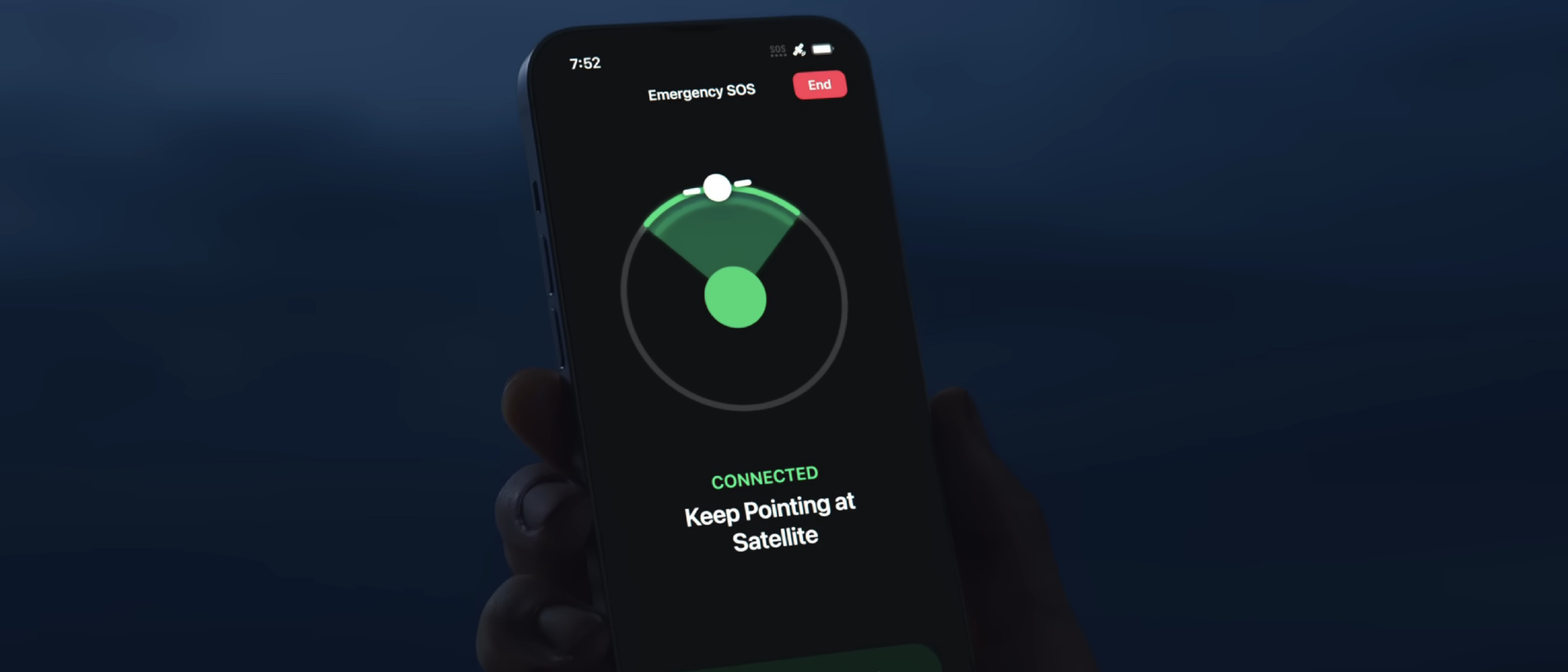
- Emergency SOS via satellite
- Messages via satellite
- Find My via satellite
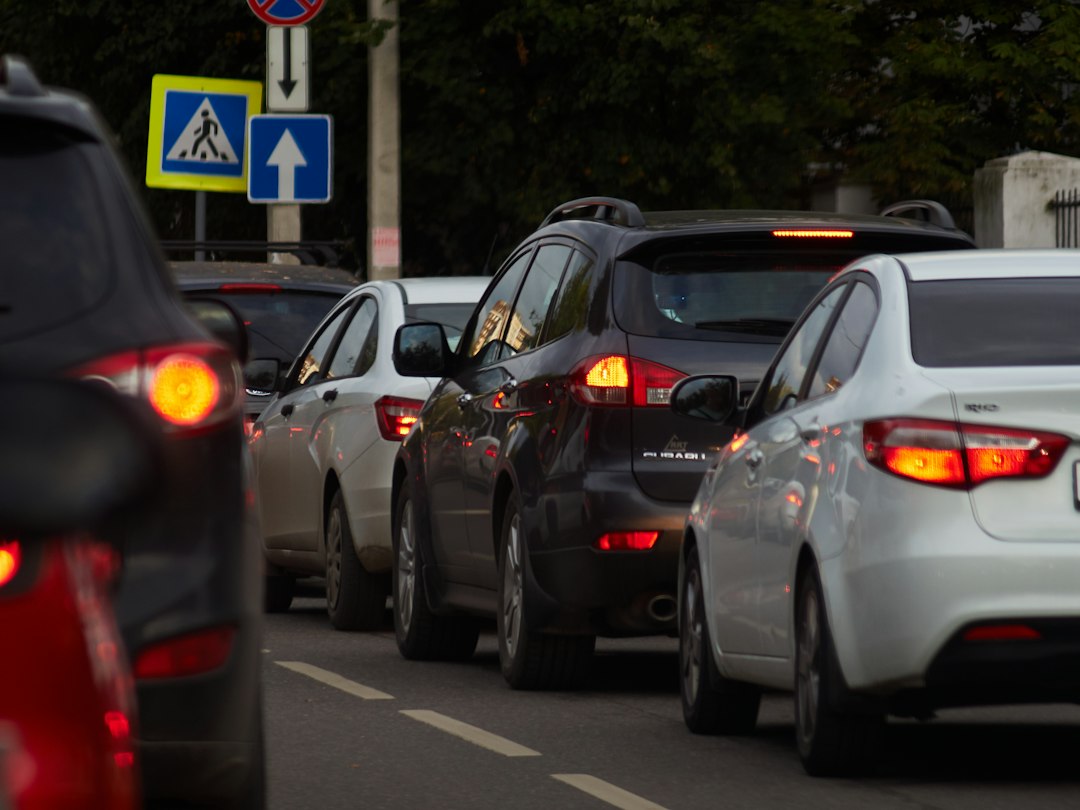
- Roadside Assistance via satellite
The extension adds one full calendar year to the existing trial period. For iPhone 14 owners this is the third time the free window has been lengthened; iPhone 15 owners receive their first extension, and iPhone 16 owners are covered for the first time. The practical upshot is that qualifying devices can continue to call for help, send text‑based updates, and be located without any cellular or Wi‑Fi connection—all at no cost—until at least September 2027.
Technical Breakdown of Apple’s Satellite Stack
The Globalstar Backbone
Apple’s satellite services are built on a partnership with Globalstar, a low‑Earth‑orbit (LEO) constellation that provides narrow‑band data links. Apple’s software translates user‑level requests (e.g., “Send SOS”) into a compact data packet that fits within Globalstar’s 1.2 kbps uplink capacity. The phone’s custom antenna array, first introduced with the iPhone 14, is tuned to the 1.6 GHz band used by Globalstar, allowing a reliable link even in dense foliage or urban canyons.
Signal Acquisition and Power Management
Acquiring a satellite signal is power‑intensive. Apple mitigates this by:
- Pre‑flight Calibration – The device stores a sky‑map of satellite ephemerides, enabling rapid lock‑on without a full sweep.
- Adaptive Transmission – The modem adjusts modulation depth based on signal‑to‑noise ratio, extending battery life by up to 30 % compared with the original implementation.
- Low‑Power Mode – When the user initiates a satellite request, the phone temporarily suspends non‑essential background tasks, preserving the remaining battery for the duration of the transmission.
Software Integration
All four features are exposed through native iOS APIs:
SOSSatelliteService– Handles emergency calls, automatically attaching device location, battery status, and medical ID.MessageSatelliteService– Provides a UI‑layer that compresses text into a 90‑character payload, respecting the bandwidth ceiling.FindMySatelliteService– Periodically pings the satellite network to update the device’s last known location in the Find My ecosystem.RoadsideAssistanceSatelliteService– Connects the user with Apple‑partner roadside providers, transmitting vehicle makeRoadsideAssistanceSatelliteService – Connects the user with Apple‑partner roadside providers, transmitting vehicle make, model, and approximate location derived from the satellite ping. The service also relays a short diagnostic code (e.g., “flat tire,” “dead battery”) that the provider can use to dispatch the appropriate assistance without needing a cellular connection.
Security & Privacy Considerations
Apple continues to emphasize that all satellite communications are end‑to‑end encrypted. The payloads are wrapped in a TLS‑like tunnel before being handed off to Globalstar’s ground stations, and the satellite link itself carries only a minimal amount of metadata (device ID, timestamp, and a one‑time session key). Location data used by Find My via satellite is stored in Apple’s iCloud keychain and is never shared with third‑party advertisers.
What This Means for iPhone 14‑16 Owners
| Device | Original Expiration | First Extension | Second Extension (2026) | New Expiration |
|---|---|---|---|---|
| iPhone 14 | Sep 2024 | Sep 2025 | Sep 2026 | Sep 2027 |
| iPhone 15 | Sep 2025 | – | Sep 2026 | Sep 2027 |
| iPhone 16 | Sep 2026 | – | Sep 2026 | Sep 2027 |
- No additional cost for any of the four satellite services during the extended period.
- Eligibility is locked in at the time of activation; users who activated after the September 9 cutoff will not receive the extension.
- Battery impact remains unchanged from the original implementation—Apple estimates an average of 5 minutes of active satellite use per emergency, which drains roughly 3 % of the battery.
How to Check Your Eligibility
- Open Settings → General → About.
- Scroll to Satellite Service Eligibility. If the date reads “Eligible until September 2027,” you’re covered.
- Alternatively, launch Find My, tap the i icon next to your device, and look for the “Satellite Services” banner.
Enabling / Disabling Satellite Features
Apple allows users to toggle each feature individually:
- Emergency SOS via satellite – Settings → Emergency SOS → Satellite (toggle on/off).
- Messages via satellite – Settings → Messages → Satellite Messaging.
- Find My via satellite – Settings → Privacy & Security → Location Services → Find My → Satellite.
- Roadside Assistance via satellite – Settings → Apple Care → Roadside Assistance → Satellite.
Disabling a feature does not affect the free‑access window; it merely stops the phone from attempting to use that service when cellular coverage is unavailable.
Business Implications
Apple’s decision to extend the free tier for three consecutive years signals a strategic bet on safety‑first differentiation rather than immediate monetization. By keeping the service free, Apple:
- Strengthens ecosystem lock‑in – Users who rely on satellite safety features are less likely to switch to Android devices that lack comparable capabilities.
- Collects valuable usage data (anonymized) that can inform future satellite‑related hardware upgrades, such as a higher‑gain antenna slated for the iPhone 19 series.
- Positions itself for a future paid tier – Industry analysts speculate that once the free window expires, Apple may introduce a subscription model (e.g., $4.99/month) for unlimited satellite messaging, similar to its Apple Watch cellular plan.
Future Outlook
Apple’s partnership with Globalstar is set to expire in 2028, at which point the company may transition to its own LEO constellation or partner with a higher‑throughput provider such as SpaceX’s Starlink. A higher bandwidth link would enable richer data (e.g., photos, voice calls) over satellite, potentially opening new revenue streams.
In the meantime, Apple has hinted at a “Satellite API” for third‑party developers, allowing apps to request low‑bandwidth satellite connectivity for niche use cases (e.g., wildlife tracking, remote‑site reporting). If released, this could further cement Apple’s role as the de‑facto platform for consumer‑grade satellite communications.
Conclusion
Apple’s third extension of free satellite services for iPhone 14, 15, and 16 users underscores the company’s commitment to safety‑centric features as a core differentiator. By granting an additional year of free access, Apple ensures that millions of users worldwide can continue to call for help, stay connected, and locate their devices even when traditional networks fail. The move also buys Apple time to refine its satellite hardware and explore new business models before the eventual transition to a paid tier or a next‑generation satellite network.
Frequently Asked Questions
Q: Do I need to be on the latest iOS version to keep the free satellite access?
A: Yes. The extended trial requires iOS 18 or later, which includes the updated satellite‑service APIs and security patches.
Q: Will the free period apply to devices that were refurbished or purchased second‑hand?
A: Only if the device’s original activation date (the first time it was turned on in a supported country) falls before the September 9, 2026 cutoff. Refurbished devices retain the original activation record.
Q: Can I use satellite services outside of the supported countries?
A: Satellite coverage is limited to regions where Globalstar’s ground stations have regulatory approval. Apple’s support page lists the current coverage map; attempting to use the service outside those regions will result in a “Service unavailable” message.
Q: What happens after September 2027?
A: Apple has not announced the post‑trial pricing model yet. Historically, the company has moved to a paid subscription after the free window, so users should expect a potential fee unless Apple decides to keep the service free indefinitely.
Q: Does using satellite services affect my data plan?
A: No. Satellite communications are billed separately from cellular data and are currently free for eligible devices during the trial period.
Q: How accurate is the location data from Find My via satellite?
A: The satellite link provides a location accuracy of roughly 100 meters, which is sufficient for rescue teams to pinpoint a user’s general area in most scenarios.
Q: Can I share my satellite‑enabled iPhone with a family member and still retain the free period?
A: The eligibility is tied to the device, not the Apple ID. As long as the device remains activated in a supported country before the cutoff, any user can benefit from the free services.
Source: Original Article