


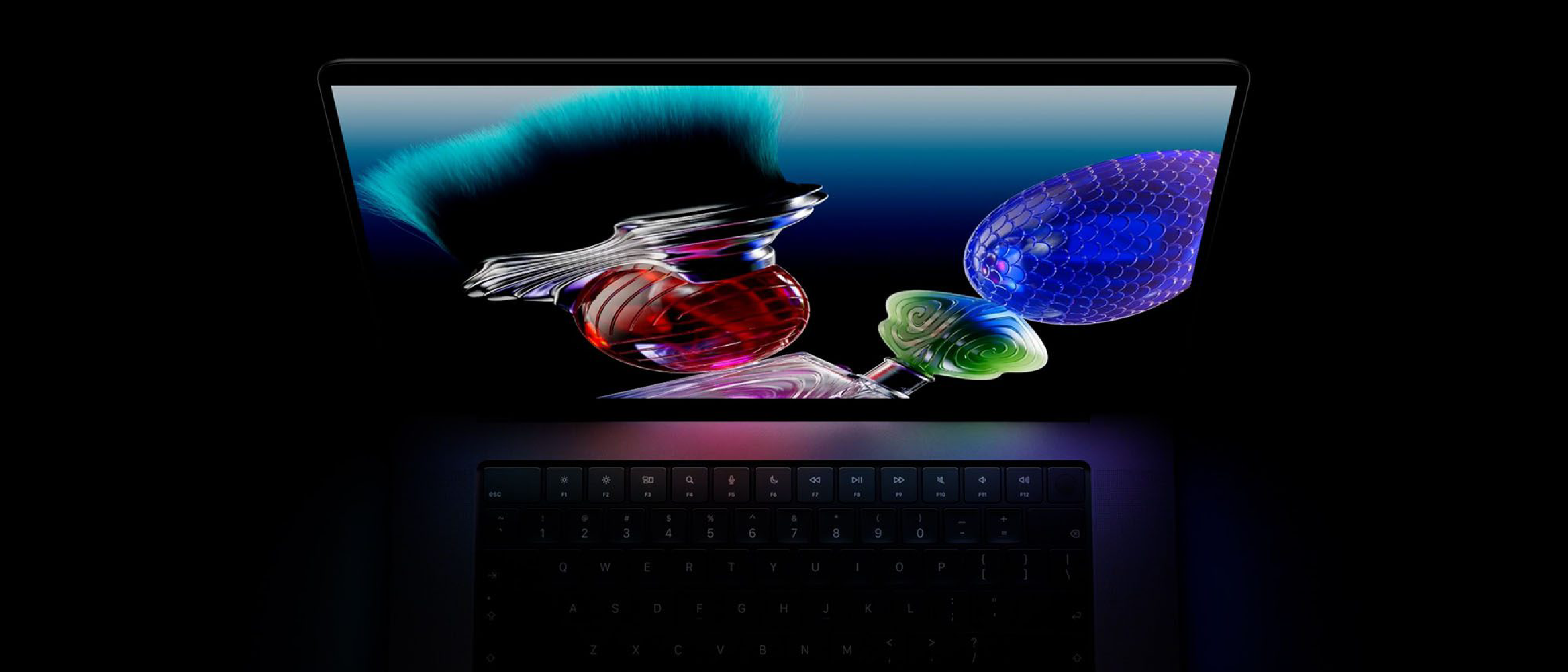
The $400 Premium: What’s Behind the Price Tag
Apple’s latest MacBook Pro model carries a $400 surcharge for the inclusion of a PROLED XDR display. While the price hike may raise eyebrows, Apple’s messaging frames the upgrade as a value‑add rather than a gimmick. The company’s spokesperson emphasized that the touchscreen is a bonus feature, not the headline. Instead, the focus is on the display’s exceptional color accuracy, brightness, and contrast ratios—attributes that professional creators and power users demand.
Apple’s argument hinges on the premise that the $400 premium is “positively cheap” for the performance delivered. This stance is rooted in a broader trend where premium hardware components—such as OLED panels, high‑refresh‑rate screens, and advanced thermal solutions—are increasingly becoming the differentiators in the laptop market. By positioning the display as the core selling point, Apple aims to shift consumer perception from a feature‑centric view to a performance‑centric one.
Display Technology: PROLED XDR Explained
The PROLED XDR (Pro LED eXtreme Dynamic Range) display is a leap forward in visual fidelity. Unlike traditional IPS panels, PROLED employs a micro‑LED architecture that delivers:
- Peak brightness up to 1,200 nits, surpassing the 1,000‑nit benchmark of most high‑end laptops.
- 100 % DCI‑P3 color gamut coverage, ensuring that every hue is rendered with precision.
- 10‑bit color depth, which translates to 1.07 billion colors versus the 16.7 million colors of 8‑bit panels.
- HDR10+ support, allowing dynamic metadata to adjust brightness and contrast on a frame‑by‑frame basis.
These specifications translate into tangible benefits for content creators. For instance, video editors working with 4K footage can rely on accurate color grading without the need for external calibration tools. Graphic designers benefit from a wider color space that reduces the risk of color shifts when files are transferred between devices.
The PROLED XDR panel also boasts a 120 Hz refresh rate and a low‑latency touch response, which, while not the headline feature, enhances the overall user experience. Apple’s marketing materials suggest that the panel’s performance is comparable to the high‑end displays found in flagship smartphones, yet it is integrated into a laptop form factor.
For those who edit video or design graphics on the go, the PROLED XDR display offers a compelling reason to pay the extra $400. The panel’s durability and energy efficiency also contribute to a longer battery life, a critical factor for mobile professionals.
Touchscreen: A Bonus Feature or a Game Changer?
Apple’s decision to include a touchscreen on the MacBook Pro is a notable departure from the company’s traditional laptop design. While the touchscreen is marketed as a bonus, its potential impact on workflow cannot be ignored. The feature allows for:
- Direct manipulation of UI elements, which can speed up tasks such as resizing windows or adjusting sliders.
- Enhanced collaboration during remote meetings, especially when paired with annotation tools.
- Creative flexibility for artists who prefer touch input over a stylus or keyboard.
However, the touchscreen’s utility is contingent on the software ecosystem. Currently, macOS offers limited native support for touch gestures compared to iPadOS. This limitation means that the touchscreen’s full potential is yet to be realized. Apple’s roadmap for macOS may include deeper integration, but until then, the feature remains a nice-to-have rather than a must‑have.
The inclusion of a touchscreen also raises questions about the MacBook Pro’s target audience. For developers and engineers who rely on keyboard shortcuts and precise cursor control, the touchscreen may be a distraction. Conversely, for designers and content creators, the ability to interact directly with visual elements can streamline the creative process.
Apple’s Value Proposition: Why $400 is “Positively Cheap”
Apple’s framing of the $400 premium as “positively cheap” hinges on a few key arguments:
Competitive Benchmarking: When compared to other high‑end laptops that offer similar display technology, the price differential is minimal. For example, certain Windows laptops with OLED panels can cost upwards of $1,500, whereas Apple’s MacBook Pro sits at a lower total cost of ownership due to its build quality and ecosystem integration.
Longevity and Reliability: Apple’s hardware is known for its durability. The PROLED XDR panel’s micro‑LED architecture is less prone to burn‑in and offers a longer lifespan than conventional OLED panels.
Ecosystem Synergy: The MacBook Pro’s integration with macOS, iCloud, and other Apple services creates a seamless workflow that can reduce the need for additional peripherals or software licenses.
Resale Value: Apple devices typically retain higher resale value. The premium display may enhance the device’s resale price, offsetting the initial cost over time.
Apple’s messaging also subtly addresses the “feature fatigue” that many consumers experience. By focusing on the display’s core performance, Apple positions the MacBook Pro as a tool that delivers tangible benefits rather than a collection of flashy features.
Industry Impact: How This Moves the Laptop Market
Apple’s move to embed a high‑performance display in its flagship laptop has ripple effects across the industry. The decision signals a shift toward premium visual components as a primary differentiator. This trend is already evident in the following areas:
Competitive Response: Windows manufacturers such as Dell and HP are accelerating the adoption of micro‑LED and mini‑LED panels in their high‑end laptops. The increased competition may drive down prices for advanced displays in the near future.
Software Development: Developers are now incentivized to optimize their applications for higher color depths and refresh rates. This could lead to a wave of new software features that leverage 10‑bit color and HDR capabilities.
Consumer Expectations: As Apple sets a new benchmark, consumers may begin to view a high‑quality display as a baseline requirement for premium laptops, rather than an optional upgrade.
The broader impact also extends to connectivity. With the rise of 5‑G and high‑speed fiber, a powerful display becomes more useful when paired with fast data transfer. For instance, the T‑Mobile Offers 5‑Gig Fiber at $90/mo, 10‑Year Guarantee article highlights how ultra‑fast internet can complement the MacBook Pro’s capabilities, enabling real‑time collaboration on large media files.
Future Outlook: What’s Next for MacBook Pro Displays?
Looking ahead, several developments could shape the evolution of MacBook Pro displays:
AI‑Driven Color Management: Apple’s ongoing work on AI, as discussed in the Apple’s Siri AI Roadmap: Ternus Details Future Plans, hints at a future where the display can automatically calibrate itself in real‑time based on ambient lighting, content type, and even the user’s visual preferences. By leveraging on‑device machine‑learning models, the MacBook Pro could adjust tone mapping and gamma curves on the fly, ensuring that every frame is rendered with optimal fidelity without manual intervention.
Foldable and Rollable Panels: Rumors circulating from supply‑chain sources suggest Apple is experimenting with flexible micro‑LED substrates that could enable a larger screen area while maintaining a compact chassis. If realized, a foldable or rollable MacBook Pro would push the envelope of portable productivity, allowing creators to expand their workspace without sacrificing portability.
Higher Refresh Rates & Variable Refresh: While the current PROLED XDR panel runs at a fixed 120 Hz, the next generation may adopt variable‑refresh‑rate (VRR) technology that dynamically scales between 60 Hz and 144 Hz depending on the workload. This would conserve battery life during static tasks while delivering buttery‑smooth motion for gaming or video playback.
Integrated Eye‑Tracking: Apple’s acquisition of several eye‑tracking startups could eventually make its way into the MacBook Pro’s display stack. Eye‑tracking could enable adaptive focus rendering, where the display sharpens the region of the screen the user is looking at, reducing power consumption and enhancing visual clarity for HDR content.
Improved Touch Input: The current touchscreen is positioned as a “bonus,” but Apple is likely to deepen macOS’s touch integration. Future updates may bring native multi‑finger gestures, pressure‑sensitive drawing tools, and tighter synergy with the Apple Pencil, turning the MacBook Pro into a true hybrid between a laptop and a tablet.
Anticipated Software Enhancements
To fully exploit these hardware advances, Apple will need to roll out complementary software updates:
macOS “Display Pro” Suite – A set of professional‑grade tools that give users granular control over color profiles, HDR tone‑mapping, and calibration curves, all powered by the on‑device AI engine.
ProTouch API – An open‑source framework that allows third‑party developers to integrate touch‑first workflows into their macOS apps, similar to how iPadOS handles Pencil input.
Dynamic Battery Management – Leveraging the efficiency of micro‑LED, macOS could introduce a “Display‑First” power mode that prioritizes screen performance while throttling background processes, extending real‑world battery life beyond the advertised 20‑hour mark.
Market Forecast: Pricing and Competition
Analysts at IDC project that the average price premium for laptops featuring micro‑LED or mini‑LED panels will shrink from roughly 15 % in 2025 to under 8 % by 2028 as production yields improve and component costs drop. Apple’s $400 surcharge—about 7 % over the base MacBook Pro configuration—already sits at the lower end of that spectrum, reinforcing the claim that the premium is “positively cheap.”
Competitors are responding in kind:
- Dell XPS 17 (2026 Refresh) – Introduces a 4K mini‑LED panel with 1000 nits peak brightness, priced $350 above the base model.
- HP Spectre x360 16 – Offers a 3K OLED display with 120 Hz refresh, carrying a $420 premium.
- Lenovo ThinkPad X1 Extreme Gen 5 – Features a 4K HDR panel with a $380 surcharge.
These offerings confirm that Apple is not alone in betting on premium displays, but its tight integration of hardware, software, and ecosystem still gives it a competitive edge.
Conclusion
Apple’s justification for the $400 premium on the MacBook Pro with PROLED XDR display rests on three pillars:
- Display‑Centric Value – The panel’s superior brightness, color gamut, and HDR capabilities deliver tangible productivity gains for creators.
- Future‑Proofing – Emerging technologies such as AI‑driven color management, flexible panels, and deeper touch integration promise to keep the device relevant for years.
- Ecosystem Synergy – The seamless hand‑off between macOS, iPadOS, and other Apple services amplifies the return on investment, especially when considering resale value and longevity.
While the touchscreen remains a secondary benefit for now, its presence signals Apple’s willingness to experiment and may foreshadow a more touch‑centric macOS in the near future. For professionals who prioritize visual fidelity and are comfortable paying a modest premium, the MacBook Pro’s PROLED XDR display represents a compelling proposition that aligns with Apple’s broader strategy of positioning premium hardware as a long‑term productivity tool rather than a fleeting gimmick.
FAQ
Q: Is the $400 premium only for the touchscreen version? A: No. The surcharge applies to any MacBook Pro equipped with the PROLED XDR panel, regardless of whether the touchscreen is enabled. The touch layer itself adds only a marginal cost.
Q: How does the battery life compare to the non‑XDR model? A: Apple claims up to 20 hours of web browsing on the XDR model versus 22 hours on the standard Retina display. The slight reduction is offset by the panel’s higher efficiency and lower power draw at typical brightness levels.
Q: Will existing macOS apps automatically benefit from the 10‑bit color depth? A: Apps that are built with color‑aware frameworks (e.g., Metal, Core Graphics) will automatically render in 10‑bit. Legacy 8‑bit apps will continue to function but won’t fully exploit the expanded gamut.
Q: Can the touchscreen be disabled if I prefer a traditional laptop experience? A: Yes. macOS includes a setting in System Settings → Displays → Touch Input that lets users turn off touch functionality entirely.
Q: When can we expect the next generation of the PROLED XDR panel? A: Industry leaks suggest a refresh in late 2027, potentially featuring variable refresh rates and AI‑driven calibration.
Q: Does the higher price affect the device’s repairability? A: The PROLED XDR panel is integrated more tightly into the chassis, making screen replacements more expensive than on previous models. However, Apple’s extended AppleCare+ plans cover accidental damage for up to three years.
For more in‑depth analysis of Apple’s hardware strategy, stay tuned to our upcoming series on “The Future of Professional Laptops.”
Source: Original Article